Accessories included - Monitor with stand HDMI cable DisplayPort cable USB-C - USB-C/A Y cable Power cord User Documentation
ARTIKEL1 - 34B1U5600CH 86.36CM 34IN VA LCD
ARTIKEL2 - 3440X1440 3000:1 350 CD/QM 21:9
Aspect ratio - 21:9
Auto Pivot - No
Bluetooth - No
Brand - Philips
BrandPartCode - 34B1U5600CH/00
Breite - 0.53
Brightness - 350 cd/m²
Category - Computer Monitors
Category - Root/Electronics/PC peripherals/Monitors
Category 1 - Displays
Category 2 - Monitore
category_en - Computers & Components > Monitors and accessories > LCD monitors
category_lv - Datortehnika > Monitori un aksesuāri > LCD monitori
category_ru - Datortehnika > Monitori un aksesuāri > LCD monitori
Certificates - CB
Certificates - CE
Certificates - CU
Certificates - Energy Star
Certificates - EPEAT
Certificates - FCC Class B
Certificates - RoHS
Certificates - TCO
Certificates - TUV
Code - 34B1U5600CH/00
Color - Black
Dane fizyczne: Głębokość - 250 mm
Dane fizyczne: Kolor obudowy - czarny
Dane fizyczne: Standard VESA - 100 x 100
Dane fizyczne: Szerokość - 807 mm
Dane fizyczne: Waga - 11.7 kg
Dane fizyczne: Wysokość - 601 mm
Dane techniczne: Czas reakcji - 4 ms
Dane techniczne: Częstotliwość odświeżania - 120 Hz
Dane techniczne: Grupa produktowa - Monitory Philips
Dane techniczne: Gwarancja - 2 lata w serwisie zewnętrznym
Dane techniczne: Głośniki - tak (2 x 5 W)
Dane techniczne: Jasność - 350 cd/m²
Dane techniczne: Kamerka - tak
Dane techniczne: Model - Philips B1U5600CH
Dane techniczne: Możliwość regulacji - obrót na podstawie (swivel)
Dane techniczne: Możliwość regulacji - pochył
Dane techniczne: Możliwość regulacji - wysokość
Dane techniczne: Powłoka matrycy - antyrefleksyjna
Dane techniczne: Producent - Philips
Dane techniczne: Przekątna - 34 cali
Dane techniczne: Rodzaj podświetlenia - LED
Dane techniczne: Rozdzielczość ekranu - 3440 x 1440 piksele
Dane techniczne: Rozmiar plamki - 0.231 mm
Dane techniczne: Standard portów wideo - DisplayPort
Dane techniczne: Standard portów wideo - HDMI 2.0
Dane techniczne: Standard portów wideo - USB-C
Dane techniczne: Typ - do biura i domu
Dane techniczne: Typ ekranu - zakrzywiony
Dane techniczne: Typ matrycy - VA
Depth - 110 mm
Depth with stand - 250 mm
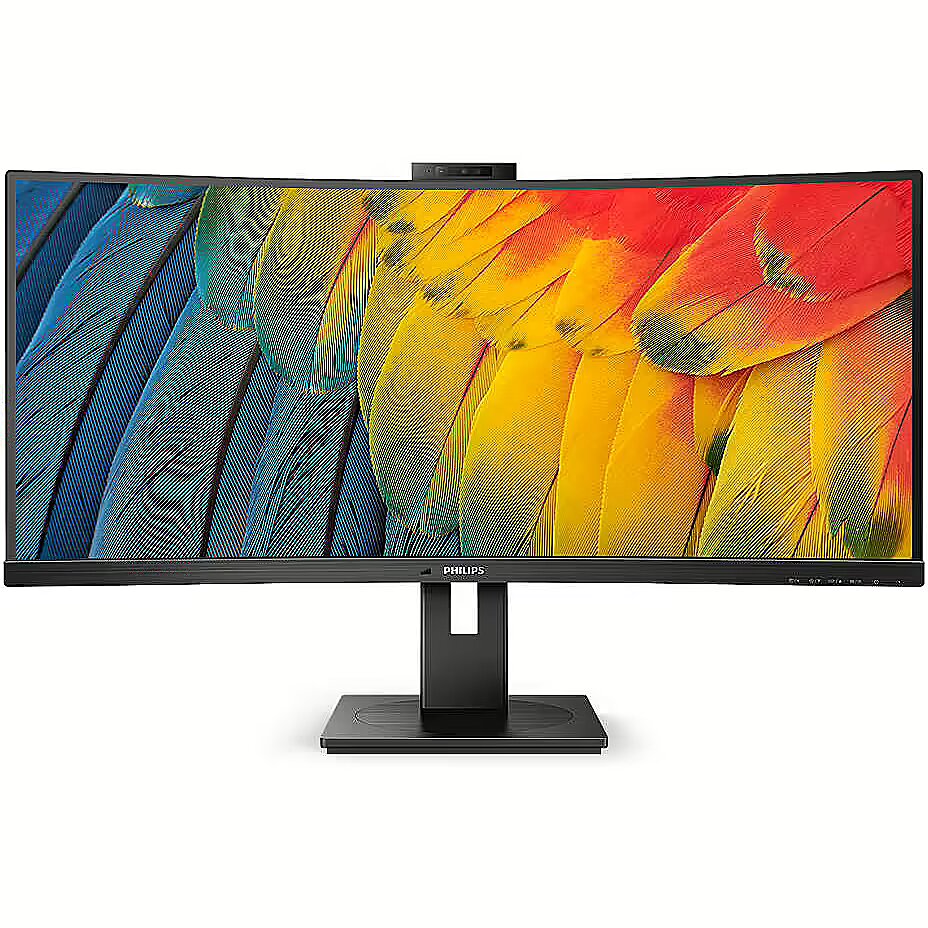
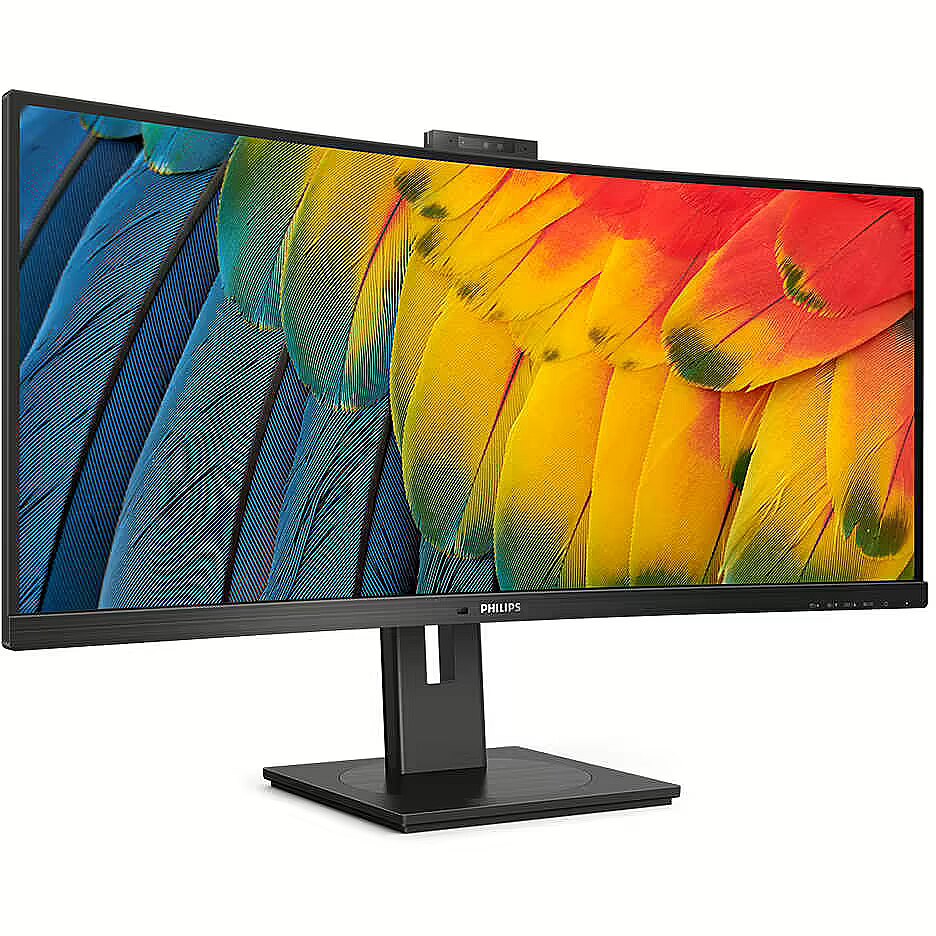
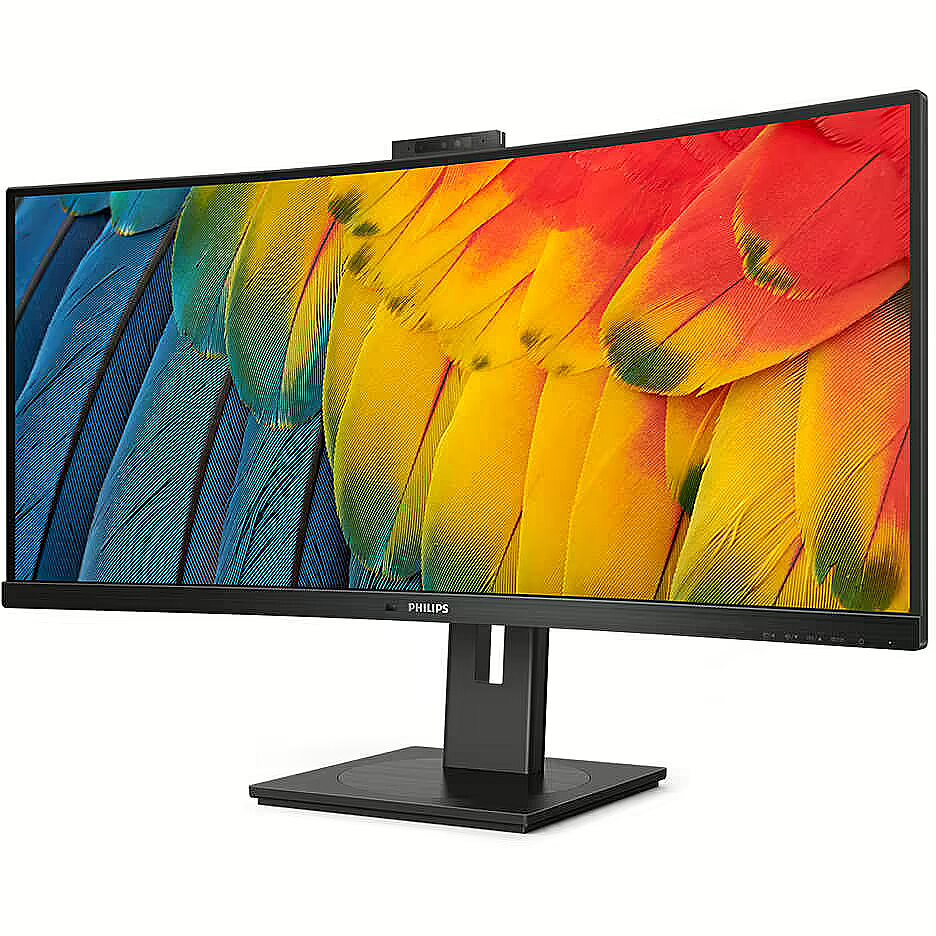
Description - 34B1U56 Everyday tasks simplified Use this USB-C monitor for watching videos, transferring data and powering up. The built-in 5 megapixel webcam provides sharp images, while the noise-cancelling microphone lets your interlocutors hear you well. Windows Hello Webcam provides quick access and a high level of security. RJ-45 USB-C for easy and secure network connectivity Simplifying the connection of all your peripherals to your computer with a single USB Type-C connection and a single cable, this includes network connectivity, high-definition video output from your computer to your monitor, and web surfing without additional network cables or even without a LAN port on your notebook. The RJ45 connection via USB-C offers a fast and secure connection when needed. Achieving higher transfer speeds allows the fastest data transfer from hard drive to computer to date. In addition, USB-C with power functionality can even allow you to power your notebook from the monitor, eliminating the need for additional power cables. VA panel monitor lets you enjoy great image quality and wide viewing angles Philips' VA LED monitor uses advanced multi-functional vertical image adjustment technology to deliver an extremely high static contrast ratio, resulting in a very vivid, bright image. It is ideal for standard office applications as well as for displaying photos, websites, movies and games and using demanding graphics applications. Optimised pixel management technology additionally provides extremely wide 178/178 degree viewing angles for outstanding image clarity. Crystal-clear images on a 3440 x 1440 pixel UltraWide QHD screen Philips monitors display crystal-clear UltraWide images at a Quad HD resolution of 3440 x 1440 pixels. A top-quality, high-pixel-density matrix with 178/178-degree viewing angles allows you to breathe life into any image or graphic. The UltraWide 21:9 aspect ratio enables greater productivity, as it provides more space for side-by-side comparisons and allows more columns of spreadsheets to be displayed. Displaying crystal clear images, these Philips monitors are the ideal choice for demanding designers working with CAD/CAM software or financiers using large spreadsheets on a daily basis. Built-in KVM switch for easy switching between sources Thanks to the integrated MultiClient KVM switch, you can use two computers with a single monitor, keyboard and mouse set. A convenient button allows you to quickly switch between sources. It comes in handy for configurations that require double the computing power of two computers or for sharing one large monitor between two computers. MultiView technology allows two devices to be connected and displayed simultaneously Philips monitor with ultra-high resolution matrix and MultiView technology supports a wide range of signal sources. MultiView technology allows you to actively connect two devices and display the image from each at the same time, so you can, for example, efficiently multitask on your desktop PC and notebook at the same time. Webcam with ambient noise-cancelling microphone for collaboration This Philips monitor comes with a built-in 5 MP webcam, noise-cancelling microphone and speakers. It's ideal for working from home and remote collaboration. The webcam is Windows Hello certified. Equipped with advanced sensors for Windows Hello facial recognition, which allows you to conveniently log in to Windows devices in less than 2 seconds. A physical camera switch provides additional privacy when not in use. An ambient noise-cancelling microphone and two built-in 5W speakers provide clear audio when communicating. PowerSensor reduces energy costs by up to 80% PowerSensor technology acts as a presence sensor that transmits and receives harmless infrared signals to determine the user's presence in the room and automatically lowers the brightness level of the monitor display when the user walks away from the desk. This reduces energy costs by up to 80% while extending the life of the monitor Eye care function certified by TUV Eye Comfort Philips monitors comply with the TUV Rheinland Eye Comfort standard, which prevents eye fatigue caused by prolonged computer use. With TUV Eye Comfort certification, Philips monitors provide a flicker-free Low Blue mode, no interfering reflections, a wide viewing angle and less reduction in image quality from different angles, and an ergonomic base design for a great viewing experience. Keep your eyes healthy and increase your productivity. Adjust tilt, swivel and height for the ideal viewing position The Philips Compact Ergo monitor stand is extremely flexible: it allows you to tilt, swivel and adjust the height so that every monitor user can choose the viewing angle to suit their needs and ensure maximum viewing comfort and productivity. LightSensor technology ensures perfect brightness with minimal power consumption LightSensor technology uses an intelligent sensor to adjust the brightness of the image according to the lighting conditions in the room. This allows for an ideal image with minimal energy consumption.
description_en - The Philips 34B1U5600CH/00 is a 34" curved business monitor designed for productive multitasking, clear communication, and everyday office use. It features an ultrawide UWQHD display, USB-C connectivity with up to 100W power delivery, an integrated 5MP pop-up webcam, built-in audio, and a height-adjustable stand. Technical Specifications:
- Brand: Philips
- Model: 34B1U5600CH/00
- Product type: Curved business monitor
- Screen size: 34"
- Color: Black
- Panel type: VA
- Resolution: 3440 × 1440
- Aspect ratio: 21:9
- Refresh rate: 120Hz
- Response time: 4ms GTG
- Brightness: 350 nits
- Contrast ratio: 3000:1
- Viewing angle: 178° horizontal / 178° vertical
- Color support: 16.7 million colors
- Curved screen: Yes
- Adaptive Sync: Yes
- Webcam: Integrated 5MP pop-up webcam
- Microphone: Noise-cancelling microphone
- Speakers: Built-in speakers
- Camera features: LED indicator
- USB-C: Yes, with power delivery up to 100W
- Video input: DisplayPort 1.4, HDMI 2.0, USB-C
- USB hub: USB 3.2 Gen 2 / 10 Gbps support
- USB ports: USB-C upstream, USB-A downstream ports, USB-C downstream port
- Audio out: Combo jack
- Stand adjustments: Height 180 mm, swivel -/+ 180°, tilt -5/25°
- VESA mount: 100 × 100 mm
- Surface: Anti-glare, 3H, haze 25
- Intended use: Office productivity, multitasking, video calls, and general media use
- Power delivery note: Device must support USB-C Power Delivery for charging functions Features:
- 34" curved ultrawide monitor with 3440 × 1440 UWQHD resolution
- 120Hz refresh rate for smoother visuals
- 4ms GTG response time for reduced ghosting and blur
- Built-in 5MP pop-up webcam with noise-cancelling microphone
- Built-in speakers for everyday audio needs
- USB-C connectivity with up to 100W power delivery
- Height-adjustable stand for a more comfortable setup
- VESA mount compatible for flexible installation
description_lv - Philips 34B1U5600CH/00 ir 34 collu izliekts biznesa monitors, kas paredzēts produktīvai vairākuzdevumu veikšanai, skaidrai saziņai un ikdienas lietošanai birojā. Tam ir īpaši plats UWQHD displejs, USB-C savienojums ar līdz 100 W strāvas padevi, integrēta 5 MP uznirstošā tīmekļa kamera, iebūvēta audio un regulējama augstuma statīvs. Tehniskās specifikācijas:
- Zīmols: Philips
- Modelis: 34B1U5600CH/00
- Produkta veids: izliekts biznesa monitors
- Ekrāna izmērs: 34"
- Krāsa: melna
- Paneļa tips: VA
- Izšķirtspēja: 3440 × 1440
- Malu attiecība: 21:9
- Atsvaidzes intensitāte: 120 Hz
- Reakcijas laiks: 4ms GTG
- Spilgtums: 350 niti
- Kontrasta attiecība: 3000:1
- Skata leņķis: 178° horizontāli / 178° vertikāli
- Krāsu atbalsts: 16,7 miljoni krāsu
- Izliekts ekrāns: jā
- Adaptīvā sinhronizācija: jā
- Tīmekļa kamera: integrēta 5 MP uznirstošā tīmekļa kamera
- Mikrofons: trokšņus slāpējošs mikrofons
- Skaļruņi: iebūvēti skaļruņi
- Kameras īpašības: LED indikators
- USB-C: Jā, ar strāvas padevi līdz 100 W
- Video ieeja: DisplayPort 1.4, HDMI 2.0, USB-C
- USB centrmezgls: USB 3.2 Gen 2 / 10 Gbps atbalsts
- USB porti: USB-C augšējais ports, USB-A pakārtotais ports, USB-C pakārtotais ports
- Audio izeja: Combo ligzda
- Statīva regulēšana: augstums 180 mm, grozāms -/+ 180°, slīpums -5/25°
- VESA stiprinājums: 100 × 100 mm
- Virsma: pretatspīduma, 3H, miglains 25
- Paredzētā izmantošana: biroja produktivitāte, vairākuzdevumu veikšana, videozvani un vispārēja multivides lietošana
- Strāvas piegādes piezīme: ierīcei ir jāatbalsta USB-C barošanas padeve uzlādes funkcijām Funkcijas:
- 34 collu izliekts īpaši plats monitors ar 3440 × 1440 UWQHD izšķirtspēju
- 120 Hz atsvaidzes intensitāte vienmērīgākam vizuālajam attēlam
- 4 ms GTG reakcijas laiks, lai samazinātu dubultošanos un izplūšanu
- Iebūvēta 5MP uznirstošā tīmekļa kamera ar trokšņu slāpēšanas mikrofonu
- Iebūvēti skaļruņi ikdienas audio vajadzībām
- USB-C savienojums ar līdz pat 100 W strāvas padevi
- Statīvs ar regulējamu augstumu ērtākai uzstādīšanai
- Saderīgs ar VESA stiprinājumu elastīgai uzstādīšanai
description_ru - Philips 34B1U5600CH/00 — это 34-дюймовый изогнутый монитор для бизнеса, предназначенный для продуктивной многозадачности, четкого общения и повседневного использования в офисе. Он оснащен сверхшироким дисплеем UWQHD, возможностью подключения USB-C с подачей питания до 100 Вт, встроенной выдвижной веб-камерой 5 МП, встроенным звуком и регулируемой по высоте подставкой. Технические характеристики:
- Бренд: Филипс
- Модель: 34B1U5600CH/00
- Тип продукта: Изогнутый бизнес-монитор.
- Размер экрана: 34 дюйма
- Цвет: Черный
- Тип панели: ВА
- Разрешение: 3440×1440
- Соотношение сторон: 21:9
- Частота обновления: 120 Гц
- Время отклика: 4 мс GTG
- Яркость: 350 нит
- Коэффициент контрастности: 3000:1
- Угол обзора: 178° по горизонтали/178° по вертикали
- Цветовая поддержка: 16,7 миллионов цветов.
- Изогнутый экран: Да
- Адаптивная синхронизация: Да
- Веб-камера: встроенная выдвижная веб-камера с разрешением 5 МП.
- Микрофон: микрофон с шумоподавлением
- Динамики: Встроенные динамики.
- Особенности камеры: светодиодный индикатор.
- USB-C: Да, с мощностью до 100 Вт.
-Видеовход: DisplayPort 1.4, HDMI 2.0, USB-C
- USB-концентратор: поддержка USB 3.2 Gen 2/10 Гбит/с.
- Порты USB: восходящие порты USB-C, нисходящие порты USB-A, нисходящий порт USB-C.
- Аудиовыход: комбинированный разъем
- Регулировка подставки: высота 180 мм, поворот -/+ 180°, наклон -5/25°.
- Крепление VESA: 100×100 мм
- Поверхность: Антибликовое, 3H, матовость 25.
- Использование по назначению: производительность офиса, многозадачность, видеозвонки и общее использование мультимедиа.
- Примечание по питанию: устройство должно поддерживать подачу питания USB-C для функций зарядки. Особенности:
- 34-дюймовый изогнутый сверхширокий монитор с разрешением 3440 × 1440 UWQHD
- Частота обновления 120 Гц для более плавного изображения
- Время отклика GTG 4 мс для уменьшения ореолов и размытия
- Встроенная выдвижная веб-камера 5 МП с микрофоном с шумоподавлением.
- Встроенные динамики для повседневного аудио
- Возможность подключения USB-C с мощностью до 100 Вт.
- Регулируемая по высоте подставка для более удобной установки.
- Совместимость с креплением VESA для гибкой установки
Design - Feet colour - Black
Design - Front bezel colour - Black
Design - Market positioning - Business
Design - Product colour - Black
Design > Colour of product - Black
Designation - CE+WEEE
dimension depth - 900 mm
dimension height - 520 mm
dimension weight - 15050 g
dimension width - 285 mm
Display - Anti-glare screen - Yes
Display - Backlight type - W-LED
Display - Colour depth - 8 bit
Display - Colour gamut - 100%
Display - Colour gamut standard - sRGB, NTSC
Display - Contrast ratio (dynamic) - 50000000:1
Display - Contrast ratio (typical) - 3000:1
Display - DDC/CI - Yes
Display - Display brightness (typical) - 350 cd/m²
Display - Display diagonal - 86.4 cm (34")
Display - Display diagonal (metric) - 86.36 cm
Display - Display number of colours - 16.7 million colours
Display - Display panel size - 34 inch/86.36 cm
Display - Display resolution - 3440 x 1440 pixels
Display - Display sRGB - Yes
Display - Display technology - LCD
Display - Dynamic contrast ratio marketing name - SmartContrast
Display - Haze rate - 25%
Display - HD type - Wide Quad HD
Display - Horizontal scan range - 30 - 160 kHz
Display - LED backlight - Yes
Display - Maximum refresh rate - 100 Hz
Display - Native aspect ratio - 21:9
Display - NTSC coverage (typical) - 100%
Display - Panel type - VA
Display - Pixel density - 110 ppi
Display - Pixel pitch - 0.23175 x 0.23175 mm
Display - Response time - 4 ms
Display - Screen curvature rating - 1500R
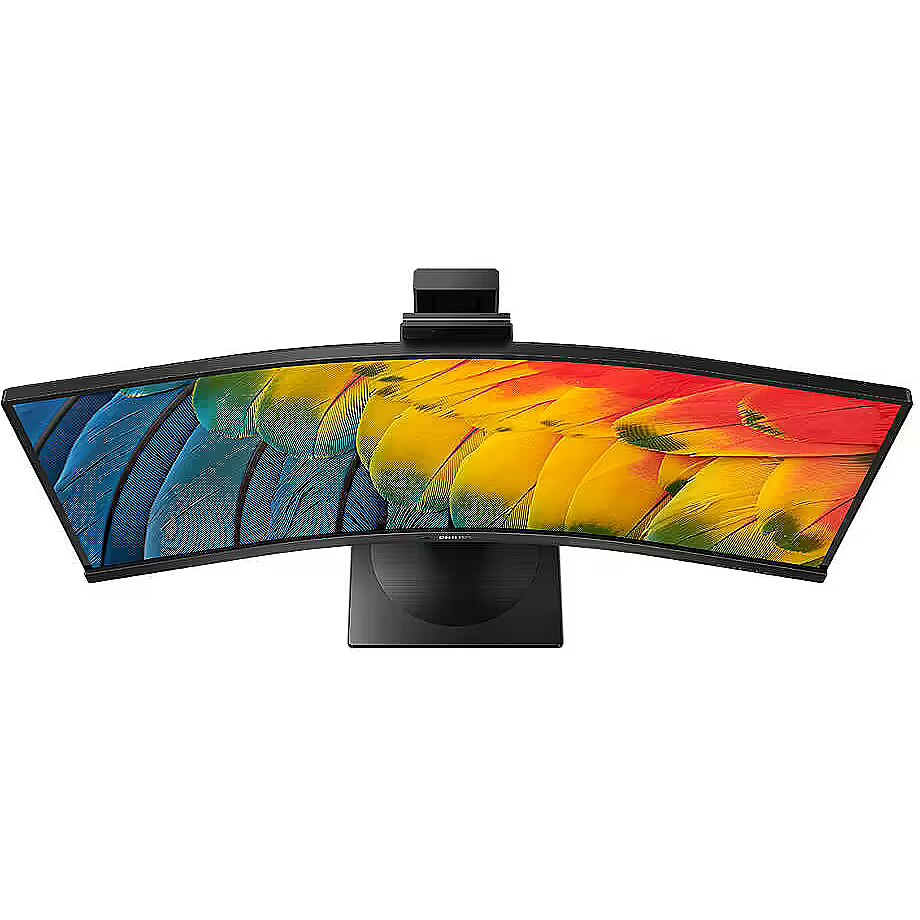
Display - Screen shape - Curved
Display - sRGB coverage (typical) - 120%
Display - Surface hardness - 3H
Display - Touchscreen - No
Display - Vertical scan range - 48 - 100 Hz
Display - Viewable size, horizontal - 79.7 cm
Display - Viewable size, vertical - 33.4 cm
Display - Viewing angle, horizontal - 178°
Display - Viewing angle, vertical - 178°
Display > Aspect ratio - 21:9
Display > Contrast ratio (typical) - 3000:1
Display > Display - 3440 x 1440
Display > Display brightness - 350 cd/m²
Display > Display diagonal - 34 "
Display > Display surface - Anti-Glare
Display > HD type - WQHD
Display > Maximum refresh rate - 120 Hz
Display > Panel type - VA
Display > Response time - 4 ms
Display > Touchscreen - No
Display > Viewing angle, horizontal - 178 °
Display > Viewing angle, vertical - 178 °
Display surface - Matt
Dodatkowe informacje o matrycy: Format obrazu - 21:9
Dodatkowe informacje o matrycy: Kontrast - 3000:1
Dodatkowe informacje o matrycy: Kąt widzenia w pionie - 178 °
Dodatkowe informacje o matrycy: Kąt widzenia w poziomie - 178 °
Dodatkowe informacje o matrycy: Liczba wyświetlanych kolorów - 16.7 mln
Dot pitch - 0.23175 mm
Dynamic contrast - 50 000 000:1
EAN - 8712581796525
ean - 8712581796525
EANCode - 8712581796525
Eans - 8712581796525
Efektywność energetyczna: Klasa energetyczna - G
Efektywność energetyczna: Zużycie energii w trybie pracy - 31 W
Energy class - G
Energy label - Pobierz
Ergonomics - Adjustable height (max) - 18 cm
Ergonomics - Cable lock slot - Yes
Ergonomics - Cable lock slot type - Kensington
Ergonomics - Height adjustment - Yes
Ergonomics - LED indicators - Operation, Stand-by
Ergonomics - On Screen Display (OSD) - Yes
Ergonomics - On Screen Display (OSD) languages - Portuguese, Czech, Dutch, English, Finnish, French, German, Greek, Hungarian, Italian, Japanese, Korean, Polish, Russian, Simplified Chinese, Spanish, Swedish, Traditional Chinese, Turkish, Ukrainian
Ergonomics - Panel mounting interface - 100 x 100 mm
Ergonomics - Picture-in-Picture - Yes
Ergonomics - Plug and Play - Yes
Ergonomics - Swivel angle range - -180 - 180°
Ergonomics - Swivelling - Yes
Ergonomics - Tilt adjustment - Yes
Ergonomics - Tilt angle range - -5 - 25°
Ergonomics - VESA mounting - Yes
Ergonomics > Height adjustment - 18 cm
Ergonomics > Height adjustment - Yes
Ergonomics > Pivot - No
Ergonomics > Swivelling - Yes
Ergonomics > Tilt adjustment - Yes
Ergonomics > Tilt angle - -5/25 °
Ergonomics > VESA mounting - Yes
Ergonomics > VESA mounting interfaces - 100 x 100 mm
Frequency, horizontal max. - 190 kHz
Frequency, horizontal min. - 30 kHz
Frequency, vertical max. - 120 Hz
Frequency, vertical min. - 48 Hz
Gewicht - 15.63
gross_weight - 13.5 kg
GRUPPE1 - Displays
GRUPPE2 - Lcd Monitor
GTIN - 8712581796525
guarantee - 36
guarantee_type - external
Height - 367 mm
Height adjustment - Yes
Height adjustment range - 180 mm
Height with stand - 601 mm
HERSTELLER - MMD - PHILIPS
Hoehe - 0.29
HSTNUMMER - 34B1U5600CH/00
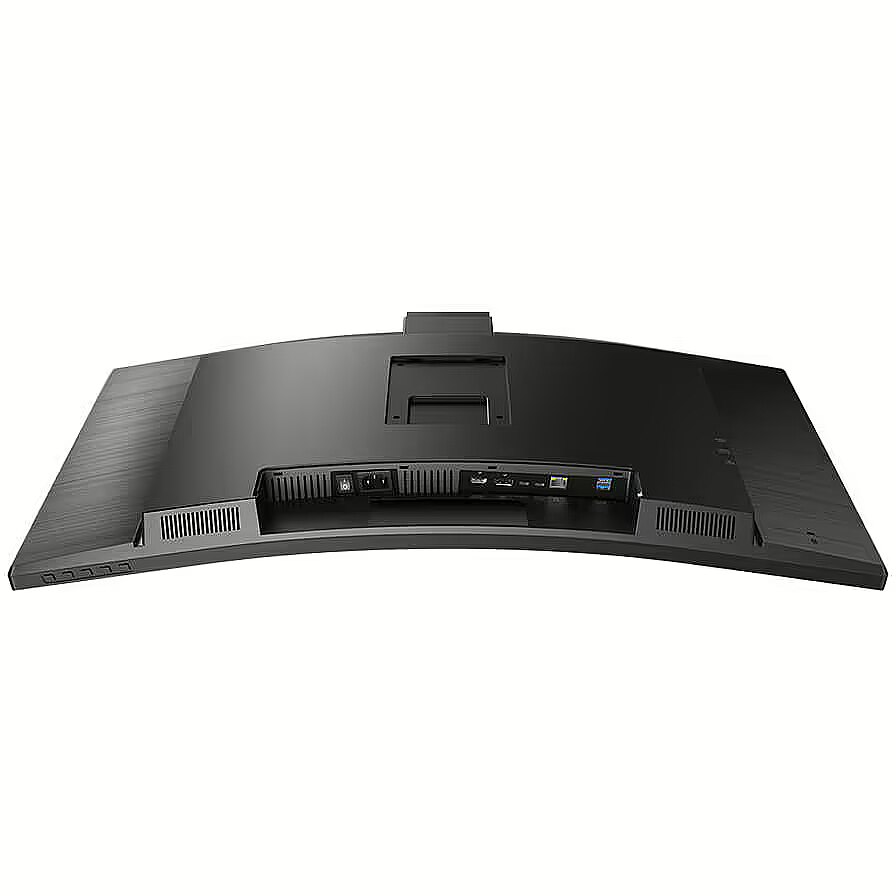
I/O connectors - 1 x 3,5 mm minijack
I/O connectors - 1 x DisplayPort
I/O connectors - 1 x HDMI
I/O connectors - 1 x RJ-45 LAN
I/O connectors - 1 x USB (Type B)
I/O connectors - 1 x USB (Type C)
I/O connectors - 4 x USB 3.0
Laenge - 0.91
Link - https://www.philips.co.uk/c-p/34B1U5600CH_00/business-monitor-curved-ultrawide-display-with-usb-c-dock
LongDesc - This USB-C monitor is great for watching videos, data transfer and power delivery. The integrated 5 MP webcam delivers sharp images, and a noise-cancelling mic lets people hear you clearly. Features a pop-up webcam for quick access and robust security.
LongProductName - Business Monitor 34B1U5600CH Curved UltraWide display with USB-C dock
LongSummaryDescription - Philips 5000 series 34B1U5600CH/00. Display diagonal: 86.4 cm (34"), Display resolution: 3440 x 1440 pixels, HD type: Wide Quad HD, Display technology: LCD, Response time: 4 ms, Native aspect ratio: 21:9, Viewing angle, horizontal: 178°, Viewing angle, vertical: 178°. Built-in speaker(s). Built-in USB hub, USB hub version: 3.2 Gen 2 (3.1 Gen 2). VESA mounting, Height adjustment. Product colour: Black
Manufacturer - Philips
Matrix type - VA
Model -
Model - 34B1U5600CH
MPN - 34B1U5600CH/00
Multimedia - Built-in camera - Yes
Multimedia - Built-in microphone - Yes
Multimedia - Built-in speaker(s) - Yes
Multimedia - Megapixel (approx.) - 5 MP
Multimedia - Number of speakers - 2
Multimedia - RMS rated power - 10 W
Multimedia > Built-in speaker(s) - Yes
Multimedia > TV tuner integrated - No
name - Monitor 34 inches 34B1U5600CH Curved VA HDMI DP USB-C HAS Camera Speakers
Name - Philips 34B1U5600CH/00 - 120Hz | UWQHD | 34'' | VA | 4ms
Name - Philips 86.4cm (34.0") 34B1U5600CH 21:09 HDMI+DP+USB-C VA
Name - Philips | Curved Monitor | 34B1U5600CH/00 | 34 " | VA | WQHD | 21:9 | 120 Hz | 4 ms | 3440 x 1440 | 350 cd/m² | HDMI ports quantity 1 | Black
Network - Ethernet LAN - Yes
Networking > Ethernet LAN (RJ-45) ports - Yes
Number of colors - 16,7 mln
Ochrona oczu: Filtr światła niebieskiego - tak
Ochrona oczu: Redukcja migotania - tak
Operational conditions - Non-operating altitude - 0 - 12192 m
Operational conditions - Operating altitude - 0 - 3658 m
Operational conditions - Operating relative humidity (H-H) - 20 - 80%
Operational conditions - Operating temperature (T-T) - 0 - 40 °C
Operational conditions - Storage temperature (T-T) - -20 - 60 °C
Optional accessory -
Other features -
Other features - Compatible operating systems - Mac OS X; Windows 11/10/8.1/8/7
Other features - Compliance certificates - RoHS
Other features - Delta E - 2
Other features - EasyRead mode - Yes
Other features - Ethernet LAN data rates - 10,100,1000 Mbit/s
Other features - Exterior finish type - Textured
Other features - HBR3 support - Yes
Other features - Light sensor - Yes
Other features - LowBlue mode - Yes
Other features - Mean time between failures (MTBF) - 70000 h
Other features - Monitor sync input signal - Separate Sync
Other features - MultiView - PIP/PBP mode; 2 x devices
Other features - Philips SmartUniformity - 93 - 105%
Other features - Picture-by-Picture (PbP) - Yes
Other features - Picture enhancement - SmartImage
Other features - Regulatory Approvals - CB; CE Mark; FCC Class B; ICES-003; CU-EAC; EAEU RoHS; TUV Ergo; TUV/GS; TUV Eye Comfort certified
Other features - User controls - SmartImage; Input; User; Menu; Power On/Off
Other features - Wake-on-LAN - Yes
Package features > Embeeded battery - No
Package features > Gross depth (mm) - 282.00 mm
Package features > Gross height (mm) - 525.00 mm
Package features > Gross width (mm) - 904.00 mm
Package features > Packing quantity - 1.00 pc(s)
Package features > Palette Qty - 8 pc(s)
Package features > Paper/Pasteboard - 2936.00 g
Package features > Plastic (No PET) - 734.00 g
Package features > Tare weight (kg) - 3.67 kg
Package features > Volume (m3) - 0.13 m³
Package features > WEE classification - CL109:2:2017-04-01
Package features > WEEE tax - Yes
Packaging content - Bundled software - SmartControl
Packaging content - Cables included - HDMI, DisplayPort, USB Type-C, AC
Packaging content - Manual - Yes
Packaging content - Stand included - Yes
Packaging data - Package depth - 282 mm
Packaging data - Package height - 525 mm
Packaging data - Package weight - 15.4 kg
Packaging data - Package width - 904 mm
PDF - https://www.blobs.lt/products/8/3/1/6/9/3/ef9b5d1813bb12fbc9963e49c8caa2ef/original.pdf
Performance - AMD FreeSync - No
Performance - Component video sync - Separate Sync
Performance - Fast charging - Yes
Performance - Fast charging technology - Power Delivery
Performance - Flicker-free technology - Yes
Performance - Low Blue Light technology - Yes
Performance - NVIDIA G-SYNC - No
Performance - VESA Adaptive Sync support - Yes
Ports & interfaces - Built-in KVM switch - Yes
Ports & interfaces - Built-in USB hub - Yes
Ports & interfaces - DisplayPorts quantity - 1
Ports & interfaces - DisplayPort version - 1.4
Ports & interfaces - HDCP - Yes
Ports & interfaces - HDCP version - 2.2
Ports & interfaces - HDMI - Yes
Ports & interfaces - HDMI ports quantity - 1
Ports & interfaces - HDMI version - 2.0
Ports & interfaces - Headphone out - Yes
Ports & interfaces - Number of upstream ports - 1
Ports & interfaces - USB hub version - 3.2 Gen 2 (3.1 Gen 2)
Ports & interfaces - USB Power Delivery (USB PD) - Yes
Ports & interfaces - USB Power Delivery up to - 100 W
Ports & interfaces - USB Type-A downstream ports quantity - 4
Ports & interfaces - USB Type-C DisplayPort Alternate Mode - Yes
Ports & interfaces - USB Type-C downstream ports quantity - 1
Ports & interfaces - USB upstream port type - USB Type-C
Ports & interfaces > DisplayPorts quantity - 1
Ports & interfaces > HDMI ports quantity - 1
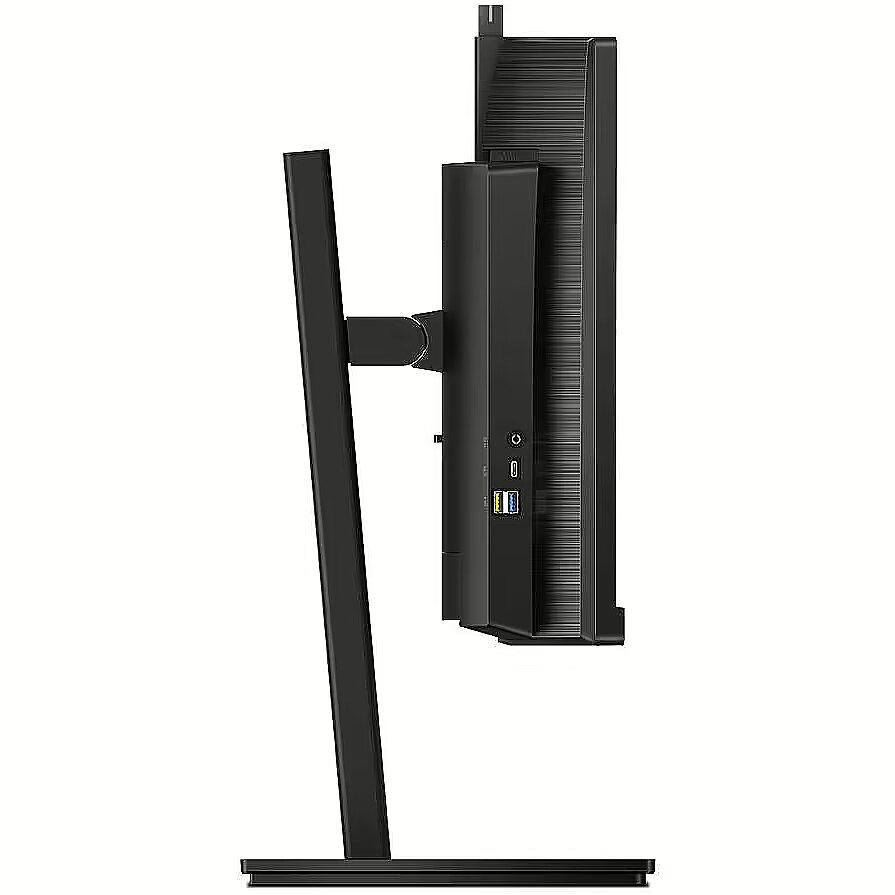
Ports & interfaces > USB ports quantity - USB 3.2, Gen 2/10 Gbps, USB-C upstream x 1 (Data), USB-A downstream x 4 (with 1 for fast charge B.C 1.2), USB-C downstream x 1 (Data, PD 15 W)
Power - AC input frequency - 50/60 Hz
Power - AC input voltage - 100 - 240 V
Power - Energy consumption (SDR) per 1000 hours - 40 kWh
Power - Energy efficiency class (SDR) - F
Power - Energy efficiency scale - A to G
Power - Power consumption (off) - 0 W
Power - Power consumption (PowerSave) - 31 W
Power - Power consumption (standby) - 0.3 W
Power - Power consumption (typical) - 35 W
Power - Power supply type - Internal
Power > Energy efficiency class - G
Power consumption - 40 W
Pozostałe cechy: Akcesoria - kabel DisplayPort
Pozostałe cechy: Akcesoria - kabel HDMI
Pozostałe cechy: Akcesoria - kabel USB-C
Pozostałe cechy: Akcesoria - kabel zasilający
Producent: Nazwa producenta / importera - Philips
SIGNIFY
I.B.R.S. / C.C.R.I. 10461
5600 VB Eindhoven
producer - Philips
Producer - Philips
ProducerCode - 34B1U5600CH/00
ProductName - 34B1U5600CH/00
Recycling data - Packaging recyclability rate - 100%
Recycling data - Product post-consumer recycled plastic - 85%
Refresh rate - 120 Hz
Resolution - 3440 x 1440
Response time - 4 ms
Screen size (diag.) - 34''
ShortDescription - 34'' | VA | UWQHD | 120Hz
ShortSummaryDescription - Philips 5000 series 34B1U5600CH/00, 86.4 cm (34"), 3440 x 1440 pixels, Wide Quad HD, LCD, 4 ms, Black
Speakers built-in - Yes
Static contrast - 3 000:1
Stck_Kart - 1
Stck_Pal - 6
Storno - Y
Sustainability - Doesn't contain - Mercury, PVC/BFR
Sustainability - Sustainability certificates - ENERGY STAR, TCO
Sustainability - Sustainability compliance - Yes
TCO Certified - Yes
Technical details > Gross weight - 15.38 kg
Technical details > Net weight - 11.71 kg
Technical details > Producer - Philips
Technical details > Producer product family - Curved Monitor
Technical details > Producer product name - 34B1U5600CH/00
Technical details > USB-C - Yes
Technical details > USB-C power delivery - 100W
Title - Philips 5000 series 34B1U5600CH/00 computer monitor 86.4 cm (34") 3440 x 1440 pixels Wide Quad HD LCD Black
title_en - Philips 34B1U5600CH/00 Monitor 34" UWQHD VA 120Hz 4ms
title_lv - Philips 34B1U5600CH/00 Monitors 34" UWQHD VA 120Hz 4ms
title_ru - Philips 34B1U5600CH/00 Монитор 34" UWQHD VA 120Hz 4ms
Touch screen - No
Transreflective technology - LED
TV tuner built-in - No
URL - https://mmdmonitors.com/
vendpn - 34B1U5600CH/00
VESA - 100 x 100
Viewing angle, horizontal - 178 °
Viewing angle, vertical - 178 °
Visible area, horizontal - 797.22 mm
Visible area, vertical - 333.72 mm
Warranty -
Warranty - 36
Warranty - 36 month(s)
WarrantyInfo -
Web camera - None
Weight - 8.04 kg
weight - 10.2 kg
Weight - 17
Weight & dimensions - Depth (without stand) - 110 mm
Weight & dimensions - Depth (with stand) - 250 mm
Weight & dimensions - Height (without stand) - 367 mm
Weight & dimensions - Height (with stand) - 601 mm
Weight & dimensions - Weight (without stand) - 8.04 kg
Weight & dimensions - Weight (with stand) - 11.7 kg
Weight & dimensions - Width (without stand) - 807 mm
Weight & dimensions - Width (with stand) - 807 mm
Weight with stand - 11.71 kg
Width - 807 mm
WiFi - No
Złącza: Złącza - 1 x DisplayPort
Złącza: Złącza - 1 x HDMI 2.0
Złącza: Złącza - 1 x RJ-45 (LAN)
Złącza: Złącza - 1 x USB Type-C
Złącza: Złącza - 1 x wejście audio
Złącza: Złącza - 4 x USB 3.2




 DVI is a digital standard and ensures high image quality, however, thanks to the big size of the plug and the inability of the standard to develop further due to a few technical restrictions this type of connection is gradually losing its popularity to modern HDMI and DisplayPort standards.







