Accessories included - Kabel HDMI 1.5 Kabel USB-C na C 1.8 Kabel zasilający
ARTIKEL1 - CU34V5C 34IN 86.36CM VA
ARTIKEL2 - 3440X1440 3000:1 300 CD/M 21.9
Aspect ratio - 21:9
Auto Pivot - No
Bluetooth - No
Brand - AOC
BrandPartCode - CU34V5C/BK
Breite - 0
Brightness - 300 cd/m²
Category - Computer Monitors
Category - Root/Electronics/PC peripherals/Monitors
Category 1 - Displays
Category 2 - Monitore
Category_1 - Monitors and TV
Category_2 - LED Monitors 31 inches and up
Code - CU34V5C/BK
Color - Black
Curved - 1500 R
Dane fizyczne: Głębokość - 250 mm
Dane fizyczne: Kolor obudowy - czarny
Dane fizyczne: Standard VESA - 100 x 100
Dane fizyczne: Szerokość - 808.1 mm
Dane fizyczne: Waga - 9.34 kg
Dane fizyczne: Wysokość - 397.3 mm (397.3-527.3 mm)
Dane techniczne: Czas reakcji - 1 ms
Dane techniczne: Częstotliwość odświeżania - 100 Hz
Dane techniczne: Grupa produktowa - Monitory AOC
Dane techniczne: Gwarancja - 2 lata w serwisie zewnętrznym
Dane techniczne: Głośniki - tak (2 x 5 W)
Dane techniczne: Jasność - 300 cd/m²
Dane techniczne: Możliwość regulacji - obrót na podstawie (swivel)
Dane techniczne: Możliwość regulacji - pochył
Dane techniczne: Możliwość regulacji - wysokość
Dane techniczne: Powłoka matrycy - antyrefleksyjna
Dane techniczne: Producent - AOC
Dane techniczne: Przekątna - 34 cali
Dane techniczne: Rodzaj podświetlenia - LED
Dane techniczne: Rozdzielczość ekranu - 3440 x 1440 piksele
Dane techniczne: Rozmiar plamki - 0.231 mm
Dane techniczne: Standard portów wideo - DisplayPort
Dane techniczne: Standard portów wideo - HDMI 2.0
Dane techniczne: Typ - do biura i domu
Dane techniczne: Typ ekranu - zakrzywiony
Dane techniczne: Typ matrycy - VA
Depth - 99.9 mm
Depth with stand - 250 mm
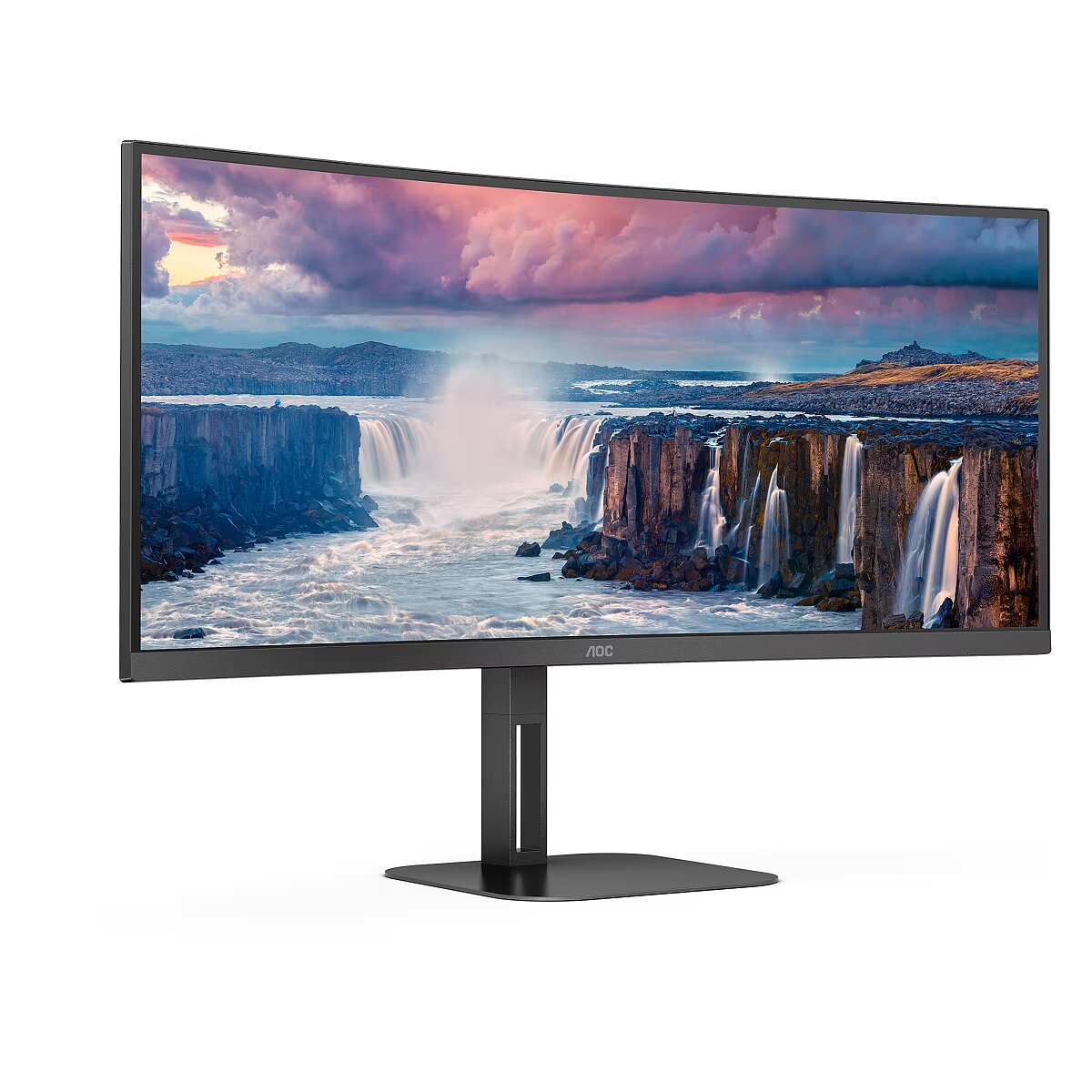
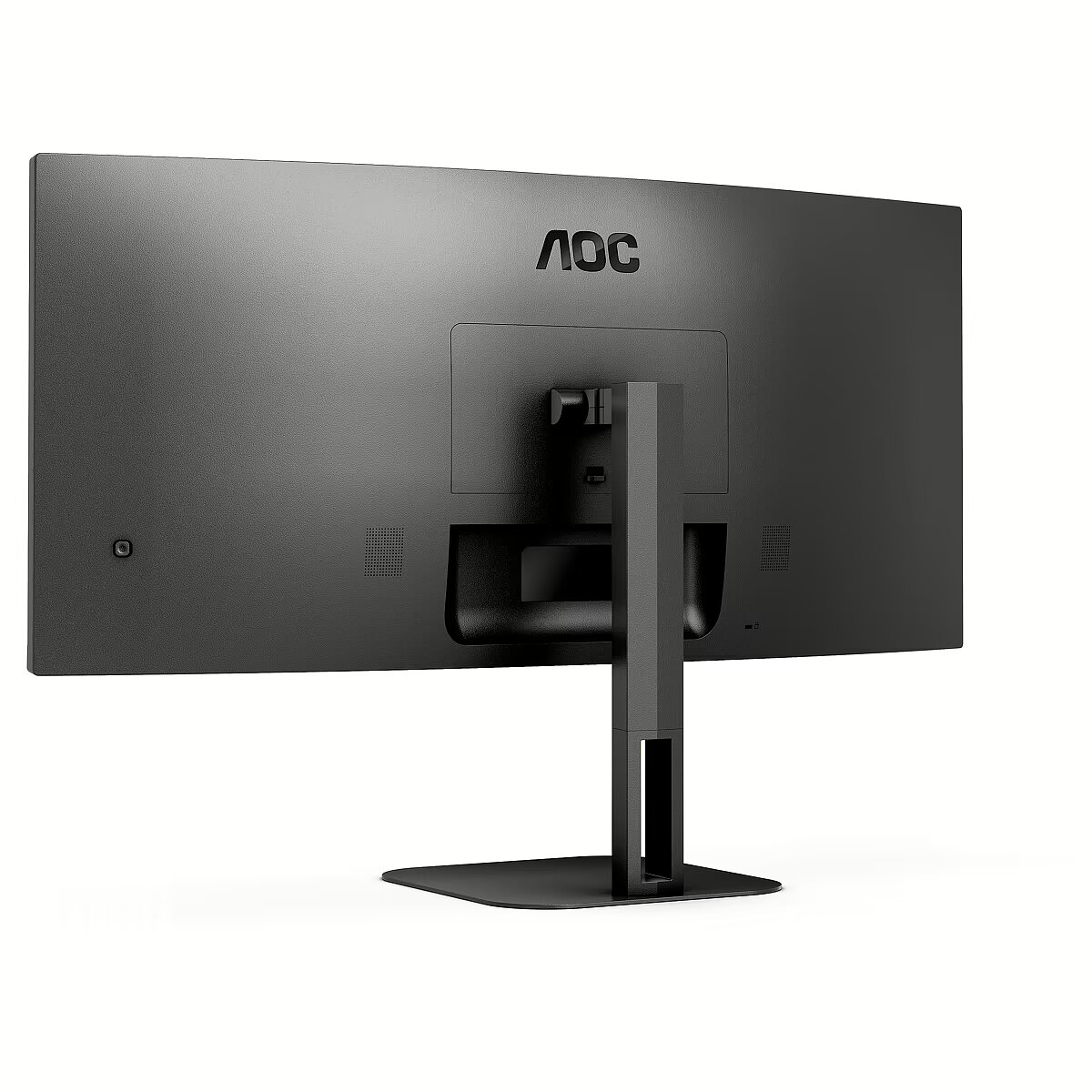
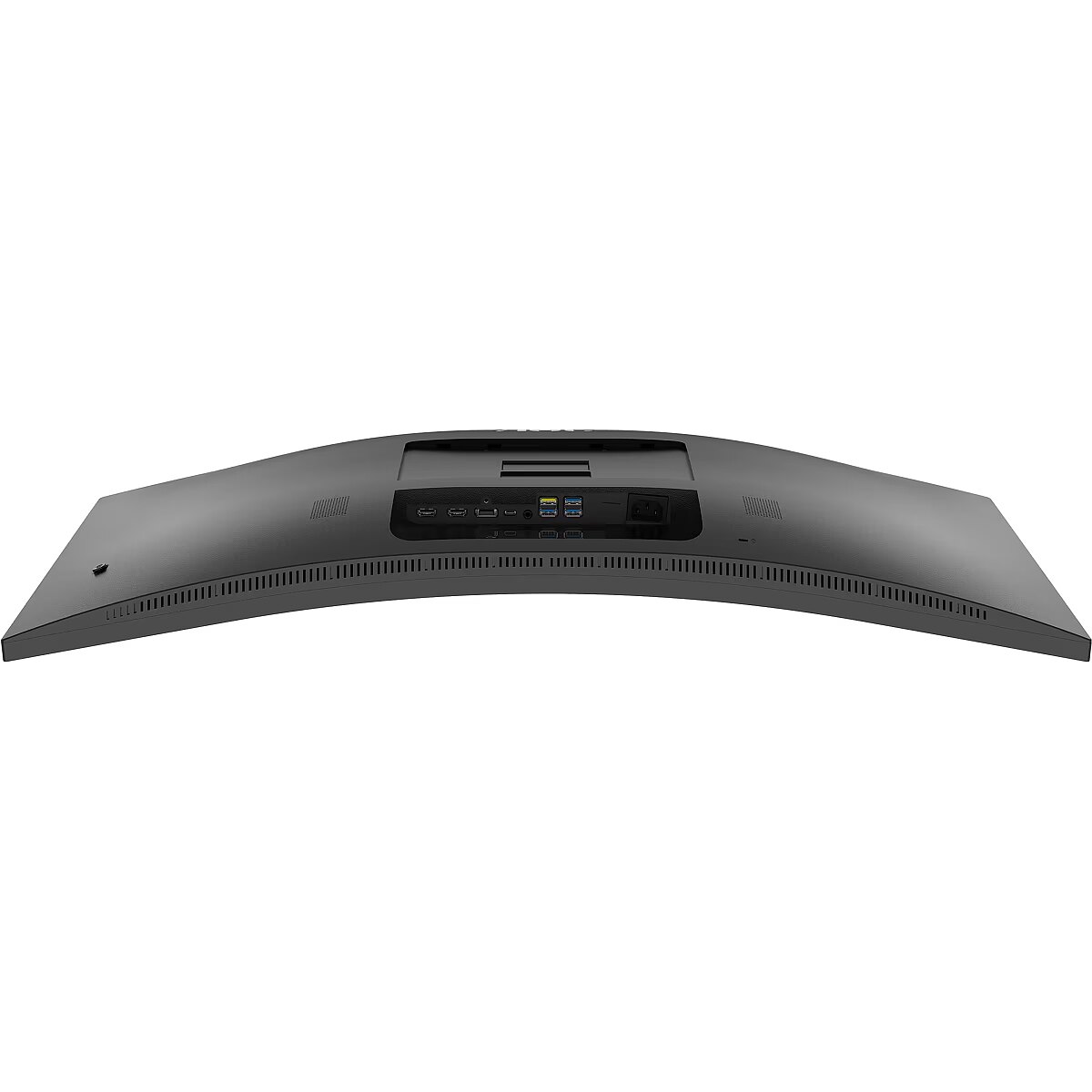
Description - CU34V5C monitor An elegant proposition for remote work AOC CU34V5C features a 34-inch curved VA panel with Ultrawide QHD resolution and 21:9 aspect ratio in a three-sided frameless housing that can be tilted and height-adjusted according to your needs, providing an immersive experience. Get ready to boost your productivity with USB-C with Power Delivery up to 65W, 4 USB ports and HDMI. At the same time, it offers Picture by Picture MultiView for the most complex multitasking Dual Wide QHD (WQHD) resolution With a resolution of 3440 x 1440 pixels, Wide Quad HD (WQHD) ensures the highest image quality and sharpness as well as a high level of detail. The 21:9 widescreen aspect ratio is perfect for watching large-format movies or playing the latest games, but it's also perfect for working. 8-bit color provides a wide color palette that makes images bright and natural. VA matrix The VA (Vertical Alignment) matrix displays deeper blacks and higher contrast, providing a more vivid and bright image. Power Delivery 65 W USB-C is a technology that is gaining popularity, enabling the transmission of data and image signals as well as power supply with one cable, which allows you to charge devices while working. With a single, slim cable, AOC USB-C technology delivers up to 65W of power, allowing you to charge conventional high/low power consumption devices (like a mouse or keyboard), smartphones and laptops. USB-C Simplify your connections by using only one cable. The USB-C connector offers an alternative DisplayPort mode for transmitting high-resolution video signals from the laptop to the monitor and simultaneously charging the laptop battery via USB. Additionally, the USB 3.1 port ensures lightning-fast data transfer, so even a 4K movie can be transferred in less than a minute. DisplayPort The DisplayPort interface provides ultra-fast transmission of digital audio and video without quality loss or signal delays. Through it you can connect to the monitor, among others: computer, laptop, media player, game console and many other devices. This solution is intended for professionals and demanding home users. HDMI The HDMI (High-Definition Multimedia Interface) connector is supported by the latest generation of game consoles, currently available graphics cards and decoders that support the HDCP digital content protection system. HDMI versions 1.3-1.4b support refresh rates up to 144Hz with 1080p and 75Hz with 1440p, and HDMI versions 2.0-2.0b support 240Hz with 1080p, 144Hz with 1440p and 60Hz with 2160p (4K). Flicker Free Flicker-Free AOC technology uses a DC-illuminated matrix, which reduces the light intensity that causes flickering. Now that eye strain and discomfort are completely reduced, enjoy long and intense gaming sessions in comfort! Low Blue Light Short-wavelength blue light can be harmful to the eyes. AOC Low Blue Light technology blocks harmful blue light radiation without changing the color of the screen. Other attempts to reduce blue light use filters or settings that darken/yellow the image. Loudspeakers Thanks to the built-in speakers, you can keep in touch with your loved ones, friends and colleagues. You don't need to connect external speakers to enjoy watching movies, listening to music, playing games, etc. USB hub Practical USB hubs built into AOC monitors allow you to organize your desk. Side-mounted ports are easily accessible without looking and eliminate time wasted searching the back of your computer for an available USB port. 1500R curvature The curved design surrounds the user, placing them right in the center of the action and providing an immersive gaming experience. Frameless design In addition to a modern and attractive appearance, frameless designs allow multiple monitors to be connected without interruptions in the displayed area. Cursor/windows will no longer get lost in the dark depths of frames when multiple screens are placed next to each other. Height adjustable base We care about your well-being. That's why this monitor offers height adjustment options to help you achieve the perfect posture while working, gaming or watching movies. Tailoring an AOC monitor to your needs not only helps reduce fatigue and stay healthy. Ultimately, this also allows you and your team to achieve better results, regardless of the nature of the work. VesaMount The Ergo Base AOC ergonomic base is versatile, solid and easy to use. But do you still want to use a wall mount or a multi-monitor setup using desktop mounts? VESA mounting provides the highest level of flexibility. Upside down, pivot mode, one above the other...Mount your monitor wherever you want using commercially available third-party mounts and stands thanks to the VESA mounting option. 100Hz Refresh Rate Take advantage of twice the refresh rate of other monitors and say goodbye to tearing frames and motion blur. With a 100Hz refresh rate, every frame is displayed sharply and smoothly, so you can precisely time your bursts in any shooter and enjoy smooth movement during high-speed races. Picture by Picture (PbP) The Picture by Picture feature allows you to use multiple image sources (e.g. laptop and desktop computer) at the same time and display the image from these sources on one screen. Such a large image area provides better control and significantly increases work efficiency, improves gaming performance and allows for more convenient viewing of Internet materials. Freesync AMD FreeSync technology synchronizes the refresh rate of the graphics card and monitor, ensuring smooth gameplay. You'll also appreciate the low input lag if you're looking for the best image quality in fast-paced games. Kensington Lock A Kensington security lock is an anti-theft device consisting of a metal-reinforced hole in the body of the secured device to which a metal cable locked with a key/padlock is attached. Kensington locks allow you to secure your AOC monitor during a LAN party, at the office, or wherever you take your monitor with you. Three-year warranty AOC provides a three-year warranty for each monitor from the date of purchase. During the warranty period, AOC monitors with manufacturing defects or their defective components are repaired or replaced at the company's expense.
Design - Detachable stand - Yes
Design - Feet colour - Black
Design - Frameless design - Yes
Design - Front bezel colour - Black
Design - Market positioning - Home
Design - Product colour - Black
Designation - CE+WEEE
dimensionalWeight - 20330
dimension depth - 1080 mm
dimension height - 500 mm
dimension weight - 13000 g
dimension width - 190 mm
Display - Adobe RGB coverage - 100%
Display - Anti-glare screen - Yes
Display - Backlight type - W-LED
Display - Contrast ratio (dynamic) - 20000000:1
Display - Contrast ratio (typical) - 3000:1
Display - DCI-P3 coverage - 93%
Display - Display brightness (typical) - 300 cd/m²
Display - Display diagonal - 86.4 cm (34")
Display - Display diagonal (metric) - 86.4 cm
Display - Display number of colours - 16.7 million colours
Display - Display resolution - 3440 x 1440 pixels
Display - Display technology - LED
Display - HD type - Wide Quad HD
Display - LED backlight - Yes
Display - Maximum refresh rate - 100 Hz
Display - Native aspect ratio - 21:9
Display - NTSC coverage (typical) - 101%
Display - Panel type - VA
Display - Pixel density - 109.7 ppi
Display - Pixel pitch - 0.23175 x 0.23175 mm
Display - Response time - 4 ms
Display - Response time (MPRT) - 1 ms
Display - Response time measurement type - GTG (Gray to Gray)
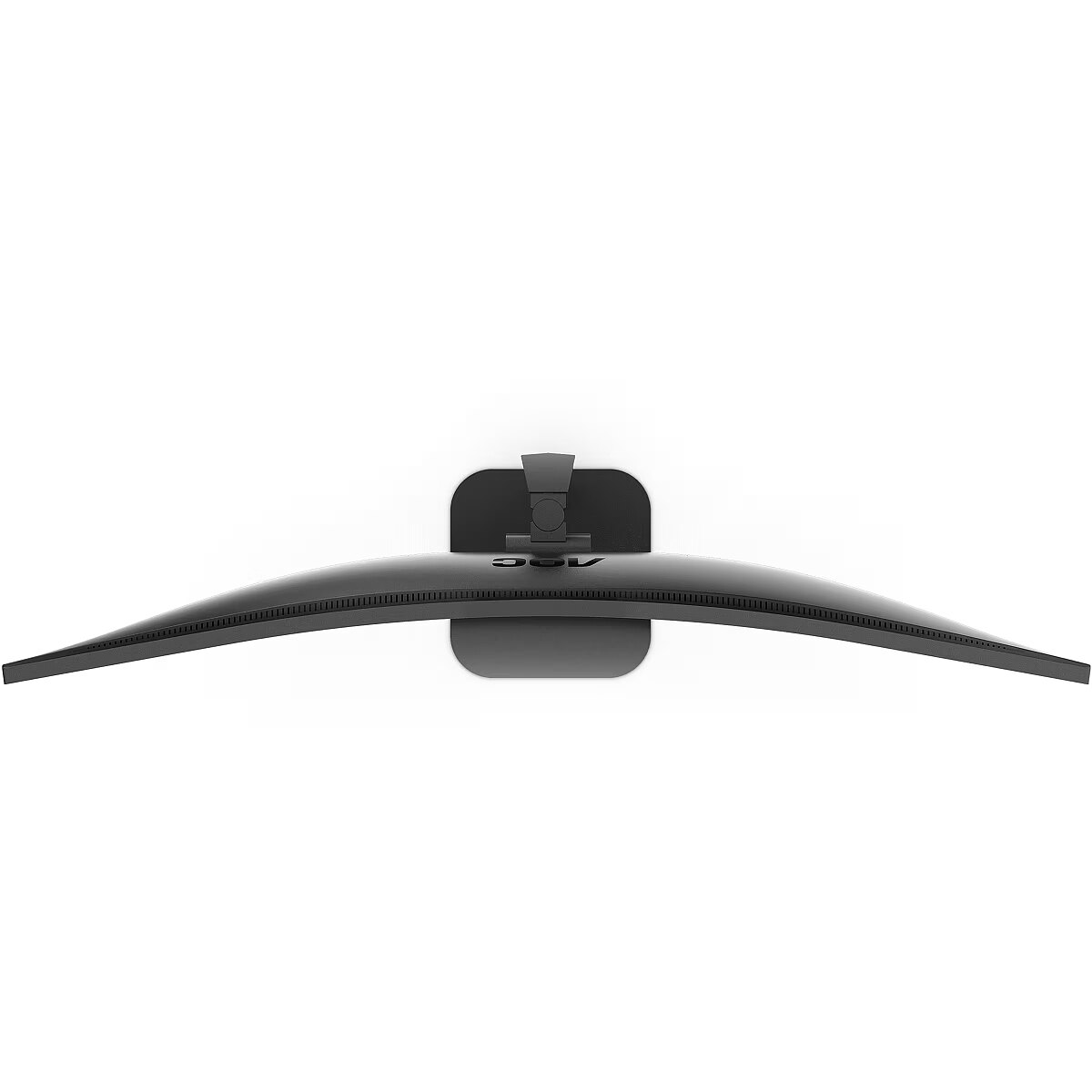
Display - Screen curvature rating - 1500R
Display - Screen shape - Curved
Display - sRGB coverage (typical) - 116%
Display - Surface hardness - 6H
Display - Touchscreen - No
Display - Viewing angle, horizontal - 178°
Display - Viewing angle, vertical - 178°
Display > Aspect ratio - 21:9
Display > Backlight type - WLED
Display > Contrast ratio (typical) - 3000:1
Display > Display - 3440 x 1440
Display > Display brightness - 300 cd/m²
Display > Display diagonal - 34 "
Display > Display number of colours - 16.7 M
Display > HD type - WQHD
Display > Maximum refresh rate - 100 Hz
Display > Panel type - VA
Display > Response time - 4 ms
Display > Touchscreen - No
Display > Viewing angle, horizontal - 178 °
Display > Viewing angle, vertical - 178 °
Display surface - Matt
Dodatkowe informacje o matrycy: Format obrazu - 21:9
Dodatkowe informacje o matrycy: Kontrast - 3000:1
Dodatkowe informacje o matrycy: Kąt widzenia w pionie - 178 °
Dodatkowe informacje o matrycy: Kąt widzenia w poziomie - 178 °
Dodatkowe informacje o matrycy: Liczba wyświetlanych kolorów - 16.7 mln
Dynamic contrast - 20 000 000:1
EAN - 4038986110198
ean - 4038986110198
EANCode - 4038986110198
Eans - 4038986110198
EAN_code - 4038986110198
Efektywność energetyczna: Klasa energetyczna - G
Efektywność energetyczna: Zużycie energii w trybie pracy - 60 W
Energy class - G
Energy label - Pobierz
Ergonomics - Adjustable height (max) - 13 cm
Ergonomics - Cable lock slot - Yes
Ergonomics - Cable lock slot type - Kensington
Ergonomics - Height adjustment - Yes
Ergonomics - LED indicators - Yes
Ergonomics - Number of OSD languages - 19
Ergonomics - On Screen Display (OSD) - Yes
Ergonomics - On Screen Display (OSD) languages - Croatian
Ergonomics - On Screen Display (OSD) languages - Czech
Ergonomics - On Screen Display (OSD) languages - Dutch
Ergonomics - On Screen Display (OSD) languages - English
Ergonomics - On Screen Display (OSD) languages - Finnish
Ergonomics - On Screen Display (OSD) languages - French
Ergonomics - On Screen Display (OSD) languages - German
Ergonomics - On Screen Display (OSD) languages - Italian
Ergonomics - On Screen Display (OSD) languages - Japanese
Ergonomics - On Screen Display (OSD) languages - Korean
Ergonomics - On Screen Display (OSD) languages - Polish
Ergonomics - On Screen Display (OSD) languages - Portuguese
Ergonomics - On Screen Display (OSD) languages - Russian
Ergonomics - On Screen Display (OSD) languages - Simplified Chinese
Ergonomics - On Screen Display (OSD) languages - Simplified Chinese, Traditional Chinese, Czech, Dutch, English, Finnish, French, German, Italian, Japanese, Korean, Croatian, Polish, Portuguese, Russian, Spanish, Swedish, Turkish, Ukrainian
Ergonomics - On Screen Display (OSD) languages - Spanish
Ergonomics - On Screen Display (OSD) languages - Swedish
Ergonomics - On Screen Display (OSD) languages - Traditional Chinese
Ergonomics - On Screen Display (OSD) languages - Turkish
Ergonomics - On Screen Display (OSD) languages - Ukrainian
Ergonomics - Panel mounting interface - 100 x 100 mm
Ergonomics - Picture-in-Picture - Yes
Ergonomics - Pivot - No
Ergonomics - Swivelling - Yes
Ergonomics - Tilt adjustment - Yes
Ergonomics - Tilt angle range - 3 - 21°
Ergonomics - VESA mounting - Yes
Ergonomics - Wall mountable - Yes
Ergonomics > Height adjustment - 13 cm
Ergonomics > Height adjustment - Yes
Ergonomics > Pivot - No
Ergonomics > Swivelling - Yes
Ergonomics > Tilt adjustment - Yes
Ergonomics > VESA mounting - Yes
Ergonomics > VESA mounting interfaces - 100 x 100 mm
Funkcje Gamingowe: Obsługa FreeSync - tak
Funkcje Gamingowe: Rodzaj FreeSync - FreeSync
Gewicht - 12.1
GRUPPE1 - Displays
GRUPPE2 - Led Small Format
GTIN - 4038986110198
guarantee - 36
guarantee_type - external
Height - 365.3 mm
Height (max) - 527.3 mm
Height adjustment - Yes
Height adjustment range - 130 mm
Height with stand - 397.3 mm
HERSTELLER - AOC
Hoehe - 0
HSTNUMMER - CU34V5C/BK
I/O connectors - 1 x 3,5 mm minijack
I/O connectors - 1 x DisplayPort
I/O connectors - 1 x USB 3.2 Type-C Gen 1
I/O connectors - 2 x HDMI
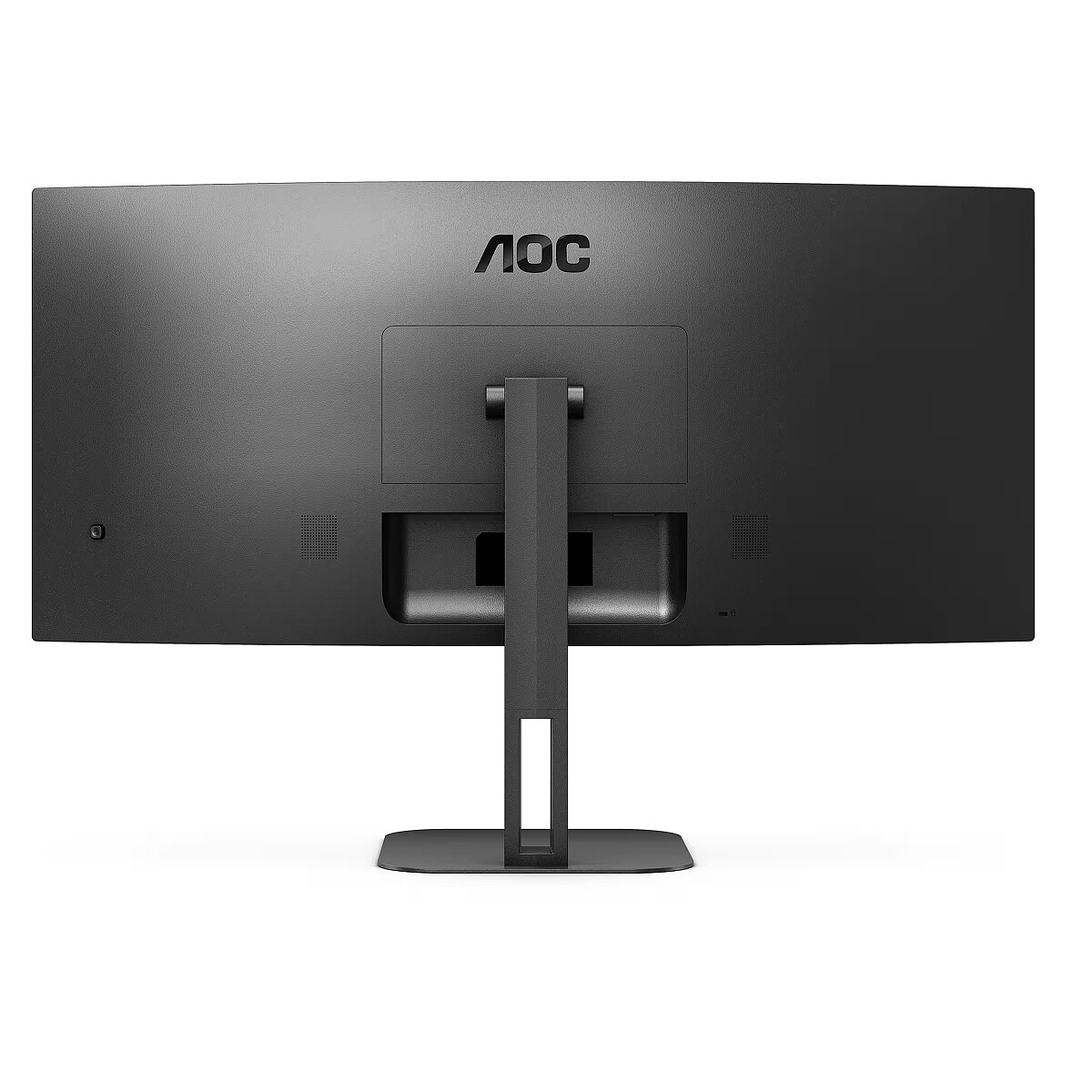
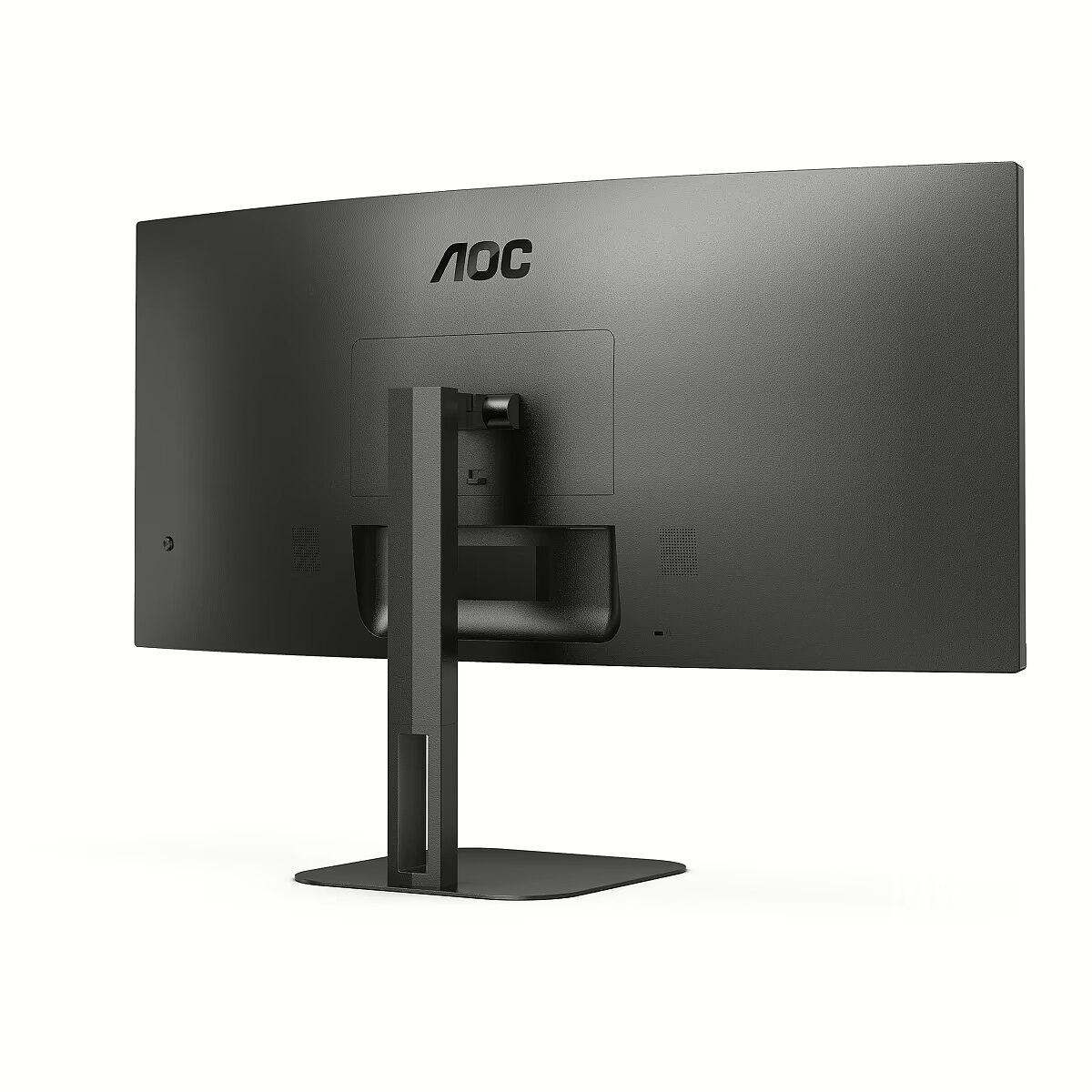
I/O connectors - 4 x USB 3.2 Type-A Gen 1
Laenge - 0
Link - https://eu.aoc.com/en/products/monitors/cu34v5c
LongDesc - 34” VA WQHD panel for maximum productivity, with MultiView, USB-C and PD65WThe AOC CU34V5C is equipped with a 34” VA curved panel with Ultrawide QHD 21:9 resolution for an immersive viewing experience in a three-side frameless chassis that you can tilt and height adjust as needed. Ready to boost your productivity with USB-C with Power Delivery up to 65W, 4 USB ports & HDMI, it also offers Picture by Picture MultiView for the most complex multitasking.
LongProductName - Screen size (inch) 34, Panel resolution 3440x1440, Refresh rate 100 Hz, Response time MPRT 1 ms, Panel type VA, USB-C connectivity USB-C 3.2 x 1 (DP alt mode, upstream, power delivery up to 65 W), HDMI HDMI 2.0 x 1, Display Port DisplayPort 1.2 x 1, D-SUB (VGA) 0x, DVI 0x, Sync technology (VRR) Freesync
LongSummaryDescription - AOC V5 CU34V5C/BK. Display diagonal: 86.4 cm (34"), Display resolution: 3440 x 1440 pixels, HD type: Wide Quad HD, Display technology: LED, Response time: 4 ms, Native aspect ratio: 21:9, Viewing angle, horizontal: 178°, Viewing angle, vertical: 178°. Built-in speaker(s). Built-in USB hub, USB hub version: 3.2 Gen 1 (3.1 Gen 1). VESA mounting, Height adjustment. Product colour: Black
Manufacturer - AOC
Manufacturer - AOC International (Europe)
Manufacturer_code - CU34V5C/BK
Matrix type - VA
Model - CU34V5C/BK
MPN - CU34V5C/BK
Multimedia - Built-in camera - No
Multimedia - Built-in microphone - No
Multimedia - Built-in speaker(s) - Yes
Multimedia - Number of speakers - 2
Multimedia - RMS rated power - 10 W
Multimedia > Built-in speaker(s) - Yes
Multimedia > TV tuner integrated - No
Name - AOC 86.0cm (34") CU34V5C/BK 21:09 HDMI+DP+USB-C Curved retail
Name - AOC CU34V5C/BK, LED monitor - 34 - black, HDMI, DisplayPort, WQHD, VA, FreeSync, 100Hz panel
Name - AOC CU34V5C/BK - 100Hz | UWQHD | 34'' | VA | 1ms
Name - AOC | Curved Monitor | CU34V5C/BK | 34 " | VA | WQHD | 21:9 | 100 Hz | 4 ms | 3440 x 1440 | 300 cd/m² | HDMI ports quantity 1
name - Monitor CU34V5C 34 inch Curved VA 100Hz HDMI DP USB-C
Network - Ethernet LAN - No
Networking > Ethernet LAN (RJ-45) ports - No
Number of colors - 16,7 mln
Ochrona oczu: Filtr światła niebieskiego - tak
Ochrona oczu: Redukcja migotania - tak
Optional accessory -
Other features -
Other features - Bezel thickness type - Frameless
Other features - Certification - WEEE,REACH compliant,RoHs compliant,CB,TUV-Bauart-Mark,ISO 9241-307,EAC,FCC
Other features - Compliance certificates - CE
Other features - Exterior finish type - Matt
Other features - Light effects - No
Other features - Mean time between failures (MTBF) - 50000 h
Other features - Picture-by-Picture (PbP) - Yes
Other features - Supplied AC adapter type - AC
Other features - Warranty period - 3 year(s)
Package features > Embeeded battery - No
Package features > Gross depth (mm) - 250.00 mm
Package features > Gross height (mm) - 527.00 mm
Package features > Gross width (mm) - 808.10 mm
Package features > Packing quantity - 1.00 pc(s)
Package features > Palette Qty - 20 pc(s)
Package features > Paper/Pasteboard - 1928.00 g
Package features > Plastic (No PET) - 482.00 g
Package features > Tare weight (kg) - 2.41 kg
Package features > Volume (m3) - 0.11 m³
Package features > WEE classification - CL109:2:2017-04-01
Package features > WEEE tax - Yes
Packaging content - Cables included - AC
Packaging content - Cables included - AC, HDMI, USB Type-C
Packaging content - Cables included - HDMI
Packaging content - Cables included - USB Type-C
Packaging content - HDMI cable length - 1.5 m
Packaging content - Stand included - Yes
Packaging data - Package depth - 500 mm
Packaging data - Package height - 189 mm
Packaging data - Package type - Box
Packaging data - Package weight - 11.8 kg
Packaging data - Package width - 1071 mm
Packaging data - USB cable length - 1.8 m
PDF - https://blobs.lt/products/8/9/1/9/9/3/fiche/Data_Sheet_EE/EPREL_Data_Sheet_EE.pdf
PDF - https://blobs.lt/products/8/9/1/9/9/3/fiche/Data_Sheet_EN/EPREL_Data_Sheet_EN.pdf
PDF - https://blobs.lt/products/8/9/1/9/9/3/fiche/Data_Sheet_LT/EPREL_Data_Sheet_LT.pdf
PDF - https://blobs.lt/products/8/9/1/9/9/3/fiche/Data_Sheet_LV/EPREL_Data_Sheet_LV.pdf
PDF - https://blobs.lt/products/8/9/1/9/9/3/fiche/Data_Sheet_PL/EPREL_Data_Sheet_PL.pdf
PDF - https://www.blobs.lt/products/8/9/1/9/9/3/af21a87e2618decddd4552714f06b1f5/original.pdf
Performance - AMD FreeSync - Yes
Performance - AMD FreeSync type - FreeSync
Performance - Fast charging - Yes
Performance - Flicker-free technology - Yes
Performance - Low Blue Light technology - Yes
Performance - NVIDIA G-SYNC - No
Ports & interfaces - AC (power) in - Yes
Ports & interfaces - Built-in KVM switch - No
Ports & interfaces - Built-in USB hub - Yes
Ports & interfaces - DisplayPorts quantity - 1
Ports & interfaces - DisplayPort version - 1.2
Ports & interfaces - DVI port - No
Ports & interfaces - HDCP - Yes
Ports & interfaces - HDCP version - 2.2
Ports & interfaces - HDMI - Yes
Ports & interfaces - HDMI ports quantity - 1
Ports & interfaces - HDMI version - 2.0
Ports & interfaces - Headphone connectivity - 3.5 mm
Ports & interfaces - Headphone out - Yes
Ports & interfaces - Headphone outputs - 1
Ports & interfaces - Mobile High-Definition Link (MHL) - No
Ports & interfaces - Number of upstream ports - 1
Ports & interfaces - Number of USB Type-C upstream ports quantity - 1
Ports & interfaces - USB hub version - 3.2 Gen 1 (3.1 Gen 1)
Ports & interfaces - USB Power Delivery (USB PD) - Yes
Ports & interfaces - USB Power Delivery up to - 65 W
Ports & interfaces - USB Type-A downstream ports quantity - 4
Ports & interfaces - USB Type-C DisplayPort Alternate Mode - Yes
Ports & interfaces - USB upstream port type - USB Type-C
Ports & interfaces > DisplayPorts quantity - 1
Ports & interfaces > HDMI ports quantity - 1
Ports & interfaces > USB ports quantity - 1x USB-C 3.2; 4x USB Downstream
Power - AC input frequency - 50/60 Hz
Power - AC input voltage - 100 - 240 V
Power - Energy consumption (HDR) per 1000 hours - 35 kWh
Power - Energy consumption (SDR) per 1000 hours - 34 kWh
Power - Energy efficiency class (HDR) - G
Power - Energy efficiency class (SDR) - G
Power - Energy efficiency scale - A to G
Power - Power consumption (off) - 0.3 W
Power - Power consumption (standby) - 0.5 W
Power - Power consumption (typical) - 60 W
Power - Power supply type - Internal
Power > Energy efficiency class - G
Power consumption - 34 kW
Pozostałe cechy: Akcesoria - kabel HDMI
Pozostałe cechy: Akcesoria - kabel USB-C
Pozostałe cechy: Akcesoria - kabel zasilający
Producent: Nazwa producenta / importera - AOC
AOC International (Europe) B.V.
Prins Bernhardplein 200
1097 JB Amsterdamproducer - AOC
Producer - AOC
producerCode - CU34V5C/BK
ProducerCode - CU34V5C/BK
productName - AOC V5 CU34V5C/BK computer monitor 86.4 cm (34") 3440 x 1440 pixels Wide Quad HD LED Black
ProductName - CU34V5C/BK
productSize - Normal
Refresh rate - 100 Hz
Resolution - 3440 x 1440
Response time - 1 ms
Screen size (diag.) - 34''
ShortDescription - 34'' | VA | UWQHD | 1ms | 100Hz
ShortSummaryDescription - AOC V5 CU34V5C/BK, 86.4 cm (34"), 3440 x 1440 pixels, Wide Quad HD, LED, 4 ms, Black
sizeX - 500
sizeY - 1070
sizeZ - 190
Speakers built-in - Yes
Static contrast - 3 000:1
Stck_Kart - 1
Stck_Pal - 3
Storno - Y
Sustainability - Doesn't contain - Mercury
Sustainability - Doesn't contain - Mercury, PVC/BFR
Sustainability - Doesn't contain - PVC/BFR
Technical details > Connectivity - HDMI,HDCP,Display Port,USB-C,USB,Headphone out (3.5mm)
Technical details > Dimensions with stand - 80.81x39.73~52.73x25 cm
Technical details > Gross weight - 11.75 kg
Technical details > Net weight - 9.34 kg
Technical details > Producer - AOC
Technical details > Producer product family - Curved Monitor
Technical details > Producer product name - CU34V5C/BK
Technical details > USB-C - Yes
Technical details > USB-C power delivery - 65W
Title - AOC V5 CU34V5C/BK computer monitor 86.4 cm (34") 3440 x 1440 pixels Wide Quad HD LED Black
Touch screen - No
Transreflective technology - LED
TV tuner built-in - No
URL - https://eu.aoc.com/
vendpn - CU34V5C/BK
VESA - 100 x 100
Viewing angle, horizontal - 178 °
Viewing angle, vertical - 178 °
Warranty -
Warranty - 36
Warranty - 36 month(s)
WarrantyInfo - 3 years
warrantyLength - 24
warrantyType - G
Web camera - None
Weight - 9.34 kg
Weight - 12
Weight - 12,15
weight - 12000
Weight & dimensions - Depth (without stand) - 99.9 mm
Weight & dimensions - Depth (with stand) - 250 mm
Weight & dimensions - Height (without stand) - 365.3 mm
Weight & dimensions - Height (with stand) - 527.3 mm
Weight & dimensions - Weight (without stand) - 6.76 kg
Weight & dimensions - Weight (with stand) - 9.34 kg
Weight & dimensions - Width (without stand) - 808.1 mm
Weight & dimensions - Width (with stand) - 808.1 mm
Width - 808.1 mm
WiFi - No
Złącza: Złącza - 1 x DisplayPort
Złącza: Złącza - 1 x HDMI 2.0
Złącza: Złącza - 1 x słuchawkowe
Złącza: Złącza - 1 x USB Type-C
Złącza: Złącza - 4 x USB 3.2




 DVI is a digital standard and ensures high image quality, however, thanks to the big size of the plug and the inability of the standard to develop further due to a few technical restrictions this type of connection is gradually losing its popularity to modern HDMI and DisplayPort standards.







