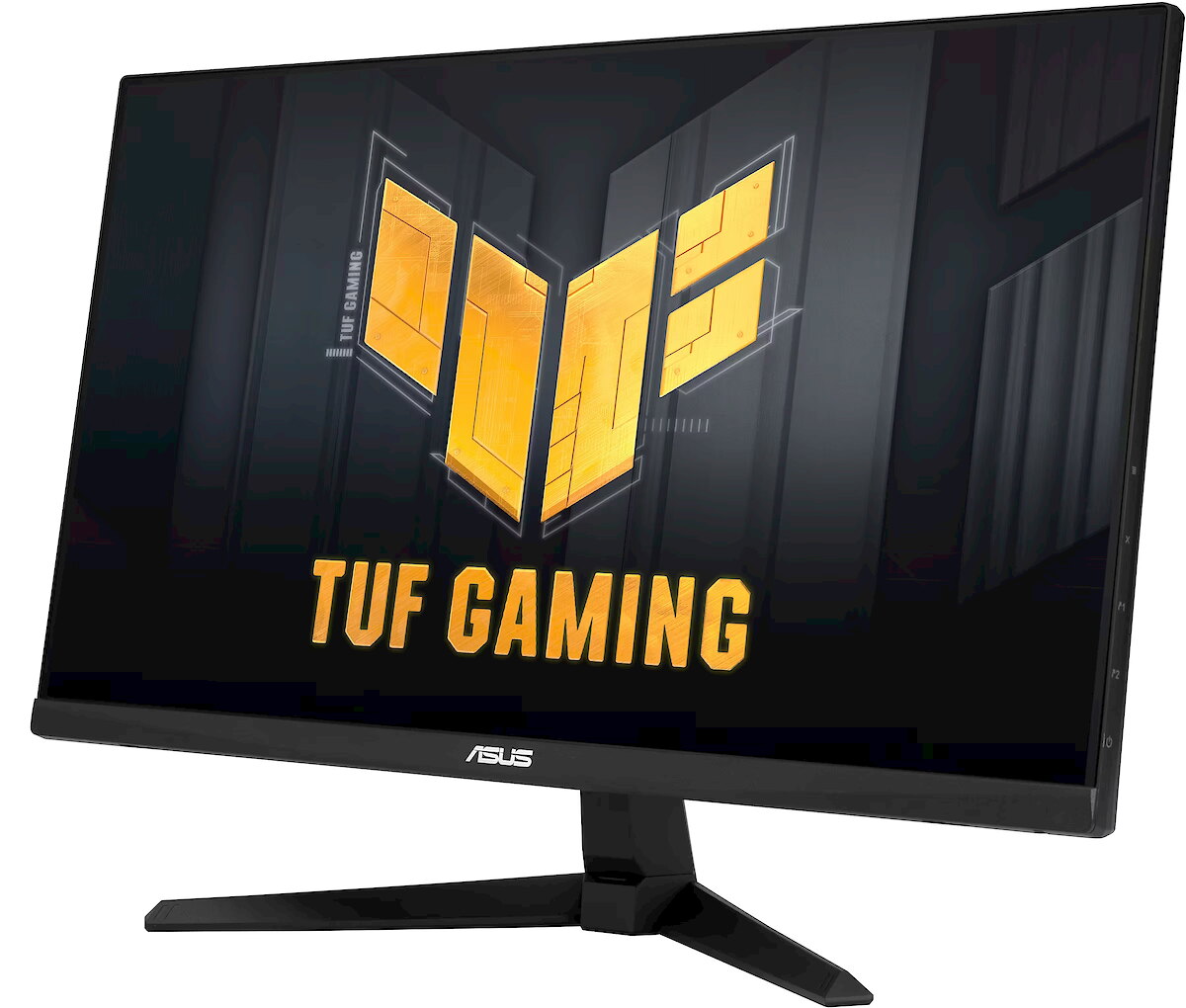
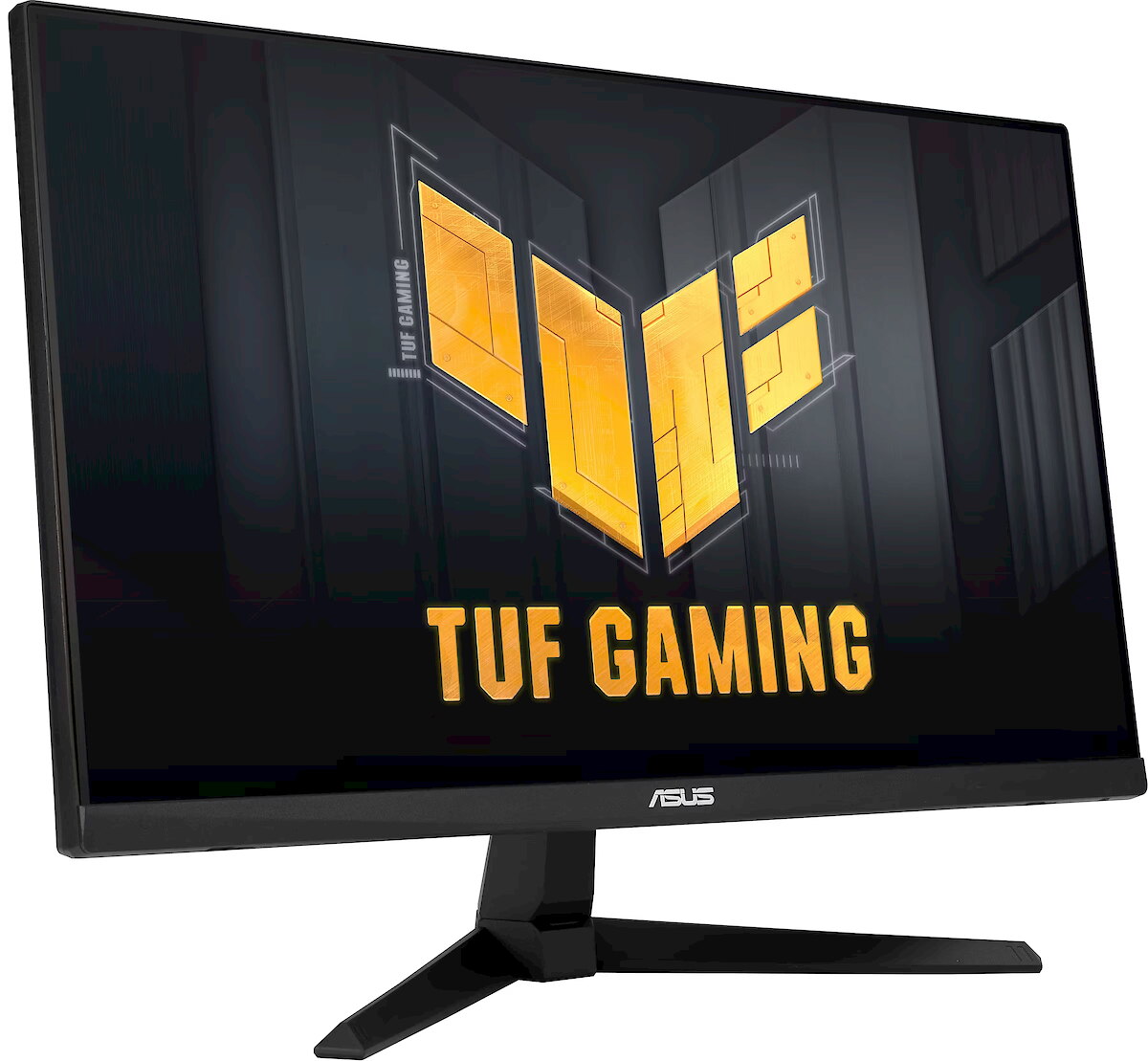
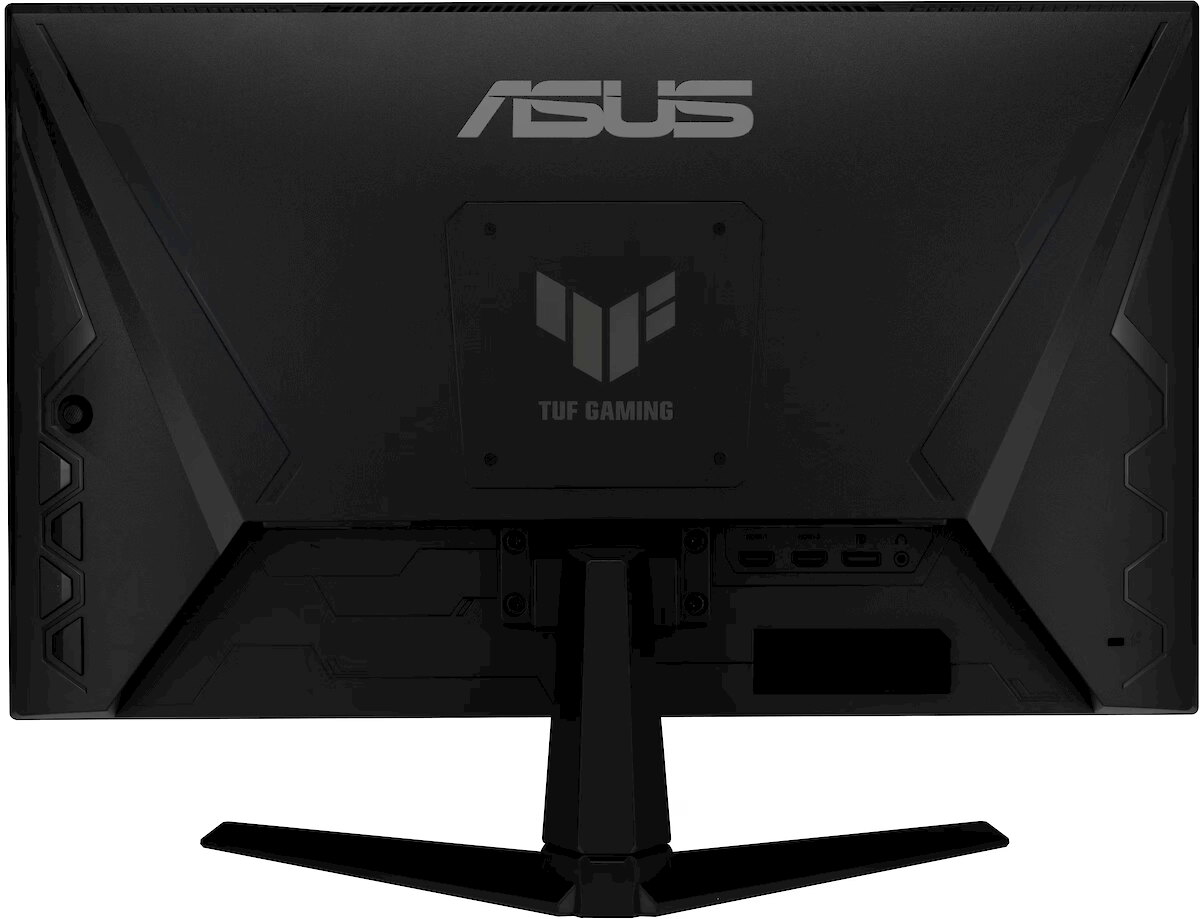
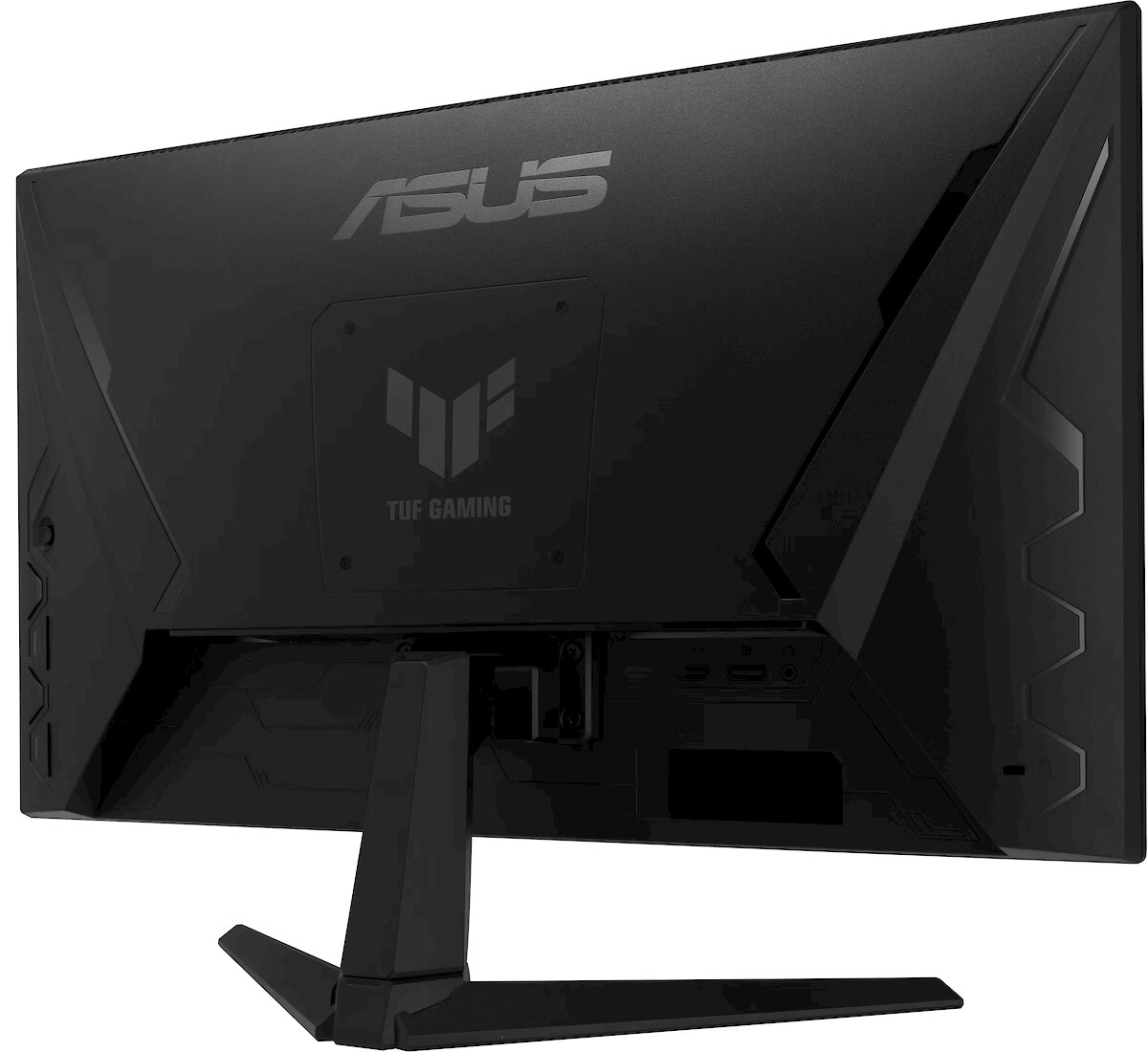
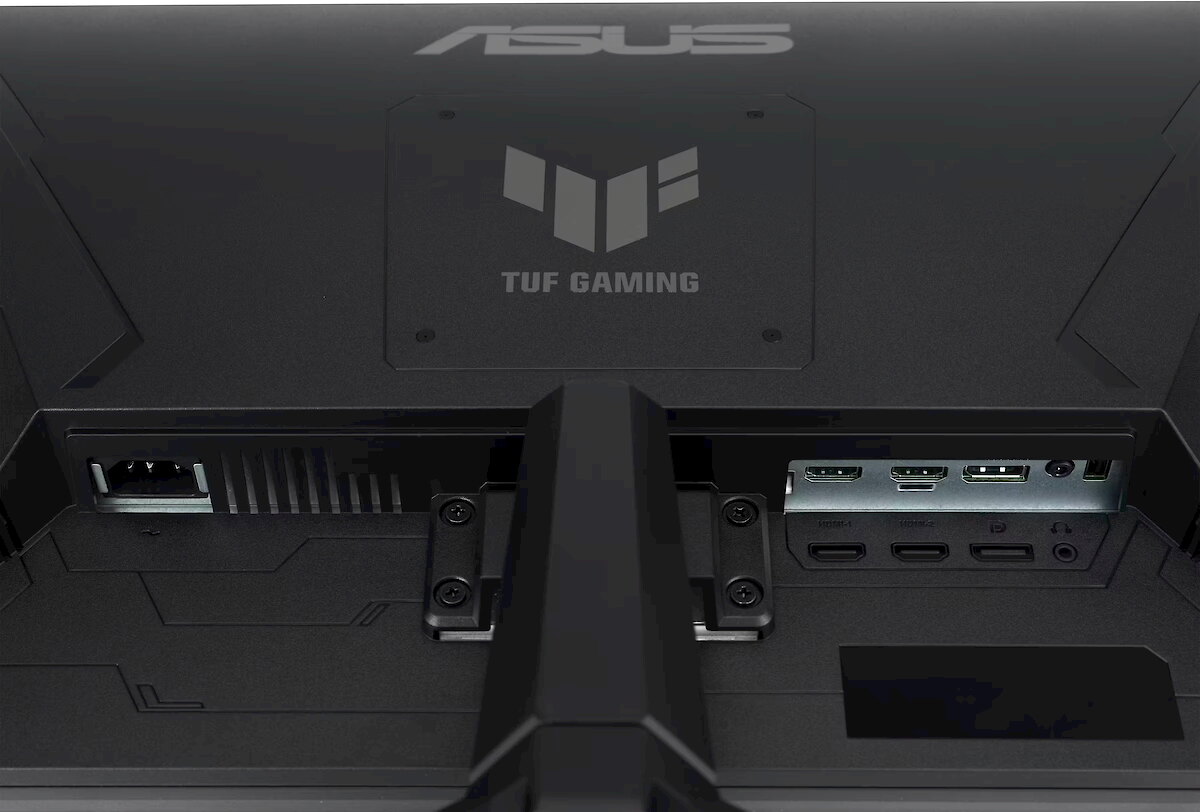
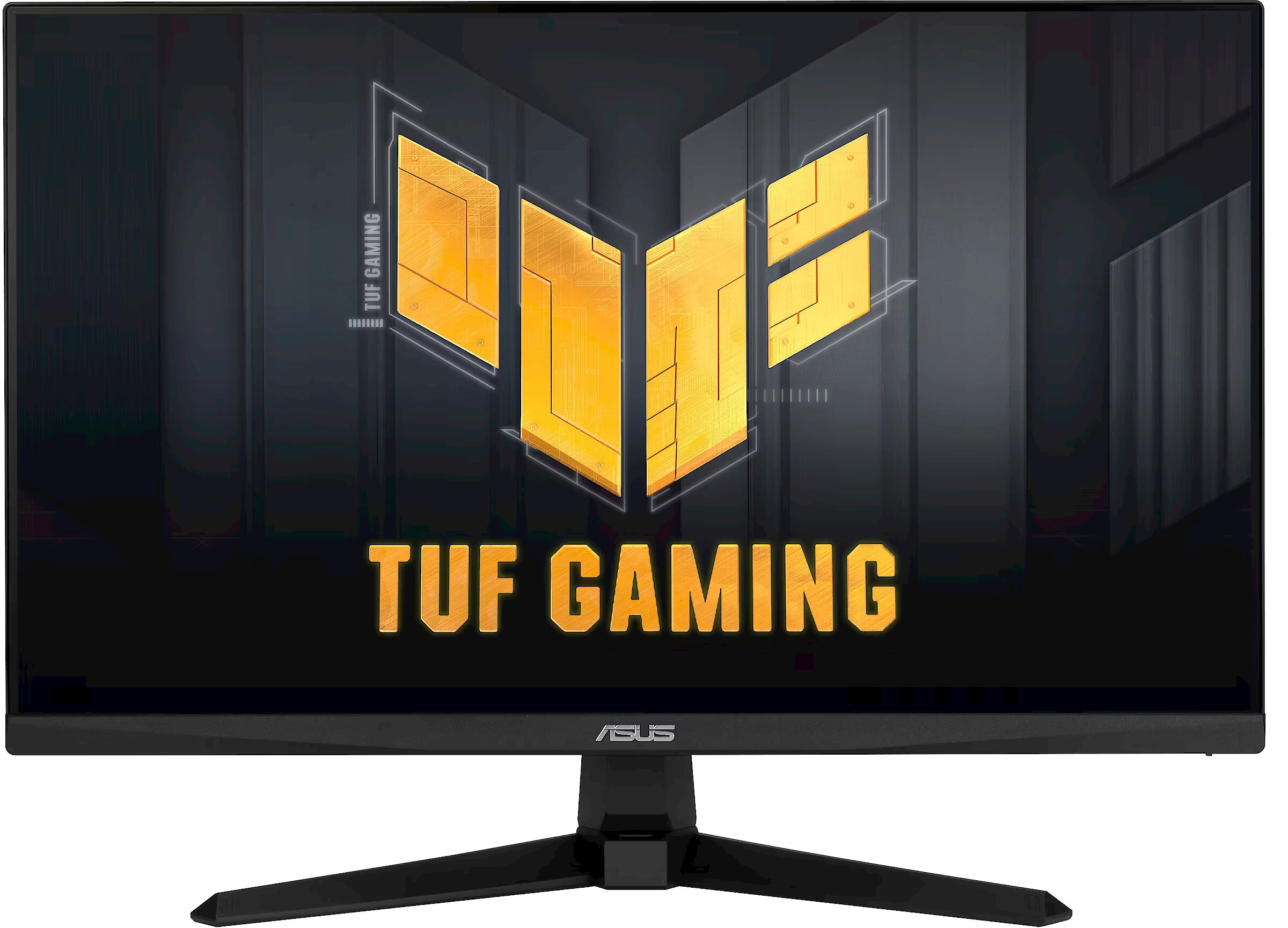
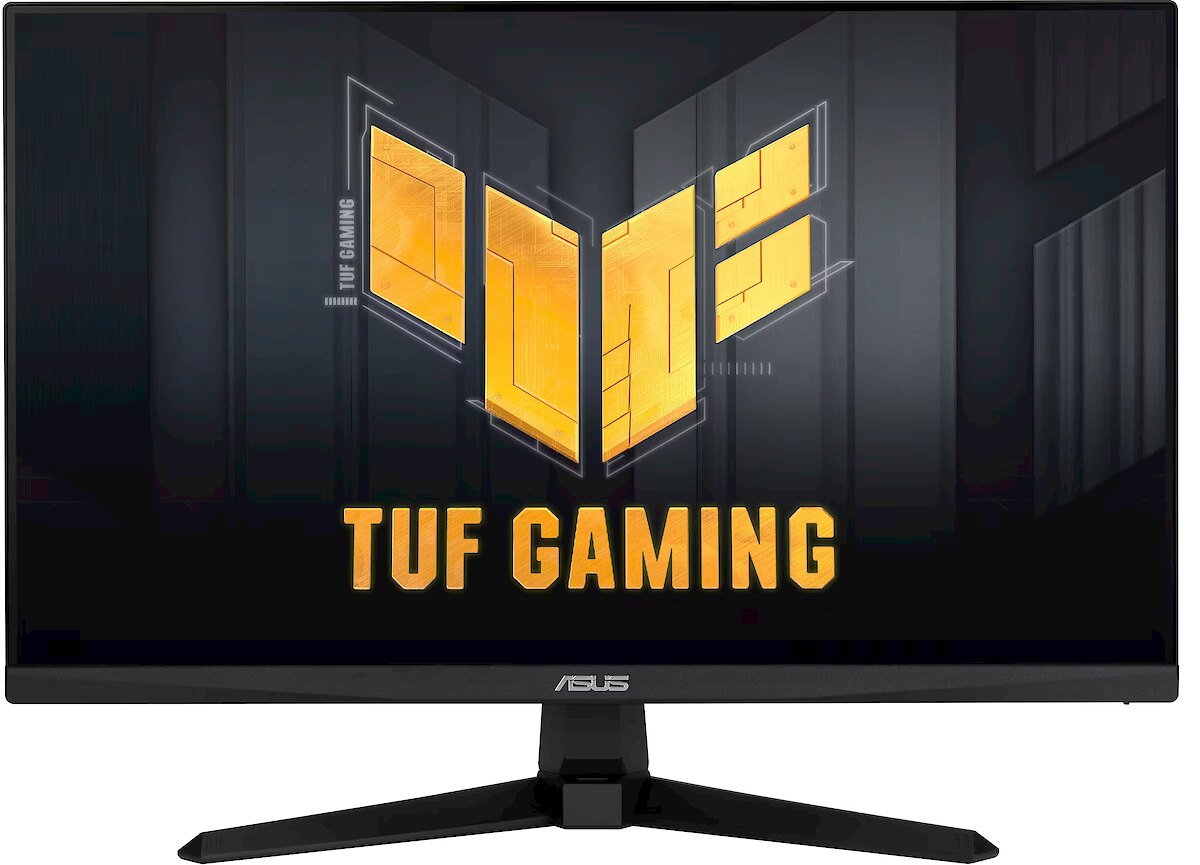
ASUS TUF VG249QM1A Gaming, 23.8"

Picture may differ from actual product, there can be accessories and parts not supplied with the actual product. This image was created with the help of AI and is for illustrative purposes. The appearance, colours, dimensions, lighting and arrangement of the components may differ from the actual product. The image may include parts and accessories that are not included with the product.
News
ID: 1521449 Product code: 90LM06J0-B02370
Can be ordered 1 units Availability: 14 days after order approval
Warranty: 2 years (Warranty for business entities 1 year)
274.30 €
218.56 € w/o VAT
Ready for dispatch
08.12.2026
starting from 6.99 € with VAT
Delivery options
  • Post Office
    Within 1-2 working days
    6.99 €
  • Posti courier delivery
    Within 1-2 working days
    10.99 €
Main product parameters All parameters
  • Curved: None
  • Panel Type: IPS
  • Refresh rate: 270 Hz
  • Response time: 1ms
  • Contrast ratio: 1000:1
  • Brightness: 350cd/m2
  • Size: 23.8"
  • Resolution: FHD 1920x1080
Description

This ASUS TUF VG249QM1A Gaming Monitor - Full-HD, IPS, 270Hz gaming monitor with FHD 1920x1080 resolution is designed for those who want to fully immerse themselves in the dynamic gaming process and obtain an exceptionally clear image. It provides impressive detail accuracy, wide screen space and excellent visual comfort in any game.

IPS technology ensures more accurate color representation and stable image when viewed from the side. Compared to TN and VA, it changes brightness and contrast less with viewing angle, making the displayed data visually more reliable and technically more accurate.

AMD FreeSync provides adaptive monitor refresh rate with variable frequency range. It helps to prevent image tearing that occurs due to unsynchronized frame output. The technology improves motion uniformity and stability, especially in situations with variable frame frequency.

NVIDIA G-SYNC synchronizes each panel refresh cycle with the actual frame output, ensuring a harmonized operation of the panel and graphics system. This mode reduces motion distortions and ensures precise dynamic scene reproduction, especially in situations with variable frame rates.

This monitor with a frequency of 270 Hz ensures maximum smooth motion and minimal reaction lag, which is critical in e-sports games. The high frequency helps track fast objects precisely, reduces blurring, and ensures image stability during rapid movements, improving professional players' control and reaction speed.

The Flicker-Free technology reduces or completely eliminates flickering in lighting, ensuring a stable and uniform image. The reduced visual vibration lessens eye strain and improves comfort during prolonged use, especially when using the monitor at a lower brightness level.

Tilt mechanism allows to change the screen's vertical angle without moving the whole construction. Such adjustment improves workplace ergonomics, ensures stable image quality and helps to adapt the monitor to the user's individual preferences or specific tasks.

Compatibility with VESA wall mount makes the monitor universal for installation: it can be attached to the wall, used with a movable bracket or integrated into an ergonomic stand. The standard facilitates assembly, improves cable organization and frees up additional space.

The built-in speakers provide direct sound playback, eliminating the need for external audio devices. This simplifies the setup of the work system and saves space. The speakers are suitable for everyday needs, including online meetings, training, and video viewing, providing adequate sound level.

HDMI provides video and audio transmission with a single cable, which enhances connection stability and reduces the risk of interference. The interface reduces the number of connections and maintains the integrity of the digital signal. HDMI supports modern formats and ensures reliable operation with a wide range of devices.

DisplayPort is a modern monitor interface standard that ensures stable image transmission with high resolution and refresh intensity. It supports HDR, frame synchronization, and multiple monitor systems, maintaining detail accuracy and image quality for professional and gaming work.

Warranty

Asus provides this model with a 2 year warranty at all certified service centres.
*When purchasing a monitor on the legal entity's details - manufacturer's warranty 1 year.
All parameters
Model : VG249QM1A
Display characteristics
AMD FreeSync : Is
Curved : None
NVIDIA G-SYNC : Is
Panel Type IPS

Teh monitor panel is the main feature of the visible part of the screen or the technology where the display of the colour dots (pixels) is implemented.

TN is the standard technology with average contract, brightness and colour compliance indices.

IPS is the matrix with high colour compliance and good response speed, therefore it is well suited for graphics tasks and photo editing. IPS matrix provide an excellent viewing angle maintaining the colours and contrast from almost any angle.

VA matrix ensures superior colour compliance, however, the response time of this matrix is lagging behind that of the IPS and TN; the viewing angle is somewhere between both these technologies.

The TN type monitor is fully sufficient for an average user. If you have more money available the VA or IPS can be chosen.

Refresh rate : 270 Hz
Touchscreen : NO
VESA DisplayHDR : There isn't
Response time 1ms
The response time of the monitor screen determines how fast the monitor will display moving images (films, games, animations, etc.). The response time is measured in miliseconds. The less the response time the better the ability of the monitor to display moving images.
www.toppc.fi recommends to buy monitors with 5ms response time or lower.
Contrast ratio 1000:1

Ekrāna kontrasts nosaka attēla asumu. Tā ir atšķirība starp vistumšāko (pilnīgi melnu) un visgaišāko (pilnīgi baltu) pikseli. Jo lielāks kontrasts, jo skaidrāk salasāms teksts uz ekrāna, kontrasts arī nosaka, cik izteiksmīgas līnijas būs redzamas monitora attēlā.

Augsts kontrasts ir nozīmīgs faktors izvēloties monitoru biroja, vai mācību vajadzībām, kad lielākoties tiek strādāts ar tekstuālu informāciju.

Mājas vajadzībām svarīgāks izvēles rādītājs ir gaišums un attēla reakcijas laiks. Kontrastu labāk novērtēt tumšā istabā.
Lielākais LCD monitoru trūkums ir tas, ka samazinot attēla spilgtumu, kontrasts var pazust.

Brightness 350cd/m2

Monitora gaišums ir attēla redzamības rādītājs, kas nosaka, cik labi saskatāms ir attēls pie spēcīga ārējā apgaismojuma (saules gaisma, gaiša telpa, utt.). LCD monitoru gaišums tiek mērīts kandelās uz kvadrātmetru (Cd/m2).
Izvēloties monitoru jāņem vērā - jo lielāks gaišuma rādītājs, jo labāka attēla redzamība.

Ikdienas vajadzībām TopPC.fi iesaka iegādāties monitoru ar gaišumu, ne mazāku par 250 cd/m2.

Basic information
Application : Gaming
Aspect ratio : 16:9
Color : Black
Size 23.8"

The size of the monitor screen is measured in inches across the diagonal. The screen size must be proportionate to the resolution of the screen for achieving the maximum utilisation of the desktop and details of the image.

Mainly two forms of LCD monitors are available: with standard width and height proportion 4:3 or the widescreen proportion 16:9 or 16:10. A widescreen monitor is wider and its resolution is higher than that of the monitors with standard proportion.

The bigger the monitor size the higher resolution usually is supported. Possibilities to increase the resolution of the screen usually depend on the size and possibilities of the monitor and the type of the video card.

Resolution FHD 1920x1080

The resolution of the monitor screen determines the number of colour dots (pixels) a monitor can display. It refers to the clarity of the text and images displayed on the screen. The higher the resolution the sharper the items look.

The applied resolution depends on the resolution supported by the monitor. LCD monitors, including the screens of laptop computers usually work best if their local resolution has been set. The setting of this resolution for the monitor is not mandatory, but usually it is recommended to set it for ensuring the highest possible sharpness of texts and images. The bigger the monitor size the higher resolution usually is supported.

Possibilities to increase the resolution of the screen usually depend on the size and possibilities of the monitor and the type of the video card.
• 19 inches screen (standard proportions): 1280x1024 pixels
• 20 inches screen (standard proportions): 1600x1200 pixels
• 22 inches screen (widescreen): 1680x1050 pixels
• 24 inches screen (widescreen): 1900x1200 pixels

Functionality
Flicker-free : Is
Height adjustment : None
Pivot : None
Swivel : None
Tilt : YES
VESA wall mount : 100x100 mm
Ports and equipment
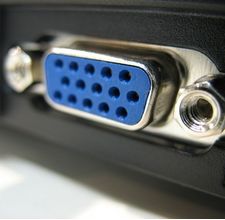
D-SUB 0

D-SUB is the classic (analogous) monitor connection plug. This standard is gradually disappearing from the market giving the place to the higher quality HDMI or DisplayPort (digital) plugs.

If the resolution of the monitor is FullHD or below the average user will experience no problems with this connection. Those who want to achieve higher image quality and resolution should look for the monitor with the DisplayPort or HDMI connection slot.

DisplayPort 1

DisplayPort is the digital connection for transmitting the image via a single wire at a high quality level. Contrary to the HDMI, this connection allows to connect several external monitors to the computer via a single connector.

Prior to buying the monitor with the DisplayPort you should verify whether your computer has the DisplayPort plug available!

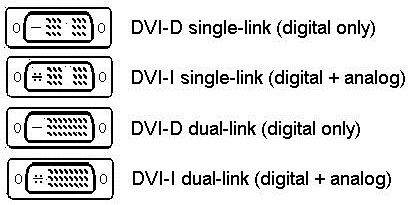
DVI 0

DVI is a digital standard and ensures high image quality, however, thanks to the big size of the plug and the inability of the standard to develop further due to a few technical restrictions this type of connection is gradually losing its popularity to modern HDMI and DisplayPort standards.
DVI is compatible with HDMI and transitions of both directions are available.

DVI is not compatible with DisplayPort, however, there are DualMode DisplayPort connectors which contains the HDMI/DVI signal, and in the relevant direction DisplayPort -> DVI can transmit an image.

If the monitor resolution exceeds 1920px in any direction a graphics card with the DVI-D Dual Link support and the relevant quality cable will be required.

Before buying a monitor you should verify whether your graphics card has the corresponding connection slot!

HDMI port 2

HDMI is the digital high quality image transmission standard that allows to connect the monitor to the computer via a thin cable by using an elegant small-size connector. HDMI is compatible with DVI if the relevant transition or cable is used.

Speakers Is

Some monitors may have built-in speakers that quite often allow to give up external speakers thus freeing a space on the desk and saving money. The sound quality of built-in speakers is quite moderate and therefore we recommend to use this possibility just for infrequent needs.

For enjoying music, movies and games we recommend buying the corresponding quality and capacity speakers.

USB Hub : NO
USB-C Power Delivery : There isn't
USB-C video input : 0
More detailed specification
Brand - ASUS
BrandPartCode - 90LM06J0-B02370
Category - Computer Monitors
Design - Market positioning - Gaming
Design - Product colour - Black
Display - Anti-glare screen - Yes
Display - Backlight type - LED
Display - Contrast ratio (dynamic) - 10000000:1
Display - Contrast ratio (typical) - 1000:1
Display - Digital horizontal frequency - 30 - 255 kHz
Display - Digital vertical frequency - 48 - 240 Hz
Display - Display brightness (typical) - 350 cd/m²
Display - Display diagonal - 60.5 cm (23.8")
Display - Display number of colours - 16.7 million colours
Display - Display resolution - 1920 x 1080 pixels
Display - Dynamic contrast ratio marketing name - ASUS Smart Contrast Ratio (ASCR)
Display - HD type - Full HD
Display - Horizontal scan range - 255 - 255 kHz
Display - Maximum refresh rate - 270 Hz
Display - Native aspect ratio - 16:9
Display - Panel type - IPS
Display - Pixel pitch - 0.2745 x 0.2745 mm
Display - Response time - 1 ms
Display - Screen shape - Flat
Display - sRGB coverage (typical) - 99%
Display - Touchscreen - No
Display - Vertical scan range - 48 - 270 Hz
Display - Viewable size, horizontal - 52.7 cm
Display - Viewable size, vertical - 29.6 cm
Display - Viewing angle, horizontal - 178°
Display - Viewing angle, vertical - 178°
Ergonomics - Cable lock slot - Yes
Ergonomics - Cable lock slot type - Kensington
Ergonomics - Height adjustment - No
Ergonomics - Panel mounting interface - 100 x 100 mm
Ergonomics - Tilt adjustment - Yes
Ergonomics - Tilt angle range - -5 - 20°
Ergonomics - VESA mounting - Yes
GTIN - 0195553766685
GTIN - 195553766685
GTIN - 4711081766674
LongDesc - TUF Gaming VG249QM1A is a 23.8-inch FHD (1920 x 1080) gaming monitor featuring a Fast IPS panel with an ultrafast overclockable 270 Hz refresh rate and 1 ms (GTG) response time for extremely immersive gameplay. It features exclusive Extreme Low Motion Blur (ELMB) technology, NVDIA G-SYNC compatible AMD FreeSync™ Premium to eliminate ghosting and tearing. In addition, it also covering 99% of the sRGB color gamut for great contrast and lifelike colors.270HZ REFRESH RATE AND 1MS (GTG) RESPONSE TIMEThe liquid crystal elements in the ASUS Fast IPS display switches up to 4X faster than conventional IPS panels for swifter response, allowing you to enjoy the latest fast-paced games in all their glory with supersmooth lag-free visuals, even at the highest display settings.ADAPTIVE-SYNCWITH NVIDIA G-SYNC compatible and AMD FreeSync Premium technology to ensure supersmooth, tear-free visuals with low latency.EXTREME LOW MOTION BLUR (ELMB)ASUS Extreme Low Motion Blur (ELMB) technology provides a 1 ms GTG response time to eliminate smearing and motion blur. It makes moving objects appear even sharper, so gameplay is more fluid and responsive.VARIABLE OVERDRIVEIntegrated ASUS Variable Overdrive technology allows the display to dynamically alter its overdrive setting as frame rates fluctuate, ensuring optimal results for any game. You choose how strong you want the overall effect to be, then let the monitor take it from there.INTUITIVE CONTROLSASUS DisplayWidget Lite is a software utility that lets you easily and quickly tweak settings or configure ASUS-exclusive features such as Shadow Boost, ASUS GameVisual, and more.SHADOW BOOSTASUS Shadow Boost technology clarifies dark areas of the game without overexposing brighter areas, improving overall viewing while also making it easier to spot enemies hidden in dark areas of the map.GAMEPLUSThe ASUS-exclusive, integrated GamePlus hotkey offers in-game enhancements that help you get more out of your game. This function is co-developed with input from pro gamers, allowing them to practice and improve their gaming skills.GAMEVISUALASUS GameVisual Technology has seven pre-set display modes to optimize visuals for different types of content. This unique feature can be easily accessed through a hotkey or the on-screen display settings menu.FLICKER-FREE TECHNOLOGYFlicker-Free technology reduces flicker to minimize eyestrain for improved comfort when you're embroiled in long gaming sessions.LOW BLUE LIGHTASUS Low Blue Light technology reduces the amount of potentially harmful blue light emitted by the display. Four different filter settings are available to control the amount of blue light reduction.EXTENSIVE CONNECTIVITYA multitude of connectivity options, including two HDMI 2.0, plus DisplayPort™ 1.2, ensures wide compatibility with a variety of input sources.
LongProductName - TUF Gaming VG249QM1A Gaming Monitor – 23.8 inch FHD (1920x1080), Fast IPS, overclocking 270 Hz (Above 144Hz, 240Hz), Extreme Low Motion Blur, 1ms (GTG), 99% sRGB, FreeSync Premium, G-Sync compatible
LongSummaryDescription - ASUS TUF Gaming VG249QM1A. Display diagonal: 60.5 cm (23.8"), Display resolution: 1920 x 1080 pixels, HD type: Full HD, Response time: 1 ms, Native aspect ratio: 16:9, Viewing angle, horizontal: 178°, Viewing angle, vertical: 178°. Built-in speaker(s). VESA mounting. Product colour: Black
Multimedia - Built-in camera - No
Multimedia - Built-in speaker(s) - Yes
Multimedia - Number of speakers - 2
Multimedia - RMS rated power - 4 W
Other features - Certification - TÜV Flicker-free
TÜV Low Blue Light
AMD FreeSync Premium
G-SYNC Compatible
Other features - Motion blur reduction - Yes
Other features - Shadow control - Yes
Packaging content - Cables included - AC, DisplayPort, HDMI
Packaging content - Quick start guide - Yes
Packaging content - Stand included - Yes
Packaging data - Package depth - 152 mm
Packaging data - Package height - 416 mm
Packaging data - Package type - Box
Packaging data - Package weight - 5.9 kg
Packaging data - Package width - 605 mm
Performance - AMD FreeSync - Yes
Performance - AMD FreeSync type - FreeSync Premium
Performance - Flicker-free technology - Yes
Performance - Game mode - Yes
Performance - Low Blue Light technology - Yes
Performance - NVIDIA G-SYNC - Yes
Performance - NVIDIA G-SYNC type - G-SYNC Compatible
Performance - Smart modes - Game
Ports & interfaces - Built-in USB hub - No
Ports & interfaces - DisplayPorts quantity - 1
Ports & interfaces - DisplayPort version - 1.2
Ports & interfaces - HDCP - Yes
Ports & interfaces - HDCP version - 1.4
Ports & interfaces - HDMI - Yes
Ports & interfaces - HDMI ports quantity - 2
Ports & interfaces - HDMI version - 2.0
Ports & interfaces - Headphone out - Yes
Ports & interfaces - Headphone outputs - 1
Power - AC input frequency - 50 - 60 Hz
Power - AC input voltage - 100 - 240 V
Power - Energy consumption (SDR) per 1000 hours - 18 kWh
Power - Energy efficiency class (HDR) - Not available
Power - Energy efficiency class (SDR) - E
Power - Energy efficiency scale - A to G
Power - Power consumption (off) - 0.3 W
Power - Power consumption (PowerSave) - 0.5 W
Power - Power consumption (standby) - 0.3 W
Power - Power consumption (typical) - 18 W
Power - Power supply type - Internal
ProductName - VG249QM1A
ShortSummaryDescription - ASUS TUF Gaming VG249QM1A, 60.5 cm (23.8"), 1920 x 1080 pixels, Full HD, 1 ms, Black
Technical details - Native refresh rate - 60 Hz
Title - ASUS TUF Gaming VG249QM1A computer monitor 60.5 cm (23.8") 1920 x 1080 pixels Full HD Black
URL - https://www.asus.com/Displays-Desktops/Monitors/TUF-Gaming/TUF-Gaming-VG249QM1A/techspec/
WarrantyInfo -
Weight & dimensions - Depth (without stand) - 59.7 mm
Weight & dimensions - Depth (with stand) - 178.6 mm
Weight & dimensions - Height (without stand) - 324.8 mm
Weight & dimensions - Height (with stand) - 392.3 mm
Weight & dimensions - Weight (without stand) - 3.62 kg
Weight & dimensions - Weight (with stand) - 4.2 kg
Weight & dimensions - Width (without stand) - 540.9 mm
Weight & dimensions - Width (with stand) - 540.9 mm
274.30 €
218.56 € w/o VAT
ASUS TUF VG249QM1A Gaming, 23.8"
Intel technology provider Platinum 2020
All categories