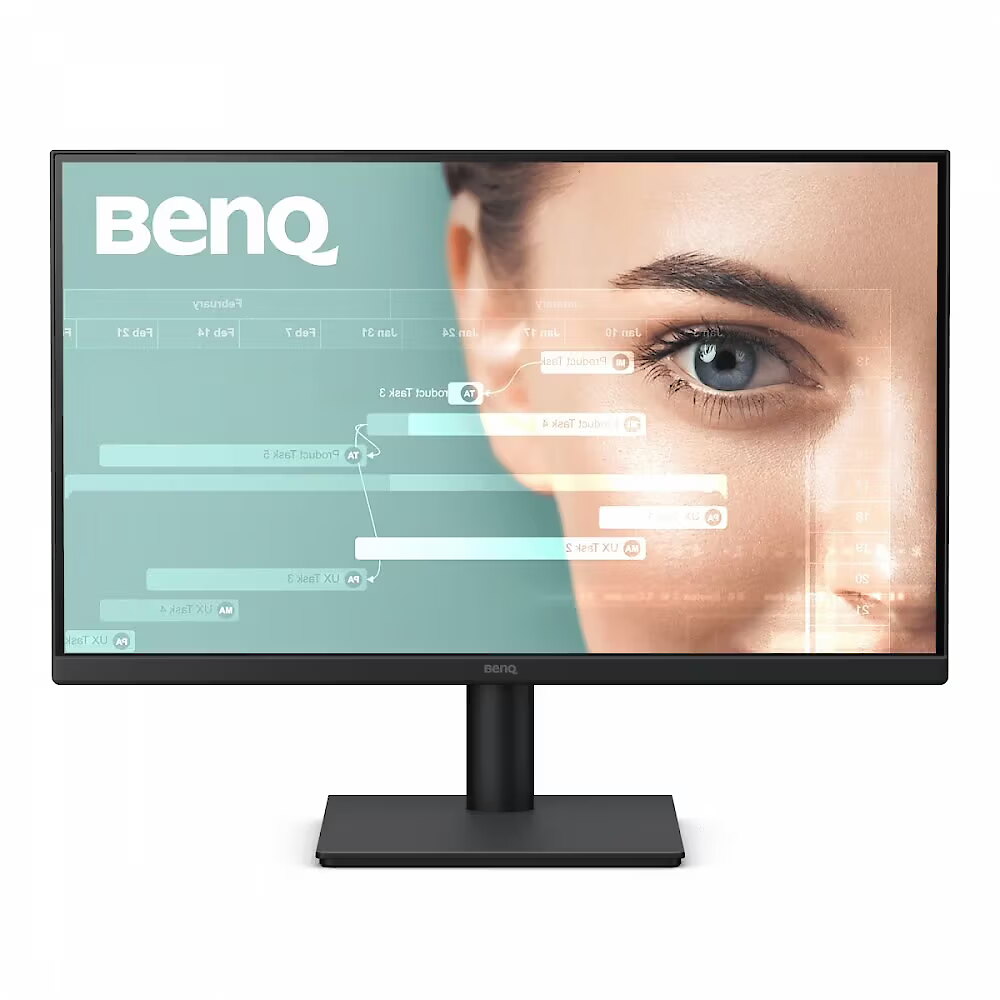
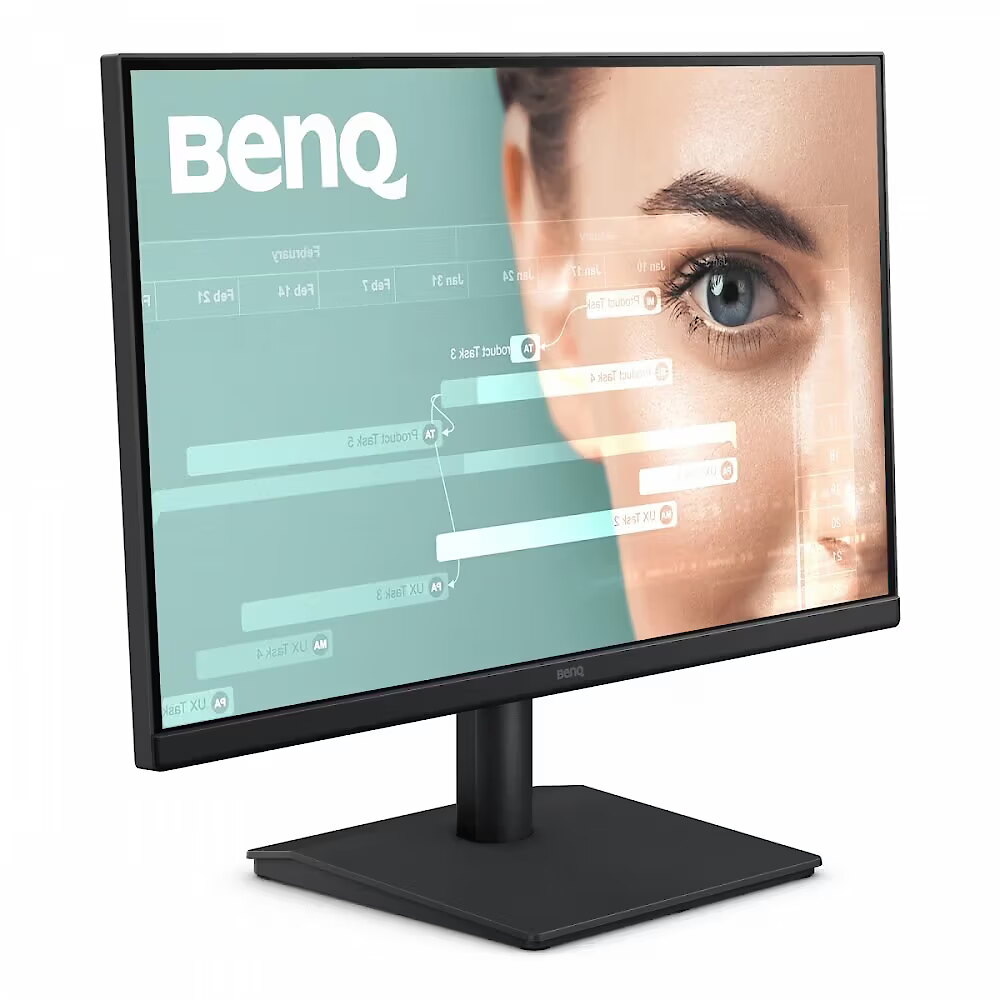
Benq GW2291, 21.5"

Picture may differ from actual product, there can be accessories and parts not supplied with the actual product.
ID: 1450938 Product code: 9H.LPALM.MBE
In stock 8 units
Warranty: 2 years
97.09 €
77.36 € w/o VAT
Ready for dispatch
on Friday, 09.10.2026
starting from 6.99 € with VAT
Delivery options
  • Posti parcel machine
    Within 1-2 working days
    6.99 €
  • Post Office
    Within 1-2 working days
    6.99 €
  • Delivery with Posti courier mail
    Within 1-2 working days
    10.99 €
Main product parameters All parameters
  • Curved: None
  • Panel Type: IPS
  • Refresh rate: 100 Hz
  • Response time: 5ms
  • Contrast ratio: 1000:1
  • Brightness: 250cd/m2
  • Size: 21.5"
  • Resolution: FHD 1920x1080
Description

This Benq GW2291, 21.5" monitor with FHD 1920x1080 resolution ensures comfortable conditions for prolonged work and online activities. It offers a clear image, extensive usage possibilities and fits perfectly in a home or office working environment.

IPS technology ensures more accurate color representation and stable image when viewed from the side. Compared to TN and VA, it changes brightness and contrast less with viewing angle, making the displayed data visually more reliable and technically more accurate.

This monitor with a refresh rate of 100 Hz ensures more frequent frame renewals, which improves the visibility of fast motion. This mode reduces image latency and minimizes artifacts that occur during rapid movement. It is suitable for tasks that require precise visual information at an increased refresh rate.

Flicker-Free reduces the frequency flickering common to some brightness adjustment methods. This reduces visual stress and ensures a smooth, pleasant image for the eyes. The technology is particularly useful for working in darker rooms and during prolonged viewing sessions.

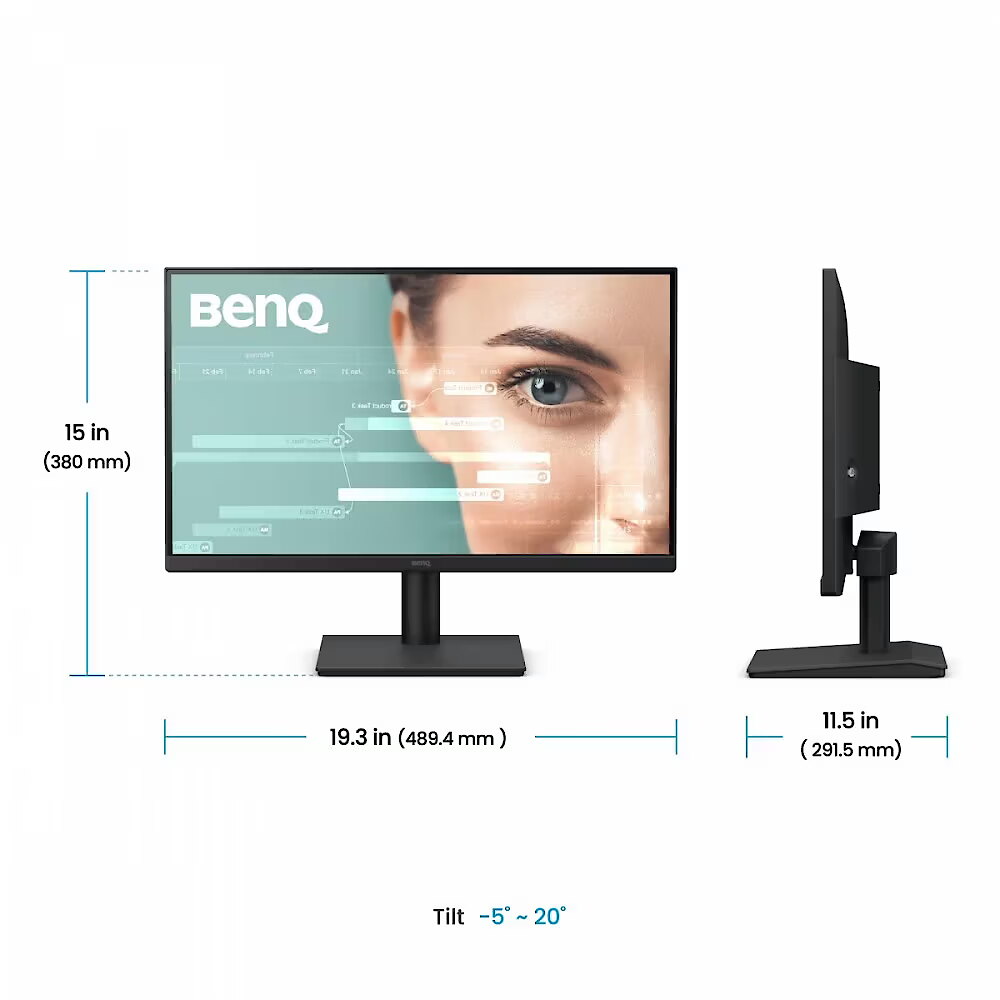
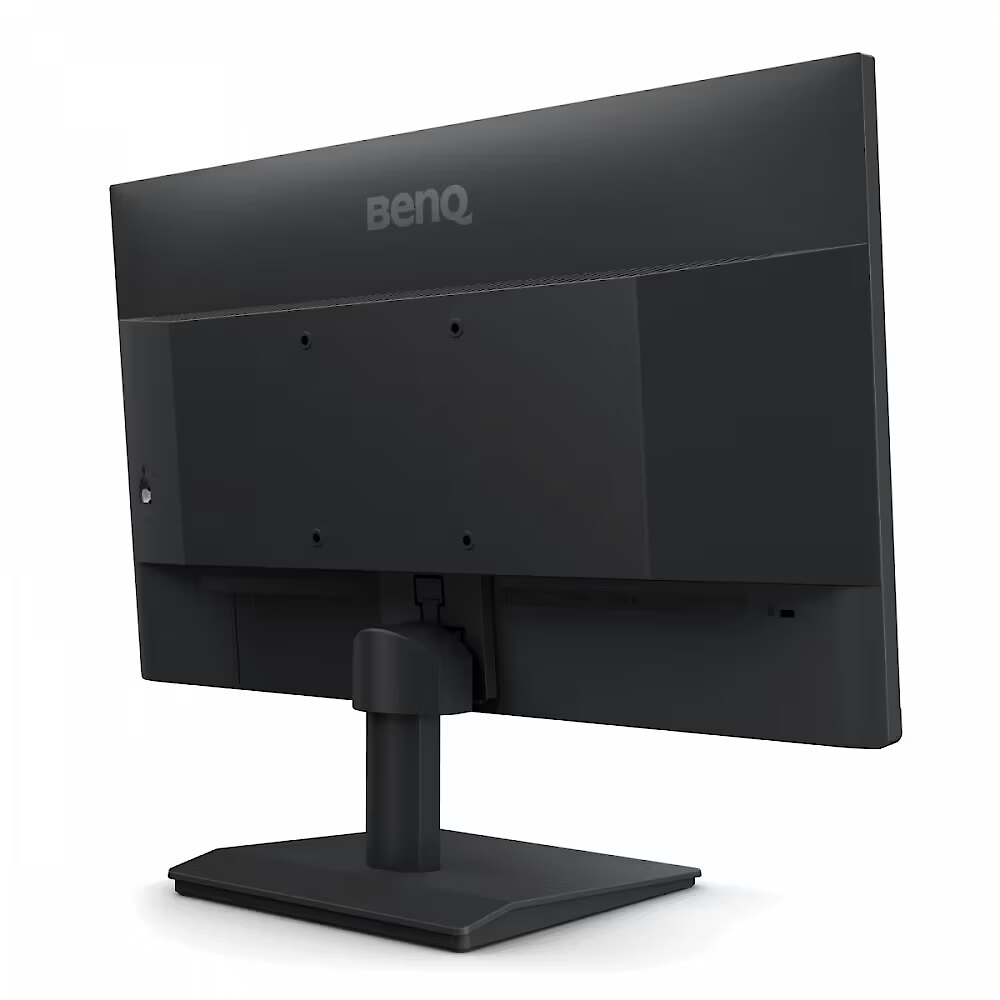
Tilt technology allows for adjusting the screen's slope angle back and forth, ensuring the correct image placement in relation to the user's line of sight. This kind of adjustment helps reduce neck and eye strain, improves image perception, and makes long-term work at the monitor more comfortable.

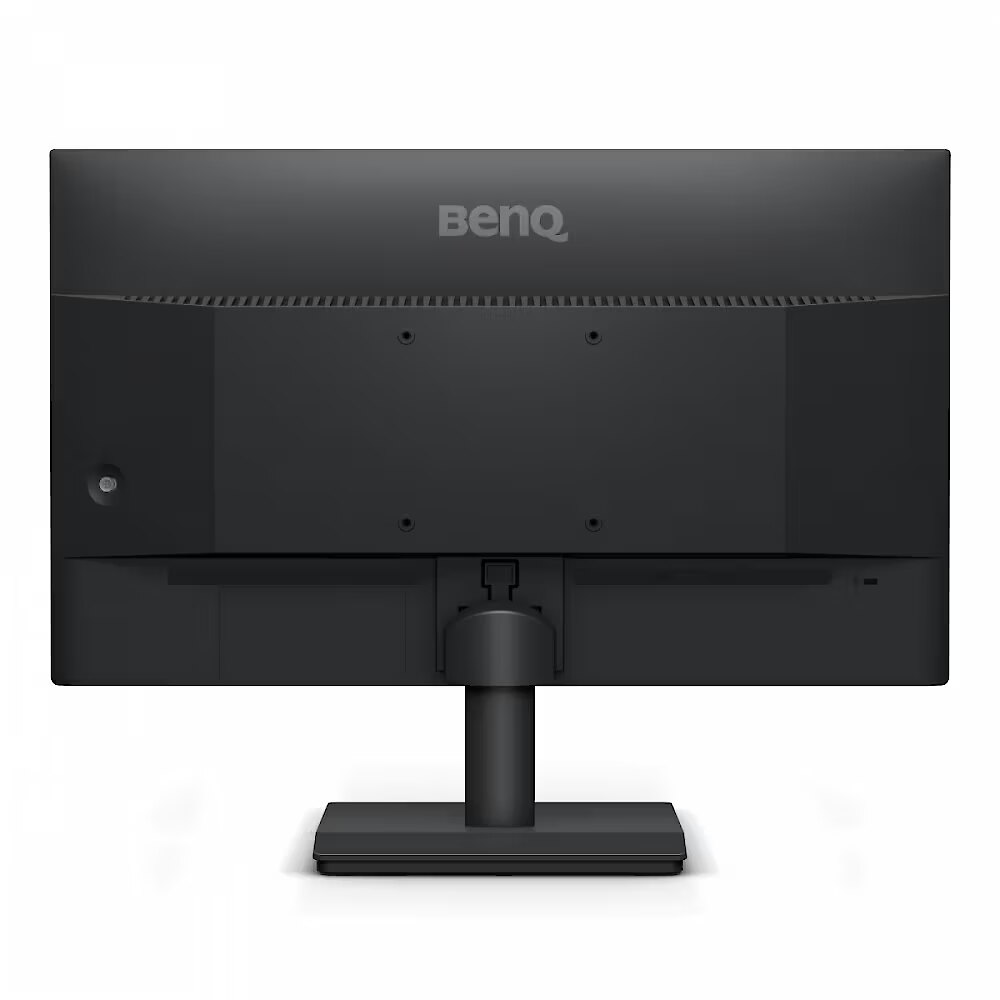
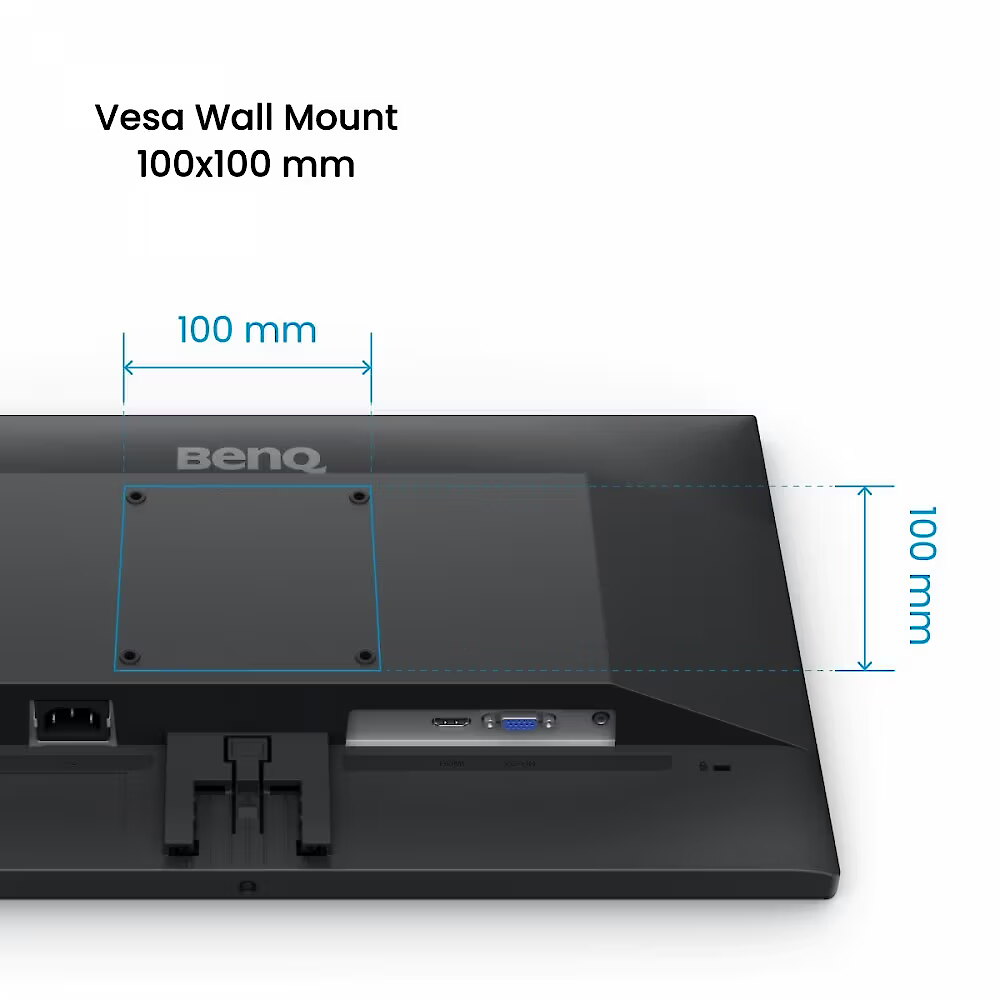
VESA wall mount allows you to install a monitor on the wall, adhering to a uniform industrial standard. It facilitates the choice of mount, increases the flexibility of workspace organization, and allows you to adjust the height and angle of placement, regardless of the desk or tripod.

Built-in speakers provide sound playback without having to connect separate acoustic systems, reducing the amount of equipment in the workplace. They provide basic audio signals for video conferencing, system announcements, and multimedia. This solution enhances convenience and reduces the number of additional cables.

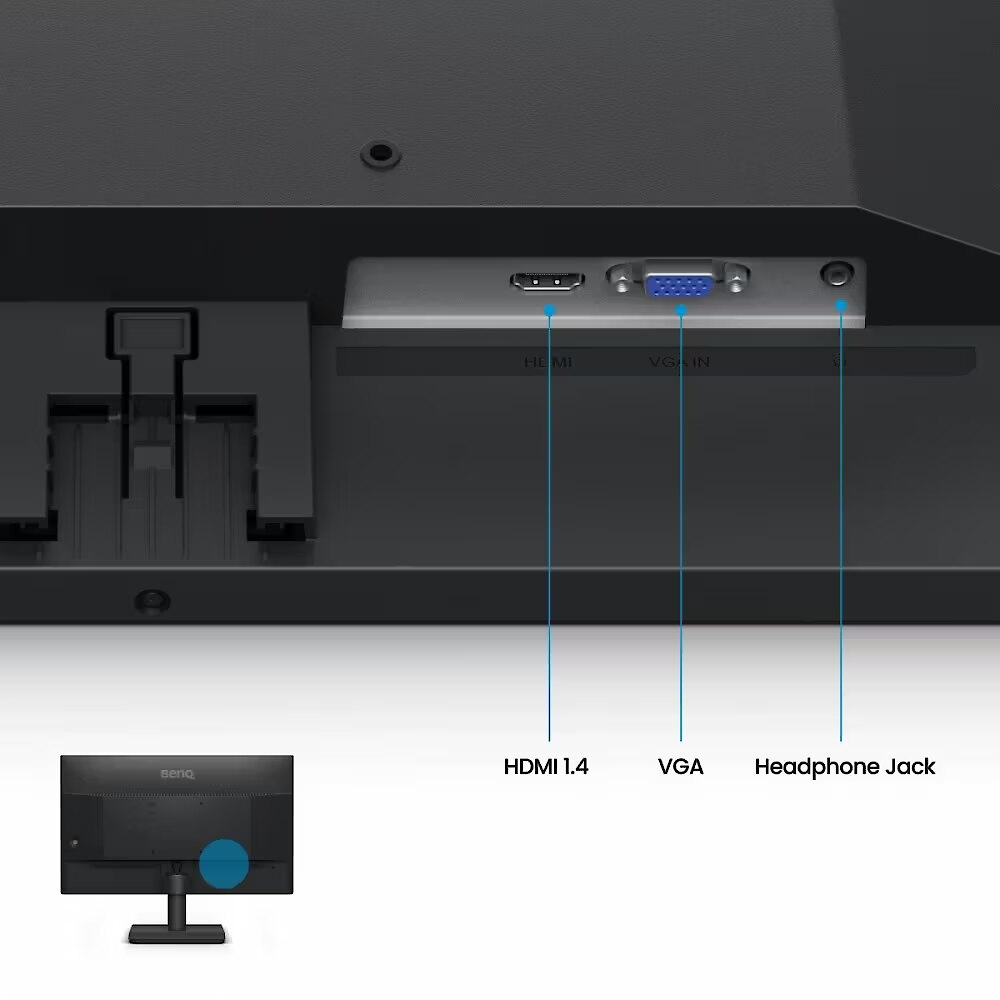
D-Sub is an analog interface that ensures monitor compatibility with various video signals. It allows the use of a monitor with older devices without adapters, maintaining a stable image. D-Sub makes the device universal for various generation operating systems, ensuring correct graphics transmission and minimal distortions.

HDMI uses a single cable connection for video and audio transmission, ensuring a stable signal and minimal losses. Such an interface simplifies connection and reduces the possibility of synchronization errors. HDMI is compatible with a majority of modern devices and ensures reliable operation in various configurations.

Warranty

Benq provides this model with a 2 year warranty at all certified service centres.

All parameters
Model : GW2291
Display characteristics
AMD FreeSync : None
Curved : None
NVIDIA G-SYNC : None
Panel Type IPS

Teh monitor panel is the main feature of the visible part of the screen or the technology where the display of the colour dots (pixels) is implemented.

TN is the standard technology with average contract, brightness and colour compliance indices.

IPS is the matrix with high colour compliance and good response speed, therefore it is well suited for graphics tasks and photo editing. IPS matrix provide an excellent viewing angle maintaining the colours and contrast from almost any angle.

VA matrix ensures superior colour compliance, however, the response time of this matrix is lagging behind that of the IPS and TN; the viewing angle is somewhere between both these technologies.

The TN type monitor is fully sufficient for an average user. If you have more money available the VA or IPS can be chosen.

Refresh rate : 100 Hz
Touchscreen : NO
VESA DisplayHDR : There isn't
Response time 5ms
The response time of the monitor screen determines how fast the monitor will display moving images (films, games, animations, etc.). The response time is measured in miliseconds. The less the response time the better the ability of the monitor to display moving images.
www.toppc.fi recommends to buy monitors with 5ms response time or lower.
Contrast ratio 1000:1

Ekrāna kontrasts nosaka attēla asumu. Tā ir atšķirība starp vistumšāko (pilnīgi melnu) un visgaišāko (pilnīgi baltu) pikseli. Jo lielāks kontrasts, jo skaidrāk salasāms teksts uz ekrāna, kontrasts arī nosaka, cik izteiksmīgas līnijas būs redzamas monitora attēlā.

Augsts kontrasts ir nozīmīgs faktors izvēloties monitoru biroja, vai mācību vajadzībām, kad lielākoties tiek strādāts ar tekstuālu informāciju.

Mājas vajadzībām svarīgāks izvēles rādītājs ir gaišums un attēla reakcijas laiks. Kontrastu labāk novērtēt tumšā istabā.
Lielākais LCD monitoru trūkums ir tas, ka samazinot attēla spilgtumu, kontrasts var pazust.

Brightness 250cd/m2

Monitora gaišums ir attēla redzamības rādītājs, kas nosaka, cik labi saskatāms ir attēls pie spēcīga ārējā apgaismojuma (saules gaisma, gaiša telpa, utt.). LCD monitoru gaišums tiek mērīts kandelās uz kvadrātmetru (Cd/m2).
Izvēloties monitoru jāņem vērā - jo lielāks gaišuma rādītājs, jo labāka attēla redzamība.

Ikdienas vajadzībām TopPC.fi iesaka iegādāties monitoru ar gaišumu, ne mazāku par 250 cd/m2.

Basic information
Application : Home & Office
Aspect ratio : 16:9
Color : Black
Size 21.5"

The size of the monitor screen is measured in inches across the diagonal. The screen size must be proportionate to the resolution of the screen for achieving the maximum utilisation of the desktop and details of the image.

Mainly two forms of LCD monitors are available: with standard width and height proportion 4:3 or the widescreen proportion 16:9 or 16:10. A widescreen monitor is wider and its resolution is higher than that of the monitors with standard proportion.

The bigger the monitor size the higher resolution usually is supported. Possibilities to increase the resolution of the screen usually depend on the size and possibilities of the monitor and the type of the video card.

Resolution FHD 1920x1080

The resolution of the monitor screen determines the number of colour dots (pixels) a monitor can display. It refers to the clarity of the text and images displayed on the screen. The higher the resolution the sharper the items look.

The applied resolution depends on the resolution supported by the monitor. LCD monitors, including the screens of laptop computers usually work best if their local resolution has been set. The setting of this resolution for the monitor is not mandatory, but usually it is recommended to set it for ensuring the highest possible sharpness of texts and images. The bigger the monitor size the higher resolution usually is supported.

Possibilities to increase the resolution of the screen usually depend on the size and possibilities of the monitor and the type of the video card.
• 19 inches screen (standard proportions): 1280x1024 pixels
• 20 inches screen (standard proportions): 1600x1200 pixels
• 22 inches screen (widescreen): 1680x1050 pixels
• 24 inches screen (widescreen): 1900x1200 pixels

Functionality
Flicker-free : Is
Height adjustment : None
Pivot : None
Swivel : None
Tilt : YES
VESA wall mount : 100x100 mm
Ports and equipment
D-SUB 1

D-SUB is the classic (analogous) monitor connection plug. This standard is gradually disappearing from the market giving the place to the higher quality HDMI or DisplayPort (digital) plugs.

If the resolution of the monitor is FullHD or below the average user will experience no problems with this connection. Those who want to achieve higher image quality and resolution should look for the monitor with the DisplayPort or HDMI connection slot.

DisplayPort 0

DisplayPort is the digital connection for transmitting the image via a single wire at a high quality level. Contrary to the HDMI, this connection allows to connect several external monitors to the computer via a single connector.

Prior to buying the monitor with the DisplayPort you should verify whether your computer has the DisplayPort plug available!

DVI 0

DVI is a digital standard and ensures high image quality, however, thanks to the big size of the plug and the inability of the standard to develop further due to a few technical restrictions this type of connection is gradually losing its popularity to modern HDMI and DisplayPort standards.

DVI is compatible with HDMI and transitions of both directions are available.

DVI is not compatible with DisplayPort, however, there are DualMode DisplayPort connectors which contains the HDMI/DVI signal, and in the relevant direction DisplayPort -> DVI can transmit an image.

If the monitor resolution exceeds 1920px in any direction a graphics card with the DVI-D Dual Link support and the relevant quality cable will be required.

Before buying a monitor you should verify whether your graphics card has the corresponding connection slot!

HDMI port 1

HDMI is the digital high quality image transmission standard that allows to connect the monitor to the computer via a thin cable by using an elegant small-size connector. HDMI is compatible with DVI if the relevant transition or cable is used.

Speakers Is

Some monitors may have built-in speakers that quite often allow to give up external speakers thus freeing a space on the desk and saving money. The sound quality of built-in speakers is quite moderate and therefore we recommend to use this possibility just for infrequent needs.

For enjoying music, movies and games we recommend buying the corresponding quality and capacity speakers.

USB Hub : NO
USB-C Power Delivery : There isn't
USB-C video input : 0
More detailed specification
Accessories included - HDMI 1.4 signal cable QSG Warranty card
Aspect ratio - 16:9
Auto Pivot - No
Bluetooth - No
Brand - BenQ
BrandPartCode - 9H.LPALM.MBE
Brightness - 250 nits
Category - Computer Monitors
Certificates - Energy Star
Certificates - EPEAT
Certificates - eyesafe 2.0
Certificates - TUV
Color - Black
Data Act - Link
Depth - 53.3 mm
Depth with stand - 191.4 mm
Description - GW2291 I 21.5" 1080p BenQ Eye Care Home Office Monitor
Everyday Eye Comfort for Your Home Office
Everyday Eye-Care. Steady Eye Comfort.
You shouldn't have to adjust setting after setting just to protect your eyes. BenQ Eye-Care Monitors come equipped with Low Blue Light and Flicker-Free technology to deliver effortless eye comfort.
We Cut Blue Light, Not Color Quality
BenQ's TUV-certified Low Blue Light technology protects your eyes during long hours of work, without giving your screen a yellowish tint. You can fine-tune the level to find the right balance, so your work always looks just the way it should.
Say Goodbye to Invisible Flicker 
Even screens that seem perfectly fine can flicker - too subtle for you to see, but not for your eyes. BenQ's TUV-certified Flicker-Free technology keeps the screen steady and your eyes comfortable, even during long workdays.
Try Eye-CareU for a Healthier Viewing Experience
Meet Eye-CareU - your screen-time sidekick on the BenQ GW monitor. It helps manage time with quick controls that keep you focused.
Certified Eye Comfort You Can Trust
Backed by TUV Rheinland's Eye Comfort 2.0 certification and Eyesafe Certified 2.0 endorsement, the GW2291 meets strict international standards for visual wellness. It's proof your eyes are in good hands, every hour of the day.
Enjoy Crisp and Clear Images
Vivid Colors, Striking Imagery
IPS (In-Plane Switching) Technology provides accurate color and image reproduction from any angle. And full HD 1080p brings everything you watch to life, making it sharper, clearer, and easier on the eyes. Better clarity and more details make you view more comfortably.
Ultrathin Bezel Design
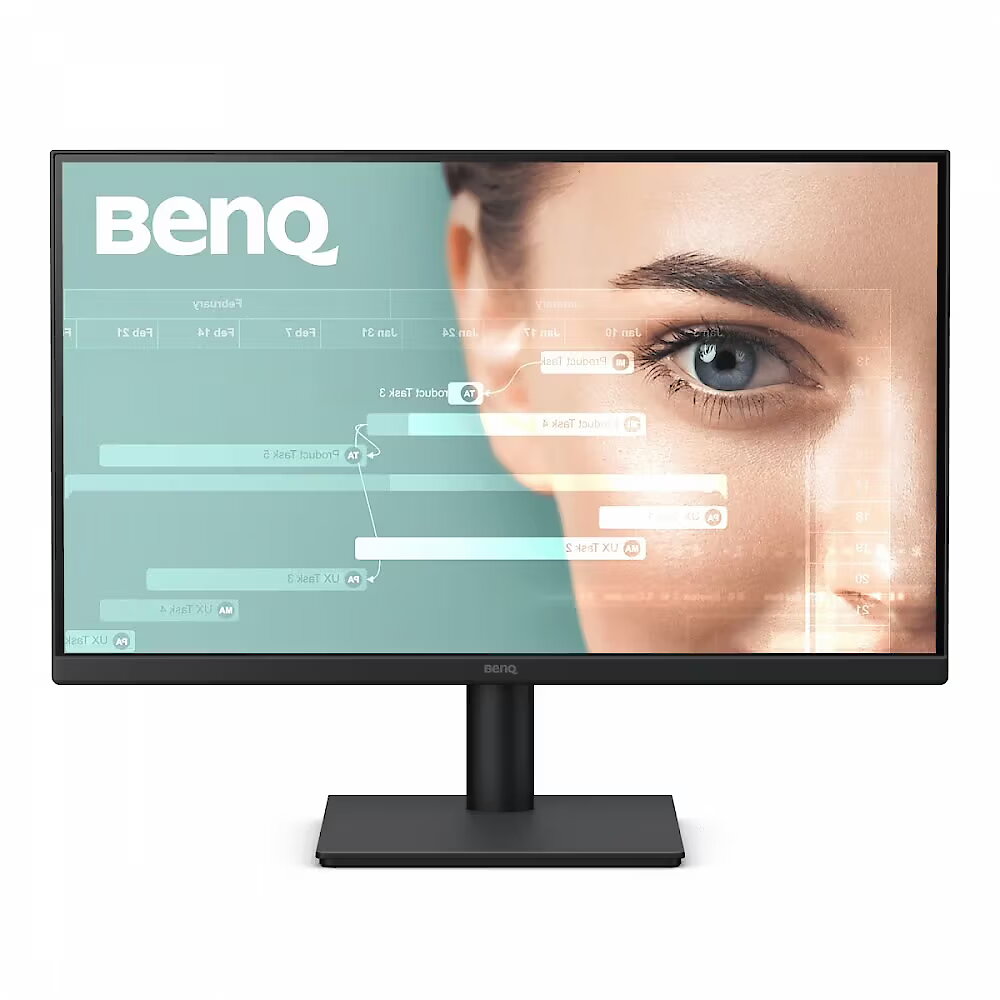
See more, with less around it. The ultrathin bezels draw your eyes into the screen, creating a seamless, distraction-free space for work, play, and everything in between.
Seamless Viewing: 100Hz Smooth Motion
Enjoy a 100Hz refresh rate for a clearer and smoother experience. This high refresh rate ensures quick response to changes, providing enhanced comfort for webpage reading, video streaming, and gaming.
Connect Your Everyday Life
HDMI and D-sub ports let you connect your laptop, console, or media player in secondsmaking work, study, and entertainment all flow effortlessly.
Enjoy Sound Right Away
Whether it's a movie night, your favorite music, or a video call, the 2W x 2 built - in speakers bring clear, balanced audio to every moment.
Design - Market positioning - Office
Design - Product colour - Black
Designation - CE+WEEE
dimension depth - 550 mm
dimension height - 360 mm
dimension weight - 3500 g
dimension width - 130 mm
Display - Colour gamut - 72%
Display - Colour gamut standard - NTSC
Display - Contrast ratio (typical) - 1300:1
Display - Display brightness (typical) - 250 cd/m²
Display - Display diagonal - 54.6 cm (21.5")
Display - Display diagonal (metric) - 54.6 cm
Display - Display number of colours - 16.7 million colours
Display - Display resolution - 1920 x 1080 pixels
Display - Display technology - LED
Display - HD type - Full HD
Display - LED backlight - Yes
Display - Maximum refresh rate - 100 Hz
Display - Native aspect ratio - 16:9
Display - Panel type - IPS
Display - Pixel density - 102 ppi
Display - Response time - 5 ms
Display - Response time measurement type - GTG (Gray to Gray)
Display - Screen shape - Flat
Display - Touchscreen - No
Display - Viewing angle, horizontal - 178°
Display - Viewing angle, vertical - 178°
Display surface - Matt
ean - 4718755098154
Energy class - E
Energy label - Pobierz
Ergonomics - Height adjustment - Yes
Ergonomics - Number of OSD languages - 17
Ergonomics - On Screen Display (OSD) - Yes
Ergonomics - On Screen Display (OSD) languages - Bulgarian, Greek, Ukrainian, Arabic, Simplified Chinese, Traditional Chinese, Czech, German, English, French, Hungarian, Italian, Japanese, Korean, Dutch, Polish, Portuguese, Romanian, Russian, Spanish, Swedish
Ergonomics - Panel mounting interface - 100 x 100 mm
Ergonomics - Tilt adjustment - Yes
Ergonomics - Tilt angle range - -5 - 20°
Ergonomics - VESA mounting - Yes
Ergonomics - Wall mountable - Yes
GTIN - 4718755098154
guarantee - 24
guarantee_type - external
Height - 291.5 mm
Height adjustment - No
Height with stand - 379.5 mm
I/O connectors - 1 x 3,5 mm minijack
I/O connectors - 1 x 15-pin D-Sub
I/O connectors - 1 x HDMI
Kensington Security Slot - Nie
LongDesc - Everyday Eye ComfortEveryday Eye-Care. Lasting Comfort.You shouldn't have to adjust setting after setting just to protect your eyes. BenQ Eye-Care Monitors feature Low Blue Light and Flicker-Free technologies to help reduce eye strain and provide comfortable viewing throughout your workday.Try Eye-CareU for Healthier Screen TimeEye-CareU makes it easier to manage your screen time with timely reminders and quick controls that help you stay focused, take regular breaks, and maintain healthier viewing habits.*Available in both Light and Dark themes for your eye comfort.Certified Eye Comfort You Can TrustBacked by TÜV Rheinland Eye Comfort 2.0 certification and Eyesafe Certified 2.0, the GW2291 meets recognised international standards for visual comfort, so you can work with added confidence throughout the day.Enjoy Crisp and Clear ImagesVivid Colours, Striking ImageryIPS (In-Plane Switching) technology delivers accurate colour and consistent image quality from virtually any viewing angle. Combined with Full HD 1080p resolution, it brings every detail into sharper focus for a clearer, more comfortable viewing experience.Ultra-Thin Bezel DesignSee more with less around it. The ultra-thin bezel draws your focus to the screen, creating a clean, distraction-free viewing experience that's ideal for work, entertainment, and everything in between.Seamless Viewing with 100Hz Smooth MotionEnjoy smoother, clearer visuals with a 100Hz refresh rate. Whether you're scrolling through web pages, streaming videos or gaming, the higher refresh rate delivers smoother scrolling, sharper motion and improved responsiveness.
LongProductName - 21.5" 1080p FHD BenQ Eye-Care Home Office Monitor
LongSummaryDescription - BenQ GW2291. Display diagonal: 54.6 cm (21.5"), Display resolution: 1920 x 1080 pixels, HD type: Full HD, Display technology: LED, Response time: 5 ms, Native aspect ratio: 16:9, Viewing angle, horizontal: 178°, Viewing angle, vertical: 178°. Built-in speaker(s). VESA mounting, Height adjustment. Product colour: Black
Matrix type - TFT IPS
Microphone - Nie
Model - GW2291
Multimedia - Built-in camera - No
Multimedia - Built-in speaker(s) - Yes
Multimedia - Number of speakers - 2
Multimedia - RMS rated power - 2 W
name - Monitor 22 inches GW2291 LED 5ms/100Hz/IPS/HDMI
Number of colors - 16,7 mln
Packaging content - Cables included - HDMI
Packaging content - Quick start guide - Yes
Performance - Flicker-free technology - Yes
Performance - Low Blue Light technology - Yes
Performance - Smart modes - Standard, Game, Cinema
Ports & interfaces - HDCP - Yes
Ports & interfaces - HDCP version - 1.4
Ports & interfaces - HDMI - Yes
Ports & interfaces - HDMI ports quantity - 1
Ports & interfaces - HDMI version - 1.4
Ports & interfaces - Headphone out - Yes
Power - AC input voltage - 100 - 240 V
Power - Energy consumption (SDR) per 1000 hours - 14 kWh
Power - Energy efficiency class (SDR) - E
Power - Power consumption (max) - 24 W
Power - Power consumption (standby) - 0.5 W
Power - Power consumption (typical) - 15 W
Power - Power supply type - Internal
Power consumption - 24 W
producer - Benq
ProductName - GW2291
Refresh rate - 100 Hz
Resolution - 1920 x 1080 (FHD 1080)
Response time - 5 ms
Screen size (diag.) - 21.5"
ShortSummaryDescription - BenQ GW2291, 54.6 cm (21.5"), 1920 x 1080 pixels, Full HD, LED, 5 ms, Black
Speakers built-in - Yes
Static contrast - 1 300:1
Swivel - No
Tilt - Yes
Title - BenQ GW2291
Touch screen - No
Transreflective technology - LED
TV tuner built-in - No
URL - https://www.benq.eu/en-uk/monitor/home/gw2291.html
vendpn - 9H.LPALM.MBE
VESA - 100 x 100
Viewing angle, horizontal - 178 °
Viewing angle, vertical - 178 °
WarrantyInfo -
Web camera - None
Weight & dimensions - Depth (without stand) - 53.3 mm
Weight & dimensions - Depth (with stand) - 191.4 mm
Weight & dimensions - Height (without stand) - 291.5 mm
Weight & dimensions - Height (with stand) - 379.5 mm
Weight & dimensions - Weight (with stand) - 2.56 kg
Weight & dimensions - Width (without stand) - 489.4 mm
Weight & dimensions - Width (with stand) - 489.4 mm
Weight with stand - 2.56 kg
Width - 489.4 mm
WiFi - No
97.09 €
77.36 € w/o VAT
Benq GW2291, 21.5"
Intel technology provider Platinum 2020
All categories