AC adapter included Other features - Yes
AC adapter output voltage Power - 19 V
AC input frequency Power - 50/60 Hz
AC input voltage Power - 100 - 240 V
Adjustable height (max) Ergonomics - 130 mm
AMD FreeSync Performance - No
Aspect ratio Display - 16:9
Audio input Ports & interfaces - No
Brand - MSI
BrandPartCode - G274QPF E2
Built-in camera Multimedia - No
Built-in speaker(s) Multimedia - No
Built-in USB hub Ports & interfaces - Yes
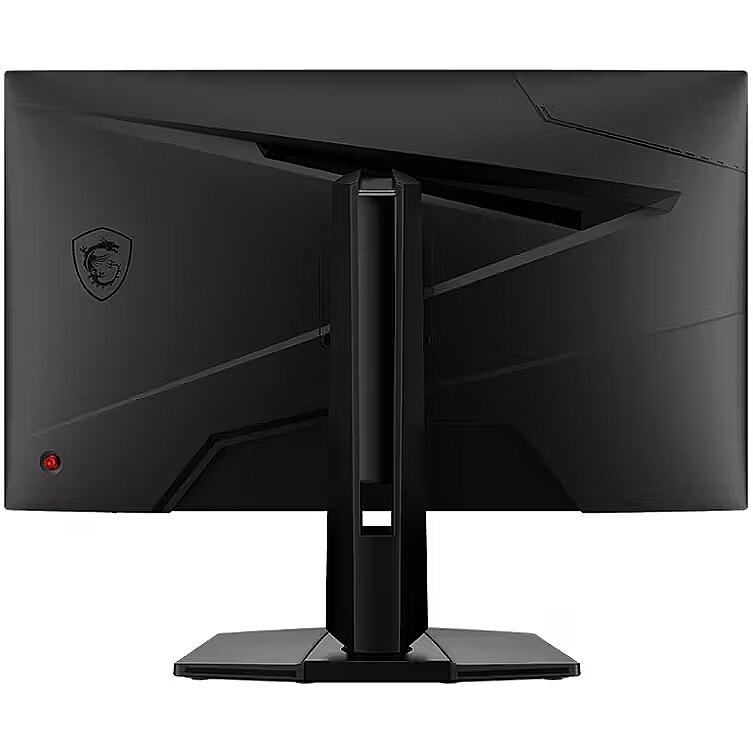
Cable lock slot Ergonomics - Yes
Cable lock slot type Ergonomics - Kensington
Category - Computer Monitors
Category Code - LC3
CnCode - 85285291
Colour gamut standard Display - sRGB
Contrast ratio (dynamic) Display - 100000000:1
Contrast ratio (typical) Display - 1000:1
Data Sheet (Link) Energy Efficiency - https://eprel.ec.europa.eu/api/product/1701860/fiches?language=EN
DC-in jack Ports & interfaces - Yes
DCI-P3 coverage Display - 92 %
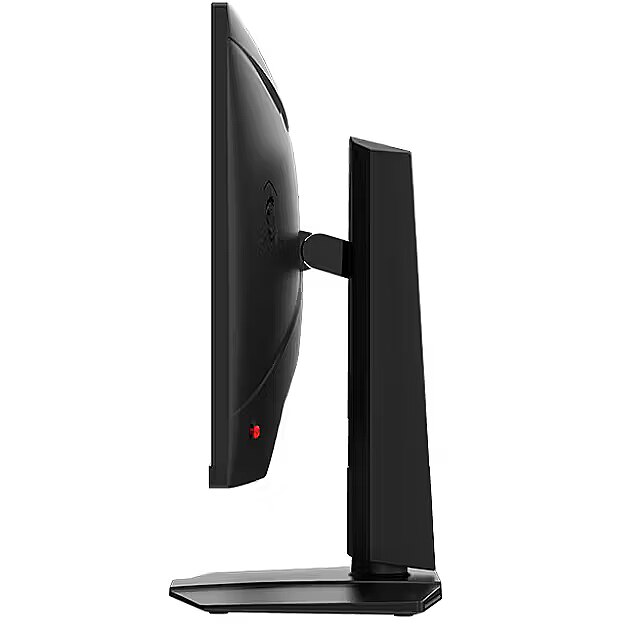
Depth (without stand) Weight & dimensions - 69.8 mm
Depth (with stand) Weight & dimensions - 227.9 mm
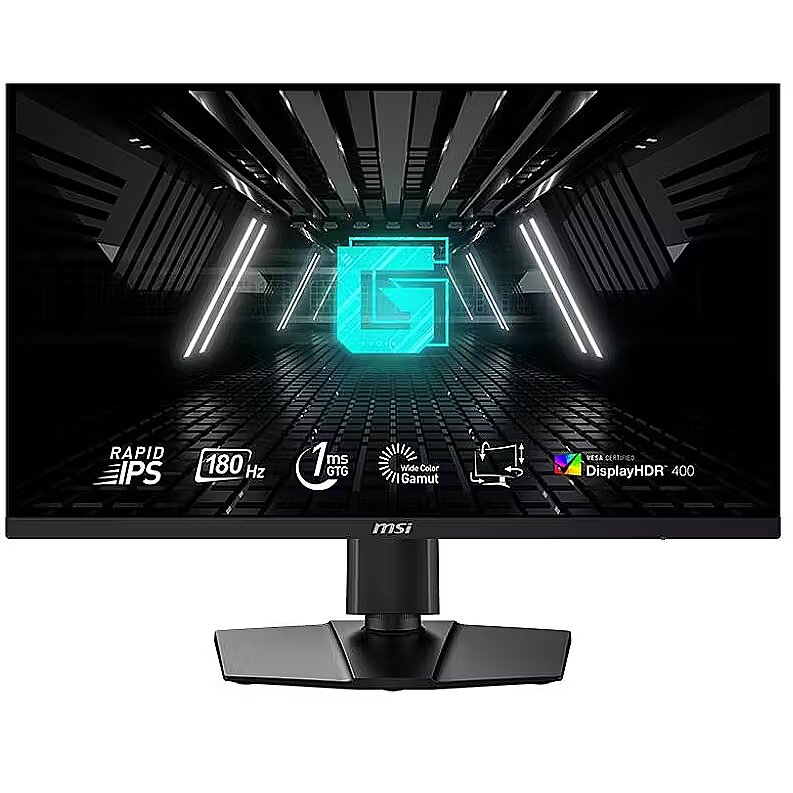
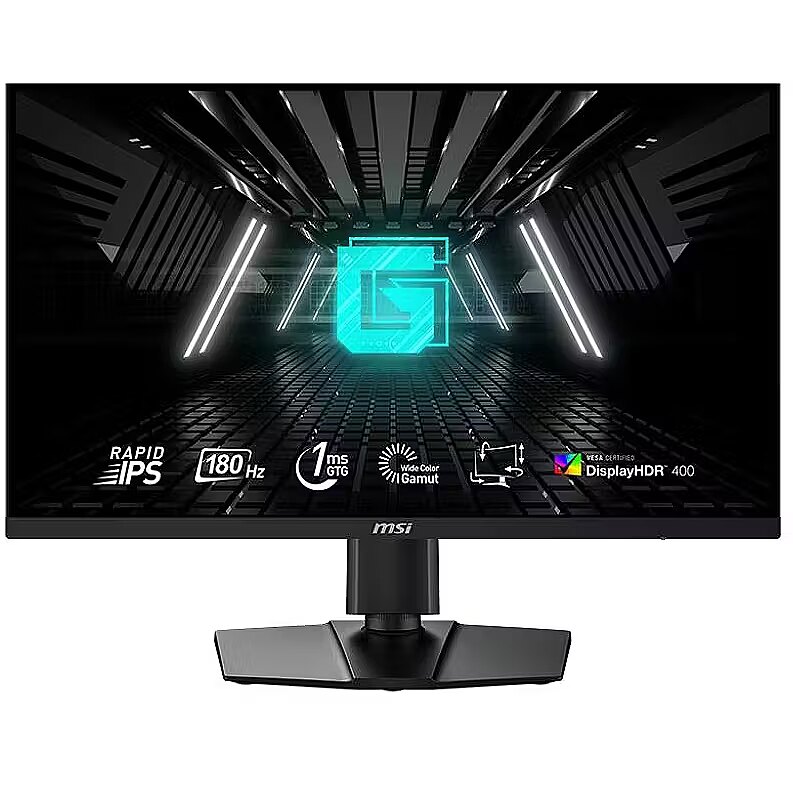
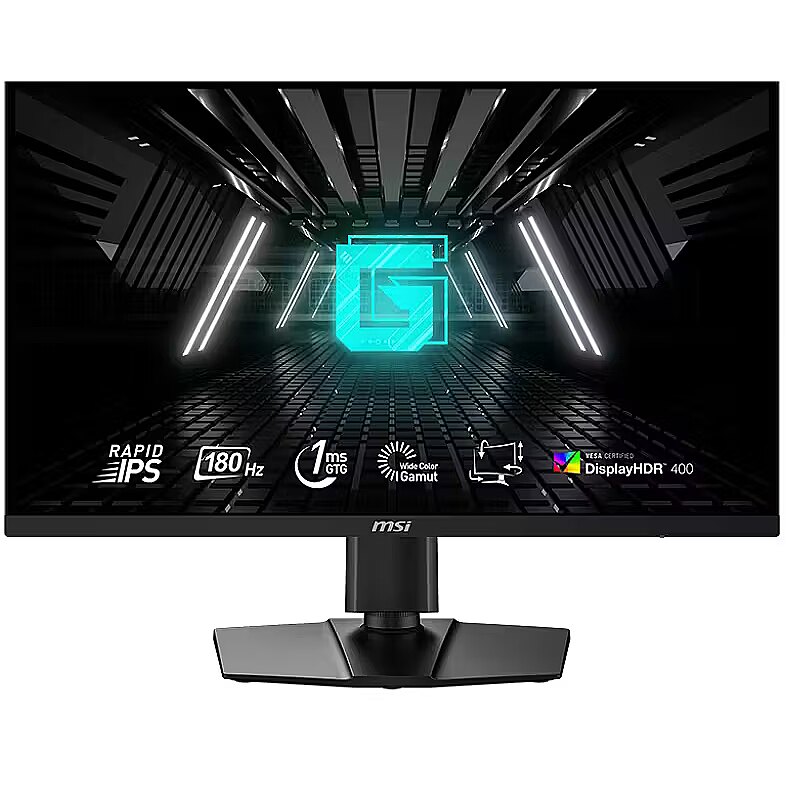
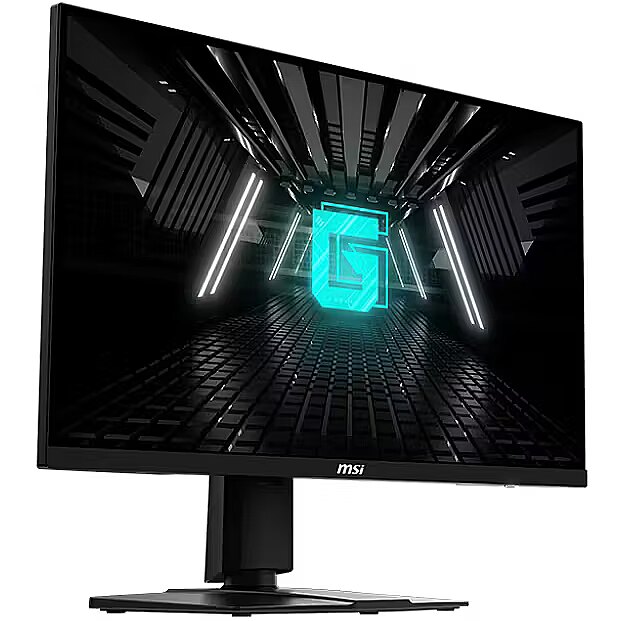
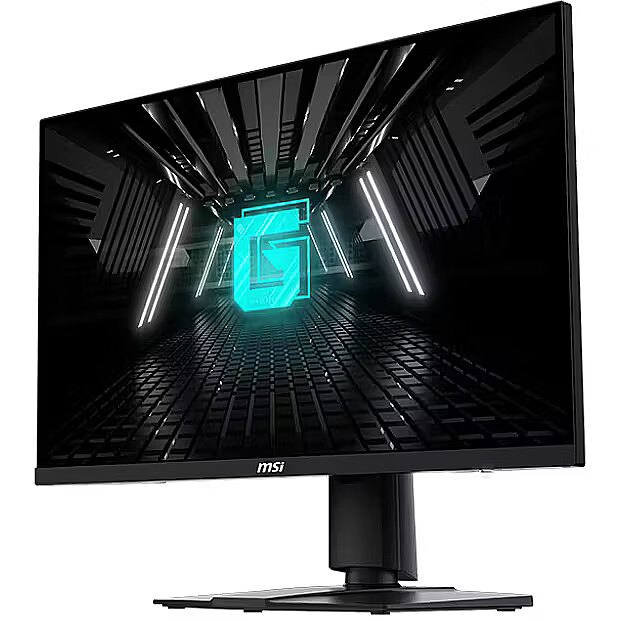
Description - Visualize your victory with the MSI G274QPF E2 gaming monitor. Equipped with a 2560x1440, 180hz Refresh rate, 1ms(GtG) response time Rapid IPS panel, the G274QPF E2 will give you the competitive edge you need to take down your opponents. Built with Adaptive-sync technology, the G274QPF E2 can match the display's refresh rate with your GPU for ultra-smooth gameplay. Make sure you can hit your mark with all the latest technologies built-in the MSI Gaming monitors for competitive play. SEE EVERY MOMENT AT ITS CLEAREST
Rapid IPS display provides gamers with an ultra-fast 1ms GTG response time, which will significantly reduce monitor blur occurrence. The crystal clear image will certainly give you a competitive edge for precise decisions in fast-moving games. VIEW WIDER, FIGHT BETTER
The G274QPF E2 gaming monitor features a WQHD panel that supports resolution up to 2560x1440. This 16:9 panel allows gamers to examine bigger game scenes compared to other traditional FHD panels, and put them ahead of other competitors. TRUE COLOR
The MSI Gaming Monitor has more gamut coverage compared to general monitors. Gameplay colors and details will look more realistic and refined, to push immersion to its limits. TRUE COLOR
MSI gaming monitor is equipped with HDR technology that can produce images with more details, wider range of colors, and look more similar to what is seen by the human eye when compared to traditional monitor. Windows 11 Auto HDR supported. SMOOTHEN OUT YOUR GAMEPLAY
The MSI Gaming Monitor is built with Adaptive Sync technology to achieve the smooth visuals for your gameplay. Adaptive Sync technology will sync the refresh rate of your monitor with your GPU to eliminate screen tearing or stuttering. The ultra-smooth and lag-free visuals that Adaptive Sync provide will allow you to enjoy the game the way it was meant to be enjoyed. NIGHT VISION
Whether your entire screen is dark, or just a few portions have heavy shadows. Let the world's first smart black tuner brighten your day by bringing out the fine details in dark areas. FROM EDGE TO EDGE
With a super narrow bezel, enjoy the best immersion possible in the latest games with a multi-monitor 180 degree setup. Enjoy better continuity between screens while playing games, working, or general computing. ANTI-FLICKER TECHNOLOGY
Generic monitor displays normally have a flicker-rate of about 200-times per second, which is unnoticeable to the naked eye, but can cause fatigue over time. MSI Anti-Flicker technology provides a very comfortable viewing experience by reducing the amount of flicker. 178 DEGREES OF WIDE VIEWING ANGLE
By having a large viewing angle, MSI gaming monitors has more leeway for placing your monitor in your setup without giving up the optimal viewing experience. Colors and details will stay sharp at more angles compared to other monitors with less viewing angles. BLUE LIGHT REDUCTION
MSI monitors are optimized to produce less amount of blue light displayed by the monitor, so that you can game for longer periods of time without eye-fatigue. TYPE-C DISPLAY
With USB Type-C cable connection, allowing you to power your devices (up to 15W) and effortlessly display by DisplayPort Alt mode.Rapid IPS – Provides 1ms GTG fast response time, optimizes screen colors and brightness180Hz Refresh Rate – Respond faster with smoother frames1ms GTG Response Time – Eliminate screen tearing and choppy frame ratesWide Color Gamut – Game colors and details will look more realistic and refinedAdaptive-sync – Prevent screen tearing or stuttering, producing ultra-smooth lag-free gameplayNight Vision – Smart black tuner to brighten your day by bringing out the fine details in dark areasFrameless design – Enjoy the ultimate gaming experience with super narrow bezelsAnti-Flicker and Less Blue Light – Game even longer and prevent eye strain and fatigue178° Wide Viewing Angle – Colors and details will stay sharp at more angles with a 178° wide viewing angle
Design - Feet colour - Black
Design - Market positioning - Gaming
Design - Product colour - Black
Display - Aspect ratio - 16:9
Display - Colour gamut standard - sRGB
Display - Contrast ratio (dynamic) - 100000000:1
Display - Contrast ratio (typical) - 1000:1
Display - DCI-P3 coverage - 92%
Display - Display brightness (typical) - 400 cd/m²
Display - Display diagonal - 68.6 cm (27")
Display - Display diagonal (metric) - 69 cm
Display - Display number of colours - 1.07 billion colours
Display - Display resolution - 2560 x 1440 pixels
Display - HD type - Wide Quad HD
Display - High Dynamic Range (HDR) supported - Yes
Display - High Dynamic Range (HDR) technology - High Dynamic Range (HDR) 400
Display - Horizontal scan range - 64.56 - 266.4 kHz
Display - Maximum refresh rate - 180 Hz
Display - Native aspect ratio - 16:9
Display - Pixel pitch - 0.233 x 0.233 mm
Display - Response time - 1 ms
Display - Screen shape - Flat
Display - sRGB coverage (typical) - 119%
Display - Supported graphics resolutions - 1920 x 1080 (HD 1080)
Display - Touchscreen - No
Display - Vertical scan range - 48 - 180 Hz
Display - Viewable size, horizontal - 59.8 cm
Display - Viewable size, vertical - 33.6 cm
Display - Viewing angle, horizontal - 178°
Display - Viewing angle, vertical - 178°
Display brightness (typical) Display - 400 cd/m²
Display diagonal (metric) Display - 69 cm
Display diagonal Display - 27 "
Display number of colours Display - 1.07 billion colours
DisplayPorts quantity Ports & interfaces - 1
DisplayPort version Ports & interfaces - 1.4a
Display resolution Display - 2560 x 1440 pixels
DVI port Ports & interfaces - No
Energy consumption (HDR) per 1000 hours Power - 43 kWh
Energy consumption (SDR) per 1000 hours Power - 26 kWh
Energy efficiency class (HDR) Power - G
Energy efficiency class (SDR) Power - F
Energy efficiency class Energy Efficiency - F
Energy efficiency scale Power - A to G
EPREL Registration Number Energy Efficiency - 1701860
EPREL Version Number Energy Efficiency - 2
Ergonomics - Adjustable height (max) - 13 cm
Ergonomics - Cable lock slot - Yes
Ergonomics - Cable lock slot type - Kensington
Ergonomics - Height adjustment - Yes
Ergonomics - Panel mounting interface - 75 x 75 mm
Ergonomics - Pivot - Yes
Ergonomics - Pivot angle - -90 - 90°
Ergonomics - Swivel angle range - -30 - 30°
Ergonomics - Swivelling - Yes
Ergonomics - Tilt adjustment - Yes
Ergonomics - Tilt angle range - -5 - 20°
Ergonomics - VESA mounting - Yes
Feet colour Design - Black
GTIN - 4711377123334
HDMI Ports & interfaces - Yes
HDMI ports quantity Ports & interfaces - 2
HDMI version Ports & interfaces - 2.0b
HD type Display - Wide Quad HD
Headphone out Ports & interfaces - Yes
Headphone outputs Ports & interfaces - 1
Height (without stand) Weight & dimensions - 362.5 mm
Height (with stand) Weight & dimensions - 406.6 mm
Height adjustment Ergonomics - Yes
High Dynamic Range (HDR) supported Display - Yes
High Dynamic Range (HDR) technology Display - High Dynamic Range (HDR) 400
Horizontal scan range Display - 64.56 - 266.4 kHz
Input current Power - 3.42 A
LongDesc - Visualize your victory with the MSI G274QPF E2 gaming monitor. Equipped with a 2560x1440, 180hz Refresh rate, 1ms(GtG) response time Rapid IPS panel, the G274QPF E2 will give you the competitive edge you need to take down your opponents. Built with Adaptive-sync technology, the G274QPF E2 can match the display's refresh rate with your GPU for ultra-smooth gameplay. Make sure you can hit your mark with all the latest technologies built-in the MSI Gaming monitors for competitive play.SEE EVERY MOMENT AT ITS CLEARESTRapid IPS display provides gamers with an ultra-fast 1ms GTG response time, which will significantly reduce monitor blur occurrence. The crystal clear image will certainly give you a competitive edge for precise decisions in fast-moving games.VIEW WIDER, FIGHT BETTERThe G274QPF E2 gaming monitor features a WQHD panel that supports resolution up to 2560x1440. This 16:9 panel allows gamers to examine bigger game scenes compared to other traditional FHD panels, and put them ahead of other competitors.TRUE COLORThe MSI Gaming Monitor has more gamut coverage compared to general monitors. Gameplay colors and details will look more realistic and refined, to push immersion to its limits.TRUE COLORMSI gaming monitor is equipped with HDR technology that can produce images with more details, wider range of colors, and look more similar to what is seen by the human eye when compared to traditional monitor.Windows 11 Auto HDR supported.SMOOTHEN OUT YOUR GAMEPLAYThe MSI Gaming Monitor is built with Adaptive Sync technology to achieve the smooth visuals for your gameplay. Adaptive Sync technology will sync the refresh rate of your monitor with your GPU to eliminate screen tearing or stuttering. The ultra-smooth and lag-free visuals that Adaptive Sync provide will allow you to enjoy the game the way it was meant to be enjoyed.NIGHT VISIONWhether your entire screen is dark, or just a few portions have heavy shadows. Let the world's first smart black tuner brighten your day by bringing out the fine details in dark areas.FROM EDGE TO EDGEWith a super narrow bezel, enjoy the best immersion possible in the latest games with a multi-monitor 180 degree setup. Enjoy better continuity between screens while playing games, working, or general computing.ANTI-FLICKER TECHNOLOGYGeneric monitor displays normally have a flicker-rate of about 200-times per second, which is unnoticeable to the naked eye, but can cause fatigue over time. MSI Anti-Flicker technology provides a very comfortable viewing experience by reducing the amount of flicker.178 DEGREES OF WIDE VIEWING ANGLEBy having a large viewing angle, MSI gaming monitors has more leeway for placing your monitor in your setup without giving up the optimal viewing experience. Colors and details will stay sharp at more angles compared to other monitors with less viewing angles.BLUE LIGHT REDUCTIONMSI monitors are optimized to produce less amount of blue light displayed by the monitor, so that you can game for longer periods of time without eye-fatigue.TYPE-C DISPLAYWith USB Type-C cable connection, allowing you to power your devices (up to 15W) and effortlessly display by DisplayPort Alt mode.
LongProductName - 68.6cm (27") Wide Quad HD 2560 x 1440, 16:9, 400cd/m², 1.07B, 1ms, 178°/178°, 1000:1
LongSummaryDescription - MSI G274QPF E2. Display diagonal: 68.6 cm (27"), Display resolution: 2560 x 1440 pixels, HD type: Wide Quad HD, Response time: 1 ms, Native aspect ratio: 16:9, Viewing angle, horizontal: 178°, Viewing angle, vertical: 178°. Built-in USB hub. VESA mounting, Height adjustment. Product colour: Black
Market positioning Design - Gaming
Maximum refresh rate Display - 180 Hz
Model - G274QPF E2
Multimedia - Built-in camera - No
Multimedia - Built-in speaker(s) - No
Native aspect ratio Display - 16:9
Number of USB Type-C upstream ports quantity Ports & interfaces - 1
NVIDIA G-SYNC Performance - No
On/off switch Other features - Yes
Other features - AC adapter included - Yes
Other features - On/off switch - Yes
Other features - TV tuner integrated - No
Package depth Packaging data - 145 mm
Package height Packaging data - 502 mm
Package type Packaging data - Box
Package weight Packaging data - 6300 g
Package width Packaging data - 815 mm
Packaging content - Stand included - Yes
Packaging data - Package depth - 145 mm
Packaging data - Package height - 502 mm
Packaging data - Package type - Box
Packaging data - Package weight - 6.3 kg
Packaging data - Package width - 815 mm
Panel mounting interface Ergonomics - 75 x 75 mm
Performance - AMD FreeSync - No
Performance - NVIDIA G-SYNC - No
Performance - VESA Adaptive Sync support - Yes
Pivot angle Ergonomics - -90 - 90 °
Pivot Ergonomics - Yes
Pixel pitch Display - 0.233 x 0.233 mm
Ports & interfaces - Audio input - No
Ports & interfaces - Built-in USB hub - Yes
Ports & interfaces - DC-in jack - Yes
Ports & interfaces - DisplayPorts quantity - 1
Ports & interfaces - DisplayPort version - 1.4a
Ports & interfaces - DVI port - No
Ports & interfaces - HDMI - Yes
Ports & interfaces - HDMI ports quantity - 2
Ports & interfaces - HDMI version - 2.0b
Ports & interfaces - Headphone out - Yes
Ports & interfaces - Headphone outputs - 1
Ports & interfaces - Number of USB Type-C upstream ports quantity - 1
Ports & interfaces - USB Type-C DisplayPort Alternate Mode - Yes
Ports & interfaces - USB Type-C downstream ports quantity - 1
Power - AC adapter output voltage - 19 V
Power - AC input frequency - 50/60 Hz
Power - AC input voltage - 100 - 240 V
Power - Energy consumption (HDR) per 1000 hours - 43 kWh
Power - Energy consumption (SDR) per 1000 hours - 26 kWh
Power - Energy efficiency class (HDR) - G
Power - Energy efficiency class (SDR) - F
Power - Energy efficiency scale - A to G
Power - Input current - 3.42 A
Power - Power consumption (off) - 0.3 W
Power - Power consumption (standby) - 0.5 W
Power - Power supply type - External
Power consumption (off) Power - 0.3 W
Power consumption (standby) Power - 0.5 W
Power supply type Power - External
Product colour Design - Black
ProductName - G274QPF E2
Product Net Weight - 6.3 kg
Response time Display - 1 ms
Screen shape Display - Flat
ShortSummaryDescription - MSI G274QPF E2, 68.6 cm (27"), 2560 x 1440 pixels, Wide Quad HD, 1 ms, Black
sRGB coverage (typical) Display - 119 %
Stand included Packaging content - Yes
Summary - MSI G274QPF E2. Display diagonal: 68.6 cm (27"), Display resolution: 2560 x 1440 pixels, HD type: Wide Quad HD, Response time: 1 ms, Native aspect ratio: 16:9, Viewing angle, horizontal: 178°, Viewing angle, vertical: 178°. Built-in USB hub. VESA mounting, Height adjustment. Product colour: Black
Supported graphics resolutions Display - 1920 x 1080 (HD 1080)
Swivel angle range Ergonomics - -30 - 30 °
Swivelling Ergonomics - Yes
Tilt adjustment Ergonomics - Yes
Tilt angle range Ergonomics - -5 - 20 °
Title - MSI G274QPF E2 computer monitor 68.6 cm (27") 2560 x 1440 pixels Wide Quad HD Black
Touchscreen Display - No
TV tuner integrated Other features - No
Unit Box Height - 0.47
Unit Box Length - 0.81
Unit Box Width - 0.14
Unit Calculated Volume - 0.0533 cubm
Unit Calculated Weight - 9.05 kg
Units per Pallet - 0
URL - https://www.msi.com/Monitor/G274QPF-E2
USB Type-C DisplayPort Alternate Mode Ports & interfaces - Yes
USB Type-C downstream ports quantity Ports & interfaces - 1
Vendor Homepage - https://www.msi.com/Monitor/G274QPF-E2
Vertical scan range Display - 48 - 180 Hz
VESA Adaptive Sync support Performance - Yes
VESA mounting Ergonomics - Yes
Viewable size, horizontal Display - 597.6 mm
Viewable size, vertical Display - 336.15 mm
Viewing angle, horizontal Display - 178 °
Viewing angle, vertical Display - 178 °
Warranty - 24 months
WarrantyInfo -
Weight & dimensions - Depth (without stand) - 69.8 mm
Weight & dimensions - Depth (with stand) - 227.9 mm
Weight & dimensions - Height (without stand) - 362.5 mm
Weight & dimensions - Height (with stand) - 406.6 mm
Weight & dimensions - Weight (without stand) - 3.95 kg
Weight & dimensions - Weight (with stand) - 6.3 kg
Weight & dimensions - Width (without stand) - 613.5 mm
Weight & dimensions - Width (with stand) - 613.5 mm
Weight (without stand) Weight & dimensions - 3950 g
Weight (with stand) Weight & dimensions - 6300 g
Width (without stand) Weight & dimensions - 613.5 mm
Width (with stand) Weight & dimensions - 613.5 mm




 DVI is a digital standard and ensures high image quality, however, thanks to the big size of the plug and the inability of the standard to develop further due to a few technical restrictions this type of connection is gradually losing its popularity to modern HDMI and DisplayPort standards.







