AC input frequency Power - 50/60 Hz
AC input voltage Power - 100 - 240 V
AMD FreeSync Performance - Yes
AMD FreeSync type Performance - FreeSync Premium
Audio input Ports & interfaces - Yes
Brand - LG
BrandPartCode - 34G630A-B
Brand specific technologies Other features - Black Stabilizer
Built-in camera Multimedia - No
Built-in speaker(s) Multimedia - Yes
Built-in USB hub Ports & interfaces - No
Cables included Packaging content - DisplayPort, HDMI
Category - Computer Monitors
Category - Datortehnika :: Monitori un piederumi :: Monitori
category - Monitors|Gaming Monitors|from 240 Hz
Category - Root/Electronics/PC peripherals/Monitors
Category 1 - Displays
Category1 - Monitors
Category 2 - Monitore
Category Code - LC3
Category_1 - Monitors and TV
Category_2 - LED Monitors 31 inches and up
Code - 34G630A-B
code - 34G630A-B
Code - 34G630A-B.AEUQ
Colour gamut standard Display - DCI-P3
Contrast ratio (typical) Display - 4000:1
Dane fizyczne: Głębokość - 235 mm
Dane fizyczne: Kolor obudowy - czarny
Dane fizyczne: Standard VESA - 100 x 100
Dane fizyczne: Szerokość - 808 mm
Dane fizyczne: Waga - 5.3 kg
Dane fizyczne: Wysokość - 392.4 mm
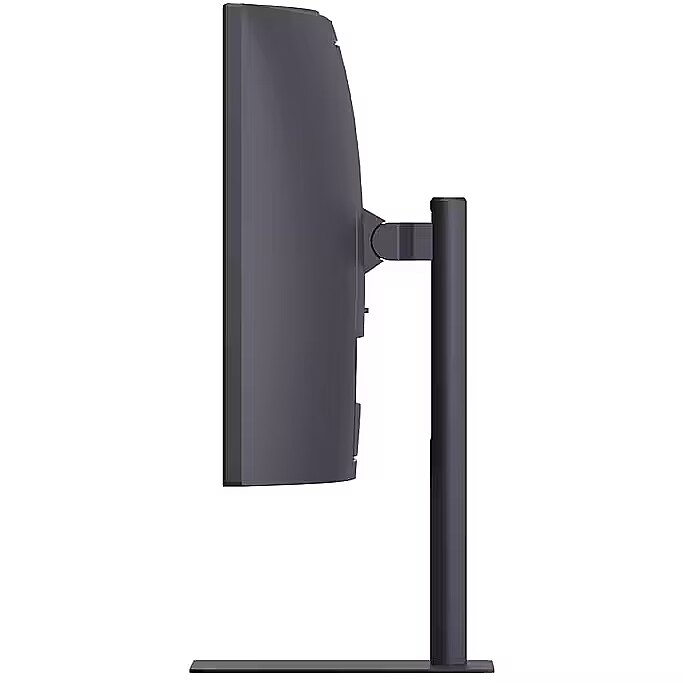
Dane fizyczne: Zakres regulacji obrotu (Swivel) - 60 °
Dane fizyczne: Zakres regulacji pochylenia (Tilt) - 25 °
Dane techniczne: HDR - tak
Dane techniczne: Czas reakcji - 1 ms
Dane techniczne: Częstotliwość odświeżania - 240 Hz
Dane techniczne: Grupa produktowa - Monitory LG
Dane techniczne: Gwarancja - 2 lata w serwisie zewnętrznym
Dane techniczne: Głośniki - tak
Dane techniczne: Jasność - 300 cd/m²
Dane techniczne: Możliwość regulacji - obrót na podstawie (swivel)
Dane techniczne: Możliwość regulacji - pochył
Dane techniczne: Powłoka matrycy - matowa
Dane techniczne: Producent - LG
Dane techniczne: Przekątna - 34 cali
Dane techniczne: Rodzaj podświetlenia - LED
Dane techniczne: Rozdzielczość ekranu - 3440 x 1440 piksele
Dane techniczne: Rozmiar plamki - 0.231 mm
Dane techniczne: Standard portów wideo - DisplayPort 1.4
Dane techniczne: Standard portów wideo - HDMI 2.1
Dane techniczne: Typ - dla graczy
Dane techniczne: Typ ekranu - zakrzywiony
Dane techniczne: Typ matrycy - VA
Data Sheet (Link) Energy Efficiency - https://eprel.ec.europa.eu/api/product/2400682/fiches?language=EN
DCI-P3 coverage Display - 95%
Depth (without stand) Weight & dimensions - 107.1 mm
Depth (with stand) Weight & dimensions - 235 mm
Desc - Izliekts: Ir, Ekrāna izmērs: 34", Izšķirtspēja: 3440 x 1440, Panelis: VA, Atjaunošanās frekvence: 240 Hz, Reakcijas laiks: 1 ms, Spilgtums: 300 cd/m2, Skata leņķis - vertikāls/horizontāls: 178° / 178°, Saliekšana (Tilt): Ir, Rotācija (Swivel): Ir, Pivot: Nav, Regulējams augstums: Ir, HDMI: Ir, DisplayPort: Ir, VGA (D-sub): Nav, DVI: Nav, USB: Ir, USB-C: Nav, Audio ieeja: Ir, Audio izeja: Ir, VESA stiprinājums: Ir, Garantija: 2 gadi
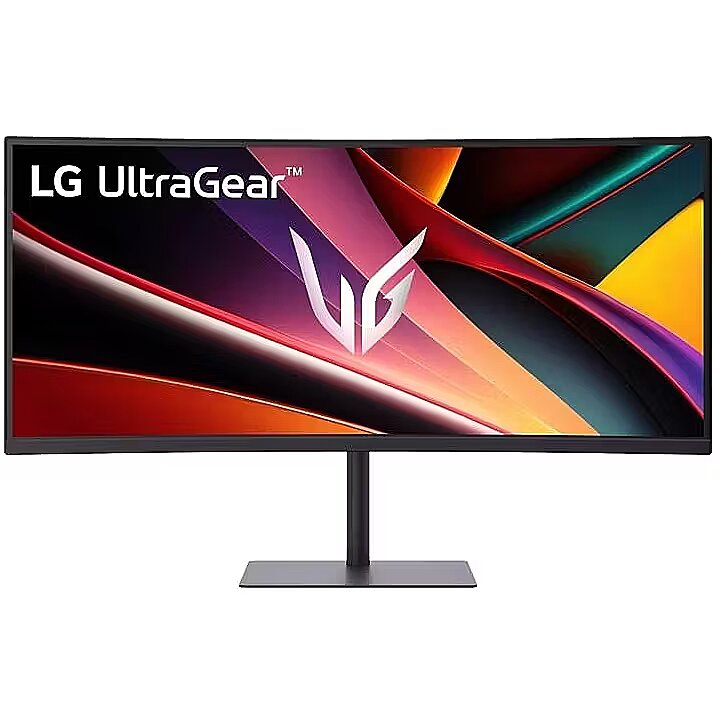
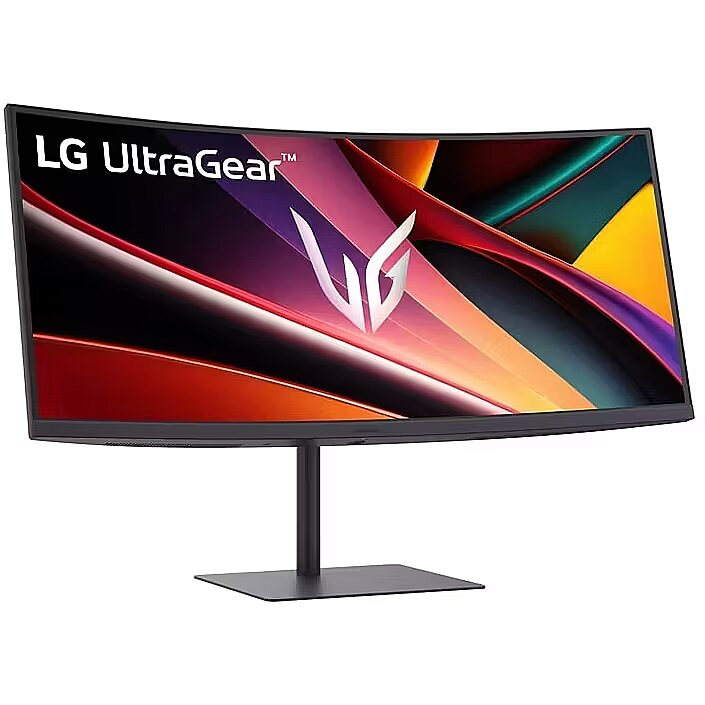
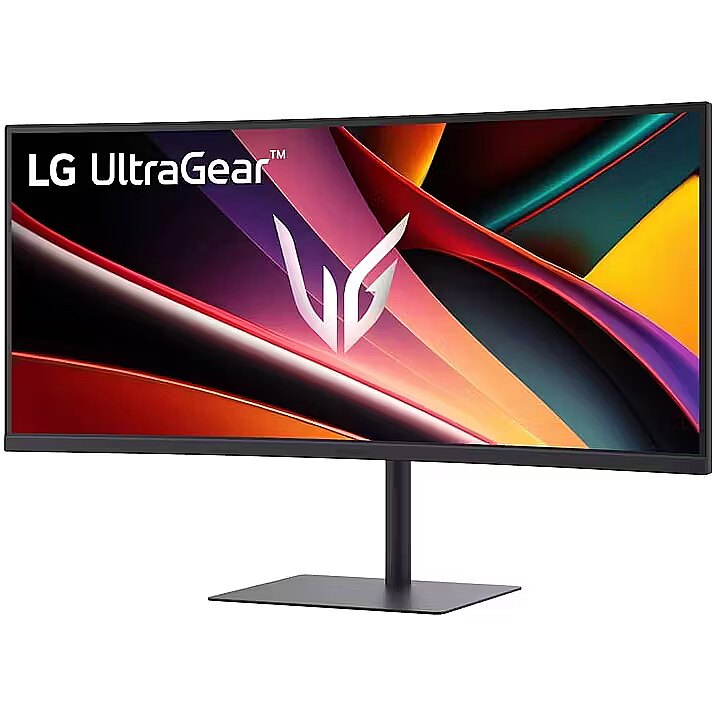
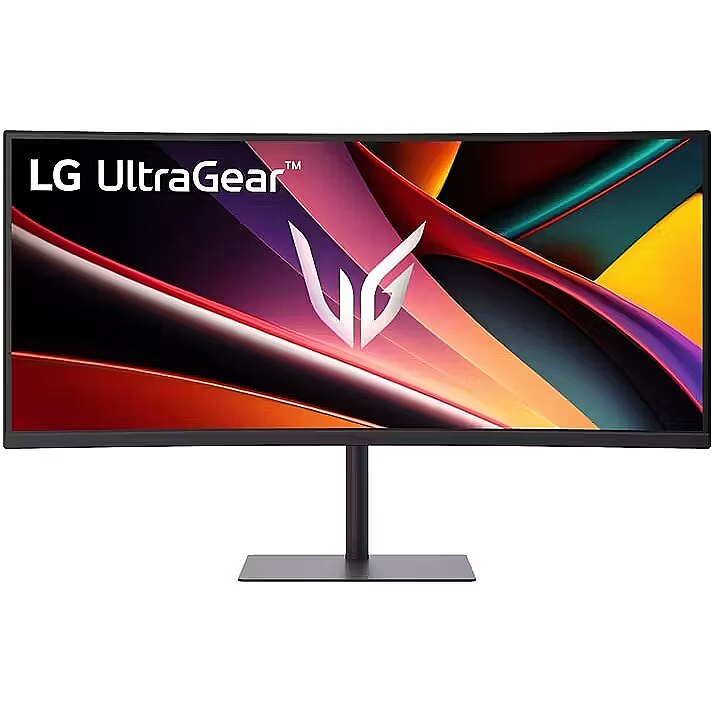
Description - UltraGear™: More Screen. More Speed. More Glory. Outpace the competition with the 34" 21:9 UltraGear™ WQHD gaming monitor. Experience buttery-smooth 240Hz visuals, bold HDR color, and a slim, narrow-bezel design that sharpens focus and kicks distractions to the curb. 21:9 Widescreen Gaming The 21:9 UltraGear™ WQHD (3440×1440) 1500R curved screen gives you extra horizontal real estate—perfect for keeping game overlays, chat, and guides in sight without alt-tabbing. The virtually borderless design keeps your focus on the action, with seamless, distraction‑free immersion—everything you need, in one epic view. Vivid Color and HDR Brilliance Immerse yourself in bold, vivid visuals with up to 95% DCI-P3 color gamut and VESA DisplayHDR™ 400. Enjoy rich hues, bright highlights, and deep dark shadows that make every game more vibrant and every scene more cinematic. 240Hz Refresh Rate for the Win React faster and play smoother with a blistering 240Hz refresh rate1—perfect for high-speed competitive gaming where every millisecond counts. Experience fluid motion and razor-sharp clarity, even in the most intense action. 240Hz Refresh Rate for the Win
1ms (GtG): Astounding Gaming Speed 1ms (GtG): Astounding Gaming Speed
Ultimate Frame Sync: FreeSync™ Premium Ultimate Frame Sync: FreeSync™ Premium
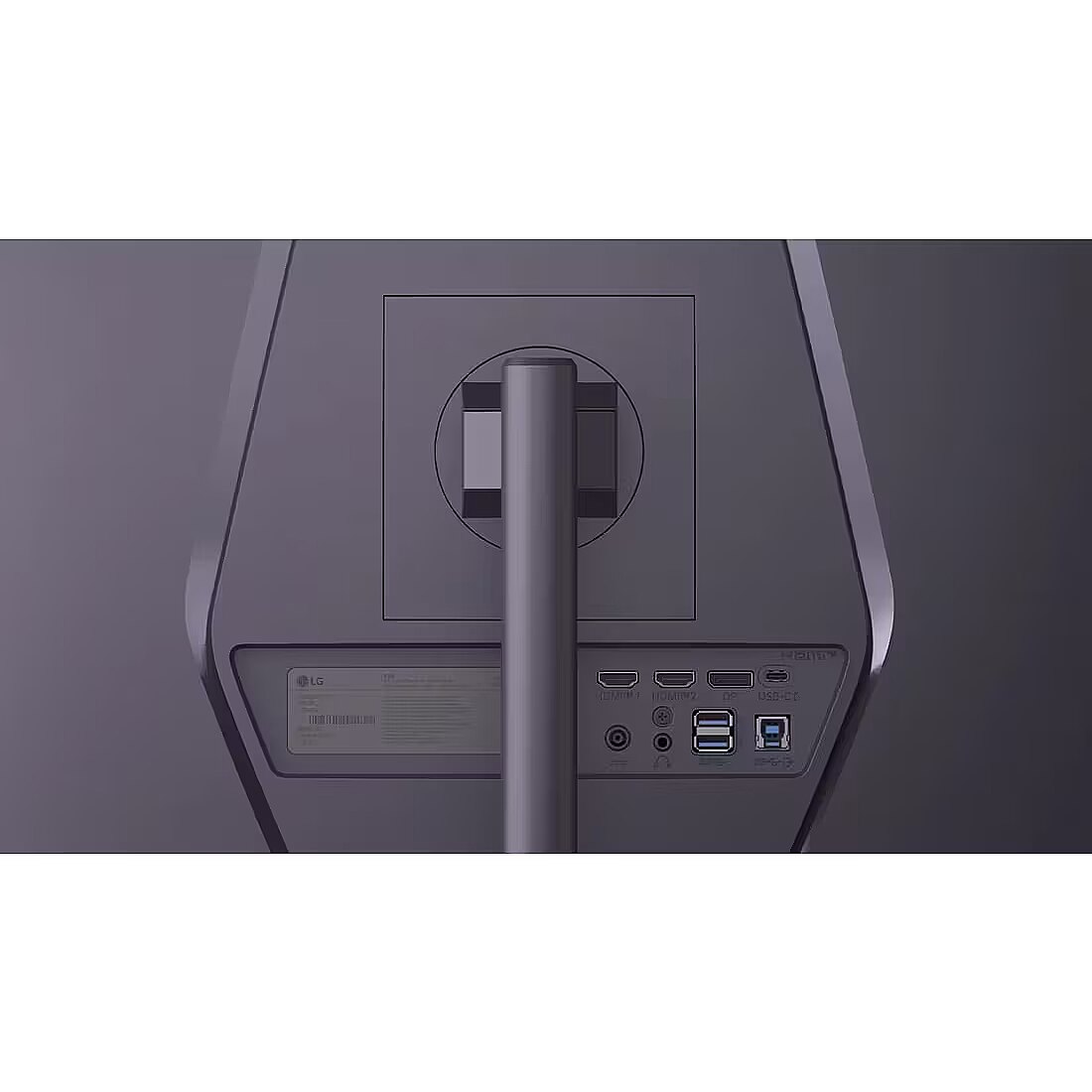
Unlock Your Potential with Advanced Gaming Features USB-C and More to Support Your Connections & Built-in Speakers Versatile connectivity hub: USB‑C simplifies setup with power, video, and data in one—while dual HDMI, DisplayPort, and USB‑A ports ensure seamless connections to all your devices, from consoles and peripherals to productivity gear. Let the action surround you with built-in speakers delivering deeper, fuller sound that enhances cinematic gaming scenes. Space-Saving Stand with Adjustable Viewing A narrow-bezel scree on the slim stand and with compact base frees up desk space for a tidy setup, while height, tilt and swivel adjustments let you find the perfect viewing position with ease.Stay immersed—game, guides and chat all visible at once on the WQHD 21:9 curved displayUp to 95% DCI-P3 color and VESA HDR400 bring games to life in stunning detailAn ultra-smooth 240Hz refresh rate¹ keeps fast-paced gameplay sharp, fluid, and responsive1ms (GtG) Response Time minimizes ghosting for sharp precise gamingSeamless frame sync with FreeSync™ Premium for stutter-free gamingUnlock Your Potential with Advanced Gaming FeaturesVersatile connectivity: USB‑C, HDMI (x2), USB (x2) and DisplayPortSlim stand saves space, while height, and tilt adjustments optimize your view
Description1 - LG Curved LED-Display 34G630A-B.AEUQ - 86.4 cm (34") - 3440 x 1440 UWQHD
Design - Market positioning - Gaming
Design - Product colour - Black
Design > Colour of product - Black
dimensionalWeight - 15580
Display - Colour gamut standard - DCI-P3
Display - Contrast ratio (typical) - 4000:1
Display - DCI-P3 coverage - 95%
Display - Display brightness (typical) - 300 cd/m²
Display - Display diagonal - 86.4 cm (34")
Display - Display diagonal (metric) - 86 cm
Display - Display number of colours - 1.07 billion colours
Display - Display resolution - 3440 x 1440 pixels
Display - HD type - Wide Quad HD
Display - High Dynamic Range (HDR) supported - Yes
Display - High Dynamic Range (HDR) technology - DisplayHDR 400
Display - Maximum refresh rate - 240 Hz
Display - Native aspect ratio - 21:9
Display - Panel type - VA
Display - Pixel density - 110 ppi
Display - Pixel pitch - 0.2317 x 0.2317 mm
Display - Response time - 1 ms
Display - Response time measurement type - GTG (Gray to Gray)
Display - Screen curvature rating - 1500R
Display - Screen shape - Curved
Display - Supported graphics resolutions - 3440 x 1440
Display - Supported video modes - 1440p
Display - Touchscreen - No
Display - Viewing angle, horizontal - 178°
Display - Viewing angle, vertical - 178°
Display > Aspect ratio - 21:9
Display > Contrast ratio (typical) - 4000:1
Display > Display - 3440 x 1440 pixels
Display > Display brightness - 300 cd/m²
Display > Display diagonal - 34 "
Display > Display number of colours - 1070 M
Display > HD type - WQHD
Display > Maximum refresh rate - 240 Hz
Display > Panel type - VA
Display > Response time - 1 ms
Display > Viewing angle, horizontal - 178 °
Display > Viewing angle, vertical - 178 °
Display brightness (typical) Display - 300 cd/m²
Display diagonal (metric) Display - 86 cm
Display diagonal Display - 86.4 cm (34")
Display number of colours Display - 1.07 billion colours
DisplayPorts quantity Ports & interfaces - 1
DisplayPort version Ports & interfaces - 1.4
Display resolution Display - 3440 x 1440 pixels
Dodatkowe informacje o matrycy: Format obrazu - 21:9
Dodatkowe informacje o matrycy: Kontrast - 4000:1
Dodatkowe informacje o matrycy: Kąt widzenia w pionie - 178 °
Dodatkowe informacje o matrycy: Kąt widzenia w poziomie - 178 °
Dodatkowe informacje o matrycy: Liczba wyświetlanych kolorów - 1070 mln
EAN - 195174131480
EAN - 8806096558058
ean - 8806096558058
Eans - 8806096558058
EAN_code - 8806096558058
Efektywność energetyczna: Klasa energetyczna - G
Efektywność energetyczna: Klasa energetyczna w trybie HDR - G
Efektywność energetyczna: Zużycie energii - 32 kWh/1000h
Efektywność energetyczna: Zużycie energii w trybie HDR - 61 kWh/1000h
Energy consumption (HDR) per 1000 hours Power - 61 kWh
Energy consumption (SDR) per 1000 hours Power - 32 kWh
Energy efficiency class (HDR) Power - G
Energy efficiency class (SDR) Power - G
Energy efficiency class Energy Efficiency - G
Energy efficiency scale Power - A to G
EPREL Registration Number Energy Efficiency - 2400682
EPREL Version Number Energy Efficiency - 1
Ergonomics - Height adjustment - Yes
Ergonomics - Panel mounting interface - 100 x 100
Ergonomics - Panel mounting interface - 100 x 100 mm
Ergonomics - Picture-in-Picture - Yes
Ergonomics - Swivelling - Yes
Ergonomics - Tilt adjustment - Yes
Ergonomics - VESA mounting - Yes
Ergonomics > Height adjustment - Yes
Ergonomics > Pivot - No
Ergonomics > Swivelling - Yes
Ergonomics > Tilt adjustment - Yes
Ergonomics > VESA mounting - Yes
Ergonomics > VESA mounting interfaces - 100x100 mm
FPS counter Other features - Yes
Funkcje Gamingowe: Obsługa FreeSync - tak
Funkcje Gamingowe: Pozostale technologie - Dynamic Action Sync
Funkcje Gamingowe: Rodzaj FreeSync - FreeSync Premium
Gross Weight Kg - 8,4
GTIN - 0195174043479
GTIN - 195174043479
GTIN - 0195174131480
GTIN - 195174131480
GTIN - 8806096558058
GTIN - 8806096630488
HDMI Ports & interfaces - Yes
HDMI ports quantity Ports & interfaces - 2
HDMI version Ports & interfaces - 2.1
HD type Display - Wide Quad HD
Headphone out Ports & interfaces - Yes
Height (without stand) Weight & dimensions - 363.9 mm
Height (with stand) Weight & dimensions - 512.4 mm
Height adjustment Ergonomics - Yes
High Dynamic Range (HDR) supported Display - Yes
High Dynamic Range (HDR) technology Display - DisplayHDR 400
Informacje podstawowe: Monitor bezramkowy - tak
Informacje podstawowe: Moc głośników - 2 x 5W
Informacje podstawowe: Standard HDR - HDR10
LargeDescHTML -
Link - https://www.lg.com/hk_en/monitors/gaming/34g630a-b/
LongDesc - UltraGear™: More Screen. More Speed. More Glory.Outpace the competition with the 34" 21:9 UltraGear™ WQHD gaming monitor. Experience buttery-smooth 240Hz visuals, bold HDR color, and a slim, narrow-bezel design that sharpens focus and kicks distractions to the curb.21:9 Widescreen GamingThe 21:9 UltraGear™ WQHD (3440×1440) 1500R curved screen gives you extra horizontal real estate—perfect for keeping game overlays, chat, and guides in sight without alt-tabbing. The virtually borderless design keeps your focus on the action, with seamless, distraction‑free immersion—everything you need, in one epic view.Vivid Color and HDR BrillianceImmerse yourself in bold, vivid visuals with up to 95% DCI-P3 color gamut and VESA DisplayHDR™ 400. Enjoy rich hues, bright highlights, and deep dark shadows that make every game more vibrant and every scene more cinematic.240Hz Refresh Rate for the WinReact faster and play smoother with a blistering 240Hz refresh rate1—perfect for high-speed competitive gaming where every millisecond counts. Experience fluid motion and razor-sharp clarity, even in the most intense action.240Hz Refresh Rate for the Win1ms (GtG): Astounding Gaming Speed1ms (GtG): Astounding Gaming SpeedUltimate Frame Sync: FreeSync™ PremiumUltimate Frame Sync: FreeSync™ PremiumUnlock Your Potential with Advanced Gaming FeaturesUSB-C and More to Support Your Connections & Built-in SpeakersVersatile connectivity hub: USB‑C simplifies setup with power, video, and data in one—while dual HDMI, DisplayPort, and USB‑A ports ensure seamless connections to all your devices, from consoles and peripherals to productivity gear. Let the action surround you with built-in speakers delivering deeper, fuller sound that enhances cinematic gaming scenes.Space-Saving Stand with Adjustable ViewingA narrow-bezel scree on the slim stand and with compact base frees up desk space for a tidy setup, while height, tilt and swivel adjustments let you find the perfect viewing position with ease.
LongProductName - 34", 3440 x 1440, HDMI, DisplayPort, USB, 808 x 512.47 x 235 mm, 7.3 kg
LongSummaryDescription - LG 34G630A-B. Display diagonal: 86.4 cm (34"), Display resolution: 3440 x 1440 pixels, HD type: Wide Quad HD, Response time: 1 ms, Native aspect ratio: 21:9, Viewing angle, horizontal: 178°, Viewing angle, vertical: 178°. Built-in speaker(s). VESA mounting, Height adjustment. Product colour: Black
Manufacturer - LG
Manufacturer - LG Electronics
Manufacturer Code - 34G630A-B.AEUQ
ManufacturerID - 34G630A-B.AEUQ
Manufacturer Name - LG Electronics
Manufacturer_code - 34G630A-B.AEUQ
Market positioning Design - Gaming
Maximum refresh rate Display - 240 Hz
Model - 34G630A
Model name - 34G630A-B
MPN - 34G630A-B.AEUQ
Multimedia - Built-in camera - No
Multimedia - Built-in speaker(s) - Yes
Multimedia > Built-in speaker(s) - Yes
Multimedia > TV tuner integrated - No
Name - 86,4 cm/34" (3440×1440) LG UltraGear 34G630A-B 21:9 VA 1 ms 240Hz USB-C HDMI 2.1×2 DisplayPort 1.4 USB-Hub VESA Black
Name - LG Electronics UltraGear 34G630A-B (86.4 cm (34 inches), black, WQHD, VA, curved, HDMI, DP, USB-C, USB hub, FreeSync Premium, 240Hz panel)
Name - LG UltraGear 34G630A-B - 240Hz | UWQHD | VA | 34"
name - LG UltraGear G 34G630A-B, 34 Zoll Curved Gaming Monitor, 240Hz, VA, FreeSync Premium
Name - LG | 34G630A-B | 34 " | VA | WQHD | 21:9 | 240 Hz | 1 ms | 3440 x 1440 pixels | 300 cd/m² | HDMI ports quantity 2 | Black
Name - Monitors LG 34" 34G630A-B IPS QHD 240Hz Curved
Native aspect ratio Display - 21:9
Networking > Ethernet LAN (RJ-45) ports - No
Number of USB Type-C upstream ports quantity Ports & interfaces - 3
NVIDIA G-SYNC Performance - No
Ochrona oczu: Filtr światła niebieskiego - tak
Ochrona oczu: Redukcja migotania - tak
Operating relative humidity (H-H) Operational conditions - 0 - 80%
Operating temperature (T-T) Operational conditions - 0 - 40 °C
Operational conditions - Operating relative humidity (H-H) - 0 - 80%
Operational conditions - Operating temperature (T-T) - 0 - 40 °C
Operational conditions - Storage relative humidity (H-H) - 0 - 85%
Operational conditions - Storage temperature (T-T) - -20 - 60 °C
Other features - Brand specific technologies - Black Stabilizer
Other features - FPS counter - Yes
Other features - Picture-by-Picture (PbP) - Yes
Package features > Embeeded battery - No
Package features > Gross depth (mm) - 170.00 mm
Package features > Gross height (mm) - 475.00 mm
Package features > Gross width (mm) - 980.00 mm
Package features > Packing quantity - 1.00 pc(s)
Package features > Palette Qty - 21 pc(s)
Package features > Paper/Pasteboard - 1600.00 g
Package features > Plastic (No PET) - 400.00 g
Package features > Tare weight (kg) - 2.00 kg
Package features > Volume (m3) - 0.08 m³
Package features > WEE classification - CL109:2:2017-04-01
Package features > WEEE tax - Yes
PackageHeight - 472
PackageLength - 977
Package type Packaging data - Box
PackageWeight - 10350
PackageWidth - 170
Packaging content - Cables included - DisplayPort
Packaging content - Cables included - DisplayPort, HDMI
Packaging content - Cables included - HDMI
Packaging content - Stand included - Yes
Packaging data - Package type - Box
Panel mounting interface Ergonomics - 100 x 100 mm
Panel type Display - VA
PDF - https://www.blobs.lt/products/0/4/2/2/9/4/54eeeed29b378cb6cfee4b00ddf0cd88/original.pdf
Performance - AMD FreeSync - Yes
Performance - AMD FreeSync type - FreeSync Premium
Performance - NVIDIA G-SYNC - No
Picture-by-Picture (PbP) Other features - Yes
Picture-in-Picture Ergonomics - Yes
Pixel density Display - 110 ppi
Pixel pitch Display - 0.2317 x 0.2317 mm
Ports & interfaces - Audio input - Yes
Ports & interfaces - Built-in USB hub - No
Ports & interfaces - DisplayPorts quantity - 1
Ports & interfaces - DisplayPort version - 1.4
Ports & interfaces - HDMI - Yes
Ports & interfaces - HDMI ports quantity - 2
Ports & interfaces - HDMI version - 2.1
Ports & interfaces - Headphone out - Yes
Ports & interfaces - Number of USB Type-C upstream ports quantity - 3
Ports & interfaces - USB 3.2 Gen 1 (3.1 Gen 1) Type-A ports quantity - 2
Ports & interfaces - USB Power Delivery (USB PD) - Yes
Ports & interfaces - USB Power Delivery up to - 15 W
Ports & interfaces > DisplayPorts quantity - 1
Ports & interfaces > HDMI ports quantity - 2
Ports & interfaces > USB ports quantity - 3
Power - AC input frequency - 50/60 Hz
Power - AC input voltage - 100 - 240 V
Power - Energy consumption (HDR) per 1000 hours - 61 kWh
Power - Energy consumption (SDR) per 1000 hours - 32 kWh
Power - Energy efficiency class (HDR) - G
Power - Energy efficiency class (SDR) - G
Power - Energy efficiency scale - A to G
Power - Power consumption (off) - 0.3 W
Power - Power supply type - External
Power consumption (off) Power - 0.3 W
Power supply type Power - External
Pozostałe cechy: Akcesoria - kabel DisplayPort
Pozostałe cechy: Akcesoria - kabel HDMI
Pozostałe cechy: Akcesoria - kabel zasilający
Pozostałe cechy: Seria - LG Ultragear
Producent: Nazwa producenta / importera - LG
LG Electronics Deutschland GmbH
Alfred-Herrhausen-Allee 3-5
65760 EschbornProducer - LG
producerCode - 34G630A-B
ProducerCode - 34G630A-B.AEUQ
Product colour Design - Black
ProductName - 34G630A-B
productName - LG 34G630A-B computer monitor 86.4 cm (34") 3440 x 1440 pixels Black
Product Net Weight - 7.3 kg
productSize - Normal
Response time Display - 1 ms
Response time measurement type Display - GTG (Gray to Gray)
Safety warning - Warnings - Avoid direct contact with liquids.
Safety warning - Warnings - Do not expose to water or excessive moisture.
Safety warning - Warnings - The monitor contains materials that may be harmful to the environment; follow local regulations for the disposal of electronic devices.
Screen curvature rating Display - 1500R
Screen shape Display - Curved
ShortDescription - 240Hz | UWQHD | VA | 34"
Short description - LG LCD 34G630A 34" black
ShortSummaryDescription - LG 34G630A-B, 86.4 cm (34"), 3440 x 1440 pixels, Wide Quad HD, 1 ms, Black
sizeX - 170
sizeY - 975
sizeZ - 470
Stand included Packaging content - Yes
Storage relative humidity (H-H) Operational conditions - 0 - 85%
Storage temperature (T-T) Operational conditions - -20 - 60 °C
Summary - LG 34G630A-B. Display diagonal: 86.4 cm (34"), Display resolution: 3440 x 1440 pixels, HD type: Wide Quad HD, Response time: 1 ms, Native aspect ratio: 21:9, Viewing angle, horizontal: 178°, Viewing angle, vertical: 178°. Built-in speaker(s). VESA mounting, Height adjustment. Product colour: Black
Supported graphics resolutions Display - 3440 x 1440
Supported video modes Display - 1440p
Sustainability - European Product Registry for Energy Labelling (EPREL) code - 2400682
Swivelling Ergonomics - Yes
Technical details > Connectivity - DisplayPort, HDMI, USB
Technical details > Gross weight - 12.40 kg
Technical details > Net weight - 10.40 kg
Technical details > Producer - LG
Technical details > Producer product name - 34G630A-B
Technical details > USB-C - Yes
Technical details > USB-C power delivery - 15W
Tilt adjustment Ergonomics - Yes
Title - LG 34G630A-B computer monitor 86.4 cm (34") 3440 x 1440 pixels Wide Quad HD Black
Touchscreen Display - No
Unit Box Height - 0.47
Unit Box Length - 0.99
Unit Box Width - 0.17
Unit Calculated Volume - 0.0791 cubm
Unit Calculated Weight - 10.5 kg
Units per Pallet - 0
URL - https://www.lg.com/us/monitors/lg-34g630a-b-gaming-monitor
USB 3.2 Gen 1 (3.1 Gen 1) Type-A ports quantity Ports & interfaces - 2
USB Power Delivery (USB PD) Ports & interfaces - Yes
USB Power Delivery up to Ports & interfaces - 15 W
Vendor Homepage - https://www.lg.com/us/monitors/lg-34g630a-b-gaming-monitor
VESA mounting Ergonomics - Yes
Viewing angle, horizontal Display - 178°
Viewing angle, vertical Display - 178°
Warranty - 24
Warranty - 24 month(s)
Warranty - 24 months
WarrantyInfo - 1 Year Parts and Labor
warrantyLength - 24
warrantyType - F
Weight - 10,50
Weight - 10.39
weight - 10350
Weight & dimensions - Depth (without stand) - 107.1 mm
Weight & dimensions - Depth (with stand) - 235 mm
Weight & dimensions - Height (without stand) - 363.9 mm
Weight & dimensions - Height (with stand) - 512.4 mm
Weight & dimensions - Weight (without stand) - 5.3 kg
Weight & dimensions - Weight (with stand) - 7.3 kg
Weight & dimensions - Width (without stand) - 808 mm
Weight & dimensions - Width (with stand) - 808 mm
Weight (without stand) Weight & dimensions - 5.3 kg
Weight (with stand) Weight & dimensions - 7.3 kg
Width (without stand) Weight & dimensions - 808 mm
Width (with stand) Weight & dimensions - 808 mm
Złącza: Złącza - 1 x DisplayPort
Złącza: Złącza - 1 x słuchawkowe
Złącza: Złącza - 1 x USB Type-C
Złącza: Złącza - 2 x HDMI 2.1
Złącza: Złącza - 2 x USB 3.2 gen 1 Type A



 DVI is a digital standard and ensures high image quality, however, thanks to the big size of the plug and the inability of the standard to develop further due to a few technical restrictions this type of connection is gradually losing its popularity to modern HDMI and DisplayPort standards.







