AC input frequency Power - 50/60 Hz
AC input voltage Power - 100 - 240 V
Adobe RGB coverage Display - 83%
AMD FreeSync Performance - No
Anti-glare screen Display - Yes
Aspect ratio - 16:9
Aspect ratio Display - 16:10
Audio input Ports & interfaces - Yes
Auto Pivot - No
Bluetooth - No
Brand - MSI
BrandPartCode - PRO MP275 E2
Brightness - 300 nits
Built-in camera Multimedia - No
Built-in speaker(s) Multimedia - Yes
Built-in USB hub Ports & interfaces - No
Cable lock slot Ergonomics - Yes
Cable lock slot type Ergonomics - Kensington
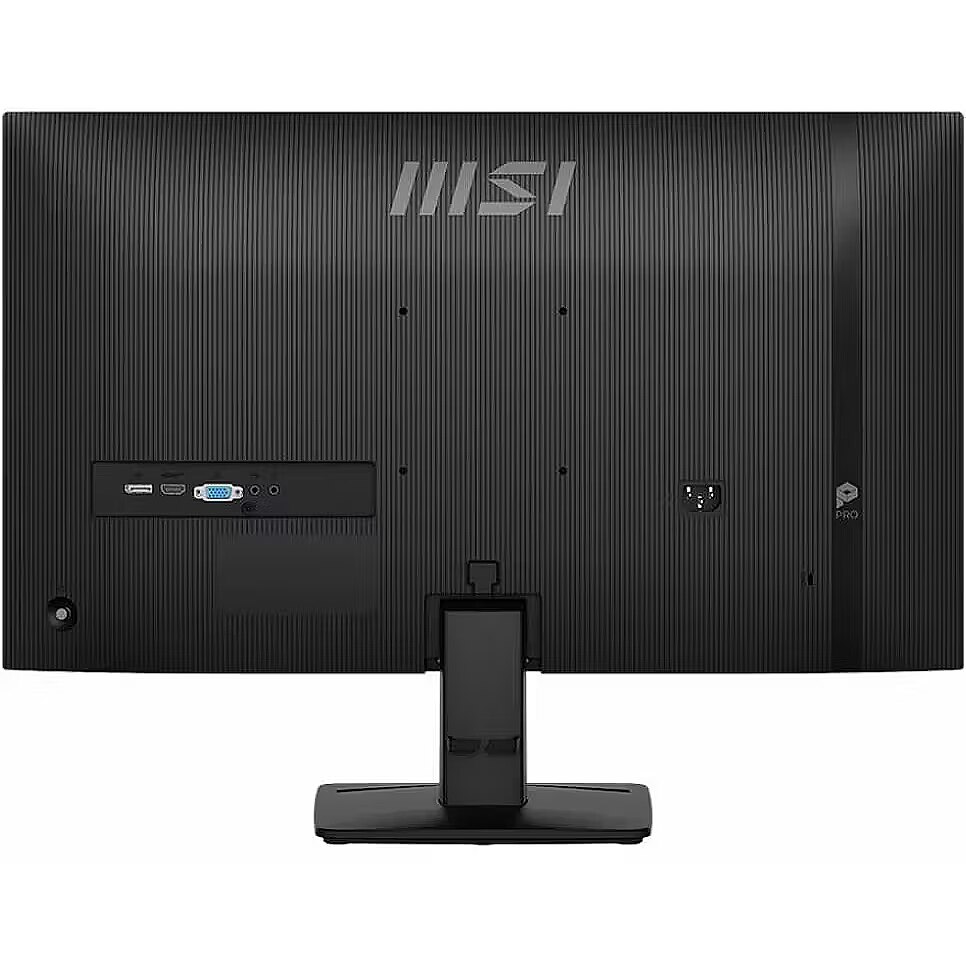
Cables included Packaging content - HDMI, Power
Category - Computer Monitors
Category - Datoru piederumi :: Perifērijas ierīces :: Monitori
Category - Root/Electronics/PC peripherals/Monitors
Category Code - LC3
Certification Other features - CB/CE
Code - PRO MP275 E2
Color - Black
Colour depth Display - 8 bit
Colour gamut Display - 87%
Colour gamut standard Display - DCI-P3
Contrast ratio (typical) Display - 1500:1
Dane fizyczne: Głębokość - 206.8 mm
Dane fizyczne: Kolor obudowy - czarny
Dane fizyczne: Standard VESA - 100 x 100
Dane fizyczne: Szerokość - 611.9 mm
Dane fizyczne: Waga - 3.66 kg
Dane fizyczne: Wysokość - 447.7 mm
Dane fizyczne: Zakres regulacji pochylenia (Tilt) - 25 °
Dane techniczne: HDR - tak
Dane techniczne: Czas reakcji - 4 ms
Dane techniczne: Częstotliwość odświeżania - 120 Hz
Dane techniczne: Grupa produktowa - Monitory MSI
Dane techniczne: Gwarancja - 2 lata w serwisie zewnętrznym
Dane techniczne: Głośniki - tak
Dane techniczne: Jasność - 300 cd/m²
Dane techniczne: Możliwość regulacji - pochył
Dane techniczne: Powłoka matrycy - antyrefleksyjna
Dane techniczne: Producent - MSI
Dane techniczne: Przekątna - 27 cali
Dane techniczne: Rodzaj podświetlenia - LED
Dane techniczne: Rozdzielczość ekranu - 1920 x 1080 (Full HD) piksele
Dane techniczne: Rozmiar plamki - 0.311 mm
Dane techniczne: Standard portów wideo - D-Sub
Dane techniczne: Standard portów wideo - DisplayPort
Dane techniczne: Standard portów wideo - HDMI 2.0
Dane techniczne: Typ - do biura i domu
Dane techniczne: Typ ekranu - płaski
Dane techniczne: Typ matrycy - IPS
Data Sheet (Link) Energy Efficiency - https://eprel.ec.europa.eu/api/product/2078083/fiches?language=EN
DCI-P3 coverage Display - 87%
Depth - 40.7 mm
Depth (without stand) Weight & dimensions - 40.7 mm
Depth (with stand) Weight & dimensions - 206.8 mm
Depth with stand - 206.8 mm
Desc - Izliekts: Nav, Ekrāna izmērs: 27", Izšķirtspēja: 1920 x 1080, Panelis: IPS, Atjaunošanās frekvence: 120 Hz, Reakcijas laiks: 1 ms, Spilgtums: 300 cd/m2, Skata leņķis - vertikāls/horizontāls: 178° / 178°, Saliekšana (Tilt): Ir, Rotācija (Swivel): Nav, Pivot: Nav, Regulējams augstums: Nav, HDMI: Ir, DisplayPort: Ir, VGA (D-sub): Ir, DVI: Nav, USB: Nav, USB-C: Nav, Audio ieeja: Ir, Audio izeja: Ir, VESA stiprinājums: Ir, Garantija: 2 gadi
Description - Accessory Slot Design
The accessory slot offers convenient storage for small peripherals, keeping your workspace organized and clutter-free. Ideal for cables, adapters, or other essentials, it enhances efficiency and maintains a tidy environment. Built-in Speakers
Experience clear, powerful audio with built-in speakers, enhancing your multimedia without cluttering your workspace. Simplicity At Your Fingertips -
Display Kit App
The MSI exclusive software Display Kit provides the most convenient tool, the proper display that allows you to read and enjoy the image at the same time & color mode to you while working or everyday. Power Saving Product
It is our responsibility to promote sustainable development and we proudly offer an eco-friendly product, contributing to a greener environment. Sustainable Packing Solutions
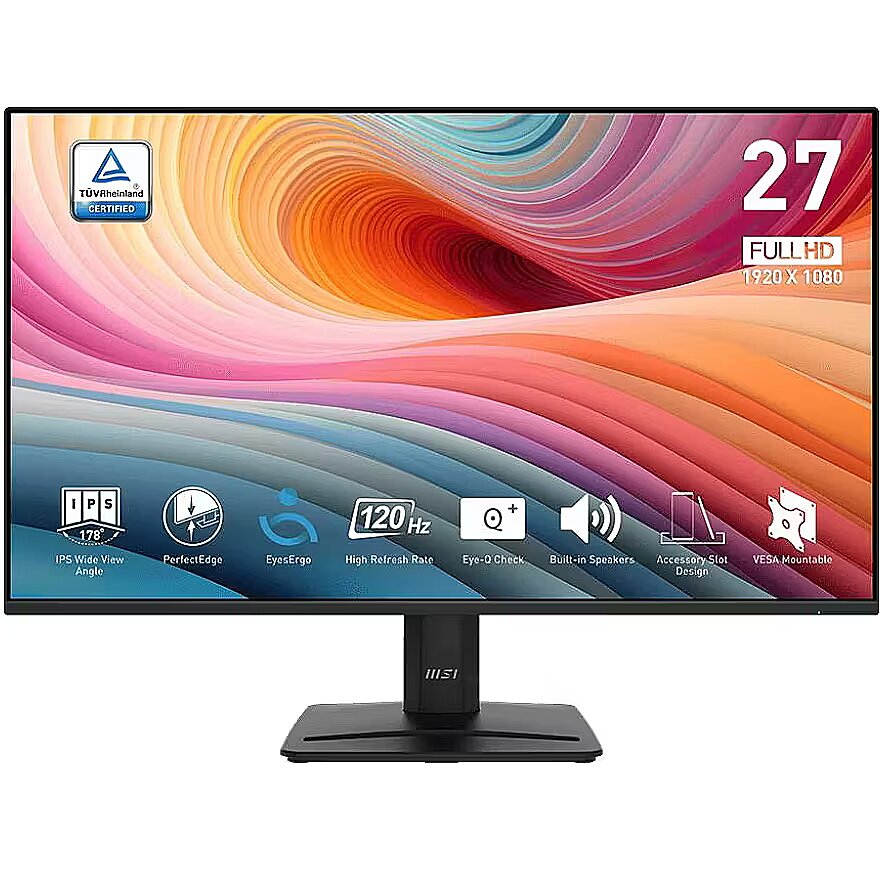
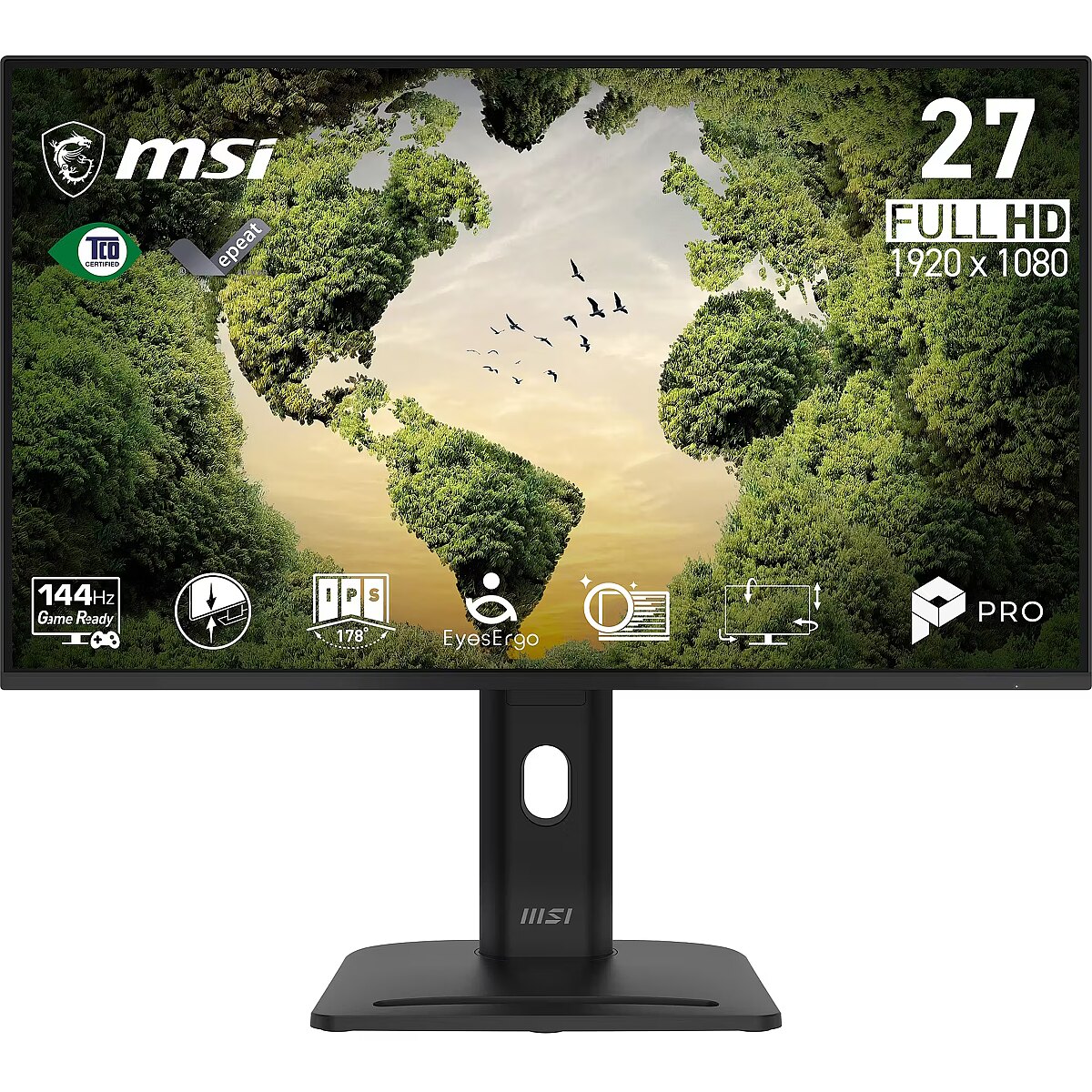
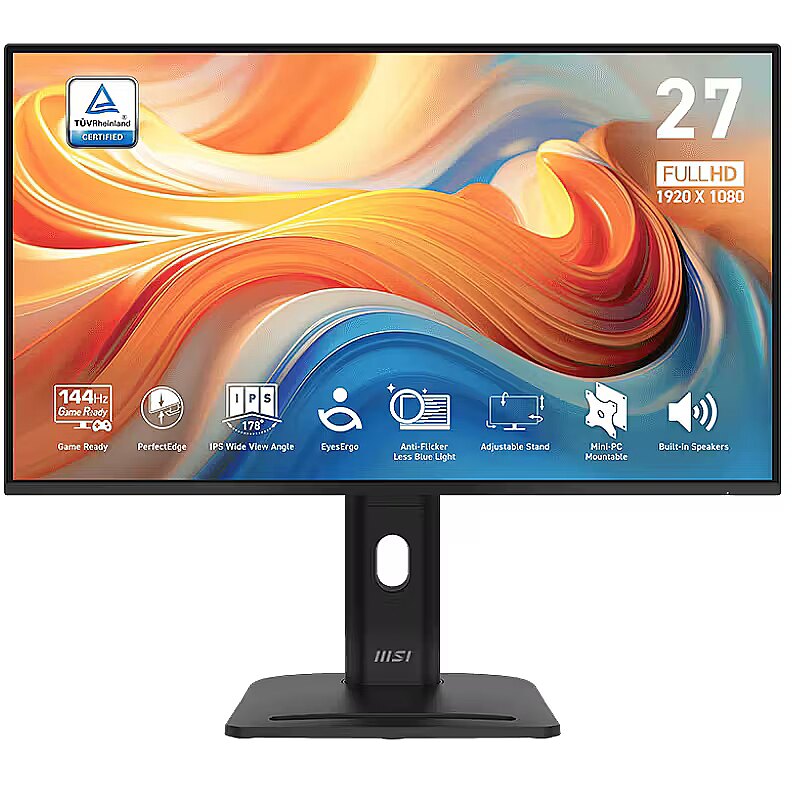
Reduce the environmental impact with our sustainable solutions. PerfectEdge - the 4-side slim bezel design allows users to fully immerse themselves in a multi-display setupEnjoy the high-quality entertainment with a smoother 120Hz high refresh ratePerfect 27-inch IPS panel for the programming, coding & website designTÜV certified display ensures the protection and health of eyesightMSI EyesErgo technology with Anti-Flicker technology helps prevent eye strain and fatigueMSI Eye-Q Check helps have self-check eyes & reminds to take a rest while using the monitor for a long timeMaintain versatility across various devices by utilizing multiple input sources, such as HDMI™, DisplayPort and D-Sub (VGA) portsEnjoy the cleanest environment with a convenient and removable cable management designStandard VESA mountable & Accessory Slot designTwo built-in speakers
Description - Najlepszy monitor do domowego biura o eleganckim wyglądzie.
Przeznaczone do pracy w domu monitory z rodziny PerfectEdge 120Hz Home Office, stworzono z myślą o młodych profesjonalistach. W modelach tych połączono nowoczesny, elegancki design z wysoką wydajnością. Niezależnie od tego, czy wykonujesz codzienne zadania biurowe, czy też zanurzasz się we wciągających grach, monitory te zapewnią Ci przełomowe, wizualne wrażenia i wysoką użyteczność. Z myślą o nowoczesnych profesjonalistach.
Zainspirowana dążeniem młodego pokolenia do prostoty i wydajności, tylna pokrywa monitora wyróżnia się wyrafinowanym grawerunkiem. Ten elegancki design symbolizuje nieograniczone możliwości, co czyni z tego modelu idealnego towarzysza dla wszystkich młodych profesjonalistów. Panel typu PerfectEdge to doskonały widok.
Wąska ramka z czterech stron wyświetlacza maksymalizuje przestrzeń na ekranie, minimalizując rozpraszanie uwagi i zwiększając skupienie użytkownika. Monitor ten to idealny sprzęt do pracy lub zabawy, który pozwala na stworzenie idealnie gładkiej, pozbawionej rozpraszających uwagę krawędzi, przestrzeni roboczej złożonej z wielu monitorów. 120-hercowa, wysoka częstotliwość odświeżania
120-hercowa częstotliwość odświeżania zapewnia dużo bardziej płynnie generowanie obrazu, zmniejsza rozmycie ruchu i zwiększa szybkość reakcji w grach. W pracy monitor ten zapewnia płynniejsze przewijanie zawartości ekranu i przejścia pomiędzy poruszającymi się elementami grafiki, poprawiając komfort i wydajność. Sprzęt ten doskonale nadaje się również do realizacji wszelkich zadań związanych z generowania treści AIGC (treści generowanych przez sztuczną inteligencję) oraz przygotowywaniem obrazów i tekstów bazujących na sztucznej inteligencji. Te możliwości dodatkowo usprawniają kreatywne przepływy pracy i czynią z tego modelu wyświetlacza wszechstronne narzędzie pracy dla współczesnych profesjonalistów. Slot na akcesoria
Slot na akcesoria pozwala na wygodne przechowywanie małych urządzeń peryferyjnych, co przekłada się na możliwość łatwego zorganizowania schludnej i nie zagraconej przestrzeni roboczej. Gniazdo to idealnie nadaje się do składowania kabli, adapterów lub innych niezbędnych akcesoriów, zwiększając wydajność i utrzymując porządek. Wbudowane głośniki
Wbudowane głośniki oferują klarowny i mocny dźwięk, wzbogacając multimedialne wrażenia bez potrzeby instalowania zewnętrznych urządzeń. Prostota na wyciągnięcie ręki Aplikacja Display Kit
Wyjątkowe oprogramowanie MSI Display Kit oferuje Ci najwygodniejsze narzędzia do zarządzania ustawieniami wyświetlacza. Teraz możesz cieszyć się obrazem, który jest jednocześnie zoptymalizowany pod katem czytania i oglądania obrazów, czy trybem koloru dostrojonym do pracy lub dostosowanym do codziennych zadań. Produkt energooszczędny
Naszym obowiązkiem jest promowanie zrównoważonego rozwoju i z dumą oferujemy ten energooszczędny produkt, przyczyniając się w ten sposób do ochrony środowiska.
Design - Feet colour - White
Design - Market positioning - Business
Design - Product colour - Black
Designation - CE+WEEE
dimension depth - 125 mm
dimension height - 500 mm
dimension weight - 6700 g
dimension width - 690 mm
Display - Adobe RGB coverage - 83%
Display - Anti-glare screen - Yes
Display - Aspect ratio - 16:10
Display - Colour depth - 8 bit
Display - Colour gamut - 87%
Display - Colour gamut standard - DCI-P3
Display - Contrast ratio (typical) - 1500:1
Display - DCI-P3 coverage - 87%
Display - Display brightness (typical) - 300 cd/m²
Display - Display diagonal - 68.6 cm (27")
Display - Display diagonal (metric) - 69 cm
Display - Display number of colours - 16.7 million colours
Display - Display resolution - 1920 x 1080 pixels
Display - Display technology - LED
Display - HD type - Full HD
Display - Maximum refresh rate - 120 Hz
Display - Native aspect ratio - 16:9
Display - Panel type - IPS
Display - Pixel pitch - 0.3114 x 0.3114 mm
Display - Response time - 4 ms
Display - Response time (MPRT) - 1 ms
Display - Response time measurement type - GTG (Gray to Gray)
Display - Screen shape - Flat
Display - sRGB coverage (typical) - 116%
Display - Supported video modes - 1080p
Display - Touchscreen - No
Display - Viewable size, horizontal - 59.8 cm
Display - Viewable size, vertical - 33.6 cm
Display - Viewing angle, horizontal - 178°
Display - Viewing angle, vertical - 178°
Display brightness (typical) Display - 300 cd/m²
Display diagonal (metric) Display - 69 cm
Display diagonal Display - 68.6 cm (27")
Display number of colours Display - 16.7 million colours
DisplayPorts quantity Ports & interfaces - 1
DisplayPort version Ports & interfaces - 1.2a
Display resolution Display - 1920 x 1080 pixels
Display surface - Matt
Display technology Display - LED
Dodatkowe informacje o matrycy: Format obrazu - 16:9
Dodatkowe informacje o matrycy: Kontrast - 1500:1
Dodatkowe informacje o matrycy: Kąt widzenia w pionie - 178 °
Dodatkowe informacje o matrycy: Kąt widzenia w poziomie - 178 °
Dodatkowe informacje o matrycy: Liczba wyświetlanych kolorów - 16.7 mln
Dot pitch - 0.3114 mm
DVI port Ports & interfaces - No
Dynamic contrast - 100 000 000:1
EAN - 4711377238229
ean - 4711377238229
Eans - 4711377238229
Efektywność energetyczna: Klasa energetyczna - E
Efektywność energetyczna: Klasa energetyczna w trybie HDR - G
Efektywność energetyczna: Zużycie energii - 21 kWh/1000h
Efektywność energetyczna: Zużycie energii w trybie HDR - 30 kWh/1000h
Energy class - E
Energy consumption (HDR) per 1000 hours Power - 30 kWh
Energy consumption (SDR) per 1000 hours Power - 21 kWh
Energy efficiency class (HDR) Power - G
Energy efficiency class (SDR) Power - E
Energy efficiency class Energy Efficiency - E
Energy efficiency scale Power - A to G
Energy label - Pobierz
EPREL Registration Number Energy Efficiency - 2078083
EPREL Version Number Energy Efficiency - 4
Ergonomics - Cable lock slot - Yes
Ergonomics - Cable lock slot type - Kensington
Ergonomics - Height adjustment - No
Ergonomics - Panel mounting interface - 100 x 100 mm
Ergonomics - Tilt adjustment - Yes
Ergonomics - Tilt angle range - -5 - 20°
Ergonomics - VESA mounting - Yes
Feet colour Design - White
Flicker-free technology Performance - Yes
Frequency, horizontal max. - 132.12 kHz
Frequency, horizontal min. - 52.704 kHz
Frequency, vertical max. - 120 Hz
Frequency, vertical min. - 48 Hz
Funkcje Gamingowe: Pozostale technologie - Adaptive Sync
GTIN - 4711377238229
guarantee - 36
guarantee_type - normal
HDMI Ports & interfaces - Yes
HDMI ports quantity Ports & interfaces - 1
HDMI version Ports & interfaces - 2.0
HD type Display - Full HD
Headphone out Ports & interfaces - Yes
Headphone outputs Ports & interfaces - 1
Height - 355.3 mm
Height (max) - 0 mm
Height (without stand) Weight & dimensions - 355.3 mm
Height (with stand) Weight & dimensions - 447.7 mm
Height adjustment - No
Height adjustment Ergonomics - No
Height with stand - 447.7 mm
I/O connectors - 1 x 3,5 mm minijack
I/O connectors - 1 x 15-pin D-Sub
I/O connectors - 1 x DisplayPort
I/O connectors - 1 x HDMI
Informacje podstawowe: Moc głośników - 2 x 2W
Informacje podstawowe: Standard HDR - HDR Ready
Kensington Security Slot - Tak
LargeDescHTML -
LongDesc - Accessory Slot DesignThe accessory slot offers convenient storage for small peripherals, keeping your workspace organized and clutter-free. Ideal for cables, adapters, or other essentials, it enhances efficiency and maintains a tidy environment.Built-in SpeakersExperience clear, powerful audio with built-in speakers, enhancing your multimedia without cluttering your workspace.Simplicity At Your Fingertips -Display Kit AppThe MSI exclusive software Display Kit provides the most convenient tool, the proper display that allows you to read and enjoy the image at the same time & color mode to you while working or everyday.Power Saving ProductIt is our responsibility to promote sustainable development and we proudly offer an eco-friendly product, contributing to a greener environment.Sustainable Packing SolutionsReduce the environmental impact with our sustainable solutions.
LongProductName - 68.6cm (27") Full HD 1920 x 1080 IPS, 16:9, 300cd/m², 16.7M, 4ms, 178°/178°, 1500:1
LongSummaryDescription - MSI Pro MP275 E2. Display diagonal: 68.6 cm (27"), Display resolution: 1920 x 1080 pixels, HD type: Full HD, Display technology: LED, Response time: 4 ms, Native aspect ratio: 16:9, Viewing angle, horizontal: 178°, Viewing angle, vertical: 178°. Built-in speaker(s). VESA mounting. Product colour: Black
Low Blue Light technology Performance - Yes
Market positioning Design - Business
Matrix type - TFT IPS
Maximum refresh rate Display - 120 Hz
Microphone - Nie
Model - PRO MP275 E2
Model name - PRO MP275 E2
Multimedia - Built-in camera - No
Multimedia - Built-in speaker(s) - Yes
Multimedia - Number of speakers - 2
Multimedia - RMS rated power - 4 W
name - Monitor PRO MP275 E2 27 inches/LED/FHD/Flat/120Hz/Black
Name - Monitors MSI PRO MP275 E2 27 IPS
Name - MSI PRO MP275 E2 - 27" | IPS | Full HD | 4ms | 120Hz
Native aspect ratio Display - 16:9
Number of colors - 16,7 mln
Number of speakers Multimedia - 2
NVIDIA G-SYNC Performance - No
Ochrona oczu: Filtr światła niebieskiego - tak
Ochrona oczu: Redukcja migotania - tak
Other features - Certification - CB/CE
Package depth Packaging data - 128 mm
Package height Packaging data - 505 mm
Package type Packaging data - Box
Package weight Packaging data - 6.54 kg
Package width Packaging data - 688 mm
Packaging content - Cables included - HDMI, Power
Packaging content - Quick start guide - Yes
Packaging content - Stand included - Yes
Packaging data - Package depth - 128 mm
Packaging data - Package height - 505 mm
Packaging data - Package type - Box
Packaging data - Package weight - 6.54 kg
Packaging data - Package width - 688 mm
Panel mounting interface Ergonomics - 100 x 100 mm
Panel type Display - IPS
Performance - AMD FreeSync - No
Performance - Flicker-free technology - Yes
Performance - Low Blue Light technology - Yes
Performance - NVIDIA G-SYNC - No
Pixel pitch Display - 0.3114 x 0.3114 mm
Ports & interfaces - Audio input - Yes
Ports & interfaces - Built-in USB hub - No
Ports & interfaces - DisplayPorts quantity - 1
Ports & interfaces - DisplayPort version - 1.2a
Ports & interfaces - DVI port - No
Ports & interfaces - HDMI - Yes
Ports & interfaces - HDMI ports quantity - 1
Ports & interfaces - HDMI version - 2.0
Ports & interfaces - Headphone out - Yes
Ports & interfaces - Headphone outputs - 1
Ports & interfaces - VGA (D-Sub) ports quantity - 1
Power - AC input frequency - 50/60 Hz
Power - AC input voltage - 100 - 240 V
Power - Energy consumption (HDR) per 1000 hours - 30 kWh
Power - Energy consumption (SDR) per 1000 hours - 21 kWh
Power - Energy efficiency class (HDR) - G
Power - Energy efficiency class (SDR) - E
Power - Energy efficiency scale - A to G
Power - Power consumption (off) - 0.3 W
Power - Power consumption (standby) - 0.5 W
Power - Power supply type - Internal
Power consumption (off) Power - 0.3 W
Power consumption (standby) Power - 0.5 W
Power supply type Power - Internal
Pozostałe cechy: Akcesoria - kabel HDMI
Pozostałe cechy: Akcesoria - kabel zasilający
Pozostałe cechy: Seria - MSI Pro
Producent: Nazwa producenta / importera - MSI
MSI Computer Europe BV
EScience Park Eindhoven 5706
5692 ER Son Eindhoven producer - MSI
Producer - MSI
ProducerCode - PRO MP275 E2
Product colour Design - Black
ProductName - Pro MP275 E2
Product Net Weight - 3.66 kg
Quick start guide Packaging content - Yes
Refresh rate - 120 Hz
Resolution - 1920 x 1080 (FHD 1080)
Response time - 4 ms
Response time (MPRT) Display - 1 ms
Response time Display - 4 ms
Response time measurement type Display - GTG (Gray to Gray)
Response time MPRT - 1 ms
RMS rated power Multimedia - 4 W
Screen shape Display - Flat
Screen size (diag.) - 27"
ShortDescription - 27" | IPS | Full HD | 4ms | 120Hz
ShortSummaryDescription - MSI Pro MP275 E2, 68.6 cm (27"), 1920 x 1080 pixels, Full HD, LED, 4 ms, Black
Speakers built-in - Yes
sRGB coverage (typical) Display - 116%
Stand included Packaging content - Yes
Static contrast - 1 500:1
Summary - MSI Pro MP275 E2. Display diagonal: 68.6 cm (27"), Display resolution: 1920 x 1080 pixels, HD type: Full HD, Display technology: LED, Response time: 4 ms, Native aspect ratio: 16:9, Viewing angle, horizontal: 178°, Viewing angle, vertical: 178°. Built-in speaker(s). VESA mounting. Product colour: Black
Supported video modes Display - 1080p
Sustainability - Sustainability certificates - ENERGY STAR
Sustainability certificates Sustainability - ENERGY STAR
Swivel - No
Tilt - Yes
Tilt adjustment Ergonomics - Yes
Tilt angle range Ergonomics - -5 - 20°
Title - MSI Pro MP275 E2 computer monitor 68.6 cm (27") 1920 x 1080 pixels Full HD LED Black
Touch screen - No
Touchscreen Display - No
Transreflective technology - LED
TV tuner built-in - No
Unit Box Height - 0.5
Unit Box Length - 0.685
Unit Box Width - 0.125
Unit Calculated Volume - 0.04281 cubm
Unit Calculated Weight - 6.4 kg
Units per Pallet - 0
URL - https://www.msi.com/Business-Productivity-Monitor/PRO-MP275-E2/Overview
Vendor Homepage - https://www.msi.com/Business-Productivity-Monitor/PRO-MP275-E2/Overview
vendpn - PRO MP275 E2
VESA - 100 x 100
VESA mounting Ergonomics - Yes
VGA (D-Sub) ports quantity Ports & interfaces - 1
Viewable size, horizontal Display - 59.8 cm
Viewable size, vertical Display - 33.6 cm
Viewing angle, horizontal - 178 °
Viewing angle, horizontal Display - 178°
Viewing angle, vertical - 178 °
Viewing angle, vertical Display - 178°
Visible area, horizontal - 597.888 mm
Visible area, vertical - 336.312 mm
Warranty - 24 months
WarrantyInfo -
Web camera - None
Weight - 3.29 kg
Weight & dimensions - Depth (without stand) - 40.7 mm
Weight & dimensions - Depth (with stand) - 206.8 mm
Weight & dimensions - Height (without stand) - 355.3 mm
Weight & dimensions - Height (with stand) - 447.7 mm
Weight & dimensions - Weight (with stand) - 3.66 kg
Weight & dimensions - Width (without stand) - 611.9 mm
Weight & dimensions - Width (with stand) - 611.9 mm
Weight (with stand) Weight & dimensions - 3.66 kg
Weight with stand - 3.66 kg
Width - 611.9 mm
Width (without stand) Weight & dimensions - 611.9 mm
Width (with stand) Weight & dimensions - 611.9 mm
WiFi - No
Złącza: Złącza - 1 x D-Sub 15-pin
Złącza: Złącza - 1 x DisplayPort
Złącza: Złącza - 1 x HDMI 2.0
Złącza: Złącza - 1 x wejście audio

 DVI is a digital standard and ensures high image quality, however, thanks to the big size of the plug and the inability of the standard to develop further due to a few technical restrictions this type of connection is gradually losing its popularity to modern HDMI and DisplayPort standards.







