AC input voltage Power - 100 - 240 V
Adjustable height (max) Ergonomics - 12 cm
AMD FreeSync Performance - Yes
AMD FreeSync type Performance - FreeSync
Brand - Samsung
BrandPartCode - LS32DG302EUXEN
Brand specific technologies Other features - Black Equalizer, Eye Saver
Built-in camera Multimedia - No
Built-in speaker(s) Multimedia - No
Built-in USB hub Ports & interfaces - No
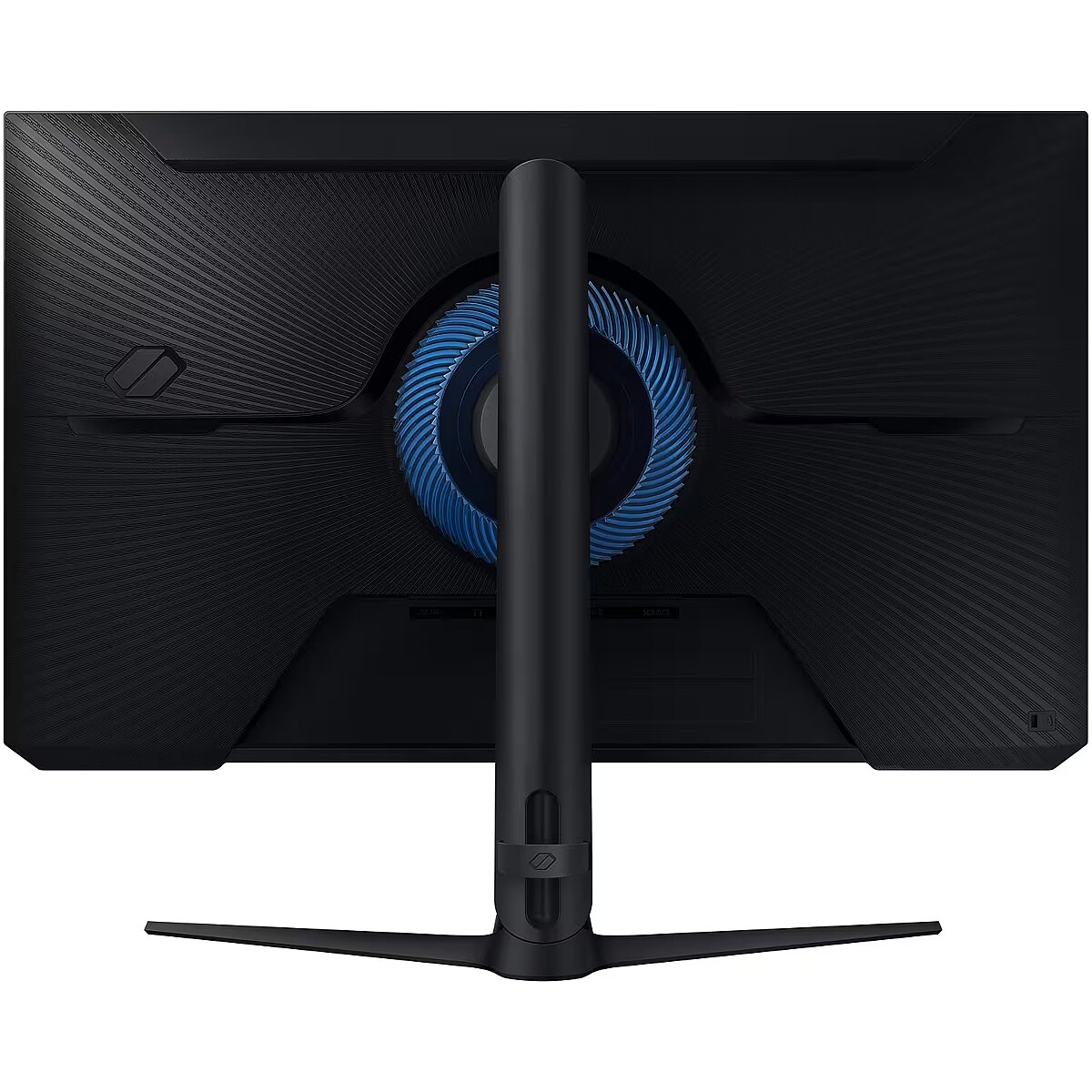
Cable lock slot Ergonomics - Yes
Cable management Ergonomics - Yes
Cables included Packaging content - AC, DisplayPort, HDMI
Category - Computer Monitors
Category - Root/Electronics/PC peripherals/Monitors
Category Code - LC3
category_en - Computers & Components > Monitors and accessories > LCD monitors
category_lv - Datortehnika > Monitori un aksesuāri > LCD monitori
category_ru - Datortehnika > Monitori un aksesuāri > LCD monitori
Certification Other features - Windows 11
Contrast ratio (typical) Display - 3000:1
Data Sheet (Link) Energy Efficiency - https://eprel.ec.europa.eu/api/product/2029058/fiches?language=EN
DC-in jack Ports & interfaces - Yes
Depth (without stand) Weight & dimensions - 93.7 mm
Depth (with stand) Weight & dimensions - 248.8 mm
Description - React in real time
180Hz refresh rate & 1ms response time(MPRT)
Speed through scenes. 180Hz refresh rate eliminates lag for exhilarating gameplay with ultra-smooth action. Jump on enemies right when you see them with a 1ms response time(MPRT) for frames with minimal blur. Stay in sync with the action
AMD FreeSync
Superfluid entertainment experience. AMD Radeon FreeSync™ keeps your monitor and graphics card refresh rate in sync to reduce image tearing. Watch movies and play games without interruptions. Even fast scenes look seamless and smooth. Catch enemies in the shadows with better visibility
Black Equalizer allows you to adjust dark areas in games, letting you to spot your enemies in even the darkest hiding nooks. A new level of accuracy
Virtual Aim Point
Line up more accurate shots with Virtual Aim Point. Crosshairs on the screen give you a new level of accuracy in any game. Because precision can mean the difference between life and death. Fresh eyes win more
Eye Saver Mode & Less Screen Flickering
Play for even longer. Eye Saver Mode minimises blue light to help keep your eyes relaxed and comfortable when gaming for extended periods. The Odyssey G3 also reduces irritating and tiring screen flicker, so you can focus longer with less distraction and eye strain. Take in the full view
3-sided borderless design
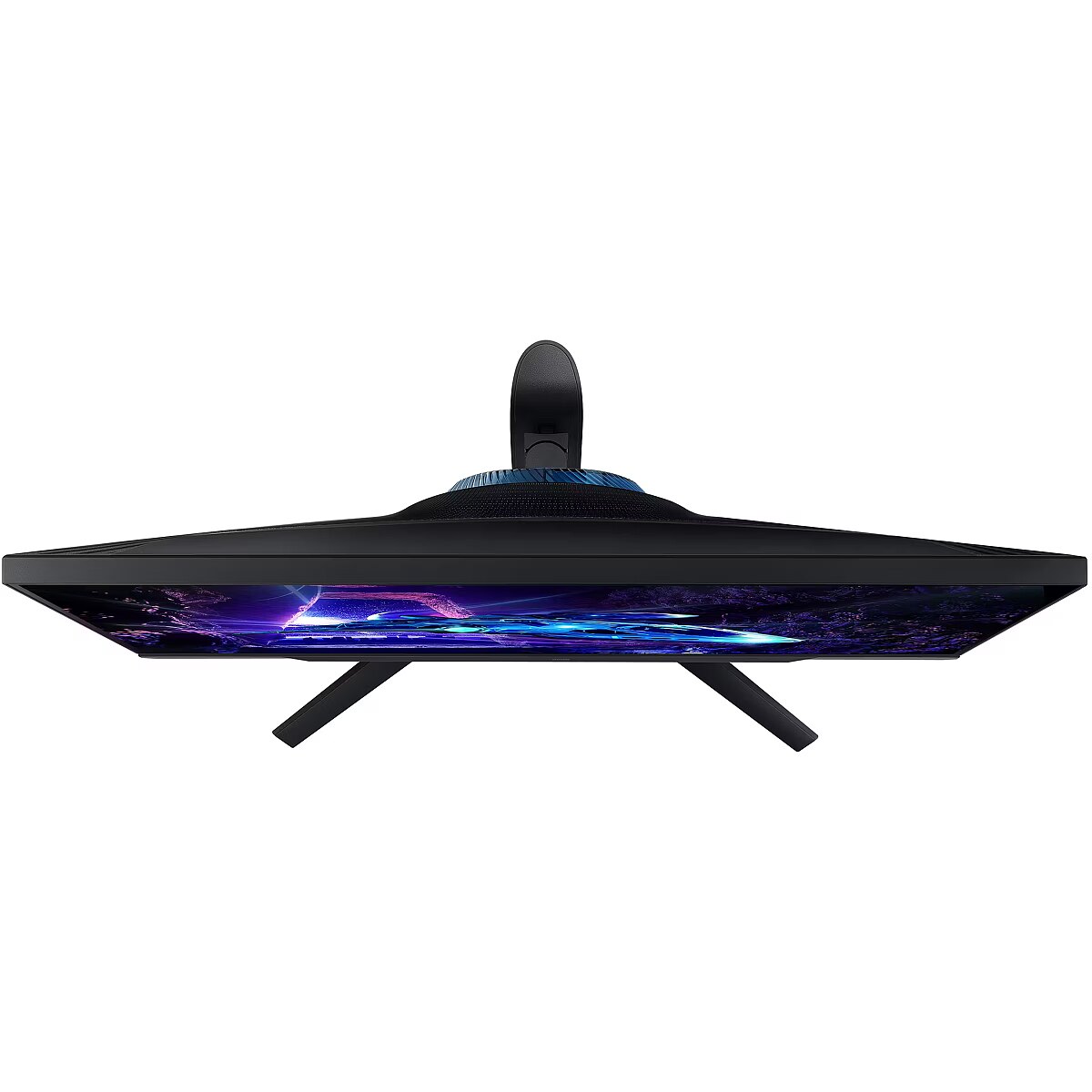
Your legacy has no boundaries. The 3-sided borderless design unveils maximum space for bigger, bolder gameplay. Line up two displays precisely in a dual-monitor setup, so no enemies slip through the crack Your games tailored to you
Ergonomic Stand
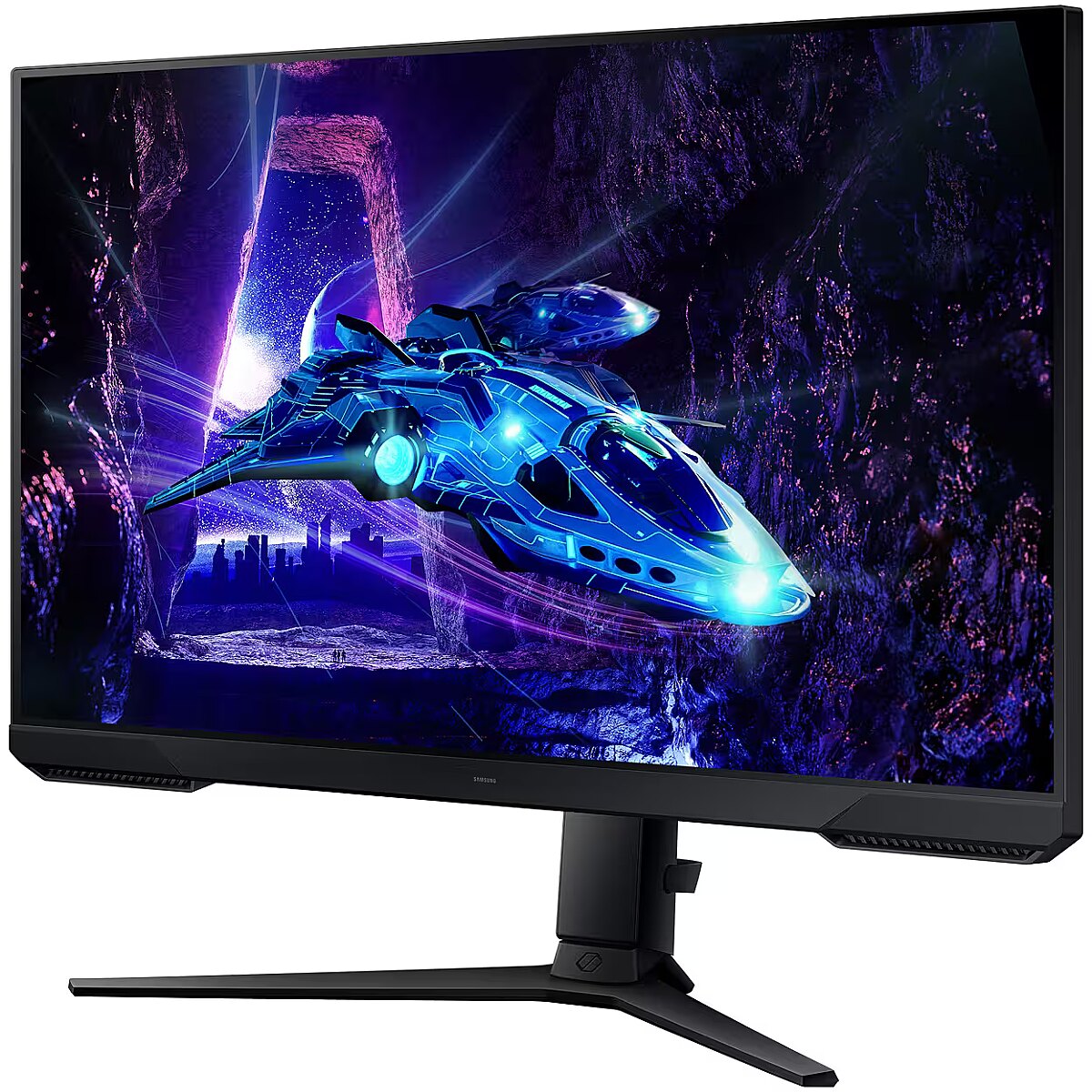
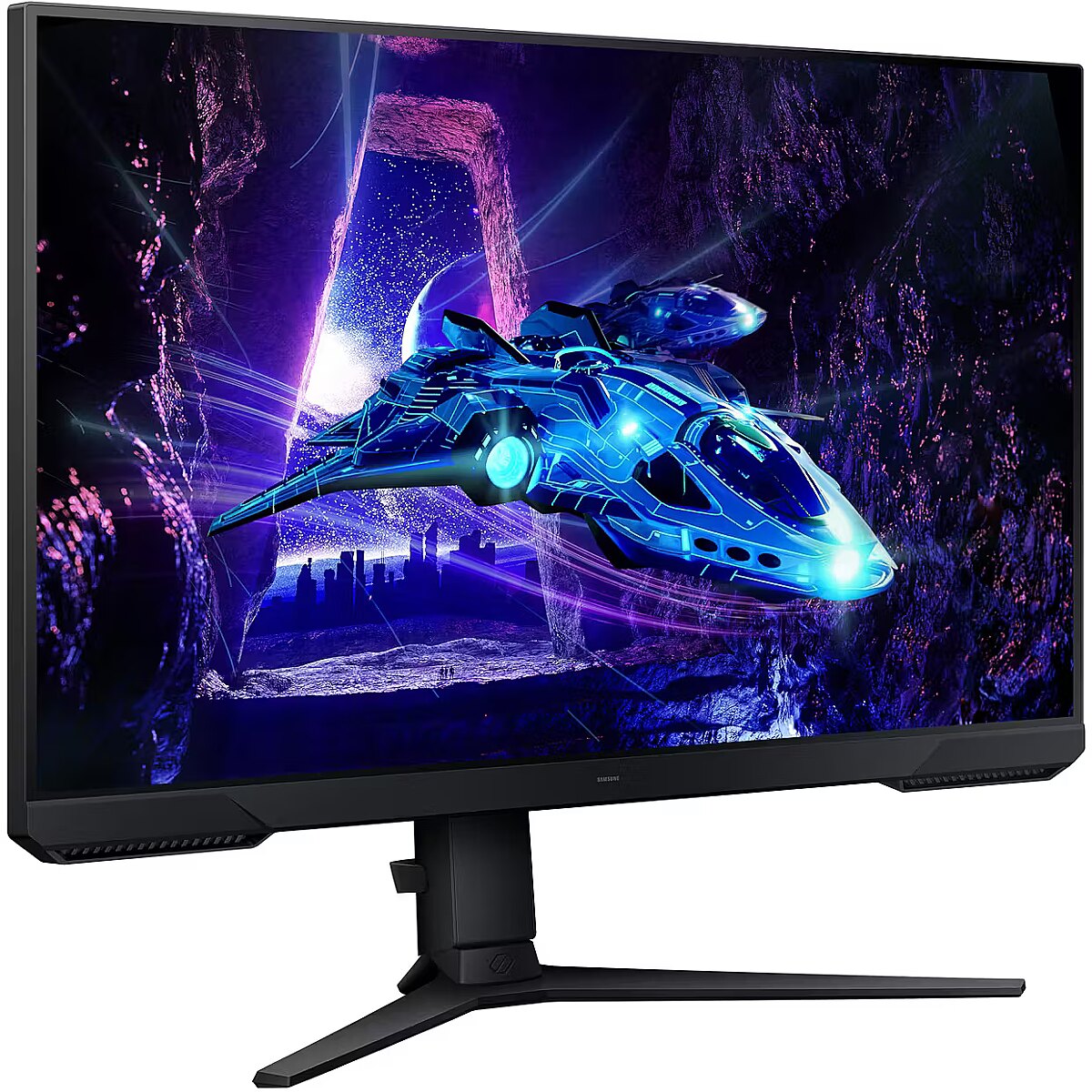
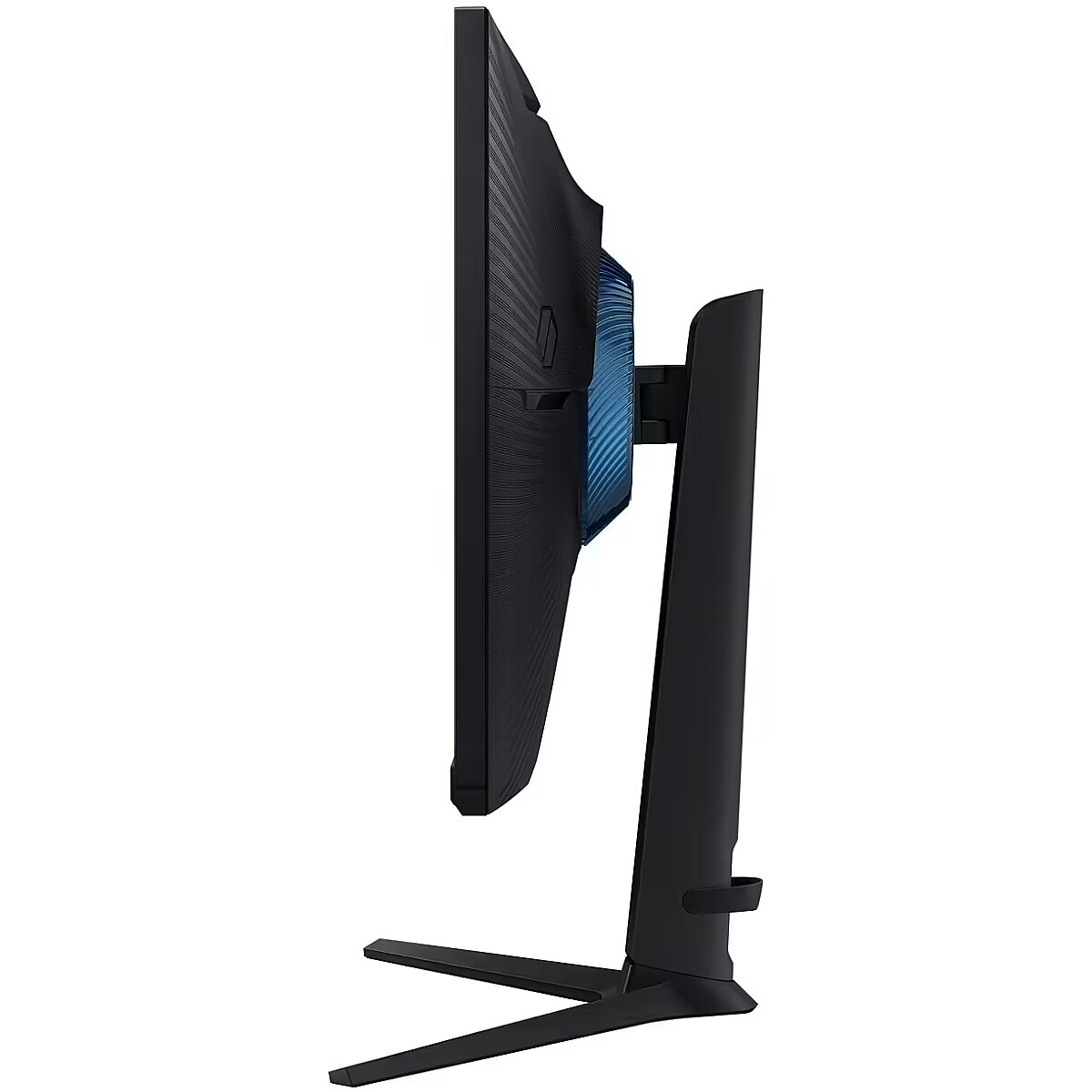
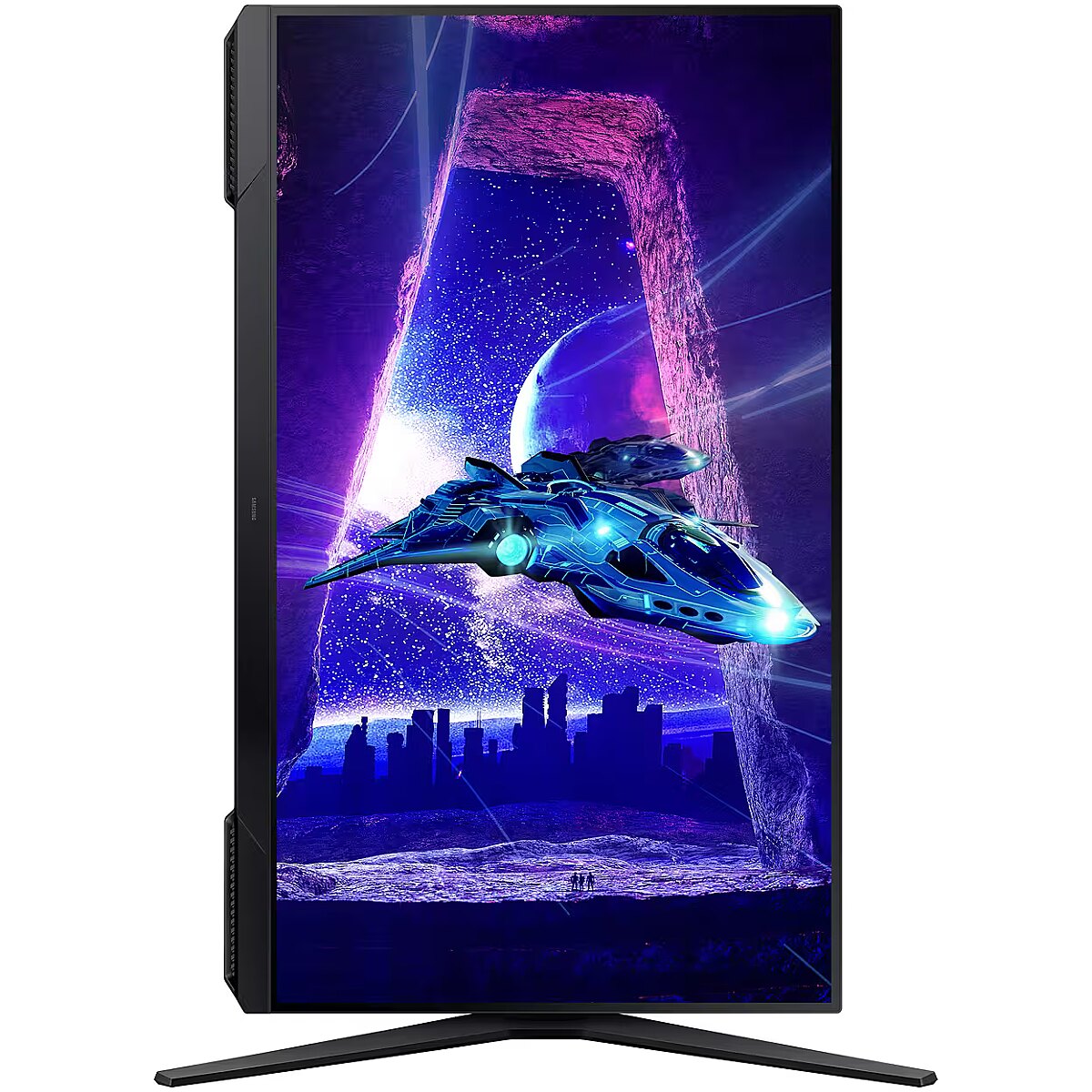
Reach the height of winning. Swivel, tilt, and adjust your monitor until all enemies are in perfect view. Your display can be moved freely so you can find total gaming comfort.Flawlessly smooth play with 180Hz refresh rateThe 1ms response time(MPRT) makes commands as quick as your reflexesAMD FreeSync makes hyper-fast action look seamless
description_en - Display Diagonal 32 "Screen Technology LCDHD Type Full HDPanel Type VAScreen Resolution 1920 x 1080Response Time 1 msContrast Ratio (typical) 3000:1Screen Brightness (typical) 250 cd/m²Viewing Angle, Vertical 178 °Viewing Angle, Horizontal 178 °Aspect Ratio 16:9Number of Colors 16.7 MillionDynamic Contrast Ratio Mega ContrastTouch Screen NoFrame Rate Optimizer Yes
DesignScreen Shape FlatProduct Colour BlackVESA Wall Mount Compatible 100 x 100Market Positioning GamingStand Colour BlackBezel-less Design Yes
ConnectivityHDMI Ports 1DisplayPorts 1DC Input Socket YesHeadphone Output YesBuilt-in USB Hub NoHDMI Version 2.0HDMI YesHDCP Version 1.3/1.4Service Port Type USB Type-ADisplayPort Output Version 1.4
ErgonomicsHinge Range -15 - 15Enhanced Cable Management YesTilt Adjustment YesVESA Mount YesMax Height Adjustment 120 mm
AudioBuilt-in Speakers No
Performance IndicatorsHDCP YessRGB Coverage (typical) 95 %NVIDIA G-SYNC NoAMD FreeSync YesFlicker-Free Technology YesAMD FreeSync Type FreeSync
MultimediaBuilt-in Camera No
Additional InformationMaximum Refresh Rate 180 HzVertical Display Size 392.85 mmPower Cable Length 1.5 mPower Supply Type ExternalHorizontal Display Size 698.4 mmCertification Windows 11Cable Slot YesHigh Adjustment YesTilt Angle -5 - 20Hinge YesSwivel YesRotation Angle -2 - 92Weight (without stand) 3900 gHeight (without stand) 434.8 mmDepth (without stand) 93.7 mmBrand Technologies Black Equalizer, Eye Saver
Power ManagementEnergy Efficiency Class (SDR) EEnergy Efficiency Class (HDR) GEnergy Efficiency (SDR) 1000h 26 kWhEnergy Efficiency (HDR) 1000h 35 kWhPower Consumption (off) 0.3 WPower Consumption (standby) 0.5 WAC Input Voltage 100 - 240 VEnergy Efficiency Scale A to G
Weight & DimensionsWeight (with stand) 5600 gWidth (with stand) 719.2 mmHeight (with stand) 597.4 mmDepth (with stand) 248.8 mmWidth (without stand) 719.2 mm
Environmental ConditionsOperating Relative Humidity 10 - 80 %Operating Temperature (T-T) 10 - 40 °C
Package ContentsIncluded Cables HDMI, DisplayPort, ACStand Included Yes
Package InformationPackage Weight 8500 gPackage Depth 532 mmPackage Height 820 mmPackage Width 190 mm
description_lv - Displeja diagonāle 32 "Ekrāna tehnoloģija LCDHD veids Full HDPaneļa veids VAEkrāna izšķirtspēja 1920 x 1080Atbildes laiks 1 msKontrasta attiecība (tipiskā) 3000:1Displeja spilgtums (parastais) 250 cd/m²Skata leņķis, vertikāli 178 °Skata leņķis, horizontāli 178 °Projektora formātu attiecība 16:9Displeja krāsu skaits 16,7 miljoni krāsuDinamiskā kontrasta koeficients Mega ContrastSkārienjūtīgais ekrāns NēKadru frekvences optimizators Jā
DizainsEkrāna forma FlatProdukta krāsa MelnsVESA-wall mounting system saderīgs 100 x 100Tirgus pozicionēšana SpēļuKāju krāsa MelnsBezrāmja dizains Jā
SavienojamībaHDMI pieslēgvietu skaits 1DisplayPorts daudzums 1DC ieejas ligzda JāAustiņu izeja JāIebūvēts USB mezgls NēHDMI versija 2.0HDMI JāHDCP versija 1.3/1.4Servisa porta tips USB Type-ADisplayPort izejas versija 1.4
ErgonomikaŠarnīrsavienojums -15 - 15Uzlabota kabeļu pārvaldība JāSlīpuma regulēšana JāVESA stiprinājums JāRegulējams augstums (maks.) 120 mm
AudioIebūvēti skaļruņi Nē
Darbības rādītājiHDCP JāsRGB pārklājums (tipisks) 95 %NVIDIA G-SYNC NēAMD FreeSync JāTehnoloģija mirgošanas novēršanai JāAMD FreeSync tips FreeSync
MultimedijiIebūvēto kameru Nē
Papildus informācijaMaksimālais atjauninājuma ātrums 180 HzSkata laukuma izmērs, vertikāli 392.85 mmStrāvas kabeļa garums 1.5 mBarošanas avota tips ĀrējsSkata laukuma izmērs, horizontāli 698.4 mmSertifikācija Windows 11Kabeļa saslēga slots JāAugsta koriģēšana JāSlīpuma leņķis -5 - 20Šarnīrs JāGrozīšana JāPagrieziena leņķis -2 - 92Svars (bez statīva) 3900 gAugstums (bez statīva) 434.8 mmDziļums (bez statīva) 93.7 mmZīmolam raksturīgas tehnoloģijas Black Equalizer, Eye Saver
Enerģijas pārvaldībaEnergoefektivitātes klase (SDR) EEnergoefektivitātes klase (HDR) GEnergoefektivitātes klase (SDR) 1000 stundās 26 kWhEnergoefektivitātes klase (HDR) 1000 stundās 35 kWhJaudas patēriņš (off) 0.3 WJaudas patēriņš (standby) 0.5 WMaiņstrāvas ievades spriegums 100 - 240 VEnergoefektivitātes skala A līdz G
Svars & dimensijasSvars (ar statīvu) 5600 gPlatums (ar statīvu) 719.2 mmAugstums (ar statīvu) 597.4 mmDziļums (ar statīvu) 248.8 mmPlatums (bez statīva) 719.2 mm
Ārējās vides apstākļiDarbības relatīvā mitruma amplitūda 10 - 80 %Darbības temperatūras amplitūda (T-T) 10 - 40 °C
Iepakojuma satursPievienoti kabeļi HDMI, DisplayPort, ACStatīvs komplektā Jā
Informācija par iepakojumuIepakojuma svars 8500 gIepakojuma dziļums 532 mmIepakojuma augstums 820 mmIepakojuma platums 190 mm
description_ru - Диагональ дисплея 32 "Технология экрана LCDТип HD Full HDТип панели VAРазрешение экрана 1920 x 1080Время отклика 1 мсКонтрастность (типичная) 3000:1Яркость экрана (обычная) 250 cd/m²Угол обзора, вертикальный 178 °Угол обзора, горизонтальный 178 °Соотношение сторон 16:9Количество цветов 16,7 миллионовДинамический коэффициент контрастности Mega ContrastСенсорный экран НетОптимизатор кадровой частоты Да
ДизайнФорма экрана FlatЦвет продукта ЧёрныйСовместимость с VESA 100 x 100Рыночная позиция ИгровойЦвет подставки ЧёрныйБезрамочный дизайн Да
ПодключениеHDMI порты 1DisplayPorts 1Разъём DC Input ДаВыход на наушники ДаВстроенный USB-хаб НетВерсия HDMI 2.0HDMI ДаВерсия HDCP 1.3/1.4Тип сервисного порта USB Type-AВерсия DisplayPort Output 1.4
ЭргономикаПетли (Hinge Range) -15 - 15Улучшенное управление кабелями ДаРегулировка наклона ДаКрепление VESA ДаМакс. регулировка высоты 120 мм
АудиоВстроенные динамики Нет
Показатели работыHDCP ДаПокрытие sRGB (типичное) 95 %NVIDIA G-SYNC НетAMD FreeSync ДаТехнология устранения мерцания ДаТип AMD FreeSync FreeSync
МультимедиаВстроенная камера Нет
Дополнительная информацияМакс. частота обновления 180 HzВертикальный размер дисплея 392.85 ммДлина кабеля питания 1.5 мТип источника питания ВнешнийГоризонтальный размер дисплея 698.4 ммСертификация Windows 11Слот для кабеля ДаВысокая регулировка ДаУгол наклона -5 - 20Петли ДаПоворот (Swivel) ДаУгол поворота -2 - 92Вес (без подставки) 3900 гВысота (без подставки) 434.8 ммГлубина (без подставки) 93.7 ммТехнологии бренда Black Equalizer, Eye Saver
ЭнергопотреблениеКласс энергоэффективности (SDR) EКласс энергоэффективности (HDR) GЭнергопотребление (SDR) 1000ч 26 кВт·чЭнергопотребление (HDR) 1000ч 35 кВт·чПотребление энергии (off) 0.3 WПотребление энергии (standby) 0.5 WНапряжение входа переменного тока 100 - 240 VШкала энергоэффективности A до G
Вес и размерыВес (с подставкой) 5600 гШирина (с подставкой) 719.2 ммВысота (с подставкой) 597.4 ммГлубина (с подставкой) 248.8 ммШирина (без подставки) 719.2 мм
Условия эксплуатацииОтносительная влажность 10 - 80 %Температура эксплуатации (T-T) 10 - 40 °C
Содержимое упаковкиВключённые кабели HDMI, DisplayPort, ACПодставка в комплекте Да
Информация об упаковкеВес упаковки 8500 гГлубина упаковки 532 ммВысота упаковки 820 ммШирина упаковки 190 мм
Design - Feet colour - Black
Design - Frameless design - Yes
Design - Market positioning - Gaming
Design - Product colour - Black
Display - Contrast ratio (typical) - 3000:1
Display - Display brightness (typical) - 250 cd/m²
Display - Display diagonal - 81.3 cm (32")
Display - Display number of colours - 16.7 million colours
Display - Display resolution - 1920 x 1080 pixels
Display - Display technology - LCD
Display - Dynamic contrast ratio marketing name - Mega Contrast
Display - HD type - Full HD
Display - Maximum refresh rate - 180 Hz
Display - Native aspect ratio - 16:9
Display - Panel type - VA
Display - Refresh rate optimizor - Yes
Display - Response time - 1 ms
Display - Screen shape - Flat
Display - sRGB coverage (typical) - 95%
Display - Touchscreen - No
Display - Viewable size, horizontal - 69.8 cm
Display - Viewable size, vertical - 39.3 cm
Display - Viewing angle, horizontal - 178°
Display - Viewing angle, vertical - 178°
Display brightness (typical) Display - 250 cd/m²
Display diagonal Display - 81.3 cm (32")
Display number of colours Display - 16.7 million colours
DisplayPort out version Ports & interfaces - 1.4
DisplayPorts quantity Ports & interfaces - 1
Display resolution Display - 1920 x 1080 pixels
Display technology Display - LCD
Dynamic contrast ratio marketing name Display - Mega Contrast
EAN - 8806095541815
Eans - 8806095541815
Energy consumption (HDR) per 1000 hours Power - 35 kWh
Energy consumption (SDR) per 1000 hours Power - 26 kWh
Energy efficiency class (HDR) Power - G
Energy efficiency class (SDR) Power - E
Energy efficiency class Energy Efficiency - E
Energy efficiency scale Power - A to G
EPREL Registration Number Energy Efficiency - 2029058
EPREL Version Number Energy Efficiency - 3
Ergonomics - Adjustable height (max) - 12 cm
Ergonomics - Cable lock slot - Yes
Ergonomics - Cable management - Yes
Ergonomics - Height adjustment - Yes
Ergonomics - Panel mounting interface - 100 x 100 mm
Ergonomics - Pivot - Yes
Ergonomics - Pivot angle - -2 - 92°
Ergonomics - Swivel angle range - -15 - 15°
Ergonomics - Swivelling - Yes
Ergonomics - Tilt adjustment - Yes
Ergonomics - Tilt angle range - -5 - 20°
Ergonomics - VESA mounting - Yes
Feet colour Design - Black
Flicker-free technology Performance - Yes
Frameless design Design - Yes
gross_weight - 8.5 kg
GTIN - 8806095541815
HDCP Ports & interfaces - Yes
HDCP version Ports & interfaces - 1.3/1.4
HDMI Ports & interfaces - Yes
HDMI ports quantity Ports & interfaces - 1
HDMI version Ports & interfaces - 2.0
HD type Display - Full HD
Headphone out Ports & interfaces - Yes
Height (without stand) Weight & dimensions - 434.8 mm
Height (with stand) Weight & dimensions - 597.4 mm
Height adjustment Ergonomics - Yes
LongDesc - React in real time180Hz refresh rate & 1ms response time(MPRT)Speed through scenes. 180Hz refresh rate eliminates lag for exhilarating gameplay with ultra-smooth action. Jump on enemies right when you see them with a 1ms response time(MPRT) for frames with minimal blur.Stay in sync with the actionAMD FreeSyncSuperfluid entertainment experience. AMD Radeon FreeSync™ keeps your monitor and graphics card refresh rate in sync to reduce image tearing. Watch movies and play games without interruptions. Even fast scenes look seamless and smooth.Catch enemies in the shadows with better visibilityBlack Equalizer allows you to adjust dark areas in games, letting you to spot your enemies in even the darkest hiding nooks.A new level of accuracyVirtual Aim PointLine up more accurate shots with Virtual Aim Point. Crosshairs on the screen give you a new level of accuracy in any game. Because precision can mean the difference between life and death.Fresh eyes win moreEye Saver Mode & Less Screen FlickeringPlay for even longer. Eye Saver Mode minimises blue light to help keep your eyes relaxed and comfortable when gaming for extended periods. The Odyssey G3 also reduces irritating and tiring screen flicker, so you can focus longer with less distraction and eye strain.Take in the full view3-sided borderless designYour legacy has no boundaries. The 3-sided borderless design unveils maximum space for bigger, bolder gameplay. Line up two displays precisely in a dual-monitor setup, so no enemies slip through the crackYour games tailored to youErgonomic StandReach the height of winning. Swivel, tilt, and adjust your monitor until all enemies are in perfect view. Your display can be moved freely so you can find total gaming comfort.
LongProductName - 32", Full HD (1920 x 1080p), 16:9, 250cd/m2, 180Hz, 1ms, HDR10, 178°(H)/178°(V), 16.7M, 1x HDMI 2.0, 1x DisplayPort 1.4, VESA 100x100, Class E, 100-240VAC, 5.6kg
LongSummaryDescription - Samsung LS32DG302EUXEN. Display diagonal: 81.3 cm (32"), Display resolution: 1920 x 1080 pixels, HD type: Full HD, Display technology: LCD, Response time: 1 ms, Native aspect ratio: 16:9, Viewing angle, horizontal: 178°, Viewing angle, vertical: 178°. VESA mounting, Height adjustment. Product colour: Black
Market positioning Design - Gaming
Maximum refresh rate Display - 180 Hz
Model -
Model - S32DG302EU
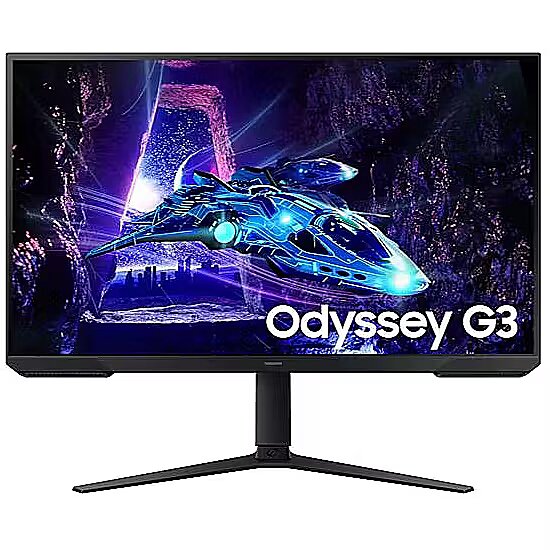
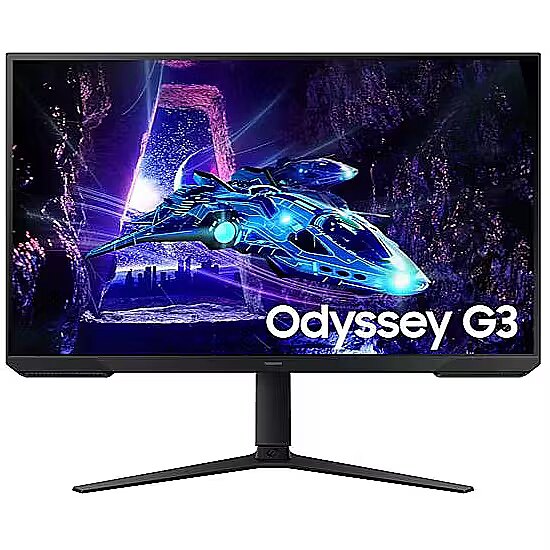
Model name - ODYSSEY G3
Multimedia - Built-in camera - No
Multimedia - Built-in speaker(s) - No
Name - Samsung LS32DG302EUXEN
Native aspect ratio Display - 16:9
NVIDIA G-SYNC Performance - No
Operating relative humidity (H-H) Operational conditions - 10 - 80%
Operating temperature (T-T) Operational conditions - 10 - 40 °C
Operational conditions - Operating relative humidity (H-H) - 10 - 80%
Operational conditions - Operating temperature (T-T) - 10 - 40 °C
Other features - Brand specific technologies - Black Equalizer, Eye Saver
Other features - Certification - Windows 11
Package depth Packaging data - 532 mm
Package height Packaging data - 820 mm
Package weight Packaging data - 8.5 kg
Package width Packaging data - 190 mm
Packaging content - Cables included - AC, DisplayPort, HDMI
Packaging content - Power cable length - 1.5 m
Packaging content - Stand included - Yes
Packaging data - Package depth - 532 mm
Packaging data - Package height - 820 mm
Packaging data - Package weight - 8.5 kg
Packaging data - Package width - 190 mm
Panel mounting interface Ergonomics - 100 x 100 mm
Panel type Display - VA
Performance - AMD FreeSync - Yes
Performance - AMD FreeSync type - FreeSync
Performance - Flicker-free technology - Yes
Performance - NVIDIA G-SYNC - No
Pivot angle Ergonomics - -2 - 92°
Pivot Ergonomics - Yes
Ports & interfaces - Built-in USB hub - No
Ports & interfaces - DC-in jack - Yes
Ports & interfaces - DisplayPort out version - 1.4
Ports & interfaces - DisplayPorts quantity - 1
Ports & interfaces - HDCP - Yes
Ports & interfaces - HDCP version - 1.3/1.4
Ports & interfaces - HDMI - Yes
Ports & interfaces - HDMI ports quantity - 1
Ports & interfaces - HDMI version - 2.0
Ports & interfaces - Headphone out - Yes
Ports & interfaces - Service port type - USB Type-A
Power - AC input voltage - 100 - 240 V
Power - Energy consumption (HDR) per 1000 hours - 35 kWh
Power - Energy consumption (SDR) per 1000 hours - 26 kWh
Power - Energy efficiency class (HDR) - G
Power - Energy efficiency class (SDR) - E
Power - Energy efficiency scale - A to G
Power - Power consumption (off) - 0.3 W
Power - Power consumption (standby) - 0.5 W
Power - Power supply type - External
Power cable length Packaging content - 1.5 m
Power consumption (off) Power - 0.3 W
Power consumption (standby) Power - 0.5 W
Power supply type Power - External
Producer - Samsung
ProducerCode - LS32DG302EUXEN
Product colour Design - Black
ProductName - LS32DG302EUXEN
Product Net Weight - 3.9 kg
Refresh rate optimizor Display - Yes
Response time Display - 1 ms
Screen shape Display - Flat
Service port type Ports & interfaces - USB Type-A
ShortDescription -
ShortSummaryDescription - Samsung LS32DG302EUXEN, 81.3 cm (32"), 1920 x 1080 pixels, Full HD, LCD, 1 ms, Black
sRGB coverage (typical) Display - 95%
Stand included Packaging content - Yes
Summary - Samsung LS32DG302EUXEN. Display diagonal: 81.3 cm (32"), Display resolution: 1920 x 1080 pixels, HD type: Full HD, Display technology: LCD, Response time: 1 ms, Native aspect ratio: 16:9, Viewing angle, horizontal: 178°, Viewing angle, vertical: 178°. VESA mounting, Height adjustment. Product colour: Black
Swivel angle range Ergonomics - -15 - 15°
Swivelling Ergonomics - Yes
Tilt adjustment Ergonomics - Yes
Tilt angle range Ergonomics - -5 - 20°
Title - Samsung LS32DG302EUXEN computer monitor 81.3 cm (32") 1920 x 1080 pixels Full HD LCD Black
title_en - Samsung LS32DG302EUXEN Full HD LCD Monitor 32"
title_lv - Samsung LS32DG302EUXEN Full HD LCD Monitors 32"
title_ru - Samsung LS32DG302EUXEN Full HD LCD Mонитор 32"
Touchscreen Display - No
Unit Box Height - 0.19
Unit Box Length - 0.81
Unit Box Width - 0.525
Unit Calculated Volume - 0.0808 cubm
Unit Calculated Weight - 8.44 kg
Units per Pallet - 0
URL - https://www.samsung.com/hu/monitors/gaming/odyssey-g3-g30d-32-inch-180hz-freesync-ls32dg302euxen/
Vendor Homepage - https://www.samsung.com/hu/monitors/gaming/odyssey-g3-g30d-32-inch-180hz-freesync-ls32dg302euxen/
VESA mounting Ergonomics - Yes
Viewable size, horizontal Display - 69.8 cm
Viewable size, vertical Display - 39.3 cm
Viewing angle, horizontal Display - 178°
Viewing angle, vertical Display - 178°
Warranty - 24 months
WarrantyInfo -
weight - 5.6 kg
Weight & dimensions - Depth (without stand) - 93.7 mm
Weight & dimensions - Depth (with stand) - 248.8 mm
Weight & dimensions - Height (without stand) - 434.8 mm
Weight & dimensions - Height (with stand) - 597.4 mm
Weight & dimensions - Weight (without stand) - 3.9 kg
Weight & dimensions - Weight (with stand) - 5.6 kg
Weight & dimensions - Width (without stand) - 719.2 mm
Weight & dimensions - Width (with stand) - 719.2 mm
Weight (without stand) Weight & dimensions - 3.9 kg
Weight (with stand) Weight & dimensions - 5.6 kg
Width (without stand) Weight & dimensions - 719.2 mm
Width (with stand) Weight & dimensions - 719.2 mm




 DVI is a digital standard and ensures high image quality, however, thanks to the big size of the plug and the inability of the standard to develop further due to a few technical restrictions this type of connection is gradually losing its popularity to modern HDMI and DisplayPort standards.







