ARTIKEL1 - EV2410R-BK 24 IN FHD 16:10 350
ARTIKEL2 - .
Aspect ratio - 16:10
Brand - EIZO
BrandPartCode - EV2410R-BK
Breite - 0
Built-in camera - No
Built-in speakers - Yes
Category - Computer Monitors
Category - Root/Electronics/PC peripherals/Monitors
Category_1 - Monitors and TV
Category_2 - LED Monitors up to 24 inches
Contrast ratio (typical) - 1300:1
Curved - No
Dane fizyczne: Głębokość - 233 mm
Dane fizyczne: Kolor obudowy - czarny
Dane fizyczne: Standard VESA - 100 x 100
Dane fizyczne: Szerokość - 531 mm
Dane fizyczne: Waga - 6 kg
Dane fizyczne: Wysokość - 358 mm
Dane fizyczne: Zakres obrotu (PIVOT) - 90 °
Dane fizyczne: Zakres regulacji obrotu (Swivel) - 170 °
Dane fizyczne: Zakres regulacji pochylenia (Tilt) - 40 °
Dane fizyczne: Zakres regulacji wysokości (Height) - 130 mm
Dane techniczne: Czas reakcji - 5 ms
Dane techniczne: Częstotliwość odświeżania - 75 Hz
Dane techniczne: Grupa produktowa - Monitory Eizo
Dane techniczne: Gwarancja - 5 lat w serwisie zewnętrznym
Dane techniczne: Głośniki - tak
Dane techniczne: Jasność - 350 cd/m²
Dane techniczne: Możliwość regulacji - obrotowy ekran (pivot)
Dane techniczne: Możliwość regulacji - obrót na podstawie (swivel)
Dane techniczne: Możliwość regulacji - pochył
Dane techniczne: Możliwość regulacji - wysokość
Dane techniczne: Obszar aktywny - 518 x 324 mm
Dane techniczne: Powłoka matrycy - antyrefleksyjna
Dane techniczne: Producent - Eizo
Dane techniczne: Przekątna - 24.1 cali
Dane techniczne: Rodzaj podświetlenia - LED
Dane techniczne: Rozdzielczość ekranu - 1920 x 1200 piksele
Dane techniczne: Rozmiar plamki - 0.27 mm
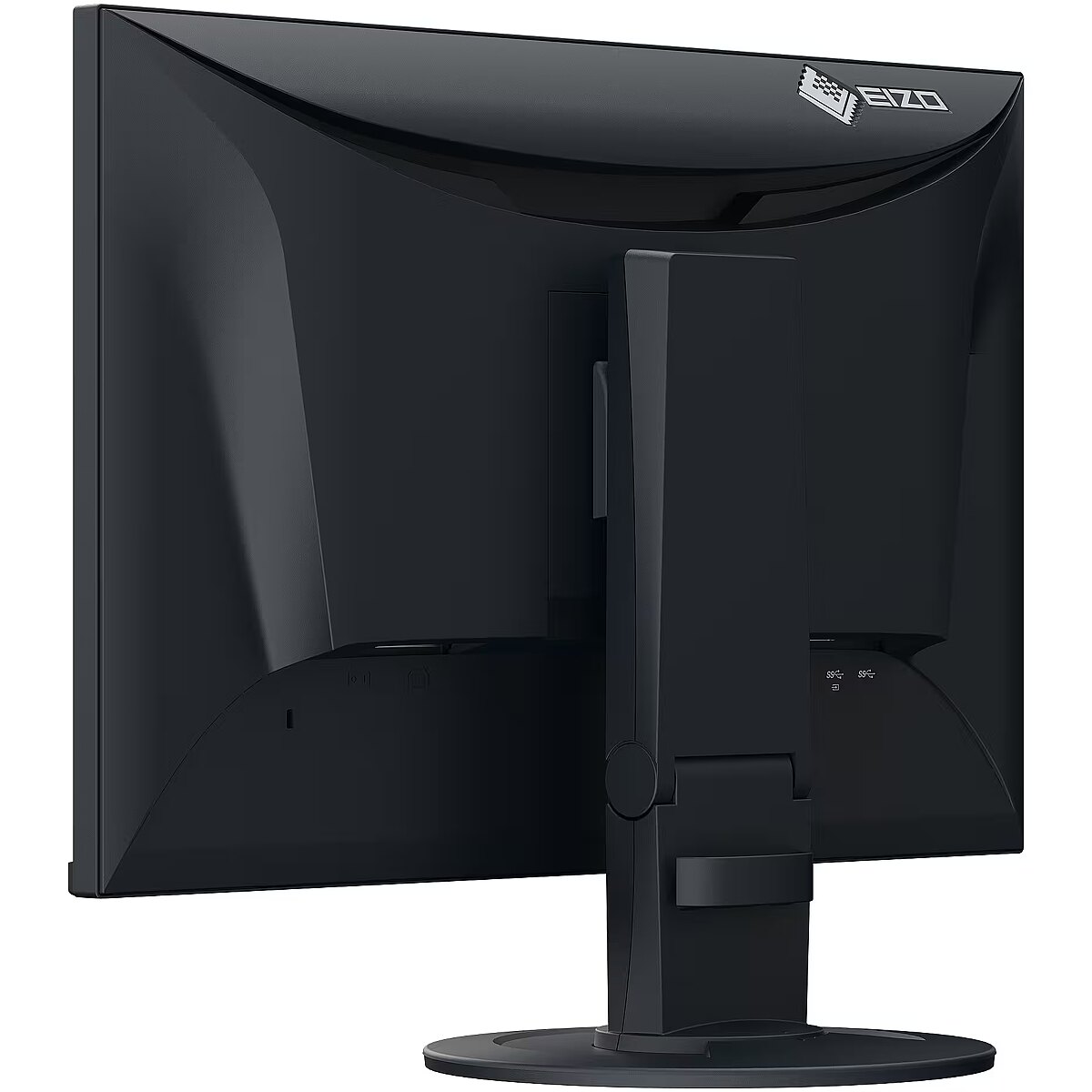
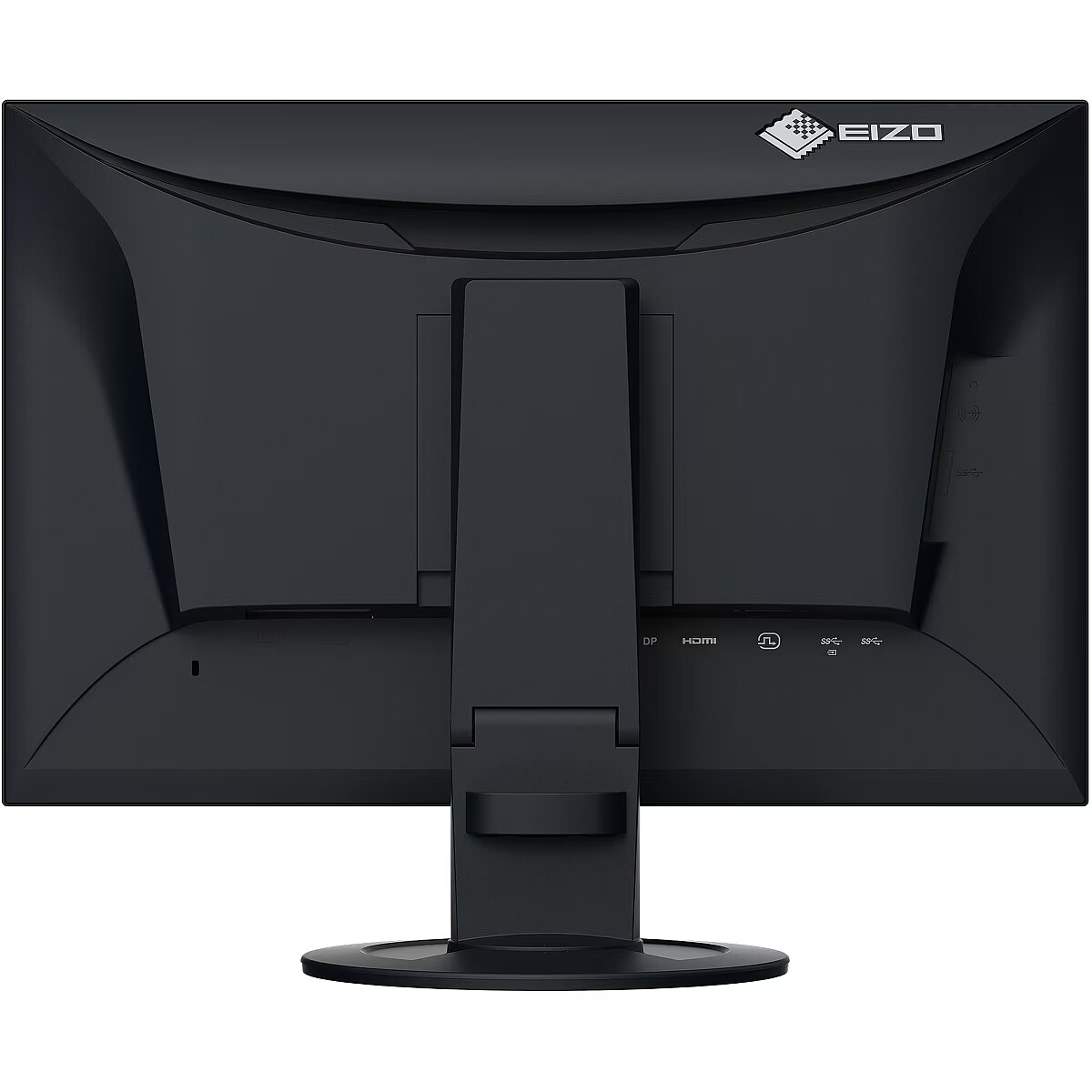
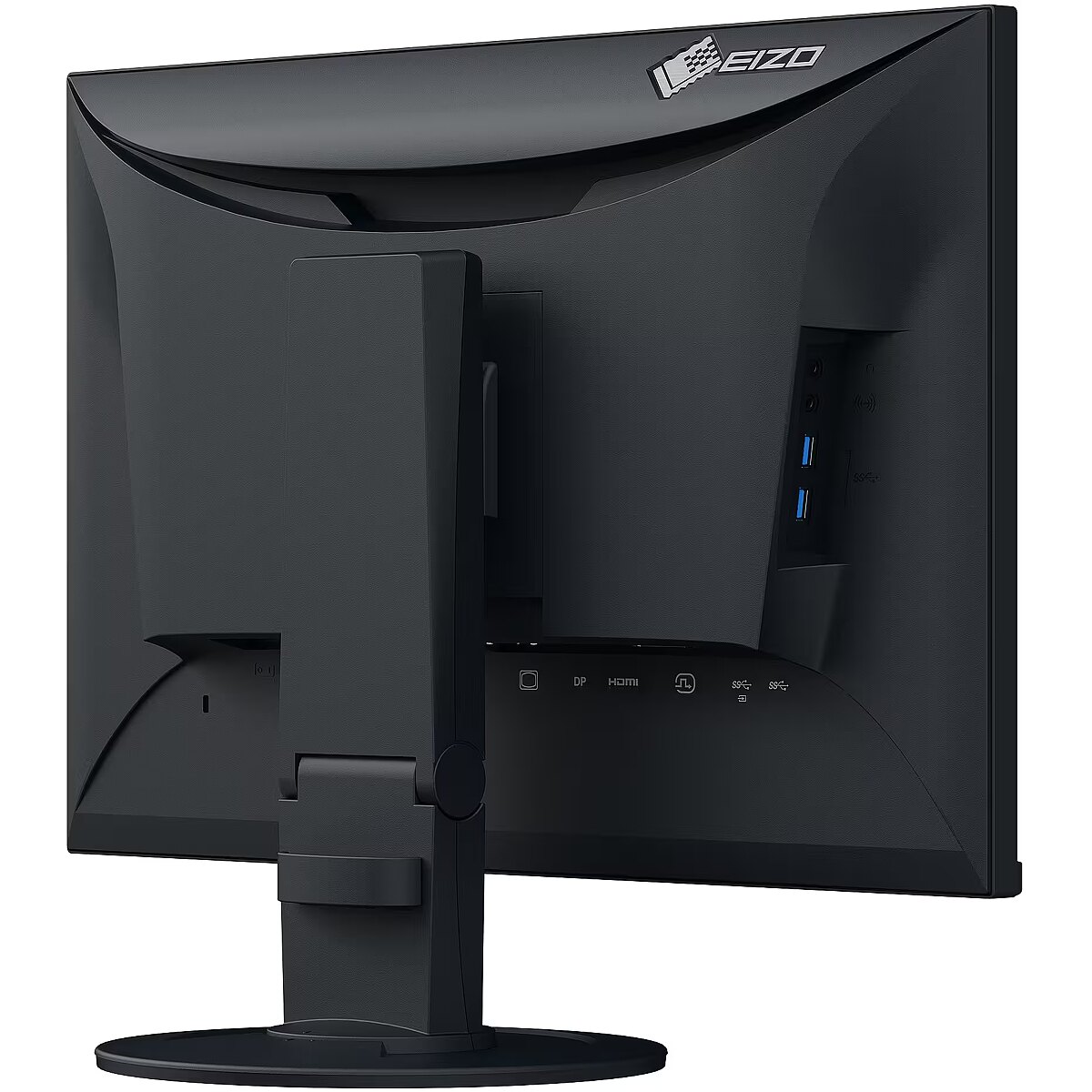
Dane techniczne: Standard portów wideo - DisplayPort
Dane techniczne: Standard portów wideo - DVI
Dane techniczne: Standard portów wideo - HDMI
Dane techniczne: Typ - do biura i domu
Dane techniczne: Typ ekranu - płaski
Dane techniczne: Typ matrycy - IPS
Description - EIZO FLEXSCAN EV2410R 24.1" WUXGA IPS 16:10/DP/DVI-D/HDMI/VGA/5Y
Design - Feet colour - Black
Design - Market positioning - Office
Design - Product colour - Black
Dimensions (W x D x H) with stand, mm - 531 x 345.2 x 57
Display - Anti-glare screen - Yes
Display - Backlight type - W-LED
Display - Colour gamut standard - sRGB
Display - Contrast ratio (typical) - 1300:1
Display - Display brightness (typical) - 350 cd/m²
Display - Display diagonal - 61.2 cm (24.1")
Display - Display diagonal (metric) - 61.1 cm
Display - Display number of colours - 16.7 million colours
Display - Display resolution - 1920 x 1200 pixels
Display - Display technology - LCD
Display - HD type - WUXGA
Display - Horizontal scan range - 31 - 76 kHz
Display - LED backlight - Yes
Display - Maximum refresh rate - 60 Hz
Display - Native aspect ratio - 16:10
Display - Panel type - IPS
Display - Pixel density - 94 ppi
Display - Pixel pitch - 0.27 x 0.27 mm
Display - Response time - 5 ms
Display - Response time measurement type - GTG (Gray to Gray)
Display - Screen shape - Flat
Display - Supported graphics resolutions - 640 x 480 (VGA), 720 x 400, 800 x 600 (SVGA), 1024 x 768 (XGA), 1280 x 1024 (SXGA), 1600 x 1200 (UXGA), 1680 x 1050 (WSXGA+), 1920 x 1080 (HD 1080), 1920 x 1200 (WUXGA)
Display - Touchscreen - No
Display - Vertical scan range - 59 - 61 Hz
Display - Viewable size, horizontal - 51.8 cm
Display - Viewable size, vertical - 32.4 cm
Display - Viewing angle, horizontal - 178°
Display - Viewing angle, vertical - 178°
Display brightness, cd/m² - 350
Display color - Black
Display diagonal, " - 24.1
DisplayPorts quantity - 1
Display resolution, pixels - 1920 x 1200
Dodatkowe informacje o matrycy: Format obrazu - 16:10
Dodatkowe informacje o matrycy: Kontrast - 1300:1
Dodatkowe informacje o matrycy: Kąt widzenia w pionie - 178 °
Dodatkowe informacje o matrycy: Kąt widzenia w poziomie - 178 °
Dodatkowe informacje o matrycy: Liczba wyświetlanych kolorów - 16.7 mln
DVI-D ports quantity - 1
EANCode - 4995047069799
Eans - 4995047069799
EAN_code - 4995047069799
Efektywność energetyczna: Klasa energetyczna - B
Efektywność energetyczna: Zużycie energii w trybie pracy - 8 W
Ergonomics - Adjustable height (max) - 13 cm
Ergonomics - Cable lock slot - Yes
Ergonomics - Height adjustment - Yes
Ergonomics - On Screen Display (OSD) - Yes
Ergonomics - On Screen Display (OSD) languages - German, English, Spanish, French, Italian
Ergonomics - Panel mounting interface - 100 x 100 mm
Ergonomics - Pivot - Yes
Ergonomics - Pivot angle - -90 - 90°
Ergonomics - Swivel angle range - 0 - 344°
Ergonomics - Swivelling - Yes
Ergonomics - Tilt adjustment - Yes
Ergonomics - Tilt angle range - -5 - 35°
Ergonomics - VESA mounting - Yes
Glossy display - No
GRUPPE1 - Network
GRUPPE2 - Network Camera
GTIN - 0690592062809
GTIN - 690592062809
GTIN - 4995047069799
Height - 220.000000
Height adjustment - Yes
Height adjustment, mm - 129.9
HERSTELLER - EIZO
Hoehe - 0
HSTNUMMER - EV2410R-BK
Informacje podstawowe: Moc głośników - 2 x 1W
Laenge - 0
Length - 620.000000
Logistics data - Harmonized System (HS) code - 85285210
LongDesc - The FlexScan EV2410R impresses as a flexible all-rounder and is ideal for the classic office workstation. Energy-saving, eyefriendly and ergonomic, it is an indispensable helper on any desk and enables efficient working. Equipped with an IPS panel, it has a horizontal and vertical viewing angle of 178° and a resolution of 1920 x 1200 pixels. The low-reflection surface, brightness and contrast ensure a detailed and excellent image reproduction. Auto EcoView automatically adjusts the brightness to the ambient light to avoid glare and protect the eyes. Four inputs for digital and analog signals, a USB hub and headphone and audio connections ensure versatile connectivity. Thanks to the thin housing edge, the monitor has a very compact appearance and is particularly suitable for multi-screen operation. In addition to the on-screen menu, the accompanying Screen InStyle software enables easy operation via computer or network.
LongProductName - 24", WUXGA (1920 x 1200), IPS, 350 cd/m², 5 ms, 1300:1, 94 ppi, 16.7M, USB, DVI-D, VGA, DisplayPort, HDMI, 8 W
LongSummaryDescription - EIZO FlexScan EV2410R-BK. Display diagonal: 61.2 cm (24.1"), Display resolution: 1920 x 1200 pixels, HD type: WUXGA, Display technology: LCD, Response time: 5 ms, Native aspect ratio: 16:10, Viewing angle, horizontal: 178°, Viewing angle, vertical: 178°. Built-in speaker(s). Built-in USB hub, USB hub version: 3.2 Gen 1 (3.1 Gen 1). VESA mounting, Height adjustment. Product colour: Black
Manufacturer - Eizo
ManufacturerPartNumber - EV2410R-BK
Manufacturer_code - EV2410R-BK
Multimedia - Built-in camera - No
Multimedia - Built-in speaker(s) - Yes
Multimedia - Number of speakers - 2
Multimedia - RMS rated power - 2 W
Name - EIZO FlexScan EV2410R-BK, LED monitor - 24.1 - black, WUXGA, IPS, USB hub
Name - EIZO FlexScan EV2410R-BK - 75Hz | 1920 x 1200 | IPS | 24.1''
Ochrona oczu: Filtr światła niebieskiego - tak
Ochrona oczu: Redukcja migotania - tak
Operating temperature range (T-T), °C - 5-35
Operational conditions - Operating relative humidity (H-H) - 20 - 80%
Operational conditions - Operating temperature (T-T) - 5 - 35 °C
Operational conditions - Storage relative humidity (H-H) - 10 - 90%
Operational conditions - Storage temperature (T-T) - -20 - 60 °C
Other features - Automatic brightness control - Yes
Other features - Certification - CE, UKCA, CB, TÜV/GS, TÜV/Ergonomics (including ISO 9241-307), TCO Certified Generation 10, TÜV/Low Blue Light Content, TÜV/Flicker Free, RCM, cTÜVus, FCC-B, CAN ICES-3 (B), TÜV/S, PSE, VCCI-B, EPA ENERGY STAR, RoHS, WEEE, China RoHS, CCC
Other features - Compliance certificates - CCC, CE, China RoHS, Federal Communications Commission (FCC), PSE, RoHS, TÜV mark, UKCA, VCCI, WEEE
Other features - Look-up table (LUT) bit depth - 10
Other features - Warranty period - 5 year(s)
Packaging content - Cables included - DisplayPort, USB Type-A to USB Type-B, AC
Packaging content - Quick start guide - Yes
Packaging content - Stand included - Yes
Panel type - IPS
Performance - AMD FreeSync - No
Performance - Flicker-free technology - Yes
Performance - Low Blue Light technology - Yes
Performance - NVIDIA G-SYNC - No
PeriodofWarranty -
Pivot - Yes
Ports & interfaces - Built-in USB hub - Yes
Ports & interfaces - DisplayPorts quantity - 1
Ports & interfaces - DVI-D ports quantity - 1
Ports & interfaces - DVI port - Yes
Ports & interfaces - HDCP - Yes
Ports & interfaces - HDCP version - 1.4
Ports & interfaces - HDMI - Yes
Ports & interfaces - HDMI ports quantity - 1
Ports & interfaces - Headphone connectivity - 3.5 mm
Ports & interfaces - Headphone out - Yes
Ports & interfaces - Headphone outputs - 1
Ports & interfaces - Number of upstream ports - 1
Ports & interfaces - Number of USB Type-B upstream ports quantity - 1
Ports & interfaces - USB hub version - 3.2 Gen 1 (3.1 Gen 1)
Ports & interfaces - USB Type-A downstream ports quantity - 4
Ports & interfaces - USB upstream port type - USB Type-B
Ports & interfaces - VGA (D-Sub) ports quantity - 1
Power - AC input frequency - 50/60 Hz
Power - AC input voltage - 100 - 240 V
Power - Energy consumption (SDR) per 1000 hours - 8 kWh
Power - Energy efficiency class (SDR) - B
Power - Energy efficiency scale - A to G
Power - Power consumption (max) - 54 W
Power - Power consumption (off) - 0 W
Power - Power consumption (standby) - 0.5 W
Power - Power consumption (typical) - 8 W
Power consumption (max.), W - 54
Power consumption (standby), W - 0.5
Power consumption, W - 8
Pozostałe cechy: Akcesoria - kabel DisplayPort
Pozostałe cechy: Akcesoria - kabel USB
Pozostałe cechy: Akcesoria - kabel zasilający
Pozostałe cechy: Model - EIZO FlexScan EV10R
Producent: Nazwa producenta / importera - Eizo
EIZO Europe GmbH
Belgrader Strase 2
41069 Monchenglandbach
Producer - Eizo
ProducerCode - EV2410R-BK
ProductName - EV2410R-BK
Refresh rate, Hz - 60
Response time, ms - 5
ShortDescription - 24,1'' | 1920 x 1200 | IPS | 75Hz
ShortSummaryDescription - EIZO FlexScan EV2410R-BK, 61.2 cm (24.1"), 1920 x 1200 pixels, WUXGA, LCD, 5 ms, Black
Stck_Kart - 1
Stck_Pal - 14
Storno - Y
Sustainability - Sustainability certificates - ENERGY STAR, EPEAT Climate +, EPEAT Gold, TCO
Sustainability - Sustainability compliance - Yes
Tilt angle, ° - -5/35
Title - EIZO FlexScan EV2410R-BK computer monitor 61.2 cm (24.1") 1920 x 1200 pixels WUXGA LCD Black
Touch sensitive screen - No
Turn, ° - 344
URL - https://www.eizoglobal.com/
VESA-standard, mm - 100 x 100
Viewing angle, horizontal, ° - 178
Viewing angle, vertical, ° - 178
WarrantyInfo - 5 years
Weight - 9,05
Weight - 9.080000
Weight & dimensions - Depth (without stand) - 57 mm
Weight & dimensions - Depth (with stand) - 233 mm
Weight & dimensions - Height (without stand) - 345.2 mm
Weight & dimensions - Height (with stand) - 358.4 mm
Weight & dimensions - Weight (without stand) - 3.9 kg
Weight & dimensions - Weight (with stand) - 6 kg
Weight & dimensions - Width (without stand) - 531 mm
Weight & dimensions - Width (with stand) - 531 mm
Weight with stand, g - 6000
Width - 420.000000
Złącza: Złącza - 1 x DisplayPort
Złącza: Złącza - 1 x DVI
Złącza: Złącza - 1 x HDMI
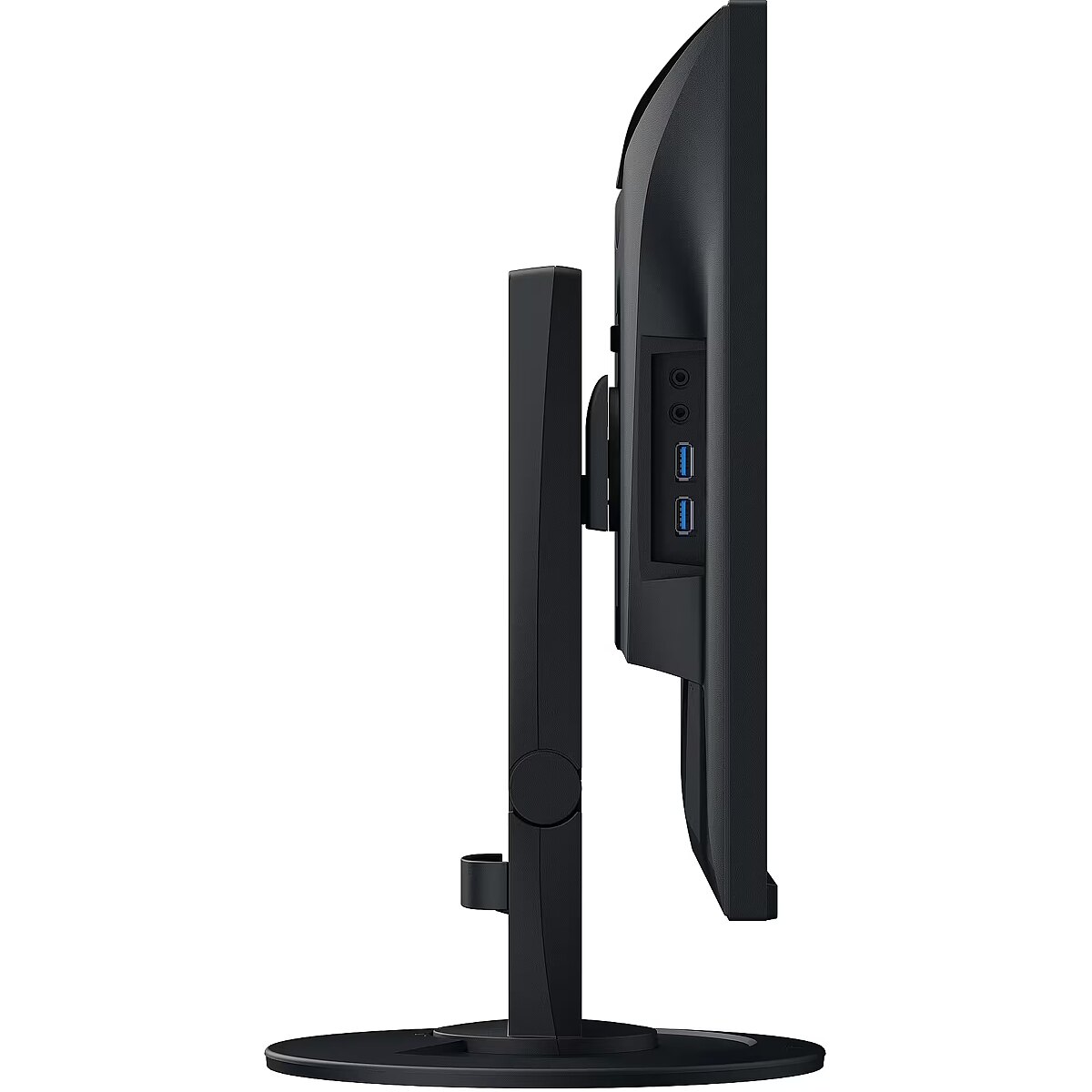
Złącza: Złącza - 1 x słuchawkowe
Złącza: Złącza - 5 x USB



 DVI is a digital standard and ensures high image quality, however, thanks to the big size of the plug and the inability of the standard to develop further due to a few technical restrictions this type of connection is gradually losing its popularity to modern HDMI and DisplayPort standards.







