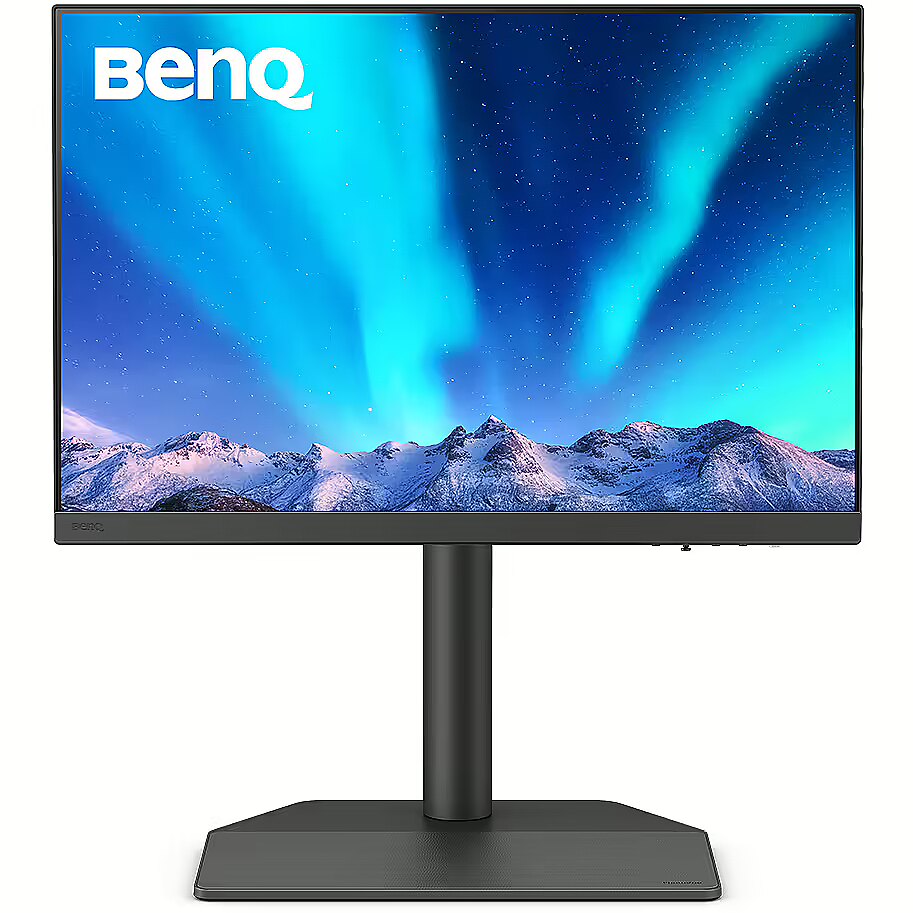
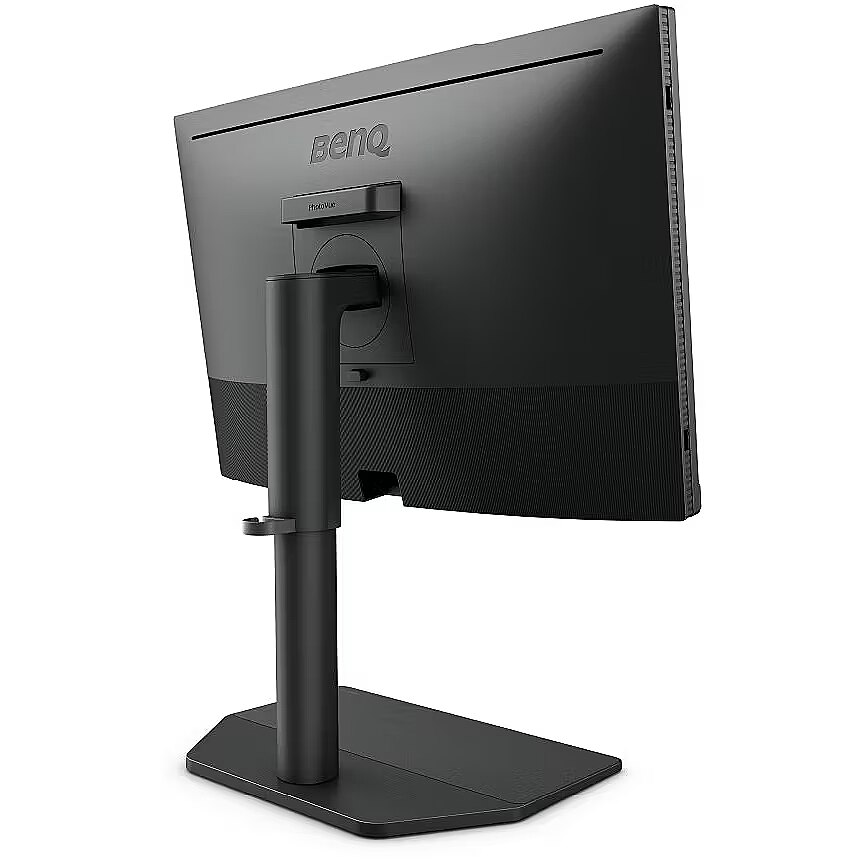
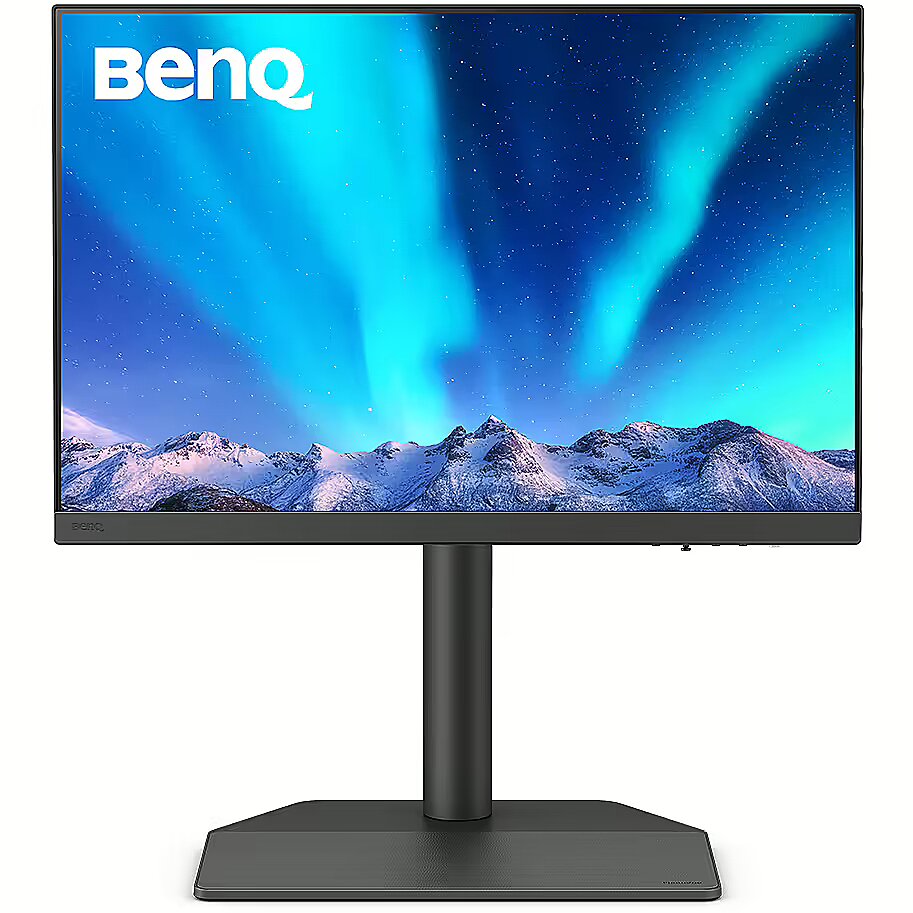
Benq SW242Q, 24.1"

Picture may differ from actual product, there can be accessories and parts not supplied with the actual product.
ID: 1120744 Product code: 9H.LLVLA.TBE
Can be ordered 5 units Availability: 14 days after order approval
Warranty: 3 years
566.42 €
Ready for dispatch
13.02.2026
starting from 12.99 €
Delivery options
  • Delivery with Posti courier mail
    Within 1-2 working days
    12.99 €
Main product parameters All parameters
  • Curved: Nav
  • Panel Type: IPS
  • Refresh rate: 60 Hz
  • Response time: 5ms
  • Contrast ratio: 1000:1
  • Brightness: 400cd/m2
  • Size: 24.1"
  • Resolution:
Description

This Benq SW242Q, 24.1" monitor with WQXGA 2560x1600 resolution ensures comfortable conditions for prolonged work and online activities. It offers a clear image, extensive usage possibilities and fits perfectly in a home or office working environment.

The response time of 5ms ensures a fast pixel transition between tones, reducing the possibility of motion trails and blurring. Such speed improves the sharpness of dynamic scenes and reduces visual artifacts at high frame rate changes, which is essential for interactive applications and precise motion representation.

The IPS technology provides a stable image, thanks to wide viewing angles and consistent color reproduction across the entire screen area. Unlike TN and VA panels, IPS maintains accurate colors even when the viewing position is changed, reducing distortions and increasing reliability for precise visual work.

The refresh rate of 60 Hz ensures stable images and comfortable work in office and home applications. This mode reduces eye fatigue during prolonged use, minimizes flickering, and ensures smooth motion. It is ideally suited for everyday tasks, web browsing, and multimedia viewing.

Flicker-Free reduces the frequency flickering common to some brightness adjustment methods. This reduces visual stress and ensures a smooth, pleasant image for the eyes. The technology is particularly useful for working in darker rooms and during prolonged viewing sessions.

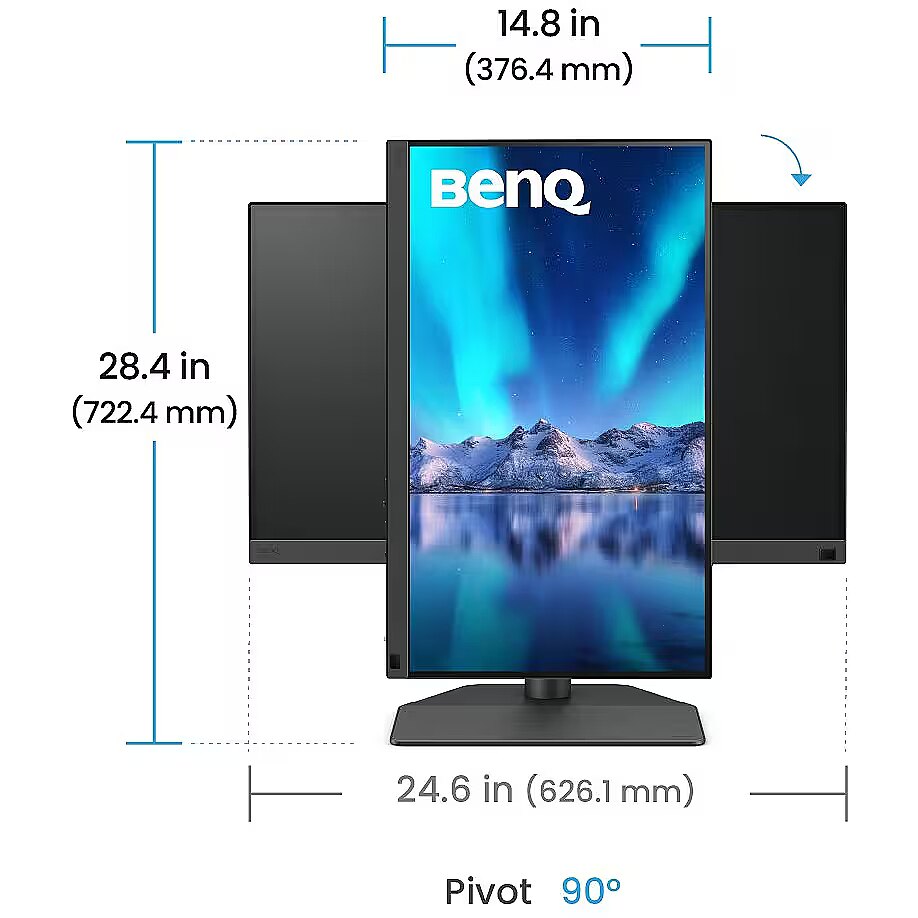
The Pivot technology allows the screen to be rotated into vertical orientation, ensuring more efficient use of workspace when working with text, documents, or long lists. This design improves readability, reduces the need for scrolling, and enhances convenience.

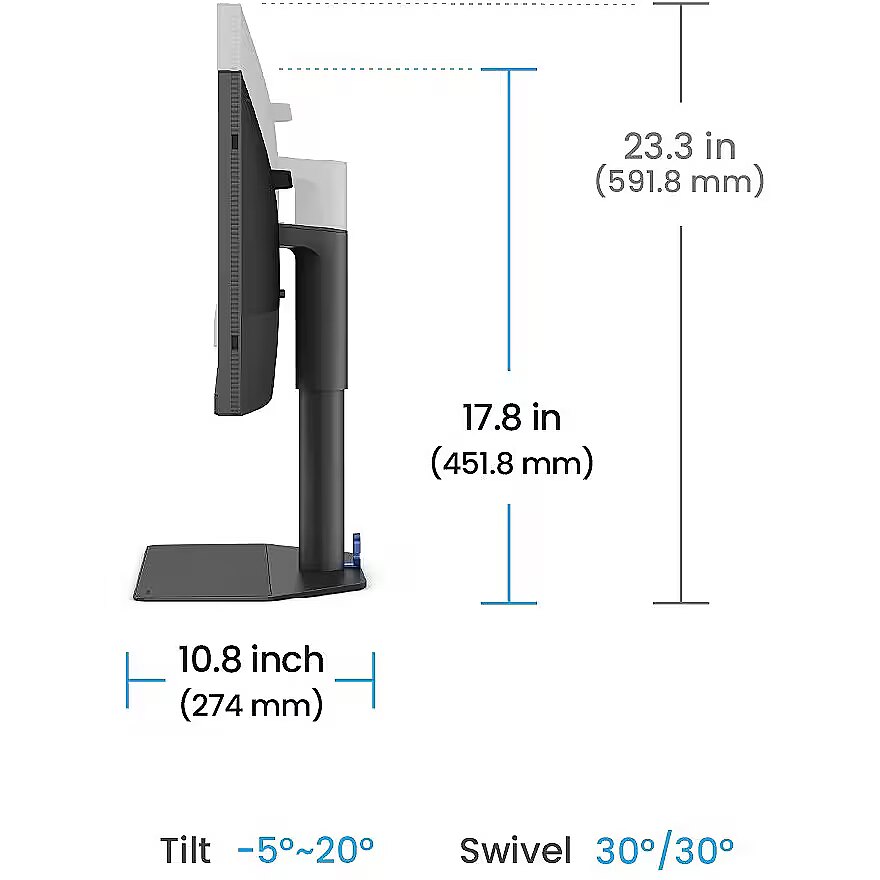
The Swivel feature ensures smooth horizontal rotation of the monitor, allowing quick adjustment of screen orientation to the user's position changes. This is particularly useful in work at a shared desk, project discussions or use of multiple devices where flexible viewing direction adjustment is required.

Tilt mechanism allows to change the screen's vertical angle without moving the whole construction. Such adjustment improves workplace ergonomics, ensures stable image quality and helps to adapt the monitor to the user's individual preferences or specific tasks.

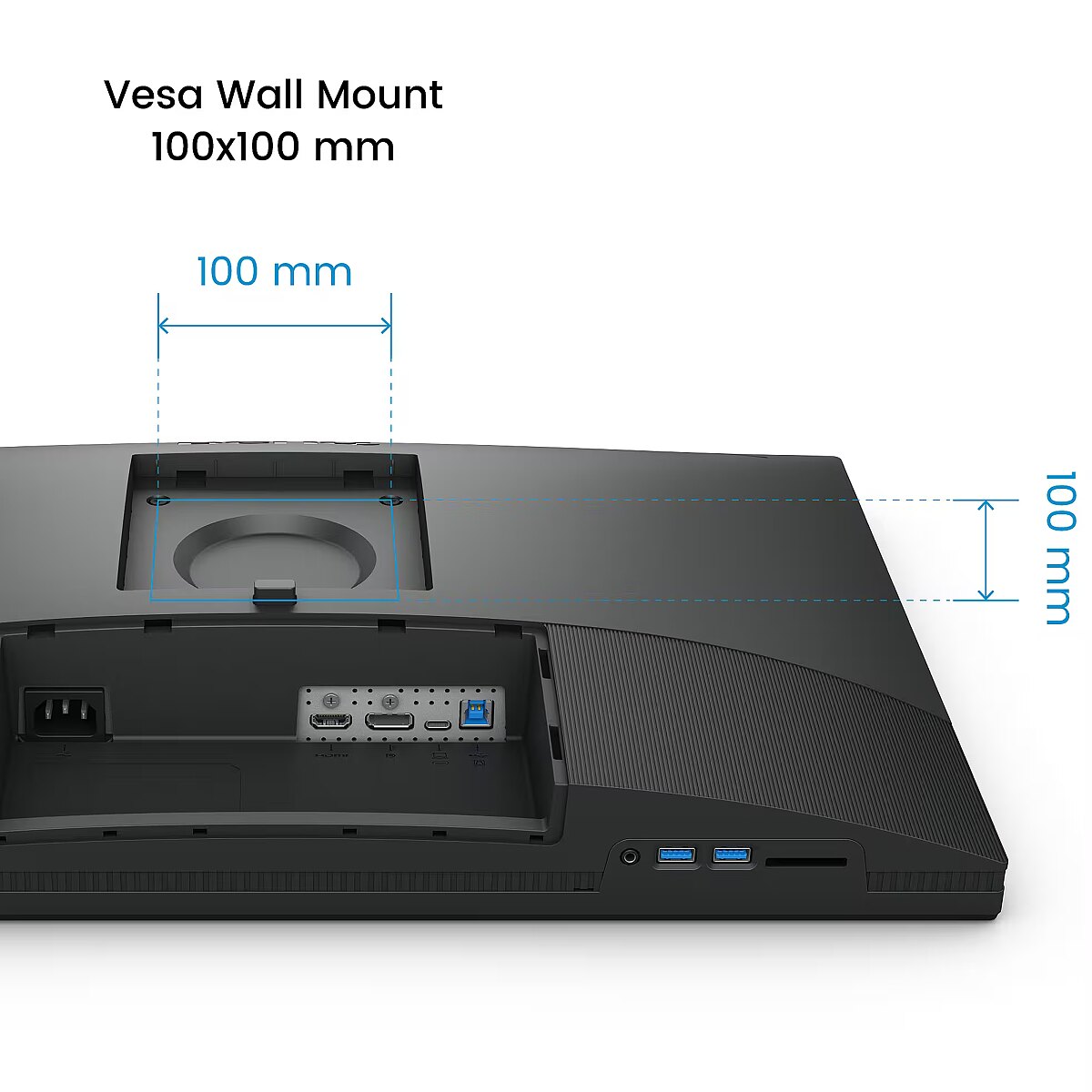
Compatibility with VESA wall mount makes the monitor universal for installation: it can be attached to the wall, used with a movable bracket or integrated into an ergonomic stand. The standard facilitates assembly, improves cable organization and frees up additional space.

Built-in speakers allow the monitor to independently process and play audio signals, reducing the need for additional devices. This makes the workplace more compact and facilitates connection. The speakers provide basic sound support for multimedia and communication applications.

HDMI provides video and audio transmission with a single cable, which enhances connection stability and reduces the risk of interference. The interface reduces the number of connections and maintains the integrity of the digital signal. HDMI supports modern formats and ensures reliable operation with a wide range of devices.

DisplayPort is a modern image transmission standard that ensures stable playback with high resolution and refresh intensity. The interface supports HDR and multiple monitor configurations, transmits details without quality loss and provides accurate graphics display on professional and gaming monitors.

The USB-C connection combines image, sound, data and power transmission into one cable, reducing workplace load and speeding up device connectivity. It is compatible with many modern laptops and provides a stable signal, making monitor usage more convenient and technically effective.

Several USB-C ports make the monitor more versatile for modern devices. Each port can simultaneously transmit video, audio, data and power through a single cable, reducing the number of wires. This allows to connect multiple peripheral devices or signal sources without additional adapters.

USB Power Delivery provides device charging directly from the monitor, reducing the need for separate power blocks. It simplifies device placement and reduces the number of wires. Parallel charging and signal transmission makes the connection more functional and versatile.

The USB-C video input allows for the transmission of image and sound through a single cable, reducing connection complexity and simplifying workspace organization. The interface provides high data transmission speed and stable operation, maintaining compatibility with most modern digital devices.

Warranty

Benq provides this model with a 3 year warranty at all certified service centres.
All parameters
Model : SW242Q
Display characteristics
AMD FreeSync : Nav
Curved : Nav
NVIDIA G-SYNC : Nav
Panel Type IPS

Teh monitor panel is the main feature of the visible part of the screen or the technology where the display of the colour dots (pixels) is implemented.

TN is the standard technology with average contract, brightness and colour compliance indices.

IPS is the matrix with high colour compliance and good response speed, therefore it is well suited for graphics tasks and photo editing. IPS matrix provide an excellent viewing angle maintaining the colours and contrast from almost any angle.

VA matrix ensures superior colour compliance, however, the response time of this matrix is lagging behind that of the IPS and TN; the viewing angle is somewhere between both these technologies.

The TN type monitor is fully sufficient for an average user. If you have more money available the VA or IPS can be chosen.

Refresh rate : 60 Hz
Touchscreen : NO
VESA DisplayHDR : Nav
Response time 5ms
The response time of the monitor screen determines how fast the monitor will display moving images (films, games, animations, etc.). The response time is measured in miliseconds. The less the response time the better the ability of the monitor to display moving images.
www.toppc.fi recommends to buy monitors with 5ms response time or lower.
Contrast ratio 1000:1

Ekrāna kontrasts nosaka attēla asumu. Tā ir atšķirība starp vistumšāko (pilnīgi melnu) un visgaišāko (pilnīgi baltu) pikseli. Jo lielāks kontrasts, jo skaidrāk salasāms teksts uz ekrāna, kontrasts arī nosaka, cik izteiksmīgas līnijas būs redzamas monitora attēlā.

Augsts kontrasts ir nozīmīgs faktors izvēloties monitoru biroja, vai mācību vajadzībām, kad lielākoties tiek strādāts ar tekstuālu informāciju.

Mājas vajadzībām svarīgāks izvēles rādītājs ir gaišums un attēla reakcijas laiks. Kontrastu labāk novērtēt tumšā istabā.
Lielākais LCD monitoru trūkums ir tas, ka samazinot attēla spilgtumu, kontrasts var pazust.

Brightness 400cd/m2

Monitora gaišums ir attēla redzamības rādītājs, kas nosaka, cik labi saskatāms ir attēls pie spēcīga ārējā apgaismojuma (saules gaisma, gaiša telpa, utt.). LCD monitoru gaišums tiek mērīts kandelās uz kvadrātmetru (Cd/m2).
Izvēloties monitoru jāņem vērā - jo lielāks gaišuma rādītājs, jo labāka attēla redzamība.

Ikdienas vajadzībām TopPC.fi iesaka iegādāties monitoru ar gaišumu, ne mazāku par 250 cd/m2.

Basic information
Application : Home & Office
Aspect ratio : 16:10
Color : Black
Size 24.1"

The size of the monitor screen is measured in inches across the diagonal. The screen size must be proportionate to the resolution of the screen for achieving the maximum utilisation of the desktop and details of the image.

Mainly two forms of LCD monitors are available: with standard width and height proportion 4:3 or the widescreen proportion 16:9 or 16:10. A widescreen monitor is wider and its resolution is higher than that of the monitors with standard proportion.

The bigger the monitor size the higher resolution usually is supported. Possibilities to increase the resolution of the screen usually depend on the size and possibilities of the monitor and the type of the video card.

Resolution

The resolution of the monitor screen determines the number of colour dots (pixels) a monitor can display. It refers to the clarity of the text and images displayed on the screen. The higher the resolution the sharper the items look.

The applied resolution depends on the resolution supported by the monitor. LCD monitors, including the screens of laptop computers usually work best if their local resolution has been set. The setting of this resolution for the monitor is not mandatory, but usually it is recommended to set it for ensuring the highest possible sharpness of texts and images. The bigger the monitor size the higher resolution usually is supported.

Possibilities to increase the resolution of the screen usually depend on the size and possibilities of the monitor and the type of the video card.
• 19 inches screen (standard proportions): 1280x1024 pixels
• 20 inches screen (standard proportions): 1600x1200 pixels
• 22 inches screen (widescreen): 1680x1050 pixels
• 24 inches screen (widescreen): 1900x1200 pixels

Functionality
Flicker-free : Ir
Height adjustment : Ir
Pivot : Ir
Swivel : And
Tilt : YES
VESA wall mount : 100x100 mm
Ports and equipment
D-SUB Nav

D-SUB is the classic (analogous) monitor connection plug. This standard is gradually disappearing from the market giving the place to the higher quality HDMI or DisplayPort (digital) plugs.

If the resolution of the monitor is FullHD or below the average user will experience no problems with this connection. Those who want to achieve higher image quality and resolution should look for the monitor with the DisplayPort or HDMI connection slot.

DisplayPort 1

DisplayPort is the digital connection for transmitting the image via a single wire at a high quality level. Contrary to the HDMI, this connection allows to connect several external monitors to the computer via a single connector.

Prior to buying the monitor with the DisplayPort you should verify whether your computer has the DisplayPort plug available!

DVI Nav

DVI is a digital standard and ensures high image quality, however, thanks to the big size of the plug and the inability of the standard to develop further due to a few technical restrictions this type of connection is gradually losing its popularity to modern HDMI and DisplayPort standards.

DVI is compatible with HDMI and transitions of both directions are available.

DVI is not compatible with DisplayPort, however, there are DualMode DisplayPort connectors which contains the HDMI/DVI signal, and in the relevant direction DisplayPort -> DVI can transmit an image.

If the monitor resolution exceeds 1920px in any direction a graphics card with the DVI-D Dual Link support and the relevant quality cable will be required.

Before buying a monitor you should verify whether your graphics card has the corresponding connection slot!

HDMI port 1

HDMI is the digital high quality image transmission standard that allows to connect the monitor to the computer via a thin cable by using an elegant small-size connector. HDMI is compatible with DVI if the relevant transition or cable is used.

Speakers Ir

Some monitors may have built-in speakers that quite often allow to give up external speakers thus freeing a space on the desk and saving money. The sound quality of built-in speakers is quite moderate and therefore we recommend to use this possibility just for infrequent needs.

For enjoying music, movies and games we recommend buying the corresponding quality and capacity speakers.

USB Hub : YES
USB-C Power Delivery : 90W
USB-C video input : 1
More detailed specification
Accessories included -
ARTIKEL1 - SW242Q 60.5CM 23.8IN IPS
ARTIKEL2 - 1920X1080 5MS 250NITS 16:9 DP/2X
Aspect ratio - 16:10
Auto Pivot - Yes
Bluetooth - No
Brand - BenQ
BrandPartCode - 9H.LLVLA.TBE
Breite - 0
Brightness - 400 nits
Built-in camera - No
Built-in speakers - Yes
Category - Computer Monitors
Category - Root/Electronics/PC peripherals/Monitors
Category 1 - Displays
Category 2 - Monitore
Certificates - TUV
Charging power, W - 90
Color - Black
Connections - Audio (3.5mm)
Connections - DisplayPort
Connections - HDMI
Connections - USB-A (USB 3.1)
Connections - USB-B
Connections - USB-C
Contrast ratio (typical) - 1000:1
Curved - No
Dane fizyczne: Głębokość - 262.6 mm
Dane fizyczne: Kolor obudowy - czarny
Dane fizyczne: Standard VESA - 100 x 100
Dane fizyczne: Szerokość - 533.2 mm
Dane fizyczne: Waga - 7.8 kg
Dane fizyczne: Wysokość - 452.5 mm (452.5-572.5 mm)
Dane techniczne: HDR - tak
Dane techniczne: Czas reakcji - 5 ms
Dane techniczne: Częstotliwość odświeżania - 60 Hz
Dane techniczne: Grupa produktowa - Monitory BenQ
Dane techniczne: Gwarancja - 3 lata w serwisie zewnętrznym
Dane techniczne: Jasność - 400 cd/m²
Dane techniczne: Możliwość regulacji - obrotowy ekran (pivot)
Dane techniczne: Możliwość regulacji - obrót na podstawie (swivel)
Dane techniczne: Możliwość regulacji - pochył
Dane techniczne: Możliwość regulacji - wysokość
Dane techniczne: Powłoka matrycy - antyrefleksyjna
Dane techniczne: Producent - BenQ
Dane techniczne: Przekątna - 24 cali
Dane techniczne: Rodzaj podświetlenia - LED
Dane techniczne: Rozdzielczość ekranu - 2560 x 1600 piksele
Dane techniczne: Standard portów wideo - DisplayPort
Dane techniczne: Standard portów wideo - HDMI 2.0
Dane techniczne: Typ - do biura i domu
Dane techniczne: Typ ekranu - płaski
Dane techniczne: Typ matrycy - IPS
Depth - 219.1 mm
Depth with stand - 311.4 mm
Description - BENQ SW242Q 24.1" WQXGA IPS HDMI/DP/USB-C 90W
Description - Exclusive Screen-to-Print Solution
The SW242Q uses a thin-coated matte panel to eliminate reflections. This creates a visual experience simulating paper texture on the screen, and when combined with Paper Color Sync software, it provides the highest quality editing, allowing you to take your work from screen to print.
Glare-Free Retouching
Certified by TUV Rheinland Reflection-Free, the SW242Q uses a fine-coated anti-glare panel to eliminate reflections and glare. This creates a visual experience of simulated paper texture on the screen, even under different types of ambient lighting.
Precise Soft-Proofing
Offering the best creative experience with color consistency simulating paper texture on the screen and Paper Color Sync ensuring accurate prints, BenQ has achieved unparalleled color performance that exceeds industry standards.
Accuracy Guarantee
BenQ PhotoVue monitors are Calman Verified, Pantone Validated, and Pantone SkinTone Validated. Creative professionals demand excellent color quality, and BenQ delivers. Whats more, the SW242Q supports the worlds leading video calibration software, Calman and ColourSpace. Customize your displays 3D LUT (lookup table) for accuracy and consistency at all levels.
Simple and precise hardware calibration
Calibrate your monitor effortlessly with BenQs exclusive hardware calibration software, Palette Master Ultimate. Select your color gamut with intuitive user interfaces and achieve optimal color consistency in just three simple steps.
Pantone Connect Premium
Go digital with BenQ, the first brand to partner with Pantone on a mobile app. As an existing owner or new buyer of BenQ professional monitors, you will receive one year of free Pantone Connect Premium to ensure color consistency and accuracy on mobile devices.
SDI Device Compatibility with HDMI
Connect your SDI devices to the monitor to achieve stable and uncompressed signal transmission and true video image quality.
HDR10 Support
HDR10 compatibility makes it ideal for previewing the HDR effect of video content during the editing process to achieve the best results.
P3 Color Preview
The wider P3 color coverage provides the most accurate colors, providing an accurate preview of video projects.
Chroma Sampling Support
Combined with the above video format compatibility, SW242Q supports 4:4:4, 4:2:2, and 4:2:0 sampling to determine the fidelity of the monitor.
Expand Your Mac Devices
High-speed data transfer and up to 90W power delivery. Your Thunderbolt 3/4 devices are compatible with USB-C on BenQ monitors, ensuring consistent and smooth work efficiency
Unleash Creativity and Comfort
Set your monitor for optimal comfort. With various tilt, swivel, and pivot control points, whether youre working on a project or presenting your ideas to clients, youll always find the right spot and angle to do it.
Hassle-free Connectivity
Fast data transfer and up to 90W power delivery. Your Thunderbolt 3/4 devices are compatible with USB-C on BenQ monitors, ensuring a steady and smooth workflow.
Elegant Leatherette Stand
The leatherette stand not only elevates the elegance of your workspace, but also saves space for whats really important.
BenQ Green Commitment: Sustainability Vision
BenQ prioritizes eco-friendly practices in the development of our products, underscoring our commitment to sustainability. BenQ professional monitors feature eco-friendly technology, recycled materials, and energy-saving design.
Design - Product colour - Black
Designation - CE+WEEE
dimension depth - 630 mm
dimension height - 505 mm
Dimensions (W x D x H) with stand, mm - 533.2 x 262.6 x 452.59-572.59
Dimensions W x D x H, mm - 364.4 x 219.1 x 539.8
dimension weight - 12000 g
dimension width - 250 mm
Display - Adobe RGB coverage - 99%
Display - Contrast ratio (typical) - 1000:1
Display - Display brightness (typical) - 400 cd/m²
Display - Display diagonal - 61.2 cm (24.1")
Display - Display diagonal (metric) - 61 cm
Display - Display number of colours - 1.07 billion colours
Display - Display resolution - 2560 x 1600 pixels
Display - Display surface - Matt
Display - Display technology - LED
Display - HD type - WQXGA
Display - High Dynamic Range (HDR) supported - Yes
Display - High Dynamic Range (HDR) technology - High Dynamic Range 10 (HDR10)
Display - LED backlight - Yes
Display - Maximum refresh rate - 60 Hz
Display - Native aspect ratio - 16:10
Display - Panel type - IPS
Display - Pixel density - 125 ppi
Display - Response time - 5 ms
Display - Screen shape - Flat
Display - sRGB coverage (typical) - 100%
Display - Touchscreen - No
Display - Viewing angle, horizontal - 178°
Display - Viewing angle, vertical - 178°
Display brightness, cd/m² - 400
Display color - Black
Display diagonal, " - 24.1
Display number of colours - 1.07 B
DisplayPorts quantity - 1
Display resolution, pixels - 2560 x 1600
Display surface - Matt
Dodatkowe informacje o matrycy: Format obrazu - 16:10
Dodatkowe informacje o matrycy: Kontrast - 1000:1
Dodatkowe informacje o matrycy: Kąt widzenia w pionie - 178 °
Dodatkowe informacje o matrycy: Kąt widzenia w poziomie - 178 °
Dodatkowe informacje o matrycy: Liczba wyświetlanych kolorów - 1070 mln
ean - 4718755093159
EAN - 4718755093159
EANCode - 4718755093159
Eans - 4718755093159
Efektywność energetyczna: Klasa energetyczna - G
Efektywność energetyczna: Zużycie energii w trybie pracy - 27 W
Energy class - G
Energy label - Pobierz
Ergonomics - Adjustable height (max) - 12 cm
Ergonomics - Height adjustment - Yes
Ergonomics - Number of OSD languages - 18
Ergonomics - On Screen Display (OSD) - Yes
Ergonomics - On Screen Display (OSD) languages - Arabic, Simplified Chinese, Traditional Chinese, Czech, German, Dutch, English, Spanish, French, Hungarian, Italian, Japanese, Korean, Polish, Portuguese, Romanian, Russian, Swedish
Ergonomics - Panel mounting interface - 100 x 100 mm
Ergonomics - Pivot - Yes
Ergonomics - Pivot angle - 0 - 90°
Ergonomics - Swivel angle range - -30 - 30°
Ergonomics - Swivelling - Yes
Ergonomics - Tilt adjustment - Yes
Ergonomics - Tilt angle range - -5 - 20°
Ergonomics - VESA mounting - Yes
Glossy display - No
GRUPPE1 - Displays
GRUPPE2 - Lcd Monitor
GTIN - 4718755093159
guarantee - 36
guarantee_type - external
HDMI ports quantity - 1
Height - 364.4 mm
Height - 506.000000
Height (max) - 580.49 mm
Height adjustment - Yes
Height adjustment, mm - 120
Height adjustment range - 120 mm
Height with stand - 460.69 mm
HERSTELLER - BENQ
Hoehe - 0
HSTNUMMER - 9H.LLVLA.TBE
I/O connectors - 1 x DisplayPort
I/O connectors - 1 x HDMI
I/O connectors - 1 x USB (Type B)
I/O connectors - 1 x USB (Type C)
I/O connectors - 2 x USB 3.1
Informacje podstawowe: Standard HDR - HDR10
Laenge - 0
Length - 630.000000
LongDesc - Capture the Moment from Screen to PrintExclusive Screen-to-Print SolutionThe SW242Q utilizes a fine-coating anti-reflection panel to eliminate glare. This gives you a simulated paper-texture visual experience on screen and, in conjunction with Paper Color Sync software, gives you the ultimate editing experience in bringing your work from screen to print.Fine-Coated PanelReflection-Free RetouchingCertified with TUV Rheinland Reflection-Free Certifications, the SW242Q utilizes a fine-coating anti-reflection panel to eliminate glare and reflections. This gives you a simulated paper-texture visual experience on screen even in different types of ambient lighting.Fine-Coated PanelPrecise Soft-ProofingOffering the finest creative experiences with color consistency to simulate paper texture on-screen, and Paper Color Sync for accurate printed output, BenQ achieved unparalleled color performance beyond the industry standard.The AQCOLOR AdvantageBenQ AQCOLOR technology delivers 'Accurate Reproduction.' This translates to the display of color precisely as it is intended to appear. Led by a color expert, the BenQ team took part in the ICC* and ISO** to establish color-related standards and implementation guidelines. With Delta E ≤ 1.5 and BenQ ICCsync, SW242Q offers out-of-the-box and easy-to-reach color accuracy. The 16-bit 3D lookup table (LUT) improves color blending for precise reproduction.Third-Gen Uniformity TechnologyCreate with confidence. Enjoy consistent color accuracy and brightness consistency in every panel.Accuracy GuaranteeBenQ PhotoVue monitors are accredited with Calman Verified, Pantone Validated and Pantone SkinTone Validated certifications. Creative professionals demand color excellence, and BenQ delivers. Moreover, SW242Q supports world-leading video calibration software, Calman and ColourSpace. Adjust your display's 3D LUT (Lookup Table) for accuracy and consistency at all levels.Hardware Calibration Simplified with PrecisionCalibrate your monitor effortlessly with BenQ's exclusive hardware calibration software, Palette Master Ultimate. Choose the color gamut through intuitive user interfaces and achieve optimal color consistency in just three simple steps.Pantone Connect PremiumGo digital with BenQ, the first brand to work with Pantone on a mobile app. As an existing owner or a new purchaser of BenQ professional monitors, you get one year of free Pantone Connect Premium for digitally mobile color consistency and accuracy.Video Format SupportSW242Q helps professionals get the best video results with HDR support and multiple video formats.SDI to HDMI Device CompatibilityConnect your SDI devices to the monitor for stable and non-compressed signal transmission and real image video quality. *Black Magic Teranex Mini SDI to HDMI 12G, Black Magic Micro Converter SDI to HDMI, Black Magic DeckLink 4K Extreme 12G, AJA Hi5 12G, AJA KONA5.HDR10 SupportHDR10 compatibility makes it perfect to preview the HDR effect of video content during the editing process for best results.P3 Color PreviewThe wider P3 color coverage delivers truest colors, giving you an accurate preview of your video projects.Chroma Sampling SupportCombined with the above video format compatibilities, SW242Q supports 4:4:4, 4:2:2, and 4:2:0 sampling in determining monitor fidelity.Expand Your Mac DevicesQuick to transfer various data and deliver power up to 90W. Your Thunderbolt 3/4 devices are compatible with USB-C on BenQ displays, ensuring consistent and seamless work efficiency.Unleash Creativity with ComfortPosition your monitor for optimal comfort. With a variety of tilt, swivel, and pivot control points, whether you’re working on design or presenting your ideas to clients, there’s always the right spot and the right angle to do it.Effortless ConnectivityQuick to transfer various data and deliver power up to 90W. Your Thunderbolt 3/4 devices are compatible with USB-C on BenQ displays, ensuring consistent and seamless work efficiencyElegance Leatherette BaseThe leatherette base not only elevates your workspace with a touch of elegance but also saves space for what truly matters.Optional Shading HoodDesigned to effectively reduce unwanted glare from ambient lighting, the SH242 shading hood delivers assured color accuracy for all photographers.*The shading hood is specifically designed for landscape orientation and is NOT compatible with multi-screen setups.
LongProductName - SW242Q
LongSummaryDescription - BenQ SW242Q. Display diagonal: 61.2 cm (24.1"), Display resolution: 2560 x 1600 pixels, HD type: WQXGA, Display technology: LED, Display surface: Matt, Response time: 5 ms, Native aspect ratio: 16:10, Viewing angle, horizontal: 178°, Viewing angle, vertical: 178°. Built-in USB hub, USB hub version: 3.2 Gen 1 (3.1 Gen 1). VESA mounting, Height adjustment. Product colour: Black
Manufacturer - BenQ
Manufacturer - BenQ Deutschland
Manufacturer's estimate: Product life cycle used in emission assessments, years - 6.6
Manufacturer?s estimate: Manufacturing-related CO2 emissions, kg - 420.52
Manufacturer?s estimate: Product life cycle CO2 emissions, kg - 654
ManufacturerPartNumber - 9H.LLVLA.TBE
Matrix type - TFT IPS
Model - SW242Q 
MPN - 9H.LLVLA.TBE
Multimedia - Built-in camera - No
Multimedia - Built-in speaker(s) - No
Name - BenQ SW242Q - 60Hz | 2560 x 1600 | 24'' | IPS | 5ms
name - Monitor 23.8 inches SW242Q 2K RGB 5ms/400:1/FOTO/HDMI
Name - SW242Q 60.5CM 23.8IN IPS
Number of colors - 1,07 mld
Ochrona oczu: Filtr światła niebieskiego - tak
Ochrona oczu: Redukcja migotania - tak
Optional accessory -
Other features -
Other features - Hardware calibration - Yes
Panel type - IPS
Performance - AMD FreeSync - No
Performance - NVIDIA G-SYNC - No
PeriodofWarranty - 36 M
Pivot - Yes
Pixel pitch, mm - 0.203
Ports & interfaces - Built-in USB hub - Yes
Ports & interfaces - DisplayPorts quantity - 1
Ports & interfaces - DisplayPort version - 1.4
Ports & interfaces - HDCP - Yes
Ports & interfaces - HDCP version - 2.2
Ports & interfaces - HDMI - Yes
Ports & interfaces - HDMI ports quantity - 1
Ports & interfaces - HDMI version - 2.0
Ports & interfaces - Headphone connectivity - 3.5 mm
Ports & interfaces - Headphone out - Yes
Ports & interfaces - Headphone outputs - 1
Ports & interfaces - Number of USB Type-B upstream ports quantity - 1
Ports & interfaces - Number of USB Type-C upstream ports quantity - 1
Ports & interfaces - USB hub version - 3.2 Gen 1 (3.1 Gen 1)
Ports & interfaces - USB Power Delivery (USB PD) - Yes
Ports & interfaces - USB Power Delivery up to - 90 W
Ports & interfaces - USB Type-C DisplayPort Alternate Mode - Yes
Ports & interfaces - USB Type-C downstream ports quantity - 2
Power - AC input voltage - 100 - 240 V
Power - Energy consumption (HDR) per 1000 hours - 29 kWh
Power - Energy consumption (SDR) per 1000 hours - 26 kWh
Power - Energy efficiency class (HDR) - G
Power - Energy efficiency class (SDR) - G
Power - Energy efficiency scale - A to G
Power - Power consumption (max) - 170 W
Power - Power consumption (standby) - 0.5 W
Power - Power consumption (typical) - 27 W
Power consumption - 170 W
Power consumption (max.), W - 170
Power consumption (standby), W - 0.3
Power consumption, W - 27
Pozostałe cechy: Model - BenQ SW2Q
Producent: Nazwa producenta / importera - BenQ
BenQ Europe B.V.
Meerenakkerweg
1-17, 5652 AR Eindhoven, The Netherlands producer - Benq
Producer - BenQ
ProducerCode - 9H.LLVLA.TBE
ProductName - SW242Q
Refresh rate - 60 Hz
Refresh rate, Hz - 60
Resolution - 2560 x 1600 (WQXGA)
Response time - 5 ms
Response time, ms - 5
Screen size (diag.) - 24.1"
ShortDescription - 24" | IPS | QHD+ | Pivot | HDR
ShortSummaryDescription - BenQ SW242Q, 61.2 cm (24.1"), 2560 x 1600 pixels, WQXGA, LED, 5 ms, Black
Speakers built-in - No
Static contrast - 1 000:1
Stck_Kart - 1
Stck_Pal - 1
Storno - Y
Tilt angle, ° - -5 - 20
Title - BenQ SW242Q computer monitor 61.2 cm (24.1") 2560 x 1600 pixels WQXGA LED Black
Touch screen - No
Touch sensitive screen - No
Transreflective technology - LED
Turn, ° - -90 - 90
TV tuner built-in - No
URL - https://www.benq.eu
USB-C charging power max, W - 90
USB-C power delivery - Yes
USB Type-C ports quantity - 1
vendpn - 9H.LLVLA.TBE
VESA - 100 x 100
VESA-standard, mm - 100 x 100
Viewing angle, horizontal - 178 °
Viewing angle, horizontal, ° - 178
Viewing angle, vertical - 178 °
Viewing angle, vertical, ° - 178
Warranty -
WarrantyInfo -
Web camera - None
Weight - 6.1 kg
Weight - 11.98
Weight - 12.120000
Weight & dimensions - Depth (without stand) - 219.1 mm
Weight & dimensions - Depth (with stand) - 262.6 mm
Weight & dimensions - Height (without stand) - 539.8 mm
Weight & dimensions - Height (with stand) - 452.6 mm
Weight & dimensions - Weight (without stand) - 6.1 kg
Weight & dimensions - Weight (with stand) - 7.8 kg
Weight & dimensions - Width (without stand) - 364.4 mm
Weight & dimensions - Width (with stand) - 533.2 mm
Weight, g - 6100
Weight with stand - 7.8 kg
Weight with stand, g - 7800
Width - 247.000000
Width - 539.8 mm
WiFi - No
Złącza: Złącza - 1 x DisplayPort
Złącza: Złącza - 1 x HDMI 2.0
Złącza: Złącza - 1 x USB Type-C
Złącza: Złącza - 3 x USB
566.42 €
Benq SW242Q, 24.1"
Intel technology provider Platinum 2020
All categories