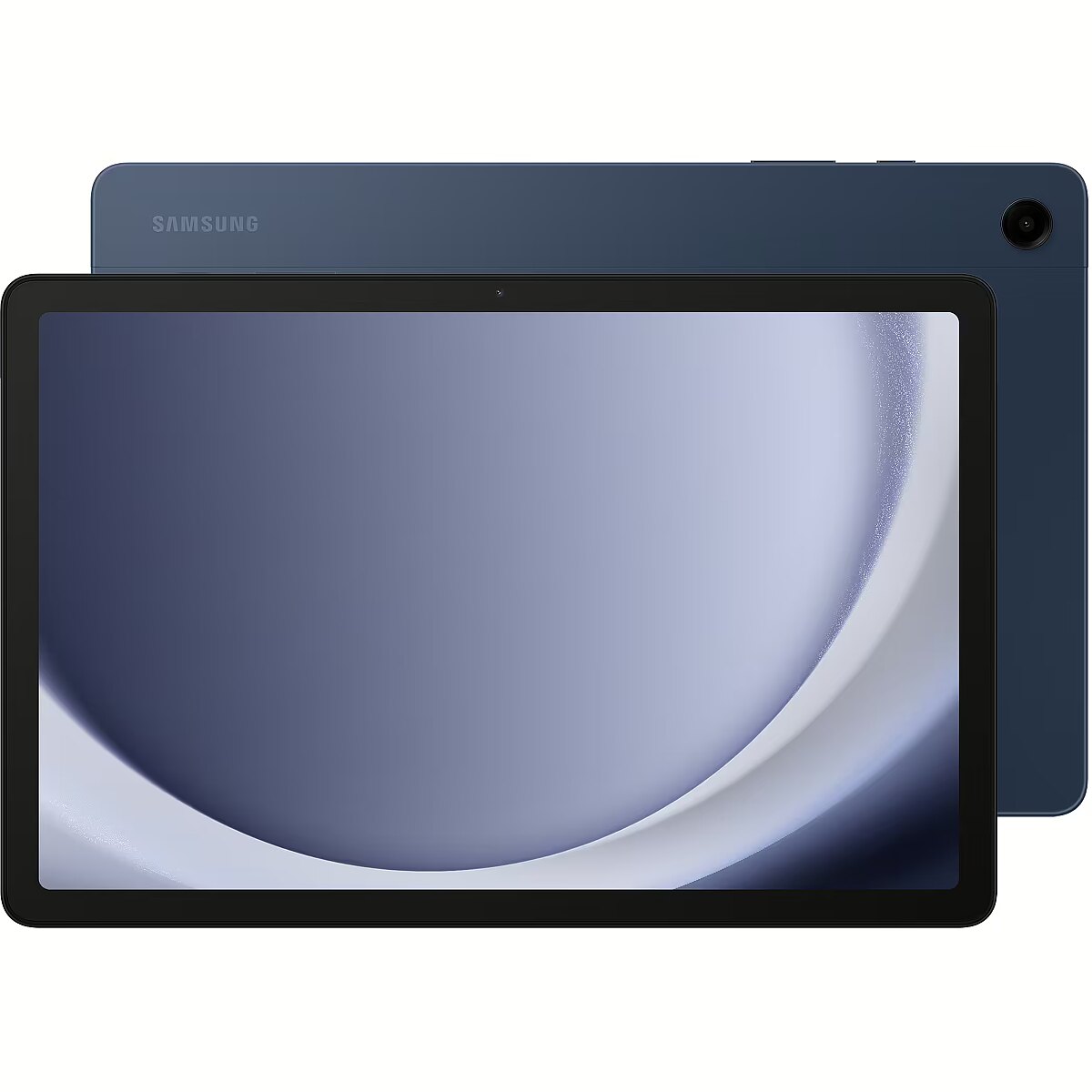
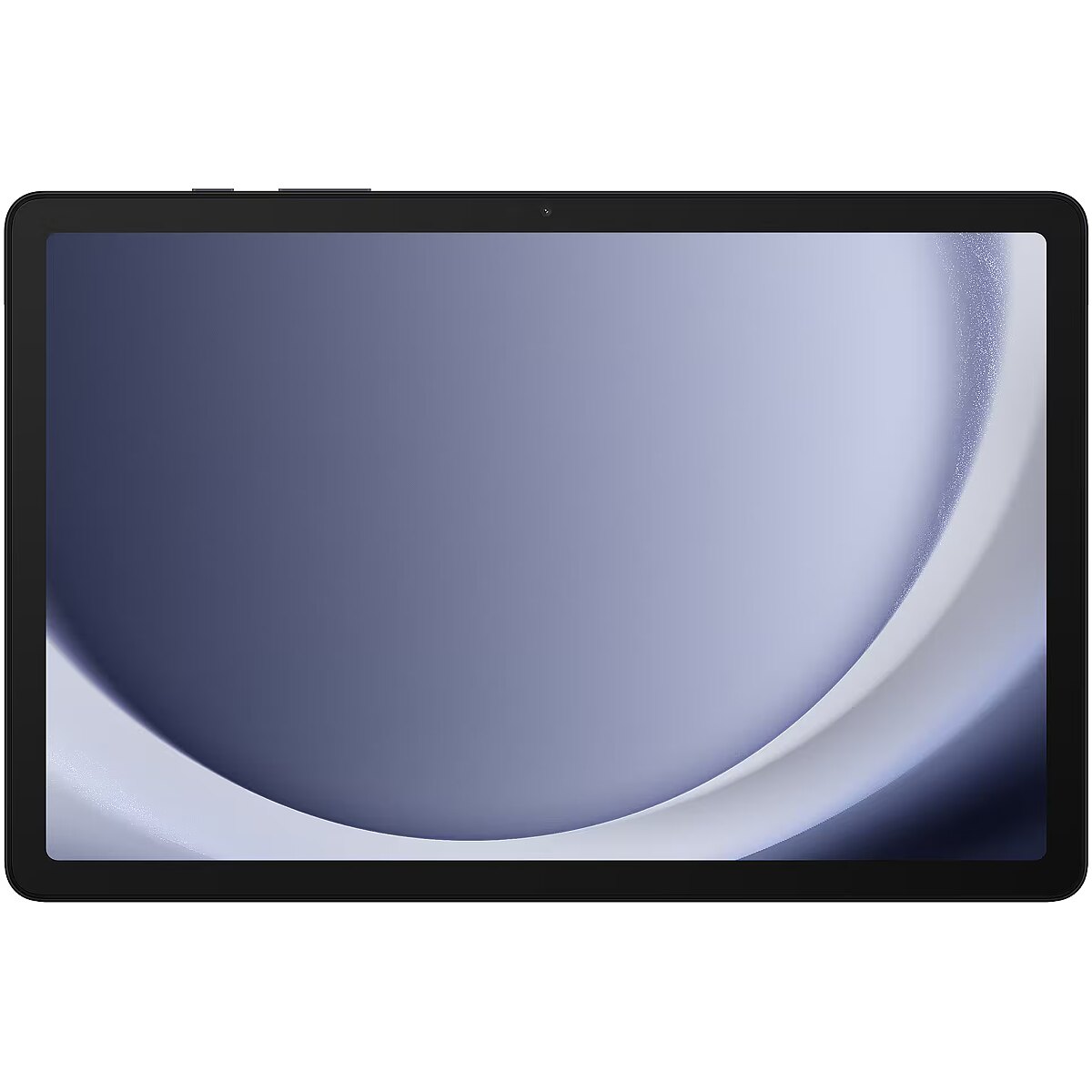
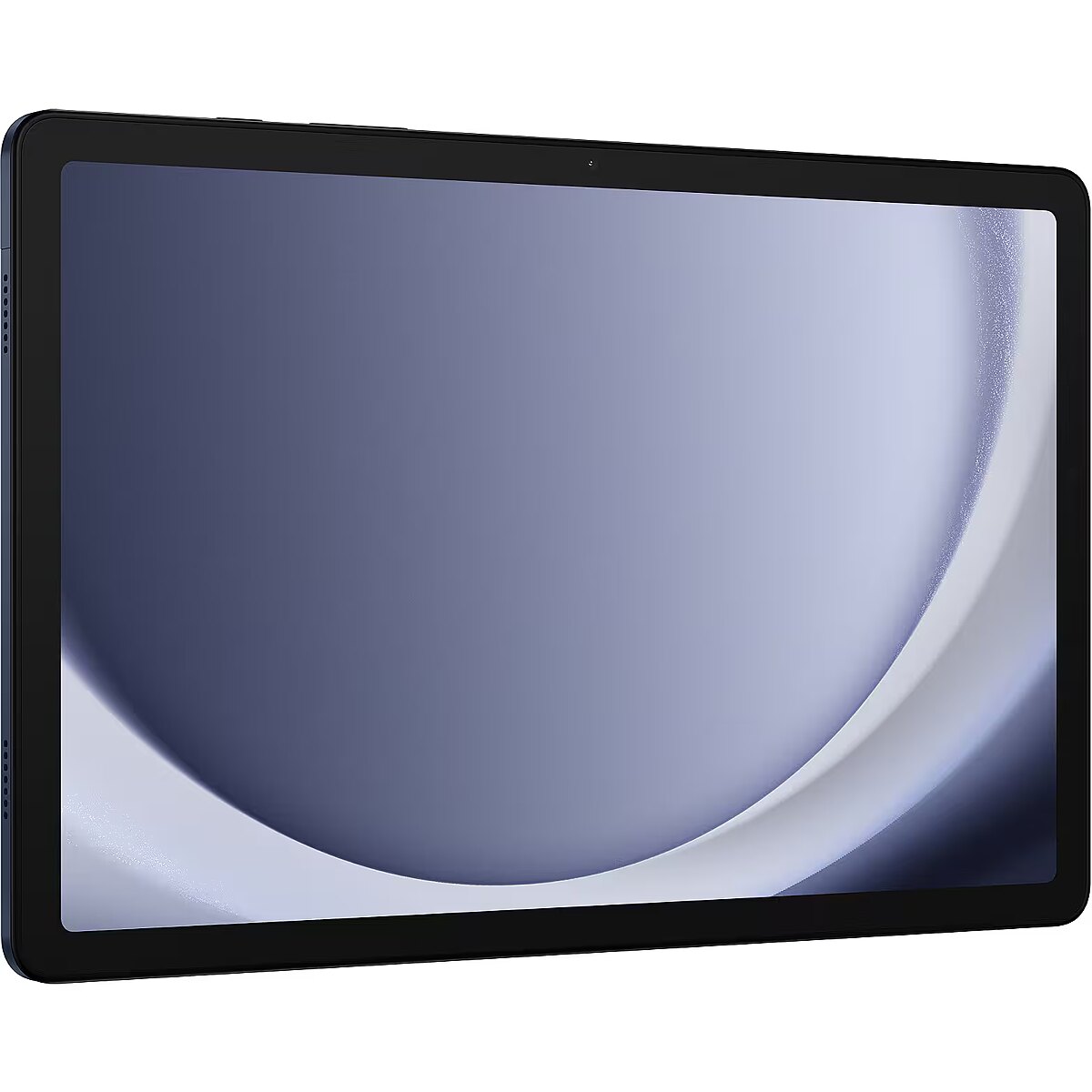

Samsung SAMSUNG SM-X210B GALAXY Tab A9+ 11in WiFi 4GB 64GB Android Navy (P)

Picture may differ from actual product, there can be accessories and parts not supplied with the actual product.
News
ID: 1417982 Product code: SM-X210NDBAEUE
In stock 13 units
Warranty: 2 years (Warranty for business entities 1 year)
191.53 €
Ready for dispatch
on Friday, 29.05.2026
starting from 6.99 €
Delivery options
  • Posti parcel machine
    Within 1-2 working days
    6.99 €
  • Post Office
    Within 1-2 working days
    6.99 €
  • Delivery with Posti courier mail
    Within 1-2 working days
    10.99 €
Main product parameters All parameters
  • Refresh rate: 90Hz
  • Screen resolution: 1920x1200 (WUXGA)
  • RAM: 4 GB
  • RAM type: LPDDR4X
  • Keyboard language: No keyboard
  • Keyboard lighting: None
Display characteristics
Refresh rate : 90Hz
Screen resolution 1920x1200 (WUXGA)

The maximum resolution of the display indicates the number of colour points (pixels) on the computer screen. The higher the resolution the better quality (more detailed) image. For example, 1366x768px means that your computer has 1366 points horizontally x 768 points vertically. High resolution provides more information on the screen and this is directly related to the size of the screen. Nowadays even a 12.1 inches screen can have 1024x768 resolution. At the first glance it looks that this resolution is too high for this size of the screen, however, high resolution provides more comfort.

WVGA (800x480) is characteristic for old portable computers and mini tablet computers of the new generation. WSVGA – ultra mobile portable computers with the display of 10.1’’ (the resolution of 1024x600 can be seen more often).

WXGA (1280x800) – this resolution is mainly characteristic of 12.1’’, 13.3’’, 14.1’’ screen with the relation of sides of 16:9.

HD 1366x768 and 1600x900 is a widespread resolution for the budget and middle class portable computers.

Full HD (1920x1200) resolution combined with high capacity video cards (NVidia Quadro FX vai ATI FireGL) is intended for the professional level 3D modelling work.

WUXGA (1920x1200) – ultra extended graphical arrangement (screen16:10) is intended for watching HD TV.

Attention has to be paid also to the contrast and brightness of the screen. The screen must have the maximum brightness for using the portable computer even in very bright lighting conditions.

Touchscreen Is
Unused
Basic information
Use : Tablet
Processor parameters
CPU cores 8

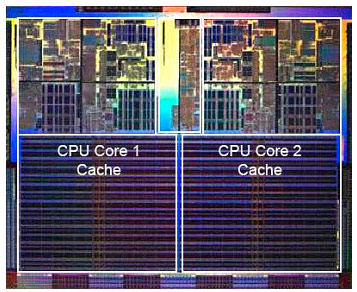
This index determines the number of cores in the computer CPU. Each core is like a separate CPU that is capable of operating various applications separately. Thus, if there are several cores the operating system of the computer can distribute the load evenly between cores, so that the computer user can, for example, listen to music, browse the Internet and download files at the same time.

CPU core clock 2.20 GHz

The processor clock frequency is among the main criteria of the processor performance. This index determines the number of operations that each CPU core can perform per second. The higher the CPU clock frequency the faster the computer will be perform the given computing tasks.

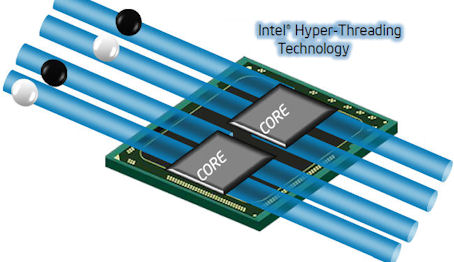
Processor Threads 8 Threads

HyperThreading is the ability of the computer CPU to process several data flows in each core. For the two core CPU the HyperThreading is 4 and it means that certain tasks can be handled by this two core CPU at the same quality as the four core CPU.

CPU cache Not specified

The CPU cache memory is the place where the CPU stores (buffers) the data intended for processing for a short time. The volume of the cache memory is important in determining the high-speed operation of the CPU and, thus, the overall high-speed operation of the computer itself. Bigger volume of cache memory means higher-speed operation.

Random-access memory (RAM)
RAM 4 GB

RAM is a short-term data storage. This component determining the operation speed:

  • allows the CPU of your computer to have fast access to the information that needs to be processed used by the computer application which you have opened;
  • at the moment of opening an application stores it in its microchips, thus the memory capacity determines how many applications can be run by your computer simultaneously and also with how big data volume (pictures, texts, webpages) you can operate at once.

Thanks to the dense placement of chipsets the RAM of a portable computer has the same characteristics as the RAM of desktop computers. TopPC.fi recommends to use 3Gb or higher capacity RAM for general use.

RAM type LPDDR4X

This criterion determines the type of the RAM used by the computer,m and this is useful if you want to buy an additional memory module when you buy the computer or upgrade the existing RAM capacity in future.

The newest type of memory is DDR3. DDR2 represents an older generation accordingly.

RAM type Not specified
The high-speed operation of the RAM as well as the upgrading possibilities are determined by the index - the type of RAM. TopPC.fi recommends to buy a portable computer with DDRIII type RAM.
Free ram slots None
Free memory slots indicate the upgrading possibilities of a portable computer determining how many additional memory modules can be added to this portable computer. The possibilities of upgrading the RAM also depend on the type of the RAM as well as on the amount of Mb included in the basic setting of the computer.
Hard drive
HDD There isn't

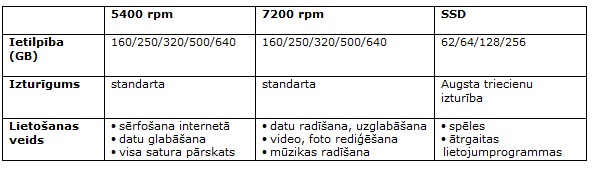
The hard disc is a component of the portable computer storing the operating system, applications and your files. Its size determines how many applications and files can be stored there. The capacity of the hard disc is measured in Gigabytes.(Gb).

When you select the capacity of the hard disc you have to consider what you plan to store there in the near future. Data volume will most probably increase and the new technologies will require higher memory capacity.

Graphics card
Video card manufacturer : Qualcomm
Video card Performance : Dynamic (uses RAM)
Ports and equipment
Headphone Jack Yes

If you want to connect portable headphones or stand-alone, more powerful speakers to your computer you should certainly look for a computer with the connection slot for headphones.

If you don't make your choice at once later it will be necessary to buy an external sound card which is an additional expense and quite often not a very convenient solution.

Microphone in Combo

This index determines whether the portable computer has the 1.8" mini-jack stero connector for connecting the classic headphones or computer speakers.

If this connection is not available it will be necessary to buy the USB sound card for connecting these devices and this is an additional expense and inconvenience.

Pieslēgvietas USB Type-A 2.0 0

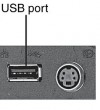
USB 2.0 is the most popular connection slot for the computer peripheral devices. Thanks to this connection slot it is possible to connect mice, keyboards, webcams, printers, USB flash memories, external HDDs and numerous other devices to the computer. The higher the number of available USB2.0 ports, the better.

Pieslēgvietas USB Type-A 3.0 0

USB 3.0 is the newest and fastest USB standard that allows to connect all the devices of the preceding USB2.0 generation and the new USB3.0 generation.

The true advantage of this connection can be seen when the USB3.0 external HDD or the USB3.0 flash memory is connected to the USB3.0 connector. This speed of operation of this solution can exceed the predecessor USB2.0 standard by several times and even the current speed record holder - FireWire connection.

Port LAN (RJ-45) Not

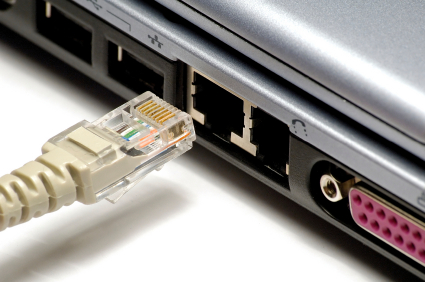
TheLAN, or Ethernet, port allows you to connect your computer to a router, modem or switch for internet connectivity. As wireless internet connections, or Wi-Fi, are becoming more and more popular nowadays, laptop manufacturers are slowly moving away from providing this port in their products. If you don't have a wireless router or want to use the maximum speed of the optical internet, make sure your computer has a LAN or RJ45 socket.

D-SUB None

D-SUB is the classic (analogous) connection plug of monitors, projectors and other external video devices. This standard is gradually disappearing from the market leaving the space for much higher quality HDMI or DisplayPort (digitālajiem) plugs.

USB Type-C ports : 1
Ports Mini DisplayPort None

DisplayPort digital connection for transmitting the image and sound via one wire at high quality. Contrary to the HDMI, this connection allows to connect several external monitors to the computer by using a single connector.

Prior to buying the portable computer with the DisplayPort you should verify whether your monitor or TV set has the available DisplayPort plug.

HDMI None

HDMI is the digital image and sound transmission standard that allows to connect a TV set, monitor or projector supporting HDMI to the computer via the HDMI cable.

Cardreader microSD

This device allows to copy photos from the memory cards of digital cameras without connecting the camera. All you have to do is to insert the relevant card in the reader and all its content is available in the computer at the very same moment.

There are different types of cards (SD, MMC, xD, MS Pro, etc.), therefore you should verify whether the selected card reader supports the required type of the card.

WebCam Is
By means of the transmission of the video image the webcam allows to communicate via skype, to participate in video conferences as well as to use vast possibilities offered by the Internet world.
Wireless connections
WWAN None
Unused
Bluetooth Is

Bluetooth connection provides secure wireless data transmission among various devices (at the distance of up to 150 m). This is a possibility for your portable computer to connect with your mobile phone, another portable computer, palmtop and other bluetooth devices without using any wires for exchanging Mp3 music, photos and documents. You can use bluetooth for connecting wireless headphones with a microphone, mouse, keyboard, printer and other devices supporting bluetooth connection.

Examples of use of the Bluetooth technology:

• transfer of files between computers or between a computer and another device;

• printing using Bluetooth enabled wireless printer;

• use of a Bluetooth equipped keyboard or mouse, listening to music via wireless headphones;

• synchronisation of the personal digital assistant (PDA) with a computer or another device;

• wireless connection to the Internet via the mobile phone or the modem server;

• connection to the Bluetooth personal network (PAN - this is the technology that allows to establish the Ethernet network with wireless links between portable computers, mobile phones and hand devices).

*For establishing a connection with a portable computer with bluetooth; all the devices to be connected need the bluetooth support.

Wi-Fi Wi-Fi 5 (802.11ac)

Wireless is the wireless network connection via which the computer will be connected to the router or the access point. Nowadays the 802.11 B/G/N connection with the highest speed operation (150 -300 Mb/s) and highest security is most popular.

Via 802.11 B/G it is also possible to connect to virtually all network, just the maximum speed will be 54 Mb/s in connections to the N type network.

Keyboard
Keyboard language No keyboard

Which keyboard should be chosen - English or English/Russia - this choice depends on your needs and the language you use on daily basis. The arrangement of the keys of the keyboard should be as close as possible to the version of the keyboard of desktop computers.

currently almost all the portable computers are equipped with the full-size keyboard (with a separate number pad). Function keys have to be located in a rational way, so that it is not necessary to get used to them by searching for them in unusual corners of the keyboard.

Trackpoint is a small-size cursor-lever placed directly in the middle of the keyboard keys. It can be very handy because it is not necessary to take your hands off the keyboard as it is in case of a touch pad. This function is characteristics of many Lenovo ThinkPad series portable computers.

Numpad None

This parameter determines whether the keyboard of the portable computer has a separate number pad. If you have to work with numbers and figures a lot you should certainly verify whether the selected computer has the numpad.

Keyboard lighting : None
Wireless router
More detailed specification
Audio - Audio system - Dolby Atmos
Audio - Number of built-in speakers - 4
Battery - Battery capacity - 7040 mAh
Battery - Battery included - Yes
Battery - Battery technology - Lithium-Ion (Li-Ion)
Brand - Samsung
BrandPartCode - SM-X210NDBAEUE
Camera - Auto focus - Yes
Camera - Front camera - Yes
Camera - Front camera resolution (numeric) - 5 MP
Camera - Maximum video resolution - 1920 x 1080 pixels
Camera - Rear camera flash - No
Camera - Rear camera resolution (numeric) - 8 MP
Camera - Rear camera type - Single camera
Camera - Resolution at capture speed - 1920x1080@30fps
Camera - Video capturing speed - 30 fps
Camera - Video recording modes - 1080p
Category - Tablets
Design - Device type - Mobile tablet
Design - Form factor - Slate
Design - Product colour - Navy
Display - Display diagonal - 27.9 cm (11")
Display - Display number of colours - 16 million colours
Display - Display resolution - 1920 x 1200 pixels
Display - HD type - WUXGA
Display - Native aspect ratio - 16:10
Display - Panel type - TFT
Display - Touchscreen type - Capacitive
Graphics - Graphics card - Adreno 619
Graphics - Graphics card family - Adreno
GTIN - 8806095306278
LongSummaryDescription - Samsung Galaxy Tab SM-X210. Display diagonal: 27.9 cm (11"), Display resolution: 1920 x 1200 pixels. Internal storage capacity: 64 GB. Processor frequency: 2.2 GHz, Processor family: Snapdragon, Processor model: 695. Internal memory: 4 GB. Rear camera resolution (numeric): 8 MP, Rear camera type: Single camera, Front camera resolution (numeric): 5 MP, Front camera. Top Wi-Fi standard: Wi-Fi 5 (802.11ac). Card reader integrated. Weight: 480 g. Product colour: Navy
Memory - Internal memory - 4 GB
Network - Bluetooth - Yes
Network - Bluetooth version - 5.1
Network - Mobile network connection - No
Network - Near Field Communication (NFC) - No
Network - Top Wi-Fi standard - Wi-Fi 5 (802.11ac)
Network - Wi-Fi Direct - Yes
Network - Wi-Fi standards - 802.11a, 802.11b, 802.11g, Wi-Fi 4 (802.11n), Wi-Fi 5 (802.11ac)
Performance - Position location - Yes
Performance - Wi-Fi positioning - Yes
Phone features - Video call - Yes
Ports & interfaces - Combo headphone/mic port - Yes
Ports & interfaces - Headphone connectivity - 3.5 mm
Ports & interfaces - USB 2.0 Type-C ports quantity - 1
Processor - Processor cores - 8
Processor - Processor family - Snapdragon
Processor - Processor frequency - 2.2 GHz
Processor - Processor manufacturer - Qualcomm
Processor - Processor model - 695
ProductName - SM-X210
Security - Face recognition - Yes
Security - Password protection - Yes
Sensors - Accelerometer - Yes
Sensors - Ambient light sensor - Yes
Sensors - Gyroscope - Yes
Sensors - Hall sensor - Yes
ShortSummaryDescription - Samsung Galaxy Tab SM-X210, 27.9 cm (11"), 1920 x 1200 pixels, 64 GB, 4 GB, 2.2 GHz, Navy
Software - Platform - Android
Storage - Card reader integrated - Yes
Storage - Compatible memory cards - MicroSD (TransFlash)
Storage - Internal storage capacity - 64 GB
Storage - Maximum memory card size - 1 TB
Storage - User memory - 44.8 GB
Title - Samsung Galaxy Tab SM-X210 Snapdragon 64 GB 27.9 cm (11") 4 GB Wi-Fi 5 (802.11ac) Navy
Weight & dimensions - Depth - 6.9 mm
Weight & dimensions - Height - 168.7 mm
Weight & dimensions - Package depth - 180 mm
Weight & dimensions - Package height - 30 mm
Weight & dimensions - Package weight - 650 g
Weight & dimensions - Package width - 260 mm
Weight & dimensions - Weight - 480 g
Weight & dimensions - Width - 257.1 mm
191.53 €
Samsung SAMSUNG SM-X210B GALAXY Tab A9+ 11in WiFi 4GB 64GB Android Navy (P)
Intel technology provider Platinum 2020
All categories